Free Shipping – Store Wide
MAHAHUM External CD/DVD Drive for Laptop USB 3.0 & USB C CD Player Portable Ultra-Slim External DVD Drive Compatible with Laptop Desktop PC Mac OS Mac Macbook Pro/Air Windows 11/10/8/7 Linux(Black)
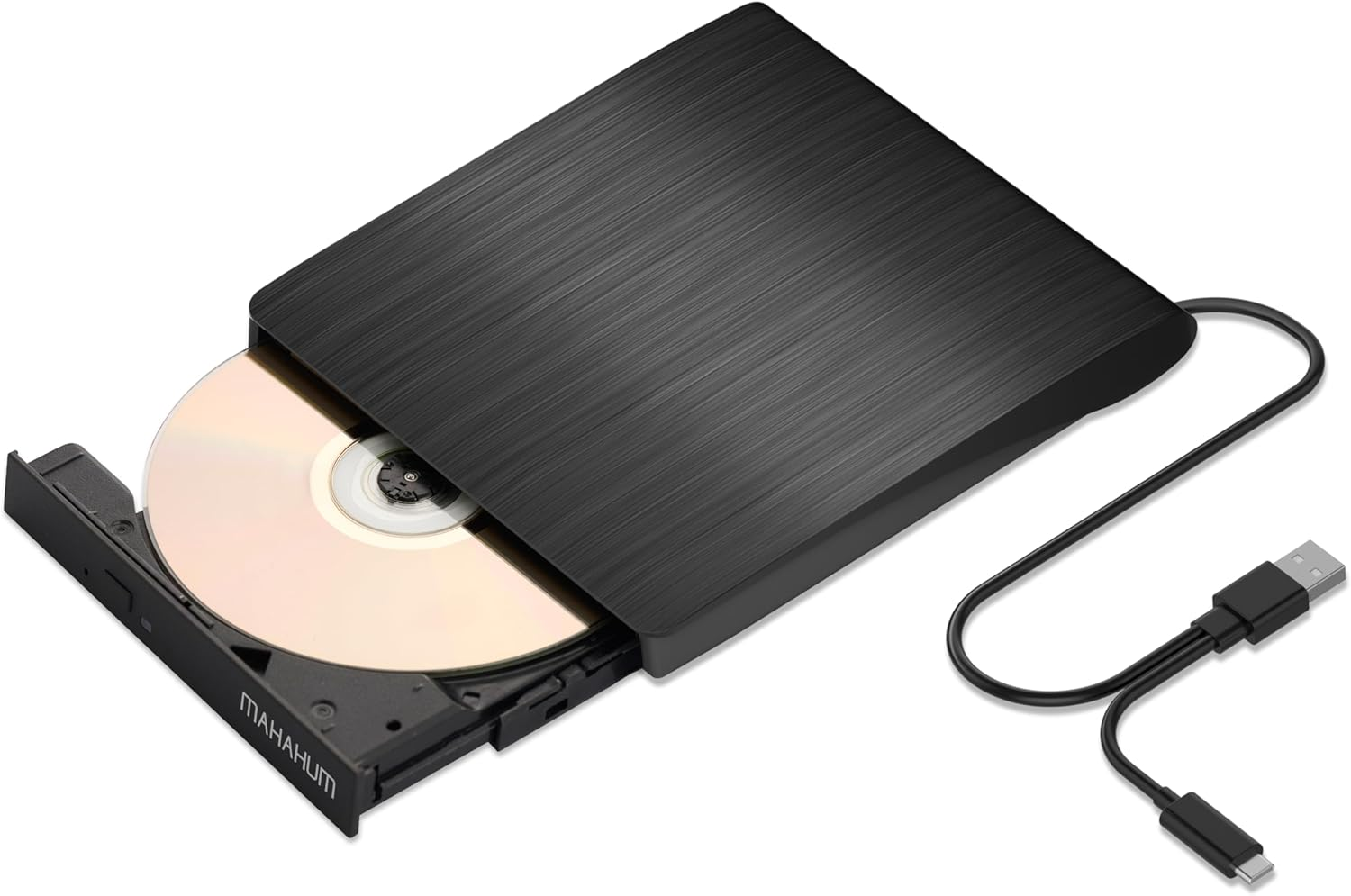
MAHAHUM External CD/DVD Drive for Laptop USB 3.0 & USB C CD Player Portable Ultra-Slim External DVD Drive Compatible with Laptop Desktop PC Mac OS Mac Macbook Pro/Air Windows 11/10/8/7 Linux(Black)
Brand: MAHAHUM
A$29.00
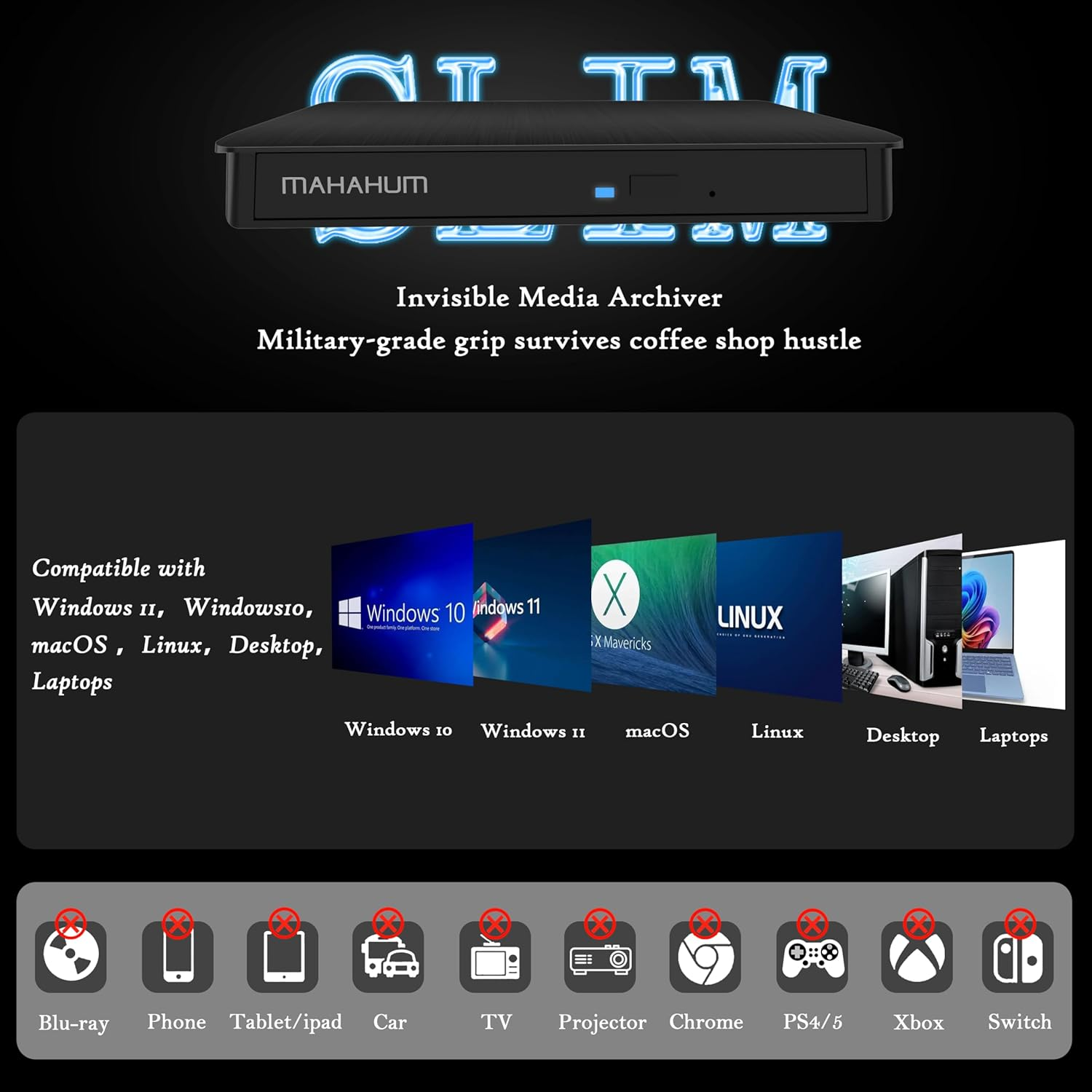
- **CD DVD External Drive for Laptop** Windows Systems: 11/10/8.1 (Driver Installation Required via) Mac: Plug & Play with MacBook Air/Mac Mini/iMac/MacBook Pro (M1/M2 Supported) Disc Superpower: CD: R/RW/ROM | DVD: +-R/+-RW/RAM;Retro Media: VCD/SVCD. (Note: Not compatible with Blu-ray, 4K, TVs, PS5, Xbox, or tablets)
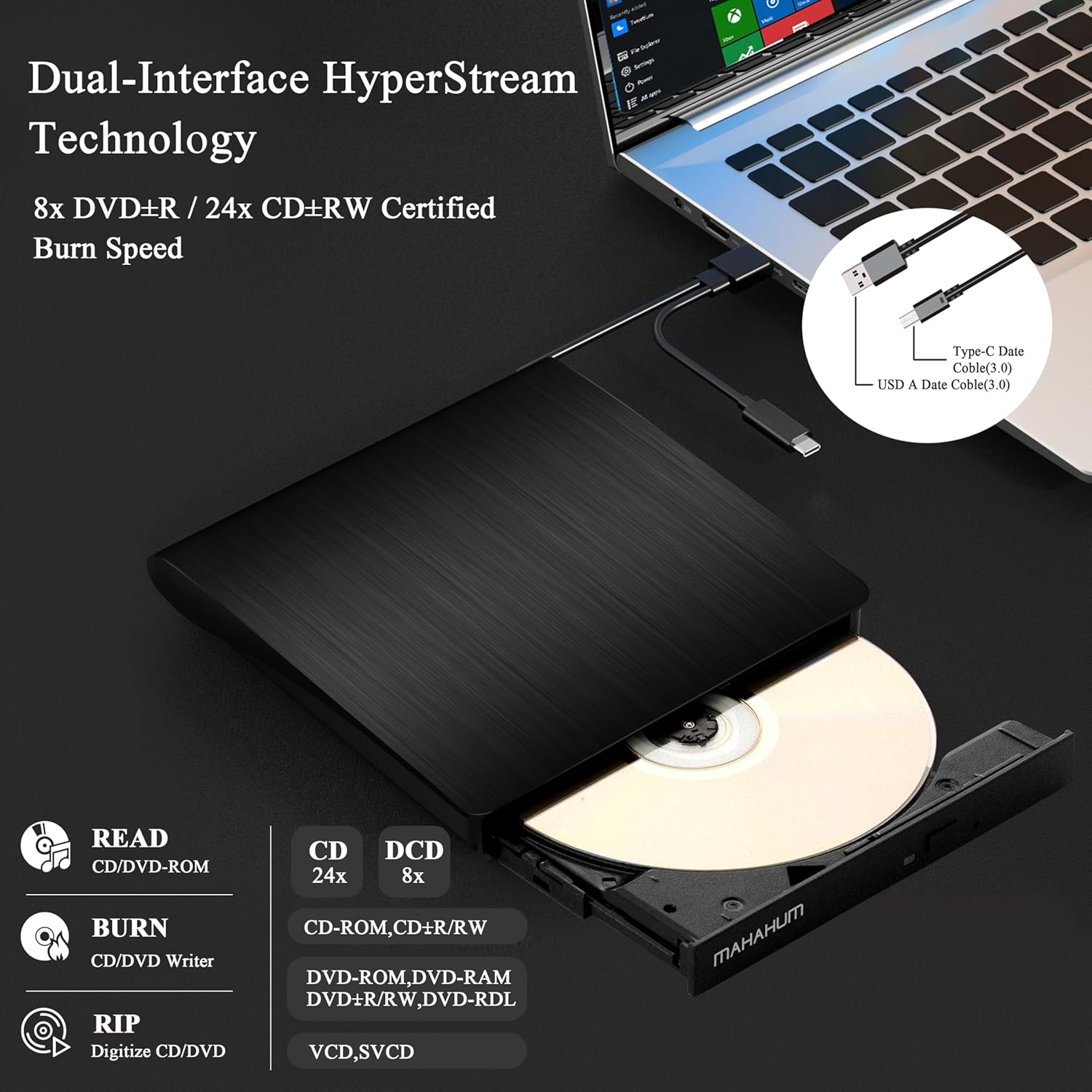
- **Lightning-Fast Dual-Interface CD Reader for Laptop** MAHAHUM CD Burner delivers pro-grade performance: 24x CD+-RW / 8x DVD+-R Speeds - Transfer 700MB CD in 3min (3x faster than 8x drives) & 4.7GB DVD in 10min. USB 3.0 (5Gbps) + USB-C Hybrid Ports - Direct plug-and-play with M1/M2 MacBooks/Ultrabooks/Windows 11 PCs. Zero-Buffer Streaming Tech - Instant 480p DVD movie playback & CD audio streaming without audio jitter. Speed may vary based on disc quality and host device performance
- **USB CD Drive: Read, Burn, Rip & Install** Beyond Basic Playback.Intelligent Burning: Burn MP3 music, home videos, precious photos to blank CD/DVDs with one click (supports +-R/RW format).Digitize Old Discs: Rip old CDs music/movies DVDs to MP4/MP3 files, save them permanently to computer/removable hard drive.System/Game Installation: Compatible with Windows/macOS installation disks, retro game discs
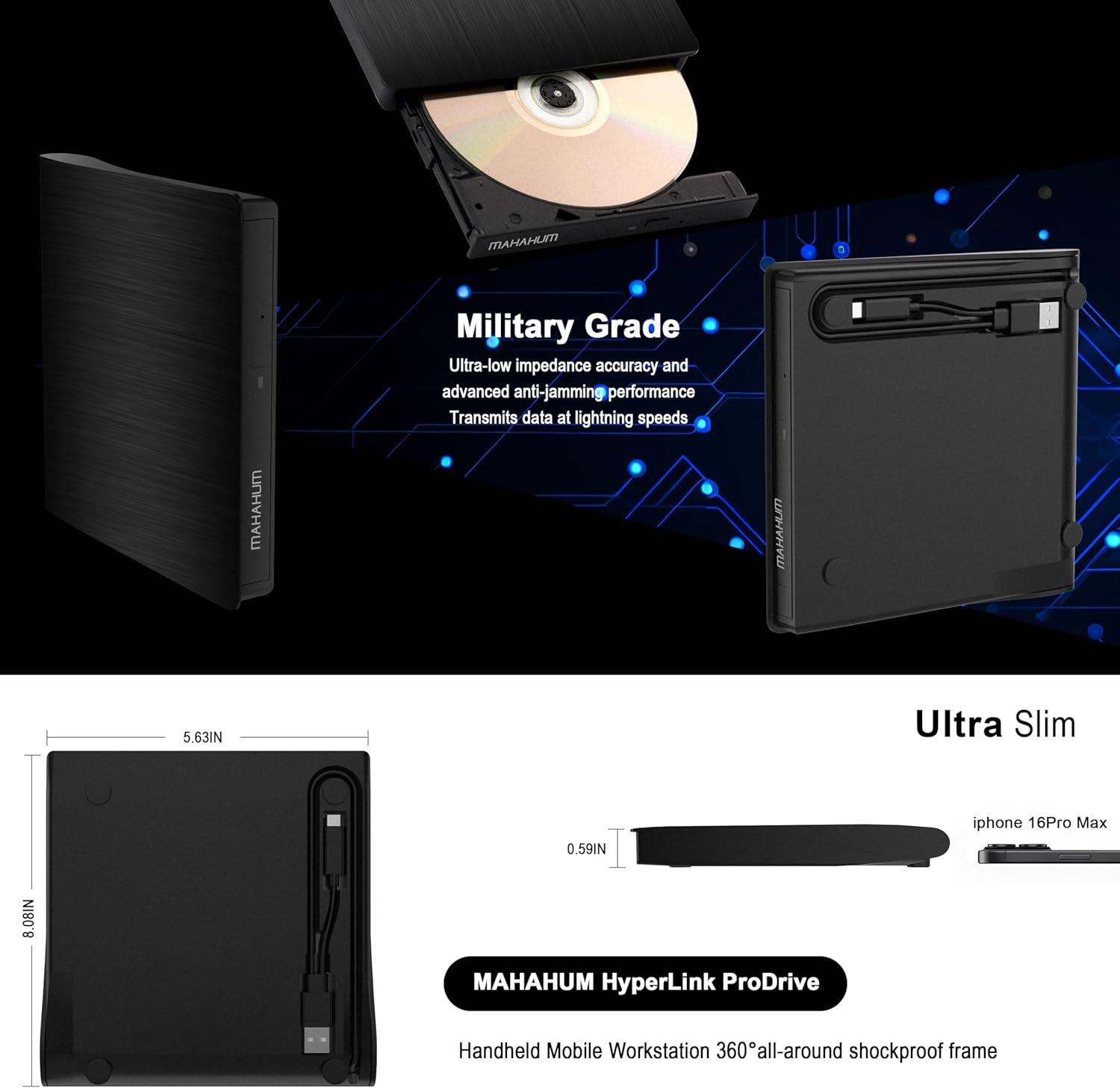
- **Military-Grade Durability** MAHAHUM DVD Drive USB External use 100% brand-new laser modules with:Error-Correction Tech: Auto-repairs scratched/damaged discs during playback.Anti-Vibration Design: Stable burning/reading even on bumpy desks.Whisper-Quiet Motor: <28dB noise (tested) for late-night movie marathons.Zero-Risk Purchase:24hour Support: Help recovering data from old discs, even non-MAHAHUM brands (We provide up to 2 year-long after-sale)
- **Key Notes** Compatibility: Not compatible with mobile devices (phones/tablets), TVs, cars, game consoles (PS/Xbox), Chromebook/Ubuntu systems. Does not support Blu-ray/4K UHD discs.Mac Ejection: Right-click desktop disc icon → "Eject" or use Finder → File → Eject. Emergency: Press drive button for 5 seconds.Connections: USBC cable directly connects to laptops (e.g., MacBook).Use power cord with low-power USB ports (older PCs). No drivers required for Windows 7+/macOS 10.6+/Linux. Software: VLC for video playback; Nero/Burn for disc burning. Legacy OS: Windows 98/XP/Vista drivers available via manual link
- **MAHAHUM CD Player for Laptop** A budget-friendly USBC solution for modern computers, offering plug-and-play compatibility with Mac/PC. Performs seamless playback, file transfers, and disc burning (requires one-time region setup). Durable build quality at an unbeatable price. (For a slimmer option, search Amazon ASIN: B0F247H8VH)
Product Description
MAHAHUM External CD/DVD Drive: A Digital Bridge Back in Time
In today's world of ultra-thin laptops, the MAHAHUM external CD/DVD drive bridges the digital gap between your treasured 90's music albums and movie collection. This all-in-one device for playback, burning, transcoding, and backup brings classic media to life in the modern digital world.
Multi-scenario application
Music Rebirth: Convert old music CDs to MP3 format to create an exclusive digital music library
Image Legacy: Digitize home video DVDs to permanently preserve precious memories
Data Management: Supports 12 media formats such as CD-R/RW, DVD±R/RW, etc., to backup photos/documents/systems
Software Installation: Easily read all kinds of installation discs to solve the pain point of ultra-thin book expansion
Extreme Connected Experience
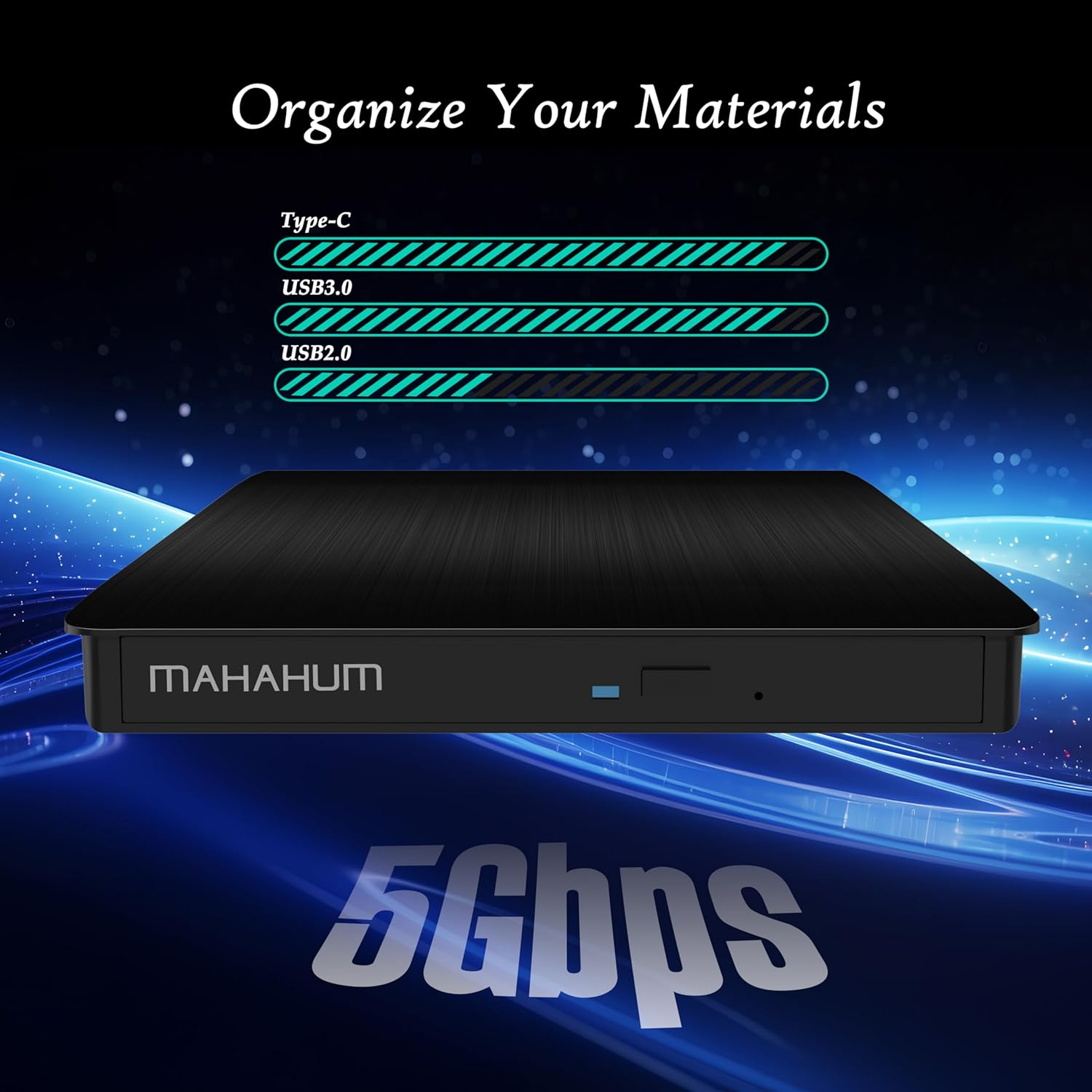
√ USB 3.0+Type-C Dual Interface|5Gbps transfer rate|DVD 8X/CD 24X read/write speed
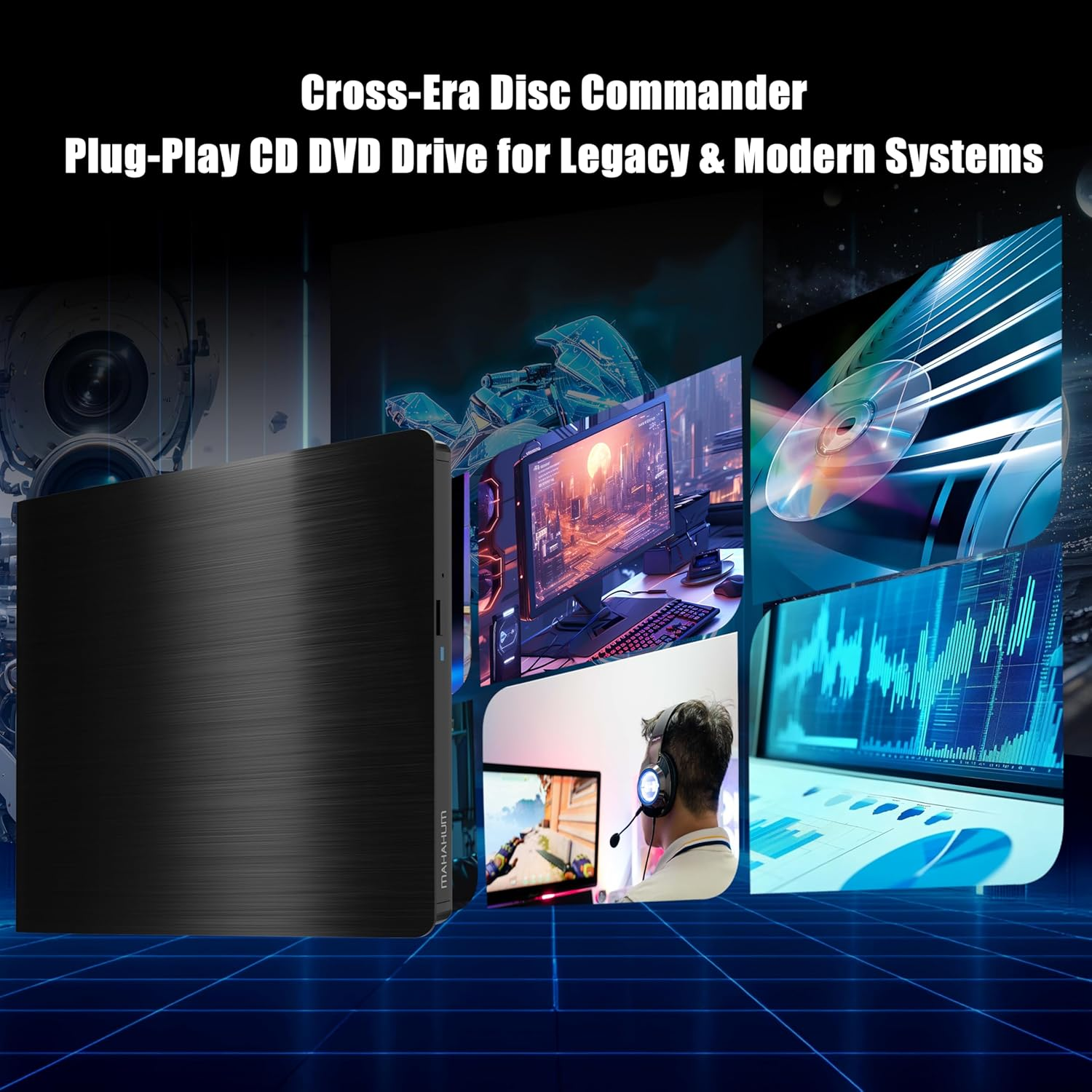
√ Plug and Play: Windows/Mac/Linux platform automatic recognition (*Not compatible with Chrome OS)
Mobile Office Companion
adopts military-grade shock-resistant structure. Teachers' classroom presentations, business people's data backup, students' software calls... USB cable hidden storage design, so that the professional-grade optical drive is always on standby.
IMPORTANT NOTE: This device does not support Blu-ray playback, and is not compatible with game consoles/car systems/Smart TVs and other devices.
PLUG & PLAY
Key Features:
- Dual Connectivity (USB 3.0 & USB-C):
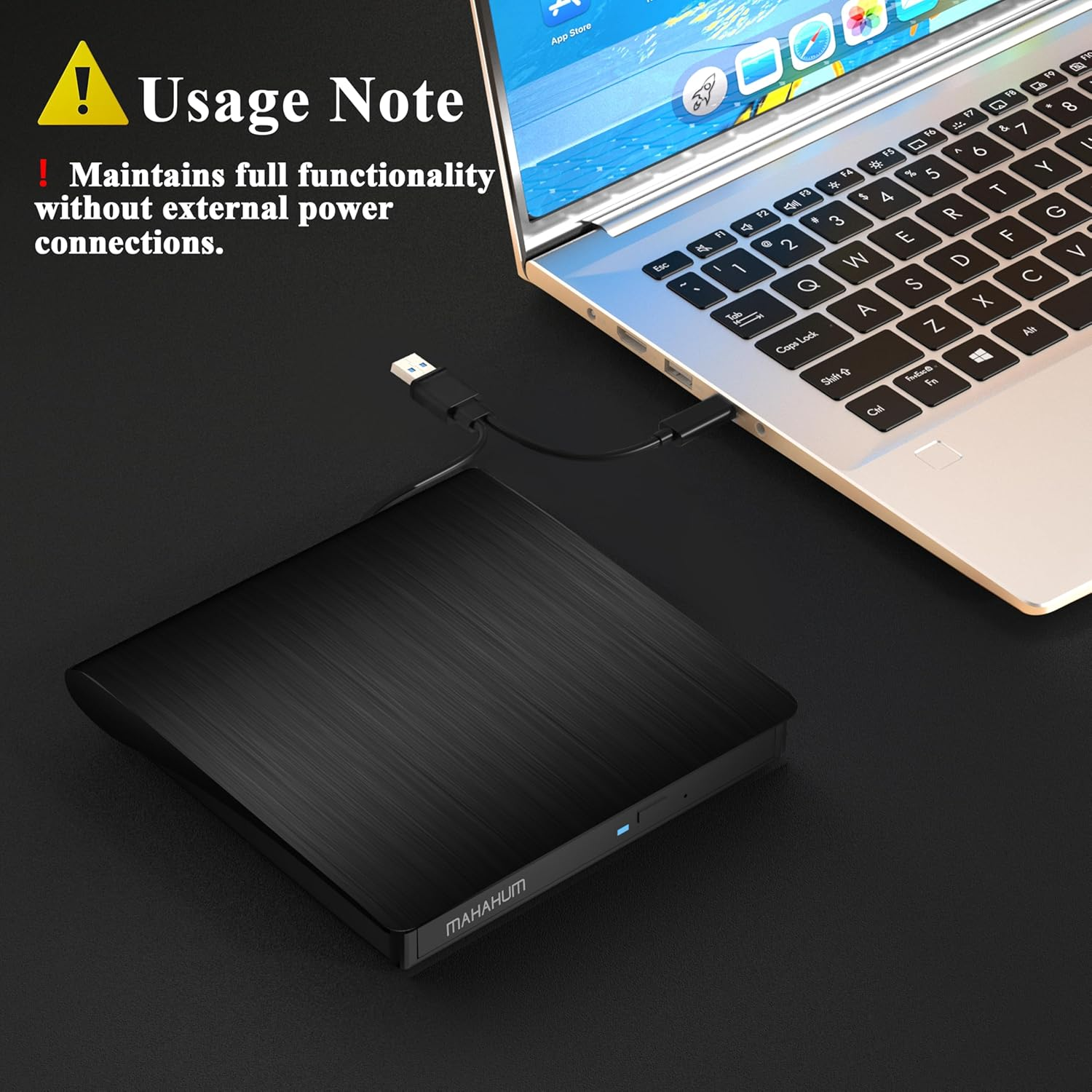
Includes an embedded 9.8-inch data cable with USB 3.0 and USB-C connectors, ensuring compatibility with modern devices (Ultrabooks, M1/M2 MacBooks, desktops) and eliminating the need for adapters.
- Plug & Play:
Automatically installs drivers when connected—no software required.
- Blazing-Fast Performance:
8x DVD Read / 24x CD Read & Burn: Transfer a full 700MB CD in 3 minutes or a 4.7GB DVD in 10 minutes (3x faster than standard drives).
USB 3.0 SuperSpeed (5 Gbps): Stream movies, music, or data with zero lag or audio distortion.
- Universal Compatibility:
Works seamlessly with Windows, macOS, Linux, and other systems. Recognizes discs instantly and displays device icons upon insertion.
- Portable & User-Friendly Design:
Compact, lightweight build with a short integrated cable for on-the-go use. Ideal for laptops/desktops lacking built-in optical drives.
Note:
The 9.8 inches cable length prioritizes portability over flexibility; ensure your device is within close range during use.
True USB 3.0 Hardware:
Built with a genuine 9-pin USB 3.0 connector, fully implemented data lines, a dedicated USB 3.0 PCB, and a specialized controller IC—no downgraded USB 2.0 internals.
Delivers 5 Gbps transfer speeds (≈10x faster than USB 2.0), ensuring zero lag during streaming or burning.
- Blazing-Fast Read/Write Performance:
24x CD Read/Burn & 8x DVD Read: Burns a 700MB CD in 3 minutes or a 4.7GB DVD in 10 minutes (3x faster than standard drives).
Optimized for large file transfers, backups, or instant media playback.
- Dual-Port Versatility (USB 3.0 + USB-C):
Plug-and-play compatibility with Ultrabooks, M1/M2 MacBooks, desktops, and modern USB-C devices—no drivers or adapters needed.
Automatically detects discs and displays device icons upon insertion.
- Premium Engineering for Reliability:
Combines hardware-level USB 3.0 validation with error-free audio/video streaming and stable data transfers.
Why It Stands Out:
Unlike "fake USB 3.0" drives that use USB 2.0 components, MAHAHUM guarantees full USB 3.0 compliance for consistent 5 Gbps speeds and professional-grade performance.
MAHAHUM External CD/DVD Drive
- Dual-Port Versatility
USB 3.0 (5 Gbps) + USB-C connectors; plug-and-play compatibility with Windows 10/11, macOS (native M1/M2 support), and Windows 8.1 (manual driver required). Excludes TVs, PS5/Xbox, tablets.
- High-Speed Performance
CD24x read/burn (700MB in 3 mins); DVD: 8x read/burn (4.7GB in 10 mins); dual-layer DVD at 4x. Optimal burning: CD ≤10x, DVD 4x–8x for stable data transfers.
- Broad Media Support
Reads/writes CD-R/RW, DVD±R/RW/DL, VCD/SVCD; reads JPEG/PNG/TIFF/RAW files (some RAW need third-party tools). Excludes Blu-ray, 4K, encrypted discs.
- Key Notes & Limits
Requires burning software (e.g., Nero, iTunes) and media players (e.g., VLC); 25cm fixed cable; copy-protected/damaged discs may fail.
- Compatible with: Windows 11/10/8/7/Vista/XP laptops and desktops, Linux systems, and Mac devices including MacBook Pro, MacBook Air, iMac, Mac mini, and Mac Studio (M1/M2/M3/M4 chip supported).
- Not compatible with: Chromebook (Chrome OS), Ubuntu OS, TVs, vehicles (car/truck), projectors, tablets, iPads, smartphones, gaming consoles (PS4/PS5, Xbox, Nintendo Switch), or Blu-ray discs.
How to Use it on Windows Computers: Prepare the media player, burning, or ripping software based on your needs (not all), and network connection (for Windows 11) > Take out the data cable (located under the drive) and plug it into your computer's USB-A or USB-C port directly or a self-powered USB hub > It will install the driver automatically and you will see a DVD RW icon in Windows Explorer > For video DVDs, set the region code to number #1 to play US or CA DVDs (CDs do not have region code) > Insert your CDs or DVDs > Use the software you’ve prepared to play, burn, or rip the disc > After playback/burning is complete, you can press the button on the panel or right-click the icon to eject the disc.
Recommended Free Software for Windows: Audio CD Media Player (Windows Media Player, VideoLAN VLC Player); Video/Movie DVD Media Player (VideoLAN VLC Player, Kodi, 5KPlayer); Audio CD Burning Software (CDBurnerXP, ImgBurn); Video DVDs Burning Software (ImgBurn, BurnAware Free, CDBurnerXP); Audio CD Ripping Software (Windows Media Player, iTunes, Exact Audio Copy [EAC], Fre:ac); Video DVD Ripping Software (HandBrake, MakeMKV)
How to Set the Region Code in Windows: Right-click the "DVD-RW Drive" icon and select "Properties" > Go to the "Hardware" tab and select your CD/DVD drive > Click "Properties" at the bottom > Open the "DVD Region" tab > Choose the correct region (e.g., USA and CA is 1) and click "OK". (Note: You can only change the region code 4~5 times.)
How to Use it on Apple Mac Computers: Open Finder > Settings (or Preferences, depending on your macOS version) > Ensure "CDs, DVDs, and iOS Devices" is checked in the General Tab and Sidebar Tab if available > Prepare the media player, burning, or ripping software based on your needs (not all) > Take out the data cable (located under the drive) and plug it into your computer's USB-A or USB-C port directly or a self-powered USB hub. If needed, connect the power supply cord to a USB power adapter or bank to ensure sufficient power supply > Insert your CDs or DVDs > Your Mac will recognize the drive, read the disc and an icon will appear on the desktop > Use the software you’ve prepared to play, burn, or rip the disc > To eject a disc on Mac computers after playback/burning, right-click on the desktop icon and select "eject," or choose "File" > "Eject" from the menu. (Note: The tray cannot open via the button due to macOS limitations)
Recommended Free Software for Apple Mac: Audio CDs Media Player (Apple Music, iTunes, VLC Player); Video/Movie DVDs Media Player (VideoLAN VLC Player, Apple DVD Player); Audio CDs Burning Software (Apple Music, Burn, Express Burn); Audio CD Ripping Software (Apple Music, X Lossless Decoder, HandBrake); Video DVDs Burning Software (Burn for Mac, HandBrake, iDVD (Legacy), DVDStyler, iDVD [for old mac]); Video DVD Ripping Software (MakeMKV, HandBrake with VLC - Use VLC to read the DVD, and HandBrake to convert and rip it to your desired format).
Note Before Burning Discs: Before burning an audio or video disc, make sure your blank disc capacity is sufficient, use the right burning software, set the recommended burning speed (10X or lower for CDs and 4X to 8X for DVDs), and the multimedia format is compatible with the blank disc, otherwise the burned disc will not play properly. You can use software (such as HandBrake or Freemake Video Converter) to convert video files to DVD-compatible formats (e.g., MPEG-2) or audio files to CD-compatible formats (e.g., WAV or MP3).
[Windows OS] If your Windows computer recognizes the optical drive, you can see the DVD RW icon in Windows Explorer. If your Windows laptop PC cannot recognize this CD/DVD drive, please try the following suggestions:
- Use the Type A and Type C cables on the back (bottom) of the optical drive to connect your computer's USB port or a self-powered USB hub. For Windows 11/10, please make sure a network connection and a media player software (Such as Windows media player for audio CDs, VLC player for audio CDs and video DVDs)
- Try different USB: Move the data cable to different USB ports on your computer.
- Reinstall the driver: 1. Right-click the Windows Start Button in the lower left corner of the screen, or press the Windows Logo + X key combination on the keyboard, from the list, and click to select Device Manager. 2. Click View. 3. Click Show Hidden Devices. 4. Fine this DVD/CD-ROM drive or similar name. 5. Right-click and select Uninstall. 6. Reboot your computer and replug the external drive, Windows will detect the drive and then reinstall it. If it is not solved, reach out to us for a driver troubleshooting tool, the download link is not allowed here.
[Windows OS] This drive supports CDs and DVDs. If this drive can only play audio CDs but cannot play video/movie DVDs on your Windows PC, please try the methods below:
- Use the right media player software (such as VLC player). Some media players, such as Windows Media Player, cannot play video DVDs.
- Before playing video DVDs, please set the region code to number 1 to play the U.S. or CA DVDs. Steps: 1. Right-click the "DVD-RW Drive" icon and select "Properties". 2. Go to the "Hardware" tab and select your CD/DVD drive. 3. Click "Properties" at the bottom. 4. Open the "DVD Region" tab. 5. Choose the correct region (e.g., USA is 1) and click "OK". (Note: You can only change the region code 4-5 times.)
[Mac OS] The Mac computer will show the device icon after the disc is placed in the optical drive. If your MacBook, iMac, or Mac Pro/Studio cannot recognize this CD/DVD drive, please try the following suggestions:
- Open Finder > Settings (or Preferences, depending on your macOS version) > Ensure "CDs, DVDs, and iOS Devices" is checked in General Tab and Sidebar Tab if available.
- The Mac OS computer will not display the device icon until the disc is placed in the optical drive and the disc is read successfully.
- Move the data cable to different USB ports on your mac computer, and try different discs.
- Item Model Number: MAHAHUM-021
- Hardware Platform: All in One PC, Laptop, PC
- Operating System: Linux, Mac Os 10.6 or above such as Apple MacBook Air, iMac, Mac Mini and MacBook Pro, Windows 11/ 10/8.1/ 7/ Vista/ xP/98/SE/ME/2000
- Brand: MAHAHUM
- Country of origin: China
- Item Weight: 330 g
- Package Dimensions: 16.8 x 16.4 x 2.7 cm; 330 Grams
- Colour: Black
- Manufacturer: Shenzhen MAHAHUM Technology Co., LTD
A$29.00
Shipping to Australia
Delivery time varies by location
Return & Refund Policy
Check our return & refund policy
Security & Privacy
Safe payments: We do not share your personal details
Availability:
-
In Stock
Sign in
or create an eMega account
Shop smarter — get exclusive deals & order tracking