Free Shipping – Store Wide
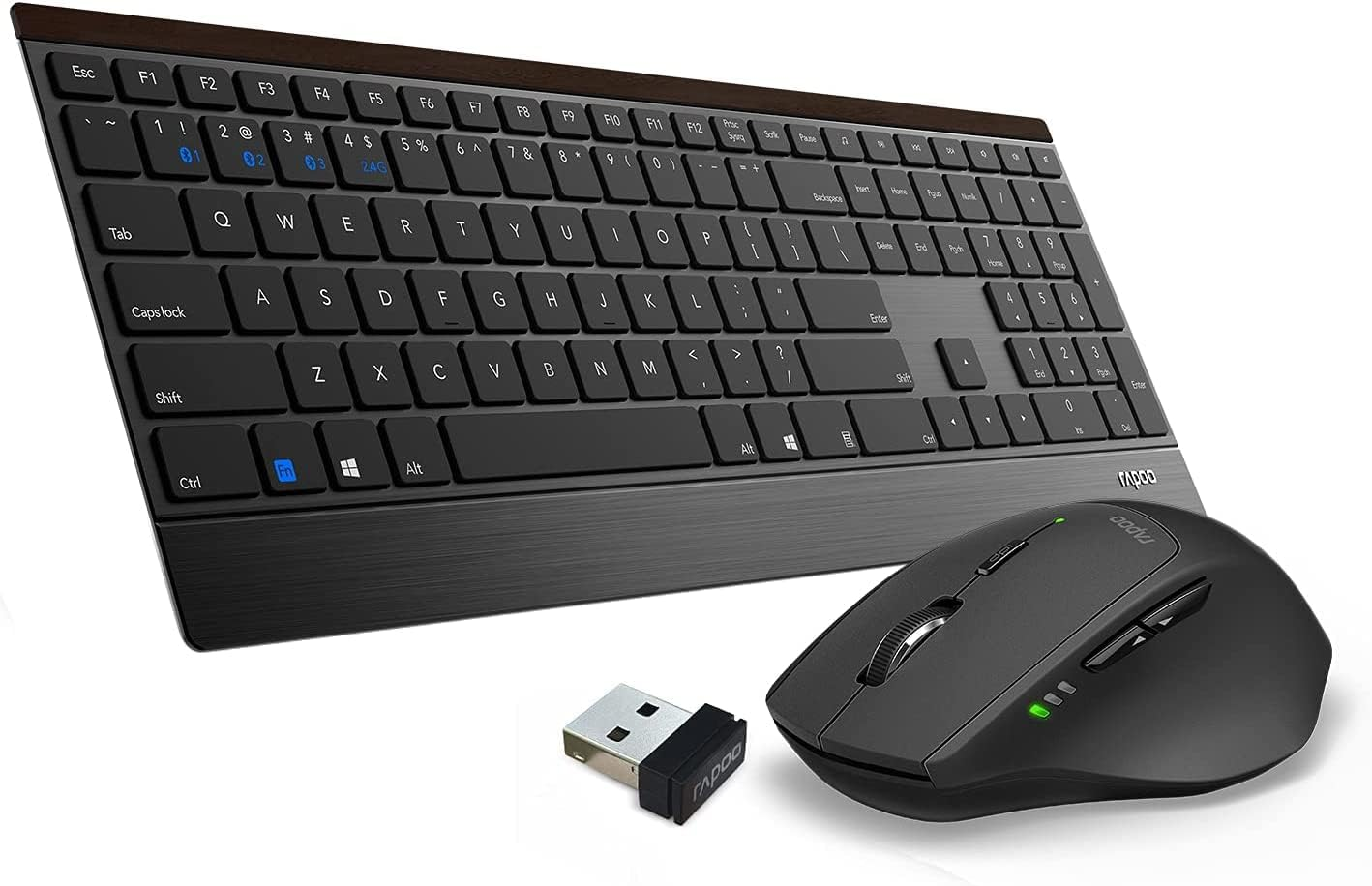
Wireless Keyboard and Mouse Combo, RAPOO 9500M Multi-Device Wireless Keyboard and Mouse Combo, Portable Ultra-Slim Keyboard and Mouse Set, Computer Keyboard for Windows 10/Android/Mac OS

Wireless Keyboard and Mouse Combo, RAPOO 9500M Multi-Device Wireless Keyboard and Mouse Combo, Portable Ultra-Slim Keyboard and Mouse Set, Computer Keyboard for Windows 10/Android/Mac OS
Brand: RAPOO
A$94.50
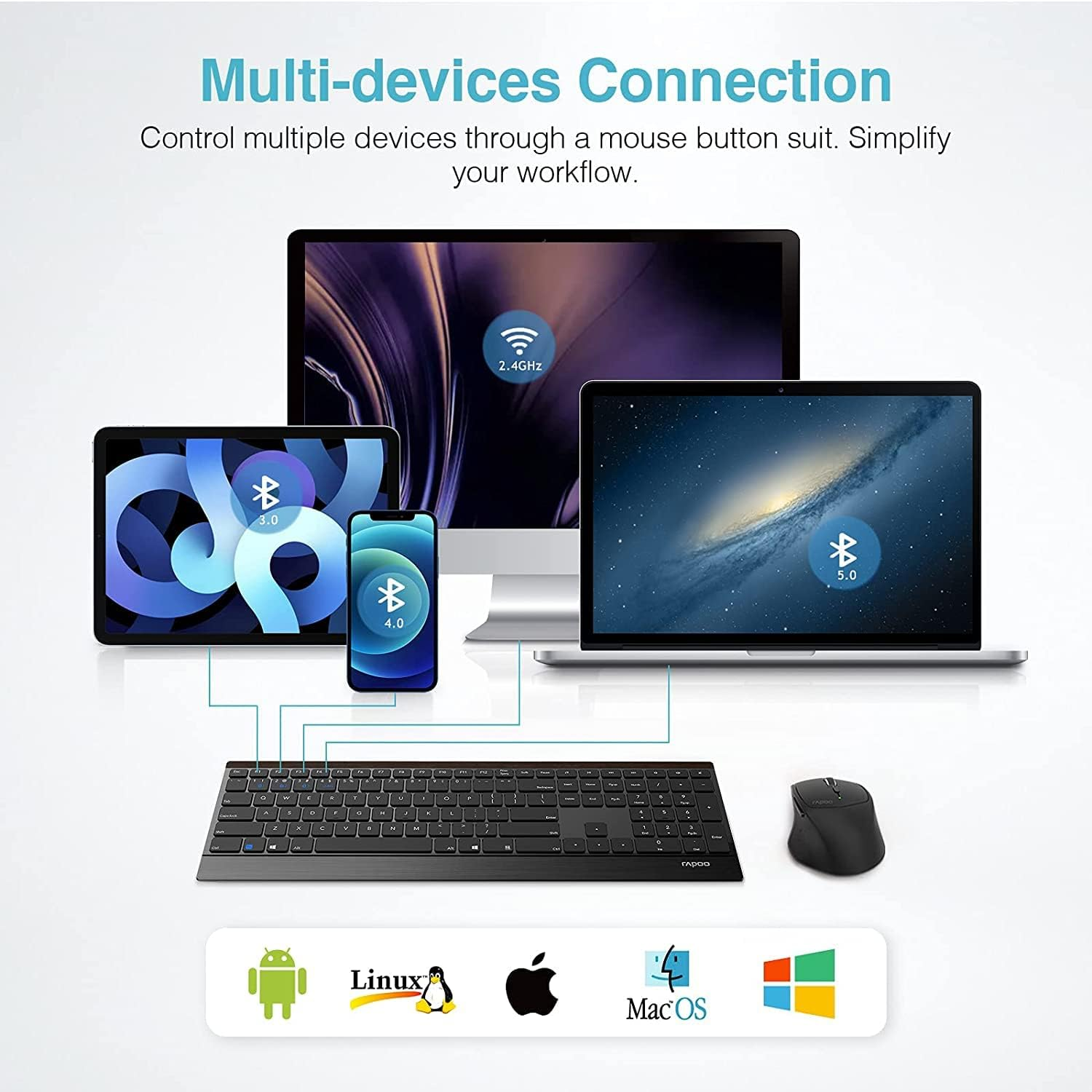
- 【Multi-device Connection Wireless Combo】RAPOO 9500M both the mouse and the keyboard can be connected using Bluetooth at the same time, and three devices can be connected. The keyboard can be switched by FN+1/2/3; the device can be switched by the Bluetooth button at the bottom of the mouse; it is very suitable for people who use multiple devices for office work
- 【2.4GHz Wireless Keyboard and Mouse Combo】The RAPOO 2.4GHz Transmission Technology can provide anti-interference stable transmission and make sure you to enjoy the wireless freedom, just plug and play, no driver or software required. The 2.4GHz technology ensures a strong and reliable connection within 10-meter working range.The USB receiver is plugged into the battery compartment of the mouse
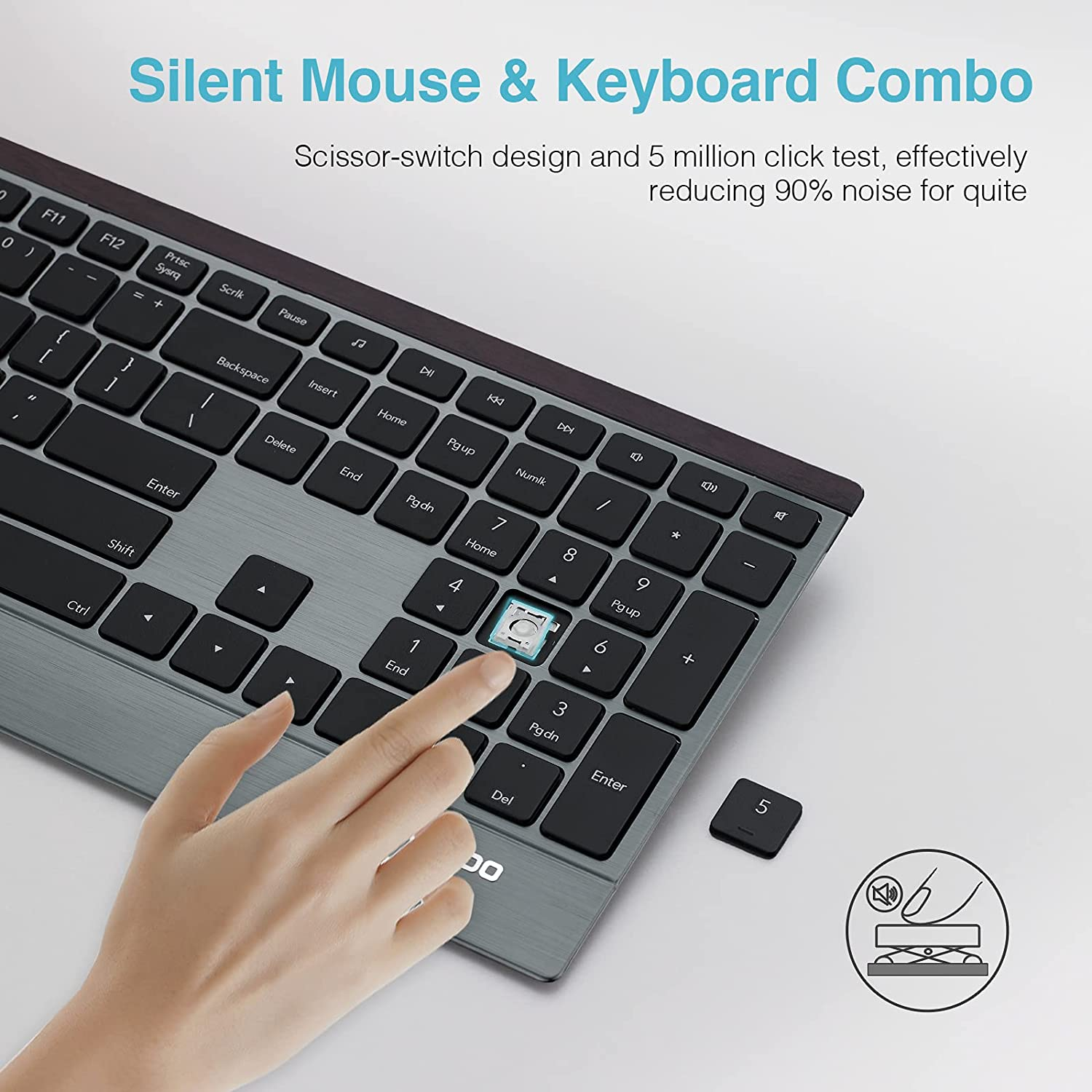
- 【Full Size Wireless Keyboard】 Standard US layout (QWERTY) with number pad, each key is independently and appropriately spaced to prevent hitting the wrong key simultaneously. 12 multimedia hotkeys combined help you to play music and movie, browse the web, open email and more, extremely convenient and efficientThe scissor foot design and chocolate keycaps can effectively reduce keyboard noise and bring you a comfortable experience
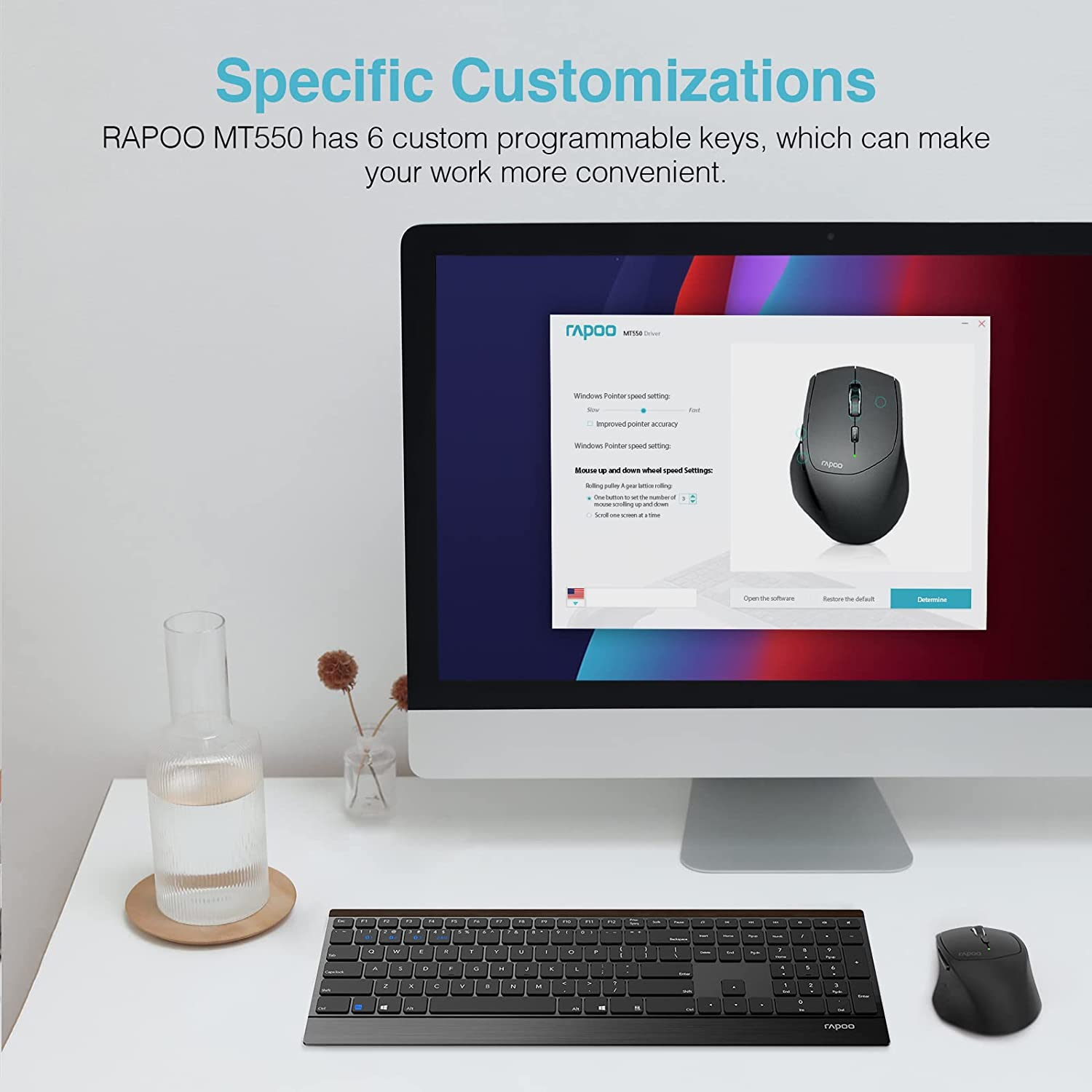
- 【Programable Wireless Mouse】The RAPOO MT550 wireless mouse has 6 customizable programming keys. You can download custom macro software on the RAPOO official website, bringing a personalized experience to your office or game. DPI adjustable mouse delivers 4-level of DPI (600/1000/1300/1600) to cater for your different needs in sensitivity
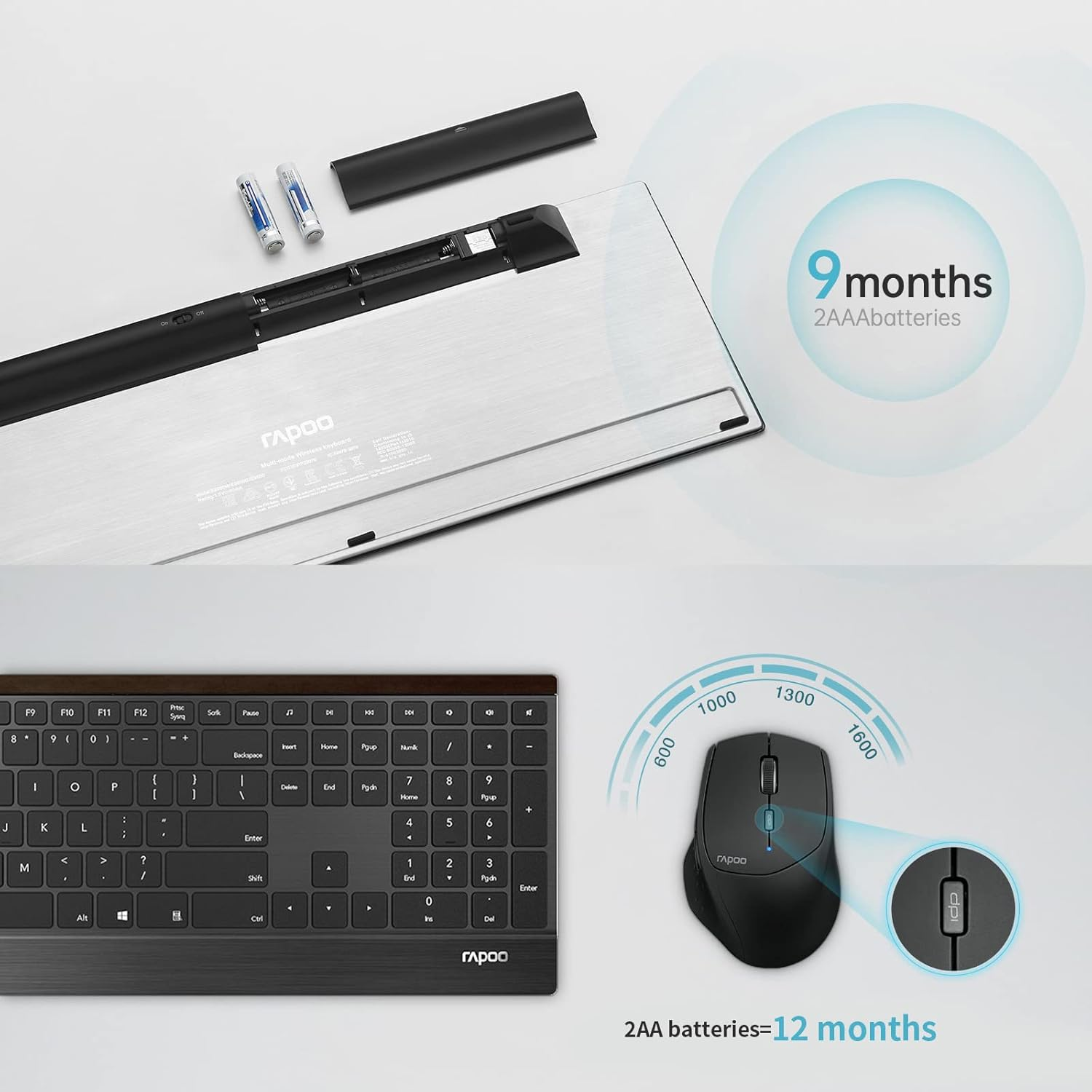
- 【Long Battery Life】The ergonomic wireless keyboard is powered by 2 AAA batteries support 12 months, and the wireless mouse is powered by 1 AA batterysupport 12 months (batteries are pre-included). Both mouse and keyboard have an on/off switch, turn them off when not use. save battery life and reduce battery replacement.If you have any questions, please feel free to contact us
Product Description
Mental wireless keyboard contradistinction
| Multi-Device Up to 4 Control multiple devices through switch buttom under keyboard. | Multi-Device Up to 4 Control multiple devices through "Fn+1/2/3/4". | Wireless Keyboard with USB Connect devices by USB dongle,plug and go. |
| Lazer Wireless Mouse Match high-end office mouse, RAPOO MT750 | Silent Wireless Mouse Match high-end office mouse,RAPOO MT550 | Silent Wireless Mouse Match high-end office mouse,RAPOO7200M |
-
Work Wirelessly
- 2.4G wireless connection
- Bluetooth connection
-
Personalize
- The 6 custom buttons create your own office shortcuts
- The driver down from the official website
-
Keyboard Design
- Full Size Wireless Keyboard
- Standard US layout (QWERTY)
- 12 multimedia hotkeys
-
You Will Get
- Keyboard *1 (2 AAA included)
- Mouse *1 (1 AA included)
- Manual*1
Multi-device Connection Mouse and Keyboard Combo
>>2.4G wireless connection
KEYBOARD
- Install the battery, remove the USB from the keyboard compartment and insert it into the computer
- Turn on the keyboard power switch and turn it to the right end
- Short press Fn+4 on the keyboard to connect
MOUSE
- Install the battery, take out the USB of the mouse compartment and insert it into the computer
- Turn on the mouse power switch to connect
>>Bluetooth connection
KEYBOARD
- Long press the combination key Fn+1 or Fn+2 or Fn+3 for more than three seconds to connect three different Bluetooth devices respectively. The keyboard will be searchable within 60 seconds.
- Complete Bluetooth pairing on your device
- Short press the keyboard Fn+1 or Fn+2 or Fn+3 or Fn+4 to switch between paired devices cyclically
MOUSE
- Turn on the mouse switch, the device indicator flashes quickly
- Press the device switch key to select the channel to which the device is connected
- Press the Bluetooth code key at the bottom, the device indicator light flashes slowly
- Bluetooth connection device, the device indicator stops flashing and keeps on for 6 seconds
The video showcases the product in use.The video guides you through product setup.The video compares multiple products.The video shows the product being unpacked.
hero-video
Merchant videoProduct Specifications
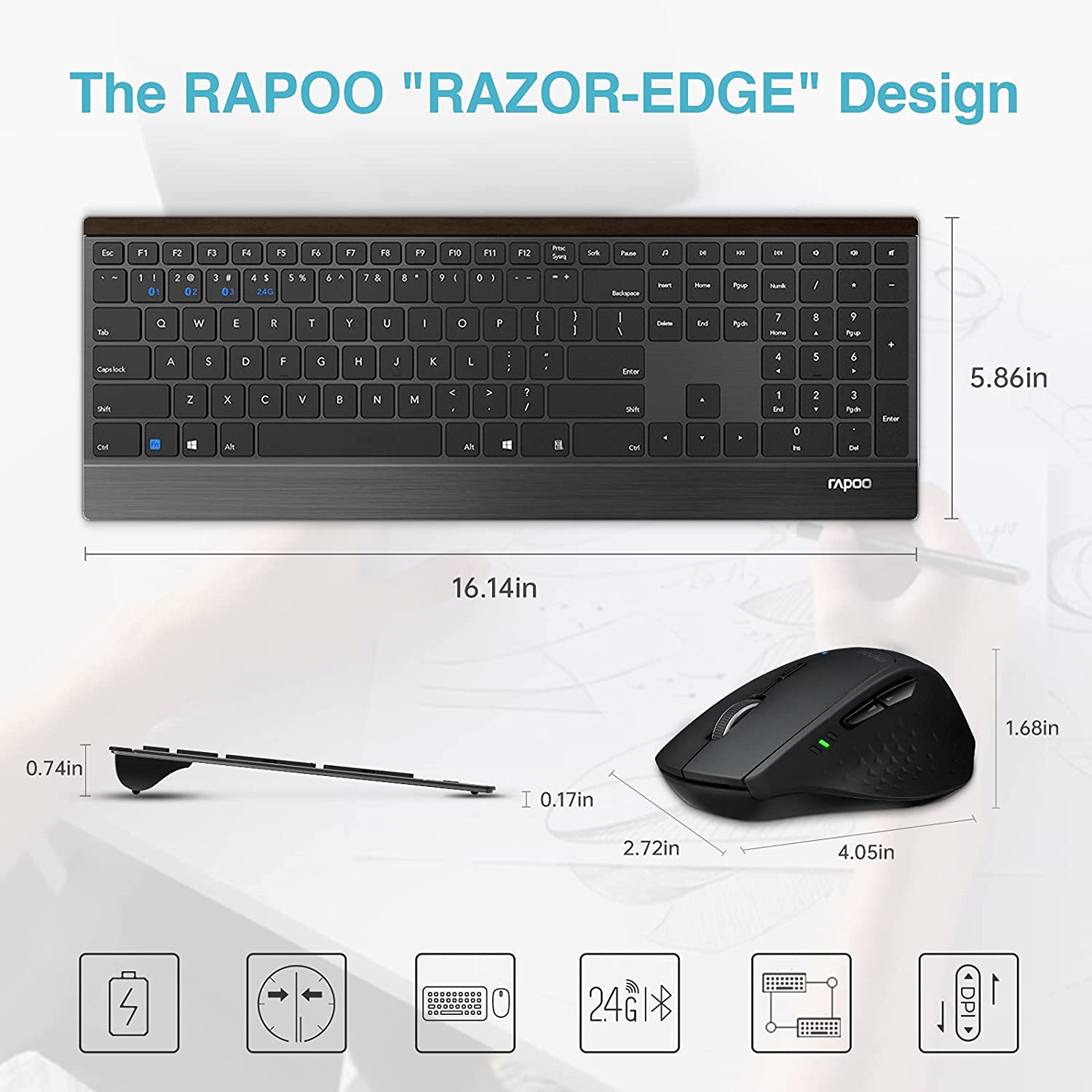
| Keyboard Dimension | 16.14 x 5.86 x 0.17 inches(RAPOO Blade series) |
| Mouse Dimension | 4.05 x 2.72 x 1.68 inches(Multi-modes Mouse) |
| Connection Method | Bluetooth & 2.4GHz Wireless (USB receiver is stored inside of the mouse) |
| Battery Type | Keyboard need 2 AAA batteries and Mouse need 2 AA battery (Preincluded) |
| Compatible System | Compatible with Windows XP/7/8/10 or higher version system |
| Package Content | 1 x Wireless Keyboard, 1 x Wireless Mouse, 1 x Unified USB Receiver, 1 x User Manual |
- Power Source: Battery Powered
- Product dimensions: 40 x 1.8 x 0.4 cm; 920 Grams
- Keyboard Description: Multimedia
- Movement Detection Technology: Optical
- Model: 9500M
- Size Name: 9500M
- Operating System: Windows
- Country/Region of origin: China
- Colour Name: Black
- Brand: RAPOO
- Battery cell composition: Alkaline
- Hand Orientation: Ambidextrous
- Manufacturer: Shenzhen Rapoo Technology Co., Ltd.
- Item Model Number: 9500M
- Batteries Included: Yes
- Batteries Required: Yes
- Connector Type: Usb, wireless
- Item Weight: 920 g
- Special Features: Ergonomic
- Number of items: 2
- Compatible Devices: Laptop
- Batteries: 2 AAA batteries required. (included)
A$94.50
Shipping to Australia
Delivery time varies by location
Return & Refund Policy
Check our return & refund policy
Security & Privacy
Safe payments: We do not share your personal details
Availability:
-
In Stock
Sign in
or create an eMega account
Shop smarter — get exclusive deals & order tracking