Free Shipping – Store Wide
MST Dual Monitor KVM Switch Displayport Splitter 1 in 2 Out 2 Monitors 2 Computers USB 3.0 DP 1.4 KVM Switcher Max Support Dual 4K@100Hz Extended or Mirror Display, with Wired Remote Control

MST Dual Monitor KVM Switch Displayport Splitter 1 in 2 Out 2 Monitors 2 Computers USB 3.0 DP 1.4 KVM Switcher Max Support Dual 4K@100Hz Extended or Mirror Display, with Wired Remote Control
Brand: AOOCOO
A$139.80
Availability:
-
This item is currently not available
Shop with confidence
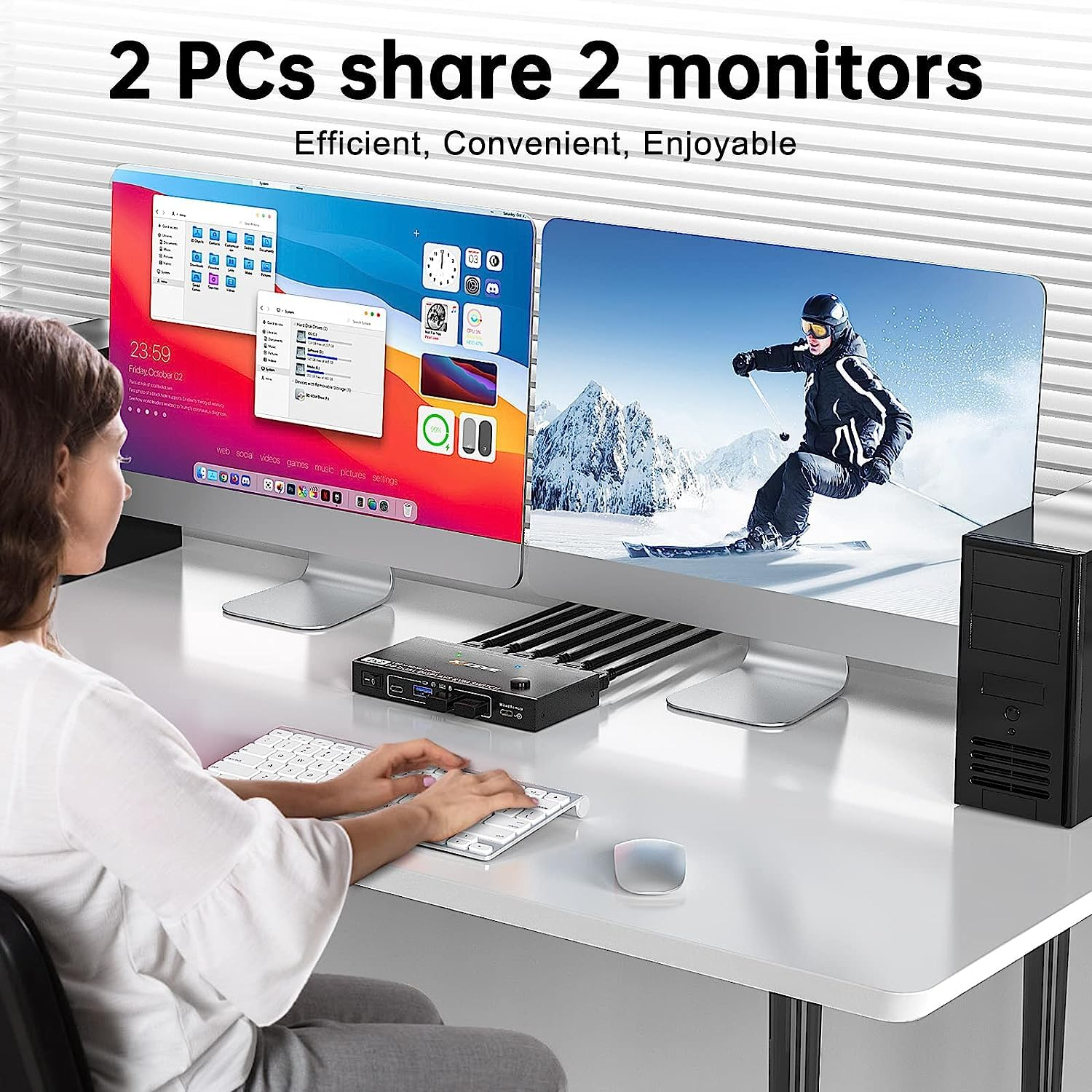
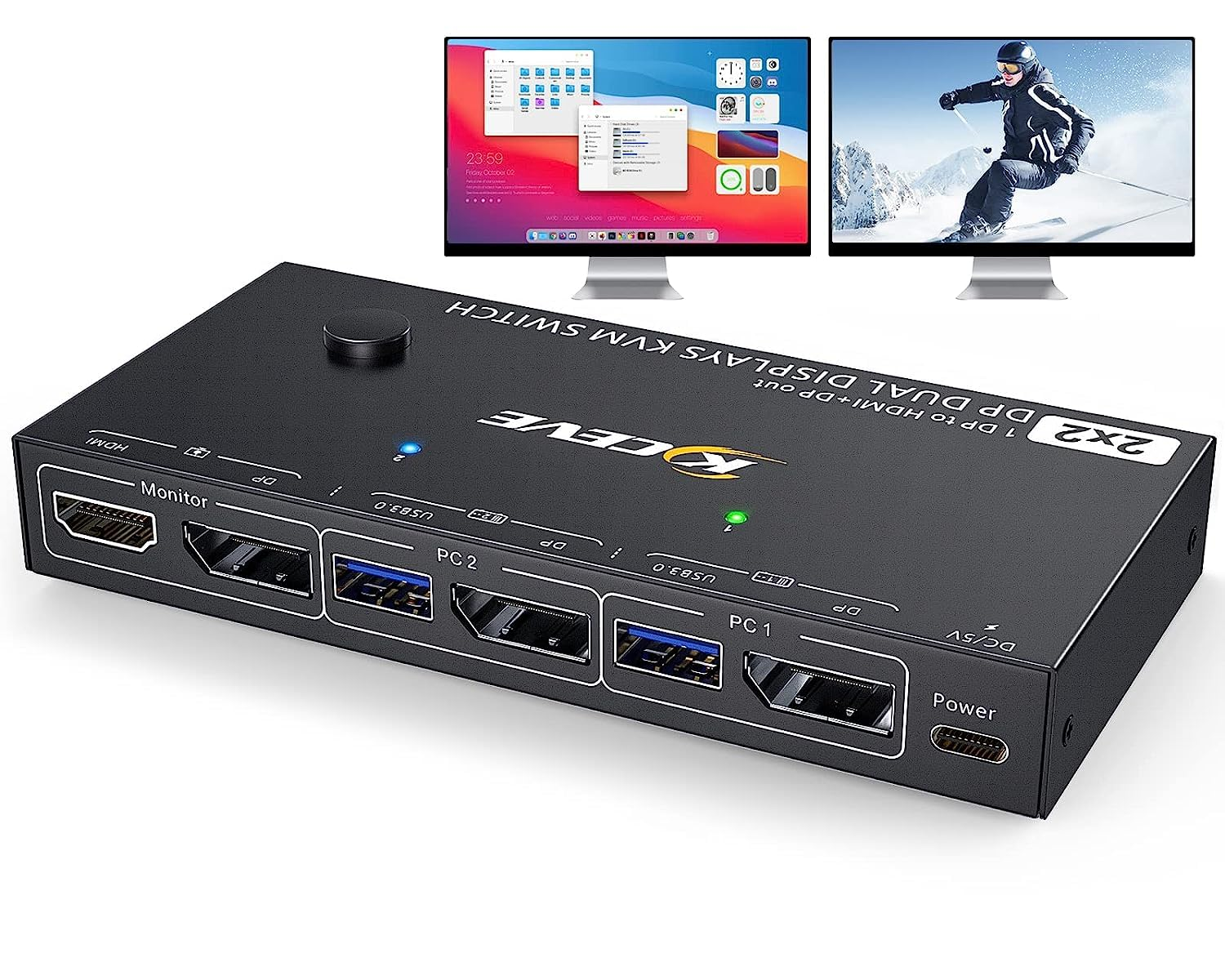
- 【KVM Switch Dual Monitor DP 1.4 In to DP 1.2+HDMI 2.0 Out】 This 1 in 2 out dual displayport kvm switcher allows 2 DP computers share 2 monitors (One with HDMI port and the other with displayport )and 1 set of keyboard mouse and 4 USB 3.0 devices, support extend mode and copy mode. Create a simplified workstation and improve your work efficiency. Note: In order to output dual screen, the graphics card of each PC is preferably 11th generation or above
- 【Output Ultra 4K@100Hz Dual Screen】 AOOCOO DP 1.4 dual HDMI KVM switch only need 1 DP port for each computer to achieve dual screen output(DP+HDMI) , support max dual output resolution up to 3840*2160@100Hz, making the image display more exquisite and authentic, the color will be vivid and moving. Note:(1) To output 4K@100Hz for both screens, please make sure the graphics card and the input DP cables all support at least 8K@30Hz, since there is only 1 DP input, the resolution would be splittered;(2) Please prepare 2 DP 1.4 cable in advance by yourself. There are only 1 HDMI cable and 1 DP cable included to connect the monitors
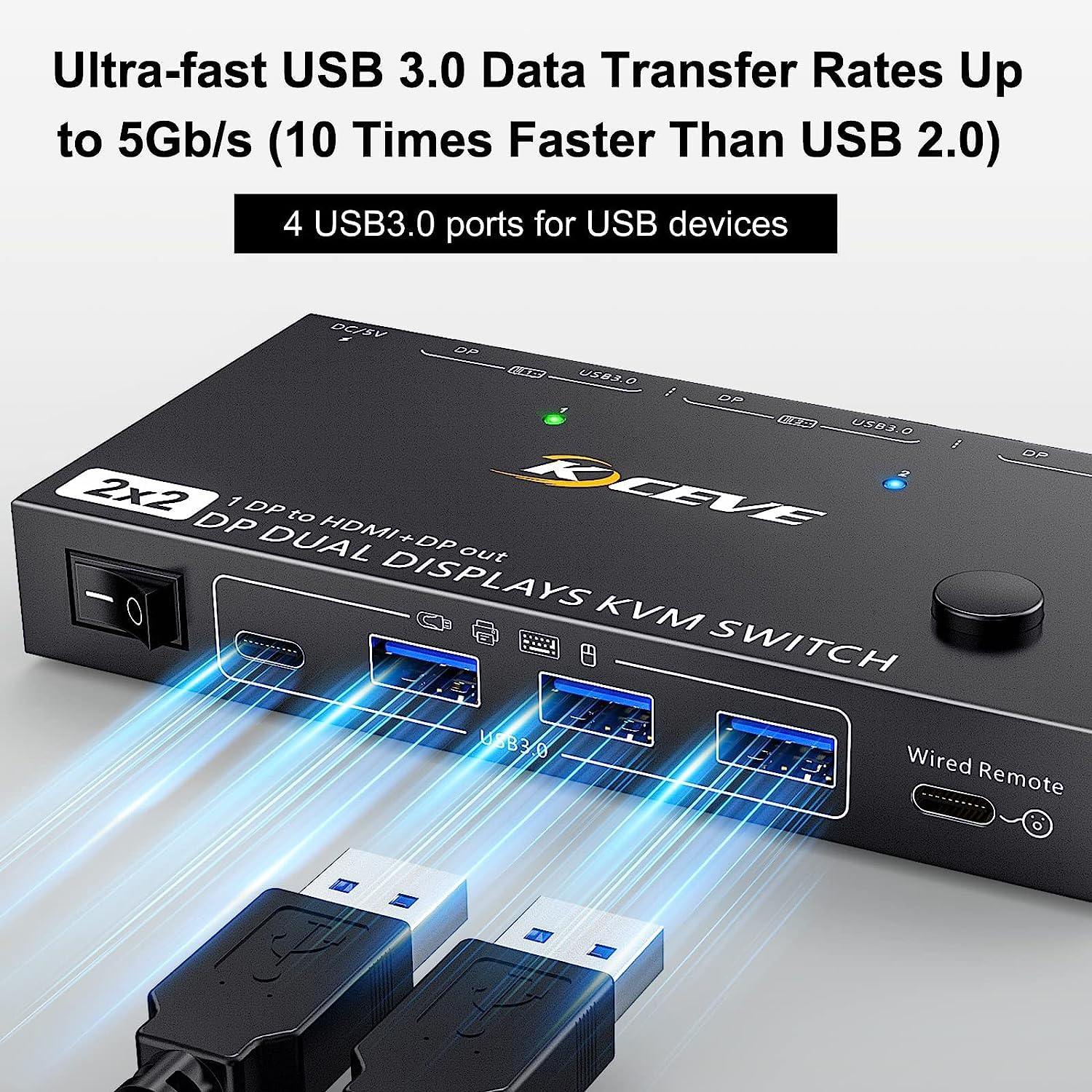
- 【KVM Switch Displayport with 4 USB Hubs】 AOOCOO USB 3.0 dual DP KVM comes with 3 USB 3.0 ports and 1 USB-C port for sharing keyboard, mouse, printer,scanner and other USB devices. USB 3.0 offers data transfer speeds of up to 5Gbps, the transfer rate is faster than USB 2.0. Make the USB identification smoother and more stable
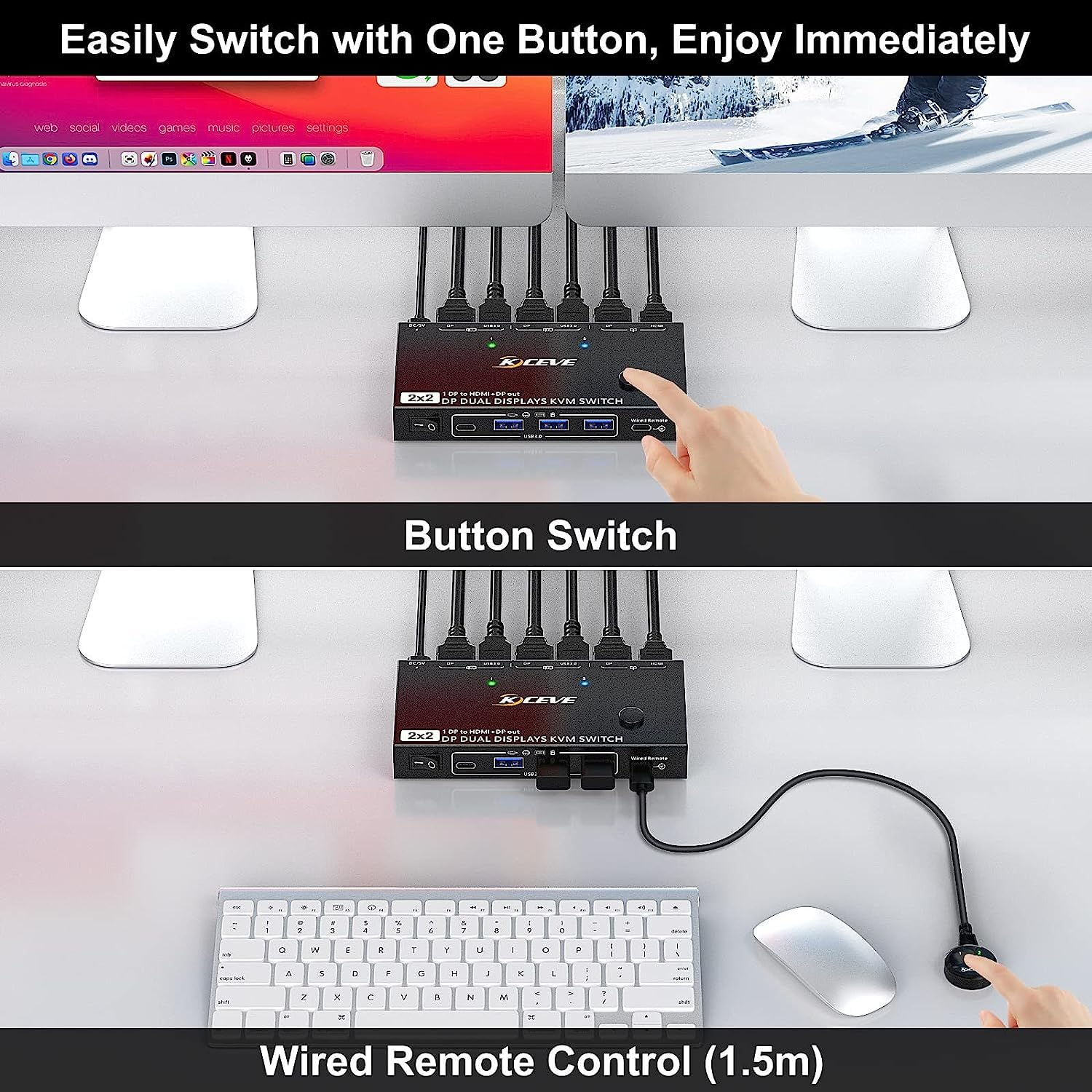
- 【Plug and Play, 2 Switching Modes】 AOOCOO dual displayport KVM driver-free for Windows 11/10/8/7/XP and Mac OS,Linux. 2 monitors KVM switch supports button switching and wired remote control switching, LED indicate the active computer. The on/off button is designed to cut off the DP KVM power supply, simulate unplugging and re -plugging, convenient and fast
- Note:⑴. To make the 1 in 2 out displayport kvm work normally, please check if the graphics card of your PC is 11th generation or above; ⑵ This dual displayport kvm switch supports dual-screen output up to 4K @100Hz from 1 DP 1.4 input, in order to achieve the best performance of dual DP KVM, please use standard 8K DP input cable;⑶The 2 in 2 out KVM switch supports USB-C to DP cable/docking/adapter for USB-C laptops, DVI/VGA/HDMI to DP cable or converter is not supported cause they don't support MST function. Please check the interface of your PC and monitors before purchasing
Product Description
1 In 2 Out Dual Displayport 1.4 KVM Switch for 2 Computers Share 2 Monitors
Features:
- Only one DP port is required for each input computer to achieve dual-screen output (DP + HDMI output)
- 2 computers share 4 USB devices (3 USB3.0 devices + 1 Type C device) and two monitors
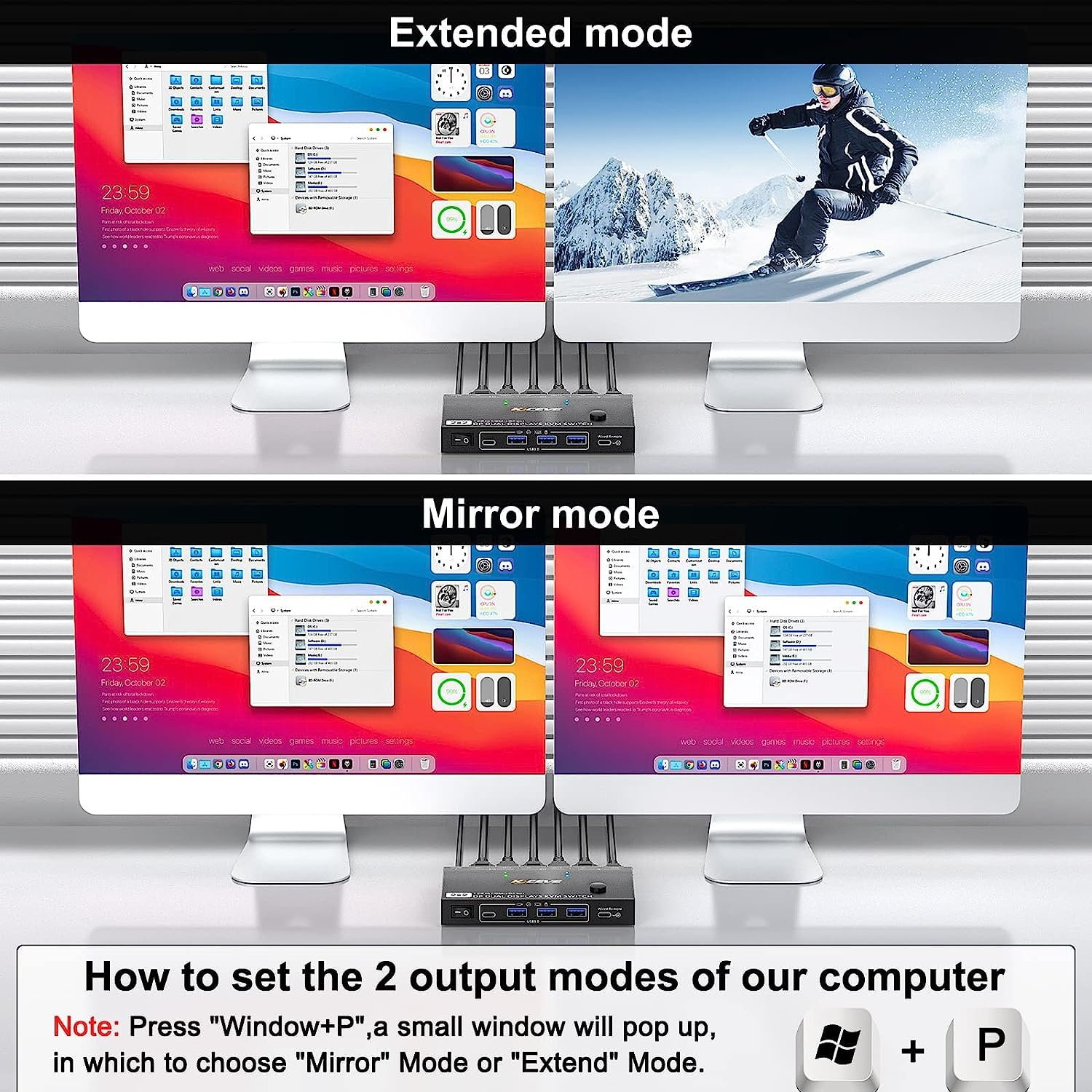
- Dual monitor output supports extended and copy display.
- Switching mode: push-button switch and wired remote control.
- Supports wired or wireless keyboard and mouse.
- Support for most major operating systems, including Windows, Linux, and Mac
- Support the highest resolution 8K@30Hz,4K@144Hz for signal display, downward compatible.
- Supoort DP 1.2 and downward compatible.
- Supported audio formats are LPCM2/5.1/7.1CH, Dolby 5.1CH.
- Built-in ESD electrostatic protection.
Note: Each computer requires dual graphics cards ( 11 Genaration or above) to support dual-screen output.
2 port DP 1.4 Dual Monitor KVM Switch
Connection steps:
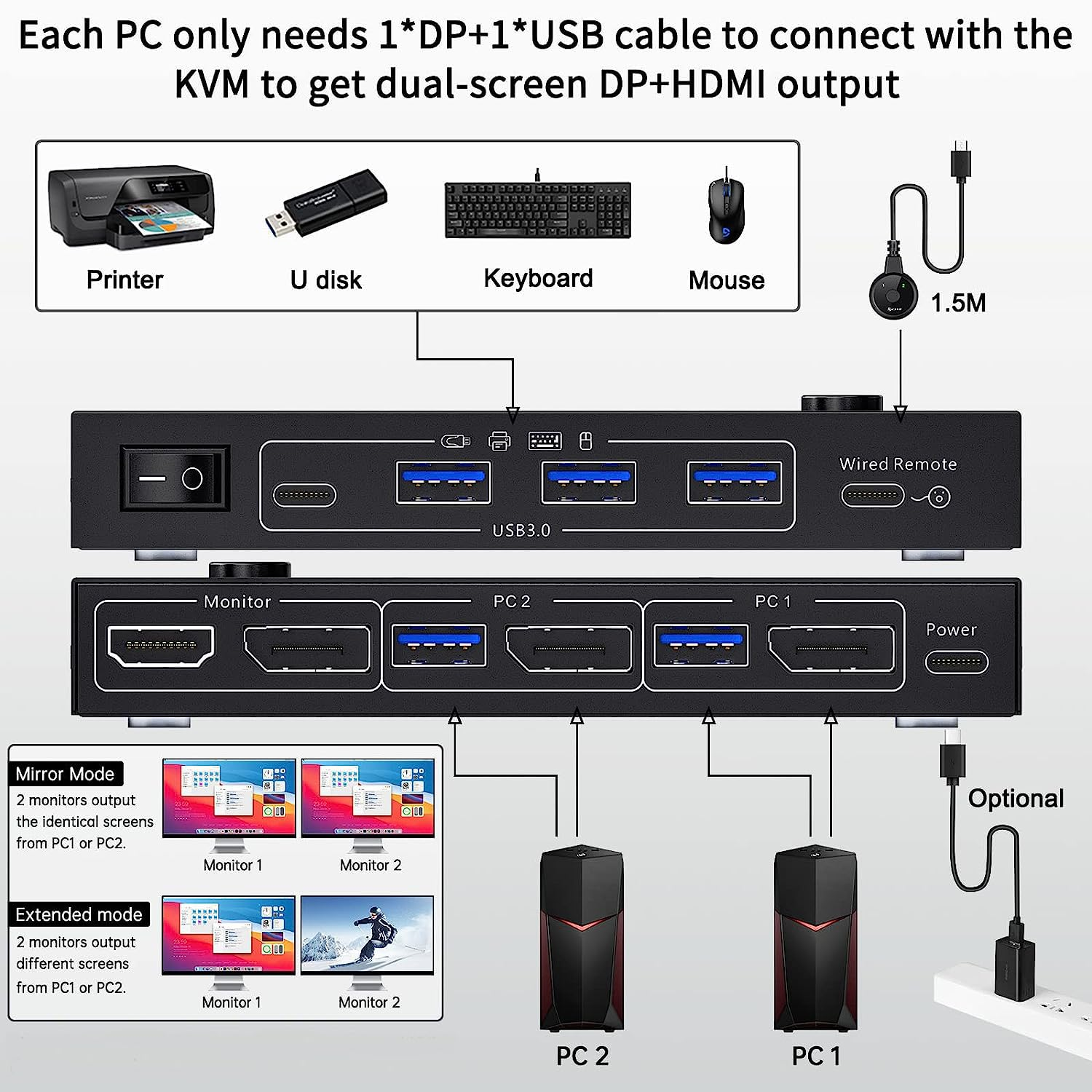
Step 1. Connect 1x DP1.4 cable +1 x USB3.0 cable to PC 1 and KVM
Step 2. Connect 1x DP1.4 cable +1 x USB3.0 cable to PC 2 and KVM
Step 3. Connect 1 x DP1.4 and 1 x HDMI cable between the KVM and the monitors.(DP monitor and HDMI monitor)
Step 4. Connect the keyboard and mouse to the USB ports on the KVM.
Step 5. Insert the USB devices into the USB port on the KVM.
Step 6. Plug the desktop controller into the SELECT port and remotely switch between PC1 and PC2.
* * *Note * * *
✔ Each computer must be connected with DP cable and USB cable to keep the keyboard, mouse, and monitor working properly. If there is a USB connection to the computer and KVM, but the mouse and keyboard or other USB devices are not recognized, please connect the power supply (power cord is included in the package)
✔ After connecting the computer to the monitor using the KVM, set the screen output mode (press Windows+P) on the keyboard and select the output mode in the dialog box that is displayed. Otherwise, only 1 of the two connected monitors has an image.
✔ MAC-MINI (M1, M2 do not support extended mode)
Ultra HD 8K@30Hz KVM Switch
The KVM switch dual monitor supports the resolution up to 8K@30Hz, which is backward compatible with lower resolution.
Important Notes
- The above resolution data is from KCEVE Lab. The resolution may vary depending on the connected device and connection cable.
- According to the resolution allocation rules: if your input resolution is 8K@30Hz, if two monitors work at the same time, the highest resolution of each monitor is 4K@100Hz. If it is a single-screen output, it can reach 8K@30Hz or 4K@144Hz , but requires an 8K connection cable.
4 USB Ports(3 USB3.0 + 1 Type C port)
- Unlike most KVM switch on the market, the dual displayport KVM switch intergarted with 3 USB 3.0 ports and 1 USB C ports for sharing USB devices with different interface. Meet different needs.
- The data transfer speed of USB-A 3.0 and USB-C far exceeds the traditional USB2.0.
Two Switching Modes
- The 2 monitor KVM switch supports physical button switching and wired remote control switching, LED indicators clearly showing the active computer.
- with adhesive, so that the control panel can be fixed to the desktop or keyboard.
External 5V Power Supply
- when using a high-power USB devices or when the recognition is unstable, please plug the included power cable to provide external power for the KVM displayport, which will make the KVM work more stably.
NOTE:
The USB-C cable included in the package is only for power charging not for data transfer.
- Item Weight: 650 g
- Item Model Number: KC-212DH
- Package Dimensions: 20.4 x 15.5 x 5.9 cm; 650 Grams
- Manufacturer: AOOCOO
A$139.80
Shipping to Australia
Delivery time varies by location
Return & Refund Policy
Check our return & refund policy
Security & Privacy
Safe payments: We do not share your personal details
Availability:
-
This item is currently not available
Sign in
or create an eMega account
Shop smarter — get exclusive deals & order tracking