Free Shipping – Store Wide
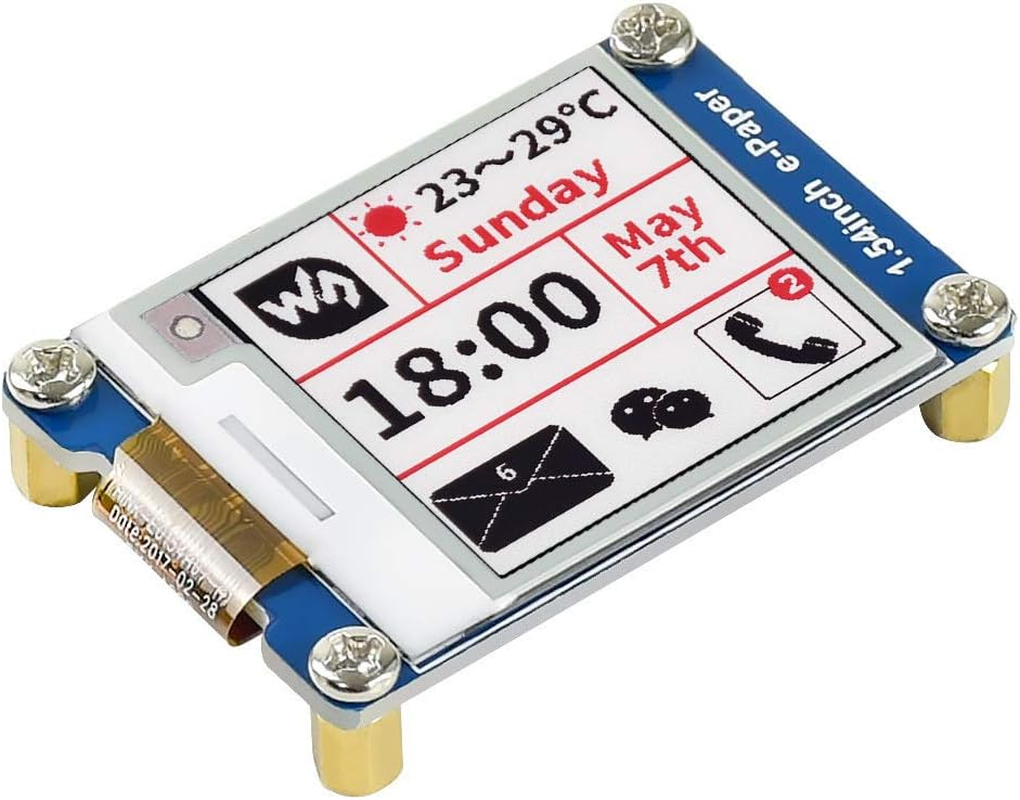
Waveshare 1.54Inch E-Paper Compatible with Raspberry Pi/Jetson Nano Red, Black, White Three Color Display
Waveshare 1.54Inch E-Paper Compatible with Raspberry Pi/Jetson Nano Red, Black, White Three Color Display
Brand: Waveshare
A$26.20
Availability:
-
This item is currently not available
Shop with confidence
- 200x200, 1.54inch E-Ink Display Module, Three-Color, SPI Interface
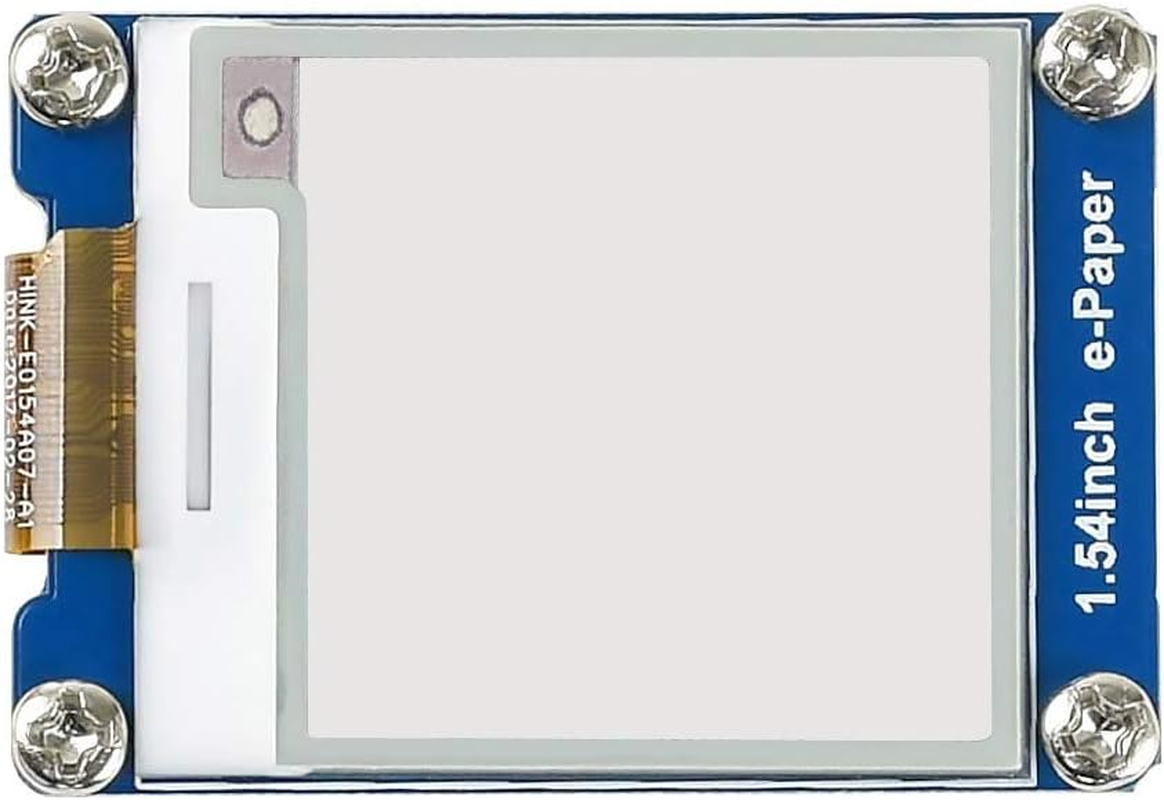
- This is an E-Ink display module, 1.54inch, 200x200 resolution, with embedded controller, communicating via SPI interface, supports red, black, and white three-color display.
- Due to the advantages like ultra low power consumption, wide viewing angle, clear display without electricity, it is an ideal choice for applications such as shelf label, industrial instrument, and so on.
- No backlight, keeps displaying last content for a long time even when power down. Ultra low power consumption, basically power is only required for refreshing
- SPI interface, for connecting with controller boards like Raspberry Pi/Nucleo, etc. Onboard voltage translator, compatible with 3.3V/5V MCUs
Product Description
200x200 Resolution, 1.54inch E-Ink Display Module, red, black, white Three-Color, SPI Interface
Overview
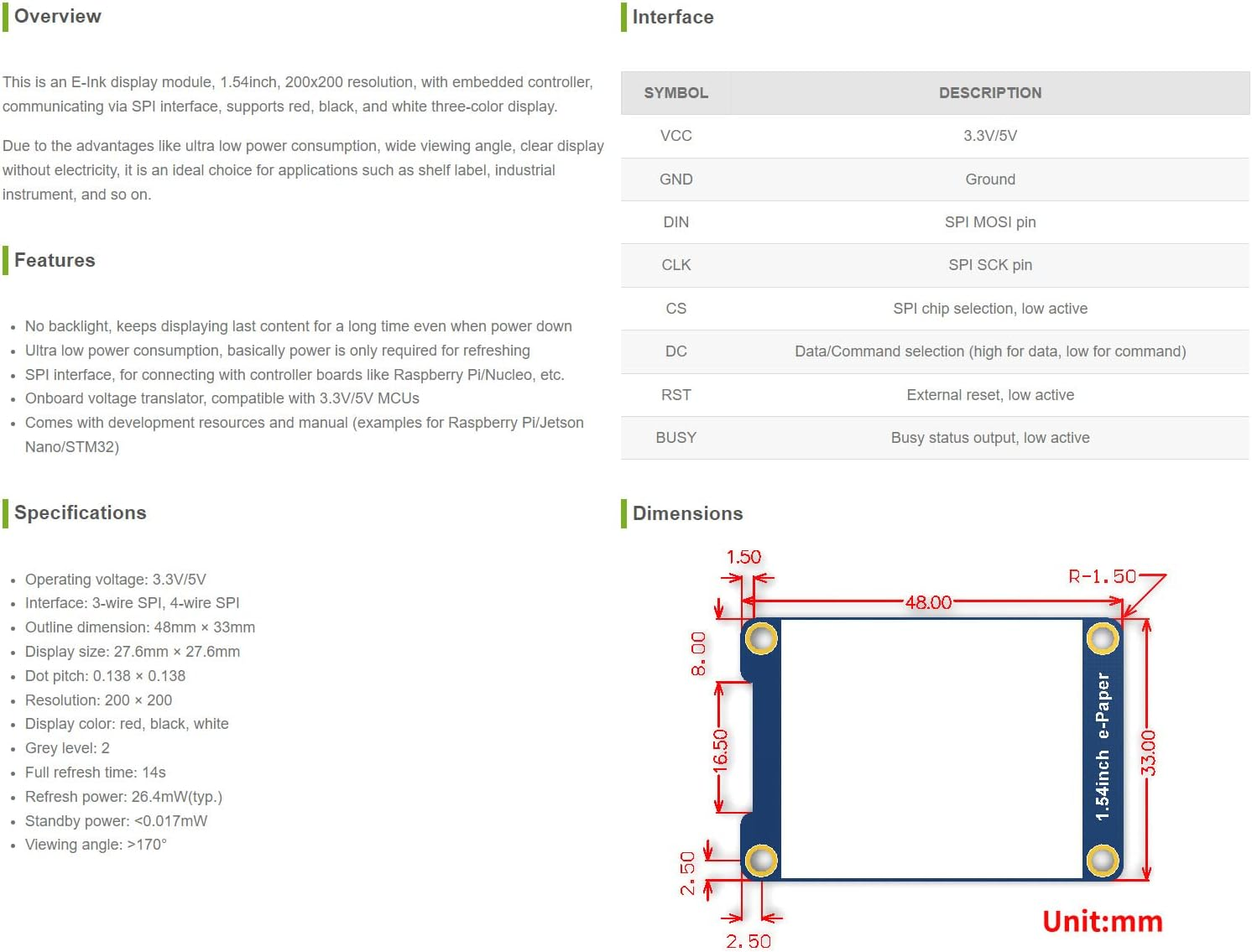
This is an E-Ink display module, 1.54inch, 200x200 resolution, with embedded controller, communicating via SPI interface, supports red, black, and white three-color display.
Due to the advantages like ultra low power consumption, wide viewing angle, clear display without electricity, it is an ideal choice for applications such as shelf label, industrial instrument, and so on.
Features
- No backlight, keeps displaying last content for a long time even when power down
- Ultra low power consumption, basically power is only required for refreshing
- SPI interface, for connecting with Raspberry Pi, etc. controller boards
- Onboard voltage translator, compatible with 3.3V/5V MCUs
- With development resources and manual (examples for Raspberry Pi/Jetson Nano/STM32)
Specifications
- Operating voltage: 3.3V/5V
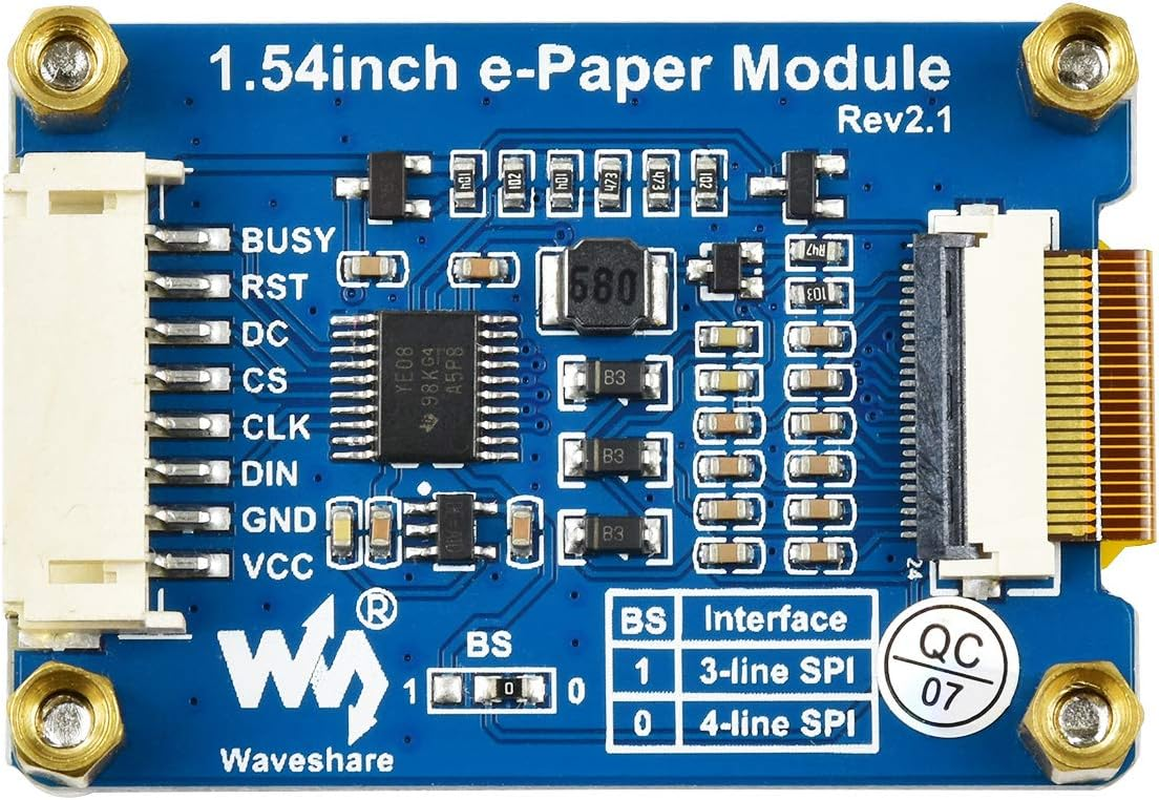
- Interface: 3-wire SPI, 4-wire SPI
- Outline dimension: 48mm × 33mm
- Display size: 27.6mm × 27.6mm
- Dot pitch: 0.138 × 0.138
- Grey level: 2
- Full refresh time: 14s
- Refresh power: 26.4mW(typ.)
- Standby power: <0.017mW
- Viewing angle: >170°
Development Resources:waveshare.com/wiki/1.54inch_e-Paper_Module_(B)?amazon
---Note:
1.Refresh time: The refresh time is the experimental results, the actual refresh time will have errors, and the actual effect shall prevail. There will be a flickering effect during the global refresh process, this is a normal phenomenon
2.Power consumption: The power consumption data is the experimental results. The actual power consumption will have a certain error due to the existence of the driver board and the actual use situation. The actual effect shall prevail.
Precautions for e-ink screen refresh:
*refresh mode
- Full brush: The electronic ink screen will flicker several times during the refresh process (the number of flickers depends on the refresh time), and the flicker is to remove the afterimage to achieve the best display effect
- Bureau brush: The electronic ink screen has no flickering effect during the refresh process. Users who use the partial brushing function note that after refreshing several times, a full brush operation should be performed to remove the residual image, otherwise the residual image problem will become more and more serious, or even damage the screen (currently only some black and white e-ink screens support partial brushing, please refer to product page description)
*refresh rate
- During use, it is recommended that customers set the refresh interval of the e-ink screen to at least 180 seconds (except products that support the local brush function)
- During the standby process (that is, after the refresh operation), it is recommended that the customer set the e-ink screen to sleep mode, or power off operation (the power supply part of the ink screen can be disconnected with an analog switch) to reduce power consumption and prolong the life of the e-ink screen. (If some e-ink screens are powered on for a long time, the screen will be damaged beyond repair.)
- During the use of the three-color e-ink screen, it is recommended that customers update the display screen at least once every 24 hours (if the screen remains the same screen for a long time, the screen burn will be difficult to repair)
*Application
- The e-ink screen is recommended for indoor use. If it is used outdoors, it is necessary to avoid direct sunlight on the e-ink screen, and at the same time, take UV protection measures, because charged particles will dry out under strong light for a long time, resulting in loss of activity and failure to refresh. This situation is irreversible. When designing e-ink screen products, customers should pay attention to determine whether the use environment meets the requirements of e-ink screen
- It is a normal phenomenon that the three-color EPD will have a certain color difference in different batches. Hence, It is recommended to use the program to clear all the pictures on the EPD and store it facing up. Please clear the screen several times before powering on.
- Control the 0x3C or 0x50 (refer to the datasheet for details) register to adjust the border color. In the demo, you can adjust the Border Waveform Control register or VCOM AND DATA INTERVAL SETTING to set the border.
- The FPC cable of the screen is relatively fragile, pay attention to bending the cable along the horizontal direction of the screen when using it, and do not bend the cable along the vertical direction of the screen.
- The screen of e-Paper is relatively fragile, please try to avoid dropping, bumping, and pressing hard.
- We recommend that customers use the sample program provided by us to test with the corresponding development board.
What is the usage environment of the e-ink screen?
- Working conditions: Temperature range: 0~50°C; Humidity range: 35%~65%RH
- Storage conditions: Temperature range: below 30°C; Humidity range: below 55%RH; Maximum storage time: 6 months
- Transportation conditions: Temperature range: -25~70°C; Maximum transportation time: 10 days
- After unpacking: Temperature range: 20°C±5°C; Humidity range: 50±5%RH; Maximum storage time: Assemble within 72 hours
- Item Model Number: B
- Part Number: WS-1.54inch Module (B)
- Graphics Card Interface: Integrated
- Processor Socket: LGA 1200
- Batteries Required: No
- Brand: Waveshare
- Batteries Included: No
- Compatible Devices: Raspberry Pi, Jetson Nano, STM32
- Item Weight: 30 g
- Number of Ports: 1
- Compatible processor types: Raspberry Pi BCM2835/BCM2836/BCM2837, Jetson Nano Tegra X2
- Model Name: Waveshare 1.54inch e-Paper
- Model: B
- Package Dimensions: 7 x 5 x 2.2 cm; 30 Grams
- Manufacturer: Waveshare
A$26.20
Shipping to Australia
Delivery time varies by location
Return & Refund Policy
Check our return & refund policy
Security & Privacy
Safe payments: We do not share your personal
details
Availability:
-
This item is currently not available
Sign
in
or create an eMega account
Shop smarter — get exclusive deals & order
tracking