Free Shipping – Store Wide
Anker USB C Hub, 565 11-In-1 Laptop Docking Station, Dual Monitor Docking Station with 10 Gbps Data Port, 4K HDMI and Displayport, 100W Power Delivery, 1 Gbps Ethernet, SD Card Reader for XPS and More
Anker USB C Hub, 565 11-In-1 Laptop Docking Station, Dual Monitor Docking Station with 10 Gbps Data Port, 4K HDMI and Displayport, 100W Power Delivery, 1 Gbps Ethernet, SD Card Reader for XPS and More
Brand: Anker
A$94.50
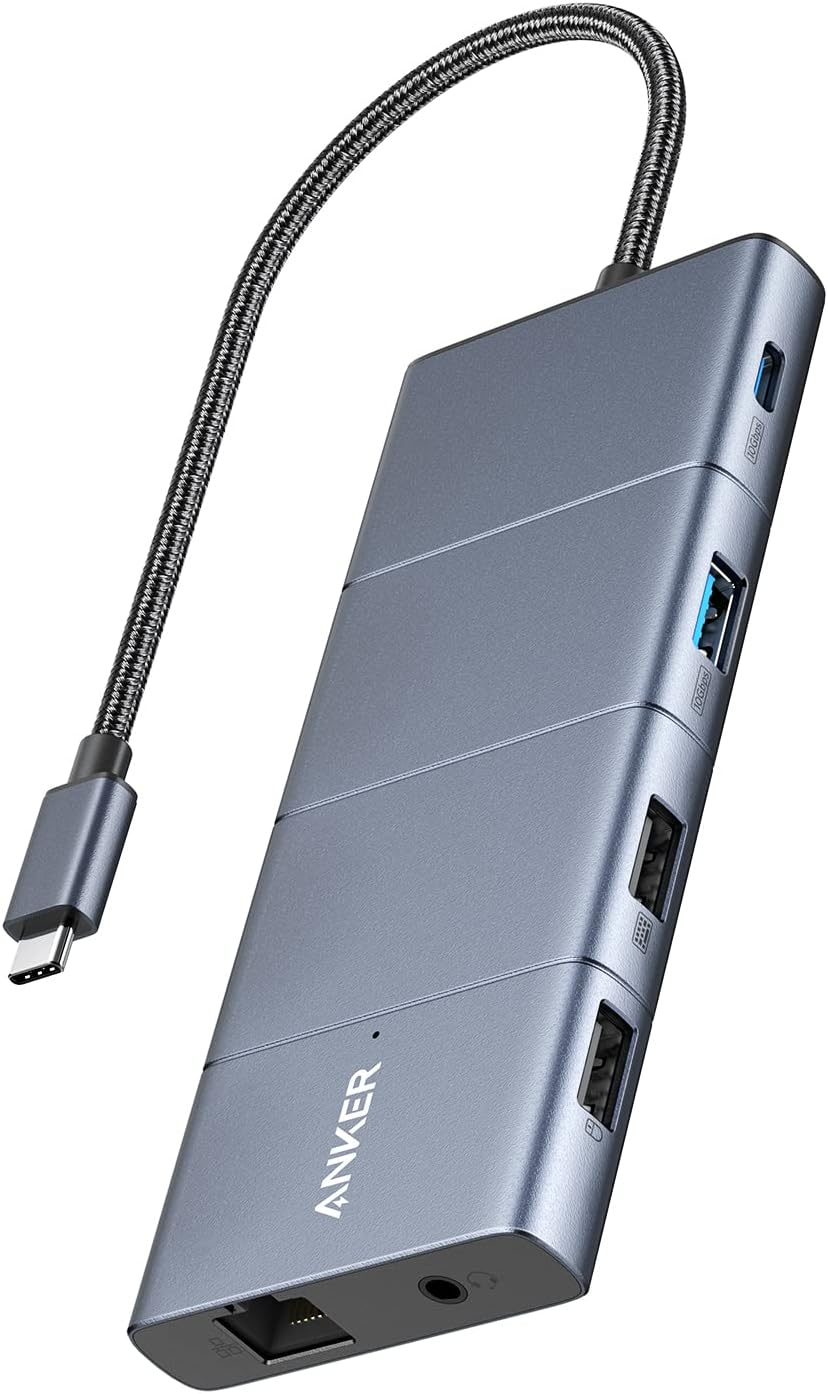
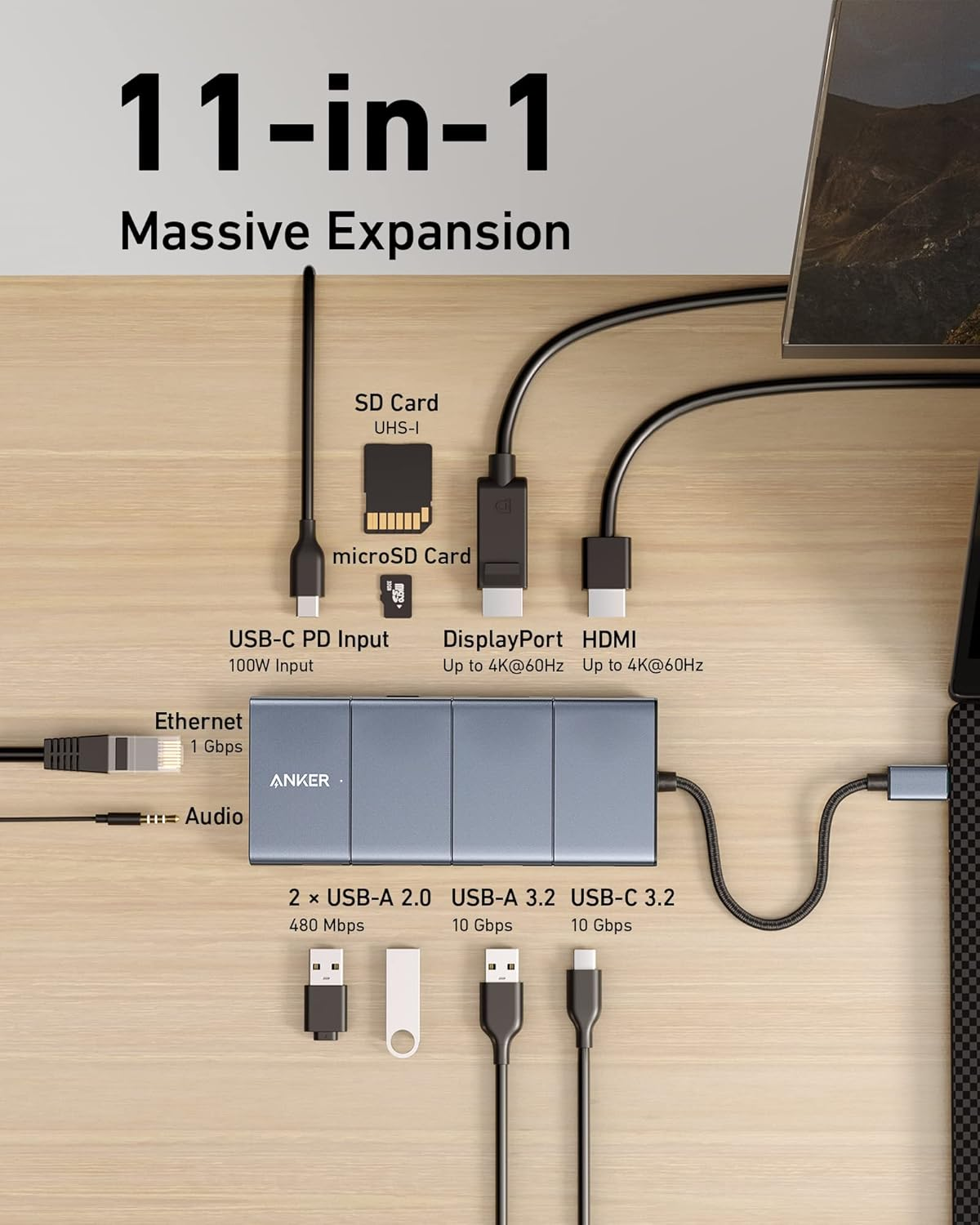
- Massive Expansion: Turn one of your laptop’s USB-C ports into 11 with a 10 Gbps USB-C data port, a 10 Gbps USB-A data port, a 4K HDMI port, a 4K DisplayPort, a 100W USB-C Power Delivery input port, two 480 Mbps USB-A data ports, an Ethernet port, an AUX port, and microSD / SD card slots.
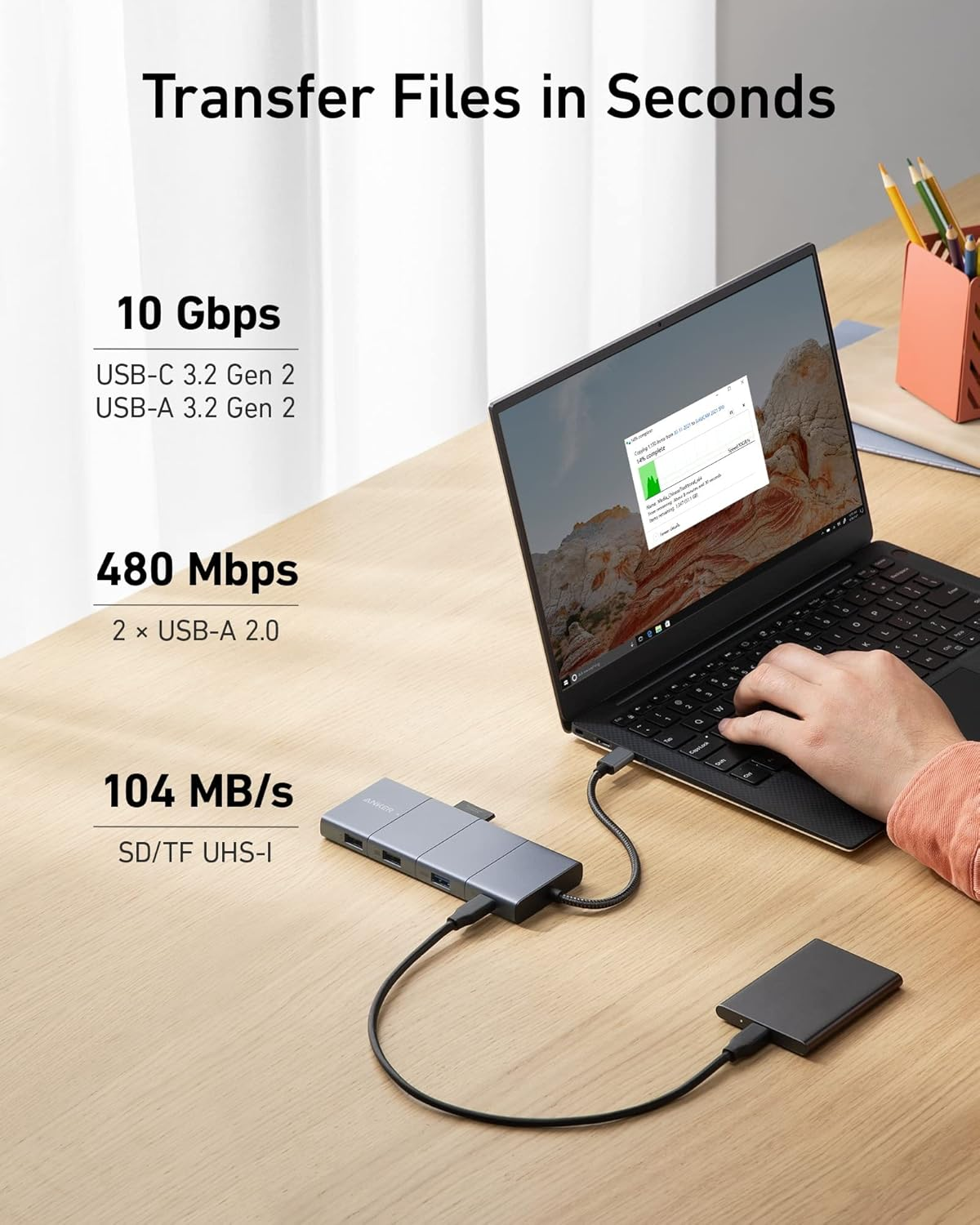
- Move Files Faster: With a 10 Gbps USB-C port, a 10 Gbps USB-A port, dual 480 Mbps USB-A ports, and 104 MB/s microSD / SD card slots, you have a huge number of ports to transfer files at high speed.
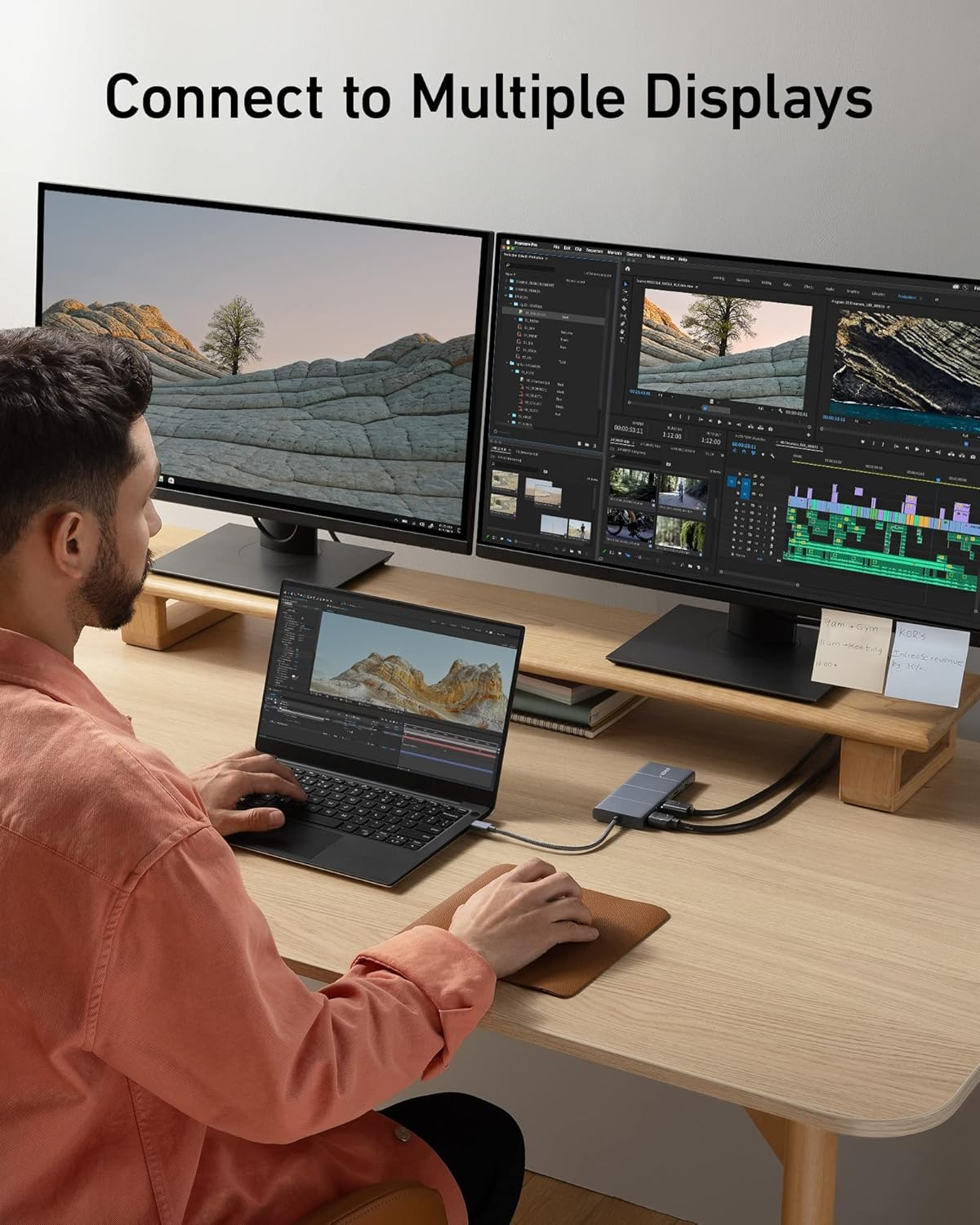
- Multi-Monitor Display: Connect to the DisplayPort and HDMI port to enjoy crystal-clear streaming or mirroring across 2 displays at up to 2K@60Hz with a DP 1.4 laptop or 1080p@60Hz with a DP 1.2 laptop.
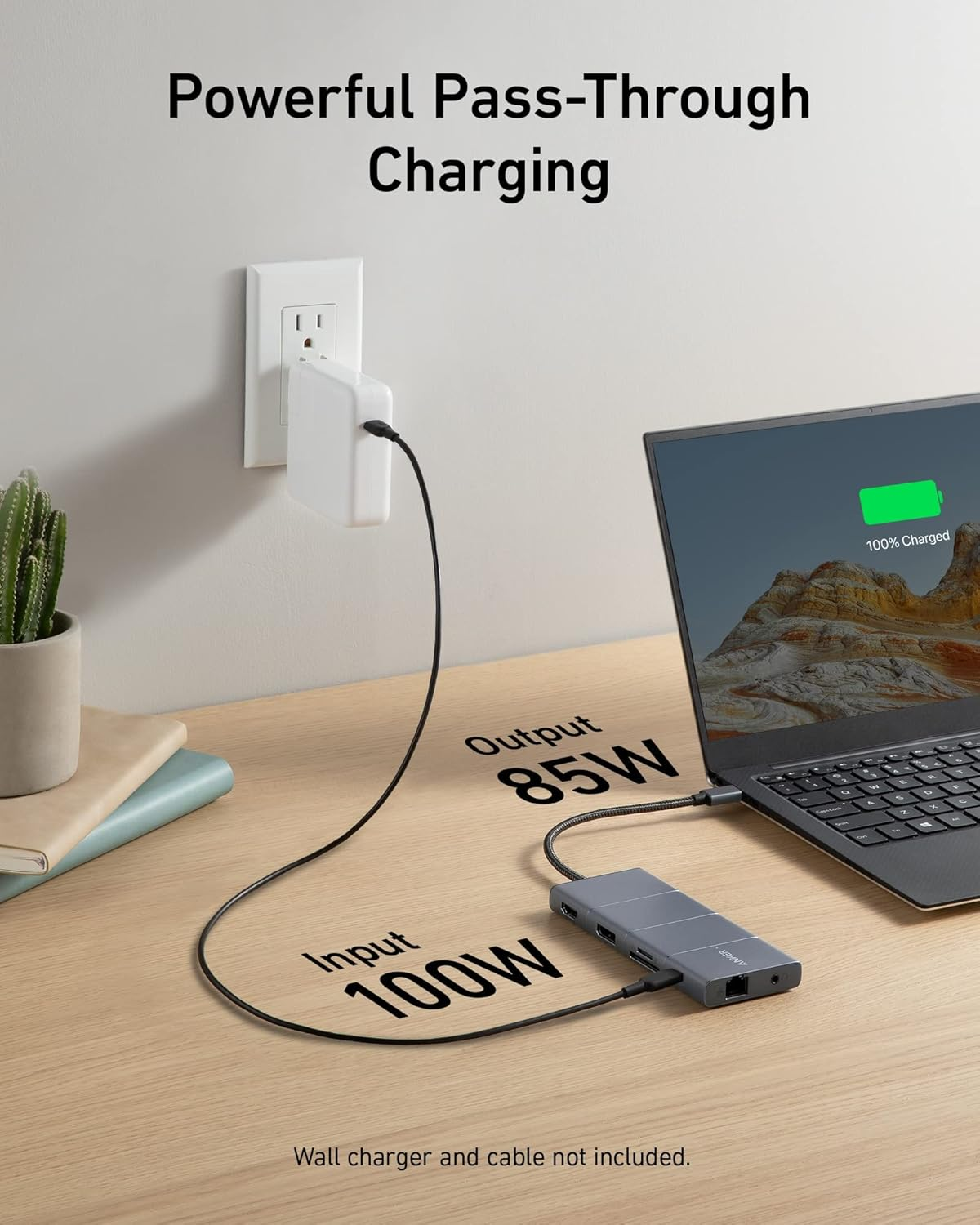
- Pass-Through Charging: Supports up to 85W pass-through charging so you can power up your laptop while accessing the hub’s other functions. Note: Pass-through charging requires a charger (not included).
- What You Get: Anker 565 USB-C Hub (11-in-1), welcome guide, 18-month warranty, and friendly customer service.
Product Description
Model Number: A8388
Anker 565 USB-C Hub (11-in-1)
Give Your Laptop an Extra 11 Ports
Expand Your Port Options
A total of 11 ports give you access to high-speed file transfer, powerful pass-through charging, dual-monitor display, USB connectivity, Ethernet, and audio connectivity—all from a single compact hub.
Note: The USB-A and USB-C ports with mouse, keyboard, and 10 Gbps icons are data-transfer ports only and do not support charging or media display.
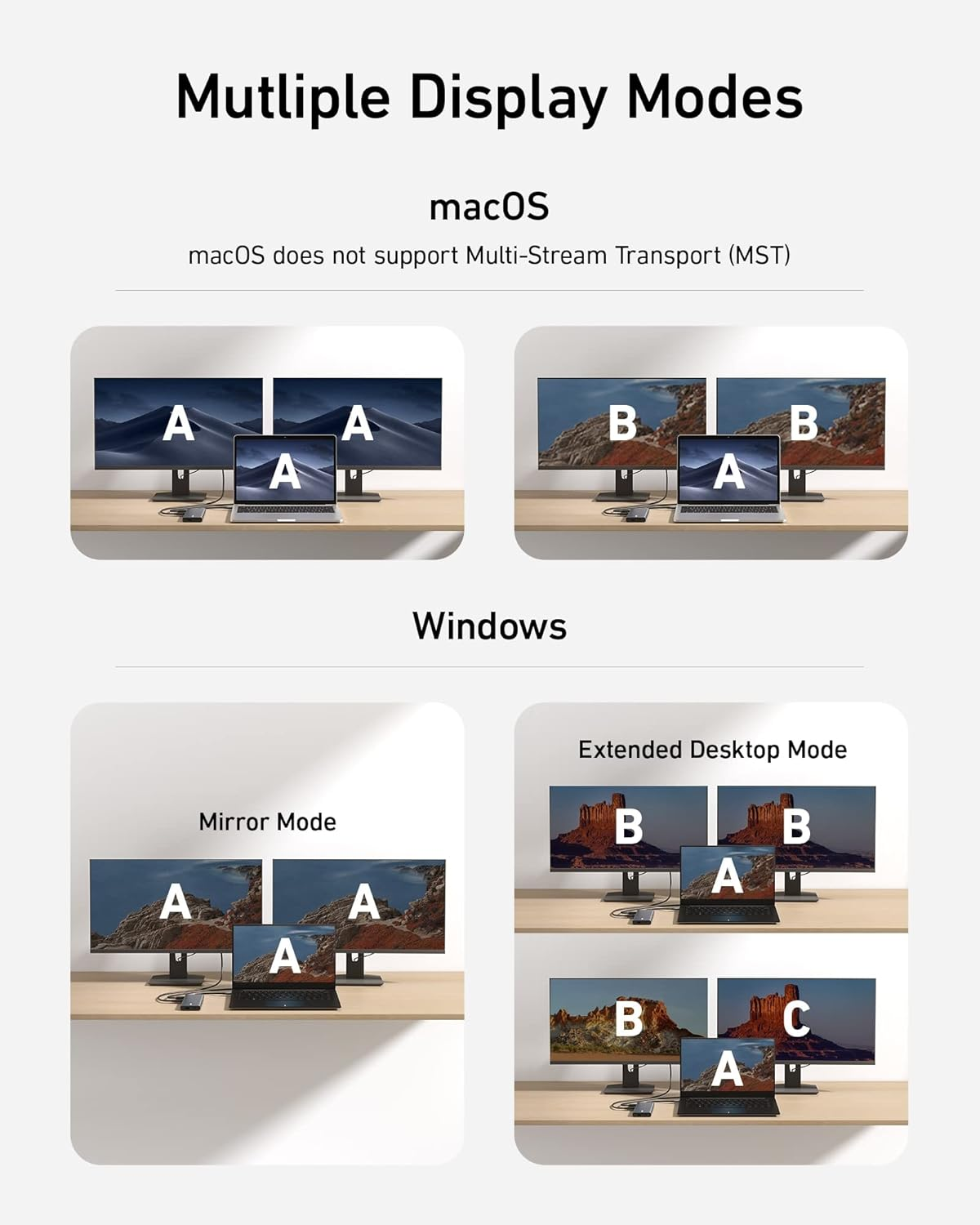
Supported Display Modes
Only Windows laptops support displaying different content to multiple screens.
For Windows Laptops:
- The two connected monitors and your laptop's screen all display different content.
- The two connected monitors show the same content, while your laptop's screen shows something else.
- The two connected monitors and your laptop's screen all show the same content.
For MacBooks:
- The two connected monitors show the same content, while your laptop's screen shows something else.
- The two connected monitors and your laptop's screen all display the same content.
Note:
Switching between display modes can be done in your laptop's settings.
If you cannot detect the dock after updating to macOS Ventura, please follow these steps: Privacy & Security > Allow accessories to connect.
- Item Model Number: A8388
- Operating System: Windows 10
- Brand: Anker
- Item Weight: 141 g
- Item Dimensions L x W x H: 13.7 x 5.7 x 1.4 centimetres
- Product dimensions: 13.7 x 5.7 x 1.4 cm; 140.61 Grams
- Colour: Gray
- Manufacturer: Anker
A$94.50
Shipping to Australia
Delivery time varies by location
Return & Refund Policy
Check our return & refund policy
Security & Privacy
Safe payments: We do not share your personal
details
Availability:
-
In Stock
Sign
in
or create an eMega account
Shop smarter — get exclusive deals & order
tracking