Free Shipping – Store Wide
MEE Audio Connect Air In-Flight Bluetooth Wireless Audio Transmitter Adapter for up to 2 Airpods/Other Headphones; Works with All 3.5Mm Aux Jacks on Airplanes, Gym Equipment, Tvs, & Gaming Consoles
MEE Audio Connect Air In-Flight Bluetooth Wireless Audio Transmitter Adapter for up to 2 Airpods/Other Headphones; Works with All 3.5Mm Aux Jacks on Airplanes, Gym Equipment, Tvs, & Gaming Consoles
Brand: MEE audio
A$38.75
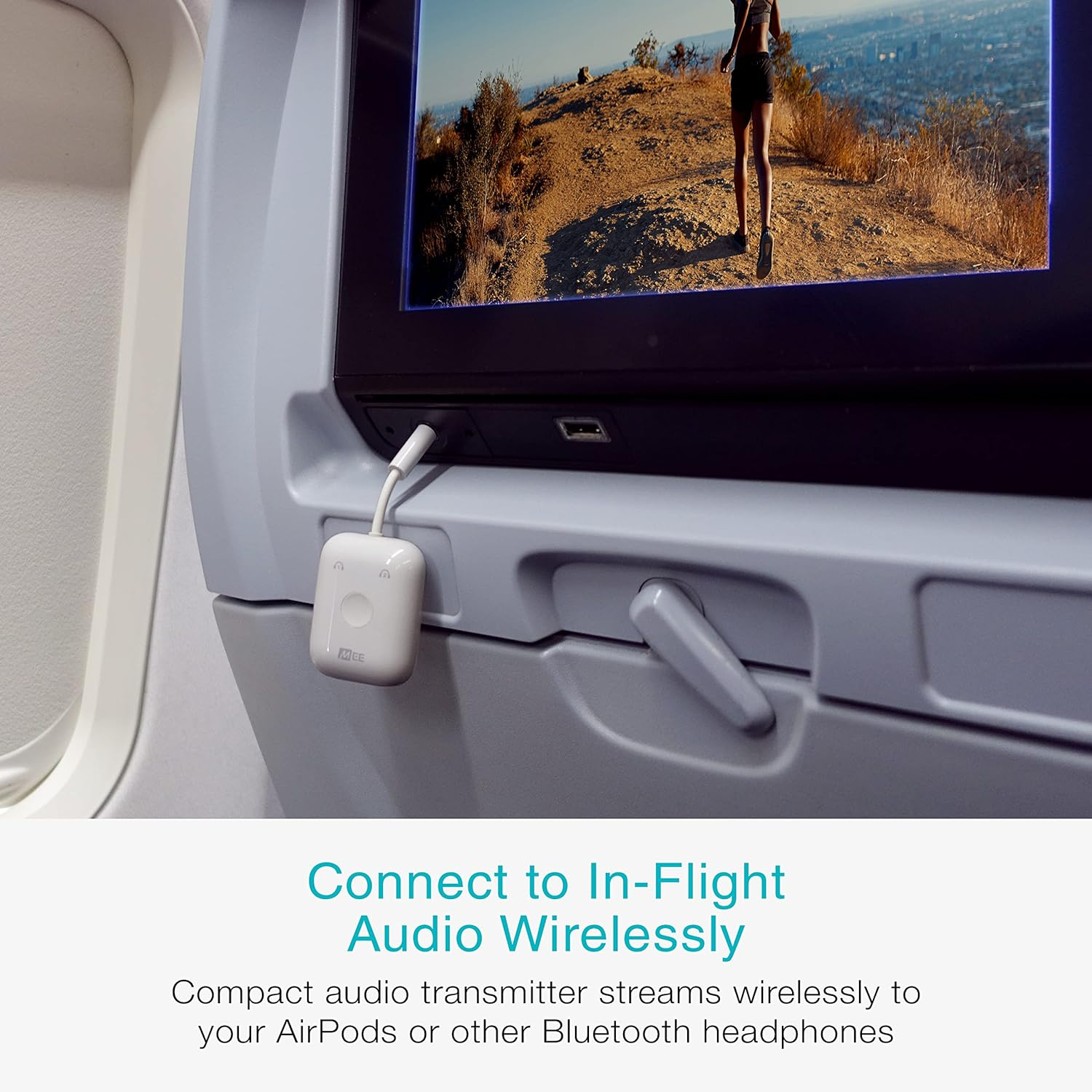
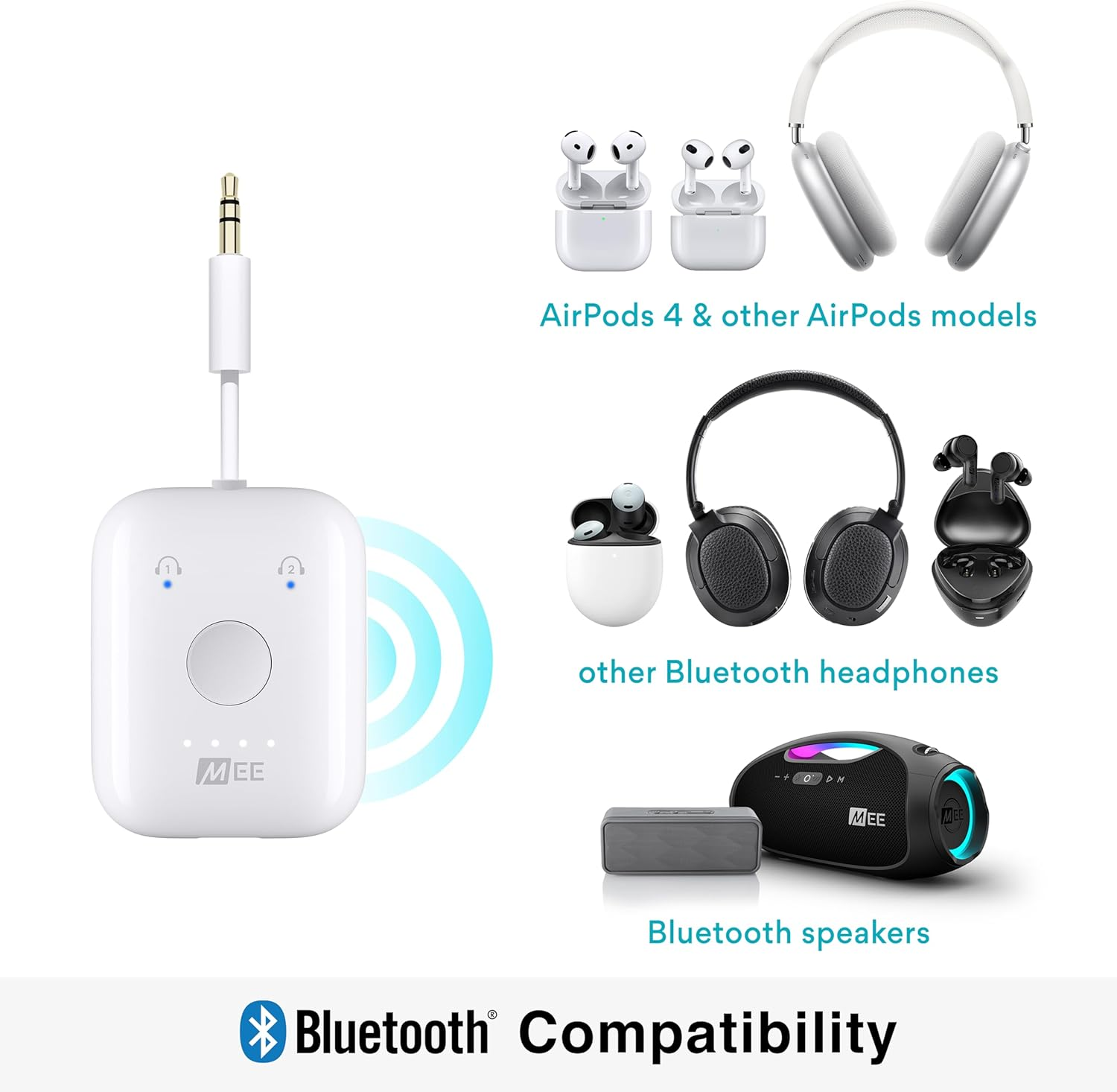
- BLUETOOTH AUDIO TRANSMITTER FOR AIRPLANES: easily stream wireless stereo audio from in-flight entertainment systems to up to two AirPods or other Bluetooth headphones
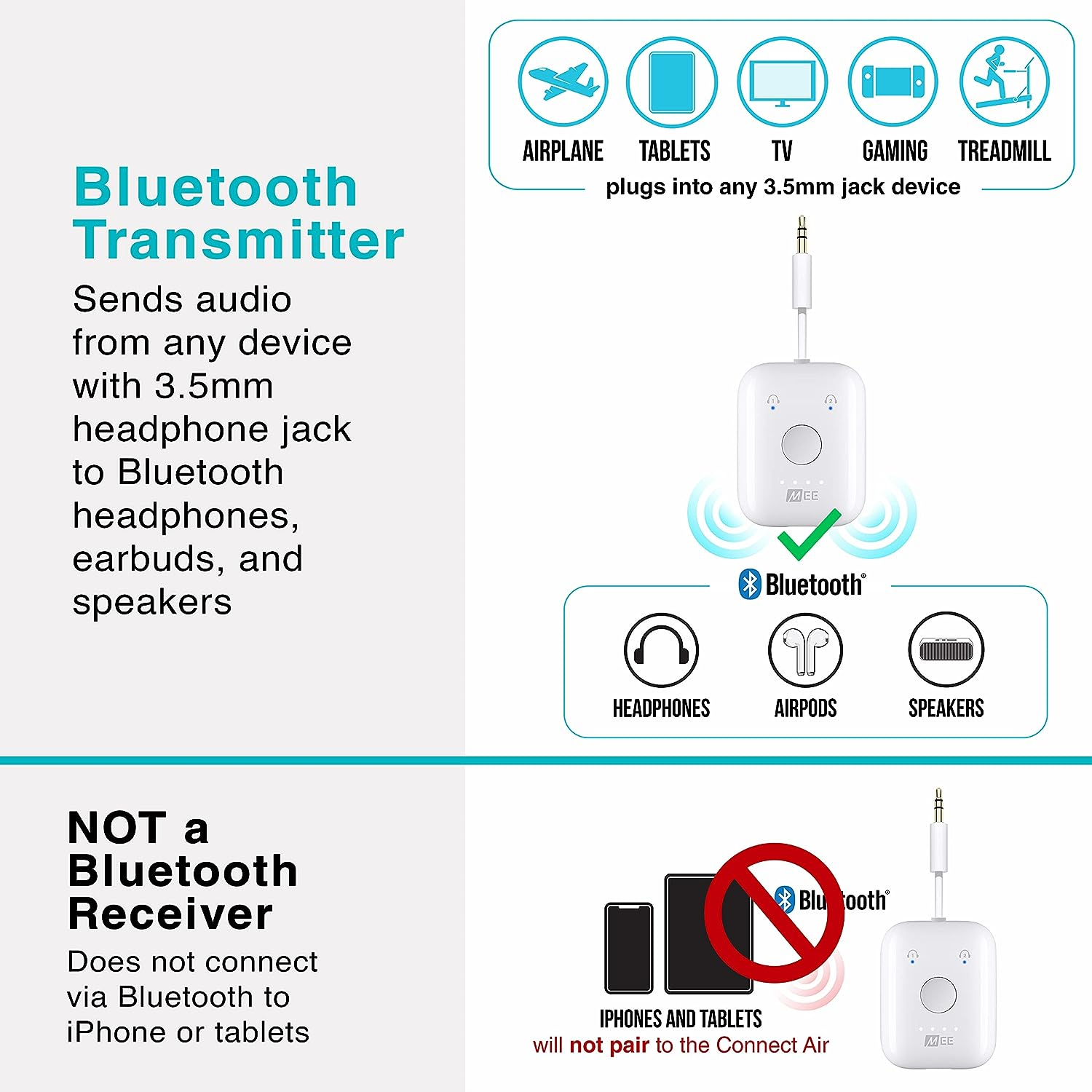
- FOR AIRPODS AND OTHER BLUETOOTH HEADPHONES: instantly turn any standard 3.5mm headphone jack into a wireless connection for Bluetooth headphones or speakers
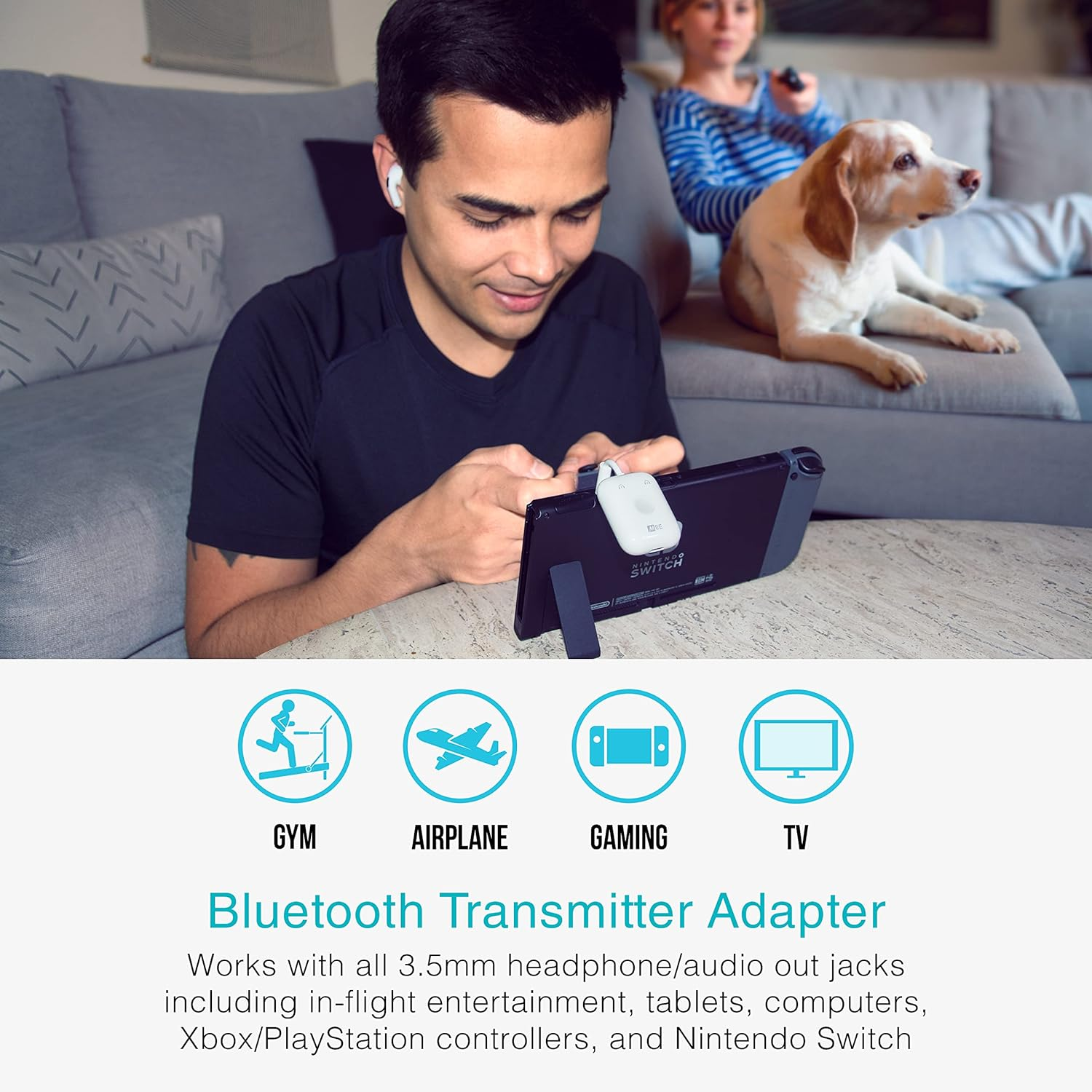
- WIRELESS AUDIO FOR DEVICES WITHOUT BLUETOOTH: works with 3.5mm audio devices including in-flight entertainment systems, computers, Nintendo Switch, Xbox / PlayStation controllers, treadmills and other gym equipment, A/V Receivers, TVs, and portable DVD players
- LAG-FREE HIGH-FIDELITY AUDIO: aptX Low Latency technology delivers clear, distortion-free digital sound and ultra-low audio delay with aptX-enabled devices
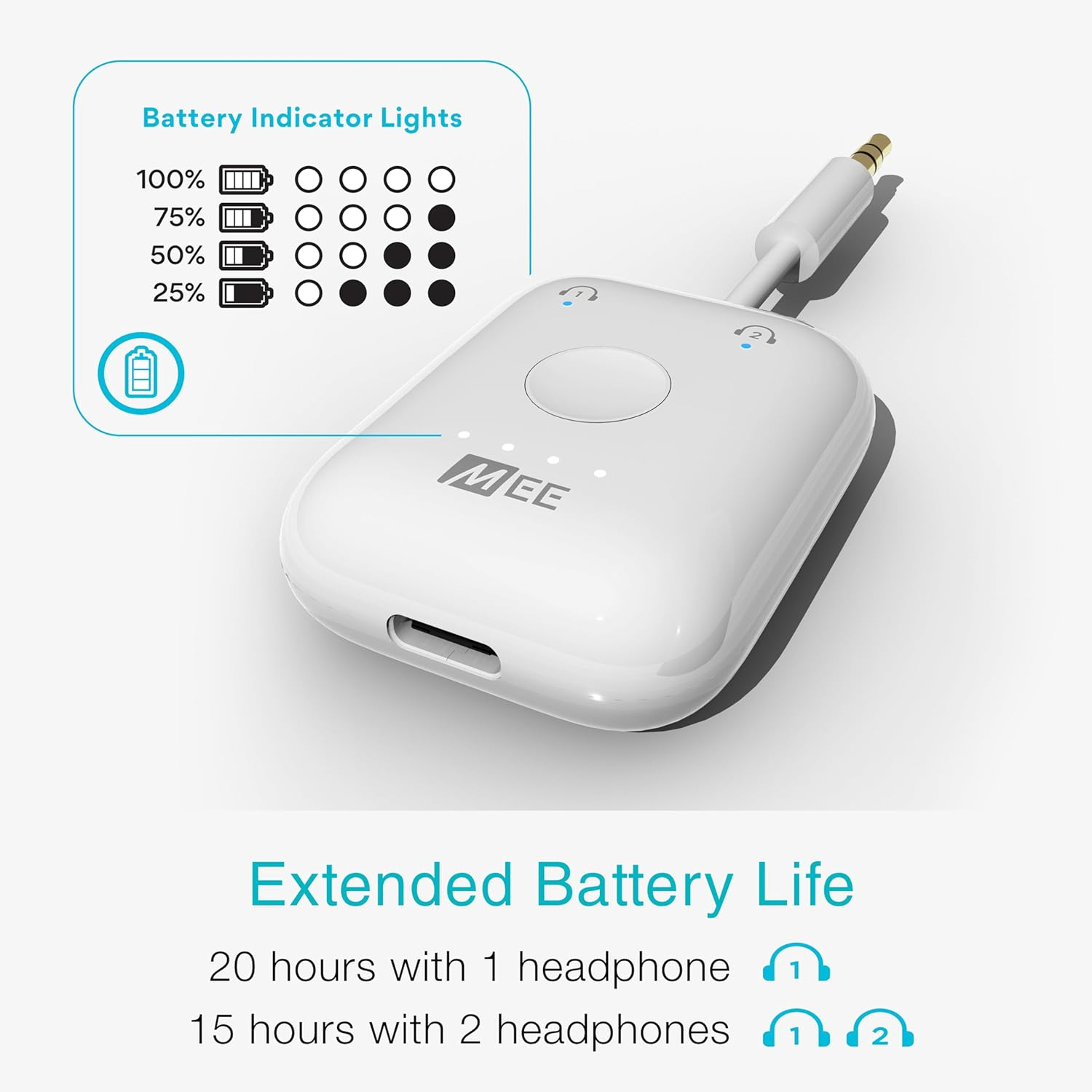
- COMPACT DESIGN & UP TO 20 HOURS OF BATTERY LIFE: Built-in battery provides up to 20 hours of playtime with one pair of headphones connected or 15 hours with two; can be used while charging; 1-year manufacturer's warranty
Product Description
The video showcases the product in use.The video guides you through product setup.The video compares multiple products.The video shows the product being unpacked.
-
Pocket-sized transmitter
HD wireless sound for your travels
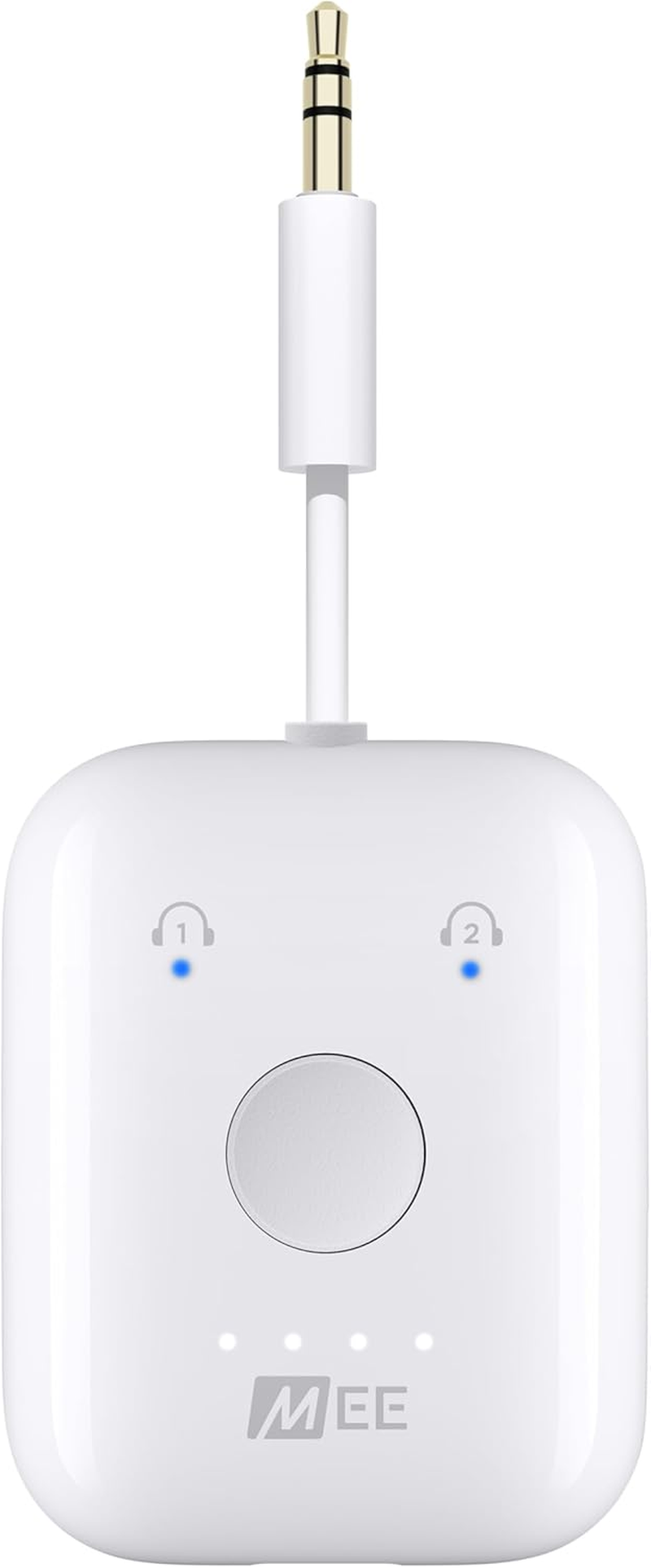
Compact device streams high-quality digital audio over Bluetooth from devices with 3.5mm audio jacks
-
Rechargeable via USB-C
20-hour battery life
Built-in battery provides up to 20 hours of playtime and can be used while charging
-
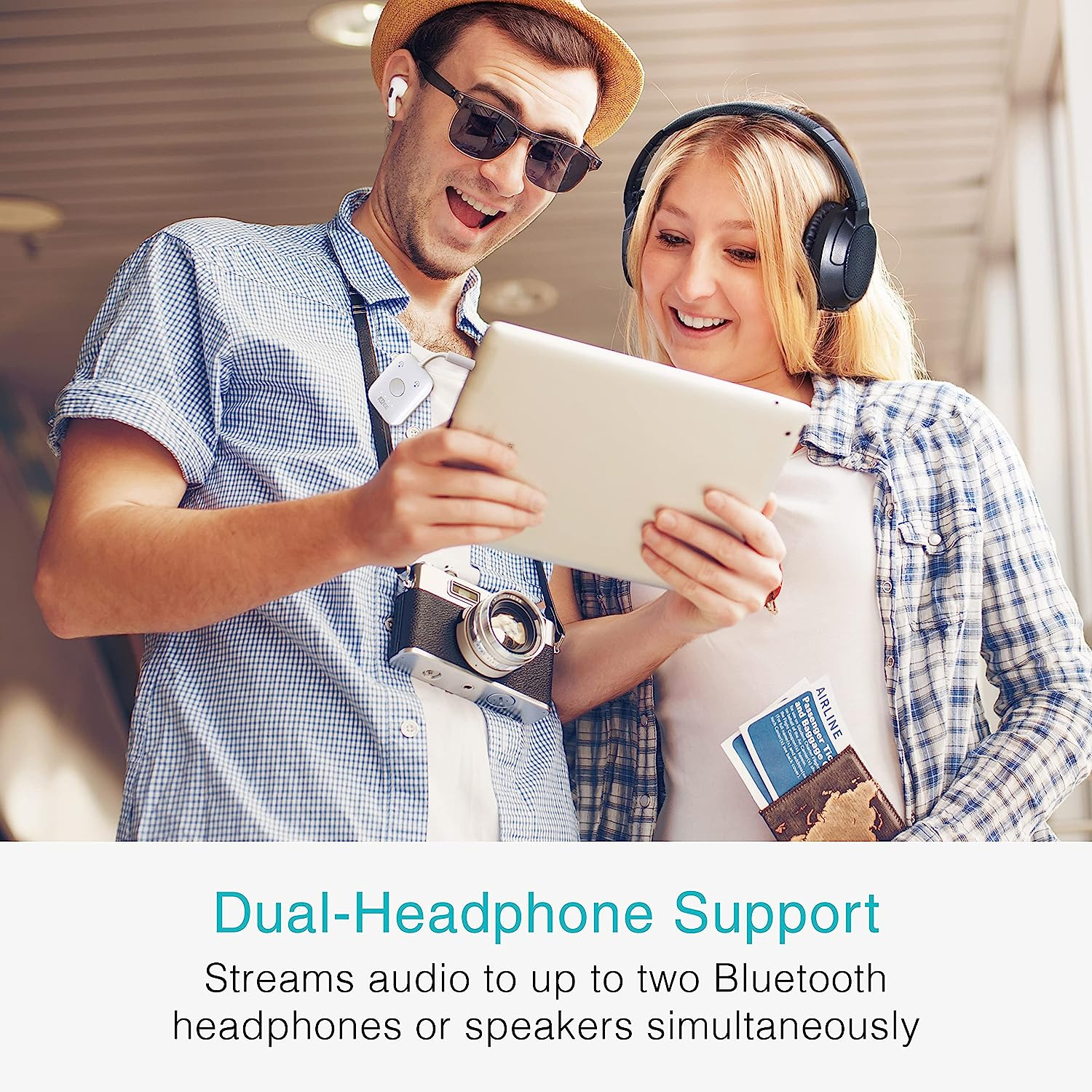
Bluetooth audio for two
Dual-headphone streaming
Stream audio to up to two AirPods or other Bluetooth headphones or speakers simultaneously
-
For low-latency sound
Qualcomm aptX Low Latency technology
Supports aptX Low Latency audio, preventing lip-synching issues with aptX-enabled headphones
Plug and Play Bluetooth Transmitter for Any 3.5mm Headphone/Audio Output
In-Flight Entertainment systems
Nintendo Switch and Xbox/Playstation Controllers
Treadmills and other gym equipment
TVs, A/V Receivers, and Portable DVD Players
How to Set Up the Connect Air with AirPods
STEP 1: AirPods Pairing
- Put AirPods in their case and open lid
- Press and hold button on the back of the AirPods case until the light on the front flashes white
STEP 2: Connect Air Pairing
- Power on the Connect Air by pressing and holding the button for 2 seconds
- Double-click the button to enter pairing mode
STEP 3: Connecting to Audio
- When the light turns solid blue, they are connected
- Plug the Connect Air into the in-flight entertainment system or any other 3.5 mm audio source
STEP 4: Safe Travels!
Don't forget to charge the Connect Air fully before your flight!
Answers to Frequently Asked Questions
| Question | The volume is too low/How do I adjust the volume on my AirPods? |
| Answer | The volume level depends on two things: the input volume and the headphone volume. Use the volume controls on the device your MEE audio Connect Air is plugged into, such as the in-flight entertainment system, to adjust the input volume (for example with an in-flight entertainment system, you can raise the volume using the on-screen or remote control). |
| Answer (Continued) | The headphone volume is adjusted using the volume controls on the headphones. In the case of AirPods, because there are no built-in volume controls, if adjusting the input volume does not provide sufficient volume, you can adjust the base volume of the AirPods by connecting them to your iPhone or iPad, increasing or decreasing the volume, and then connecting them back to the MEE audio Connect Air transmitter. |
| Question | Does the MEE audio Connect Air work with TVs? |
| Answer | The MEE audio Connect Air works with TVs that have a 3.5mm headphone jack. For TVs that have the more common digital audio out (optical) audio connection, the Connect model is a better choice |
| Question | Can I use this device to stream music from my phone to a speaker, car stereo, or other non-Bluetooth audio device? |
| Answer | No, the MEE audio Connect Air only works as a Bluetooth transmitter. Transmitters connect to the audio source (such as a TV or computer) using a wire and stream the audio wirelessly to Bluetooth headphones or speakers |
| Question | Does the MEE audio Connect Air work with AirPods (3rd generation) and AirPods Pro (2nd generation)? |
| Answer | Yes, you can use these and all other versions of AirPods with the Connect Air. Make sure your AirPods are updated to the latest available firmware version. If you are having issues with one or both earpieces of your AirPods connecting, reset your AirPods and the Connect Air transmitter, then pair them again. Instructions for resetting AirPods can be found by searching “how to reset” + your AirPods model. To reset the Connect Air, power it on and press the button 6 times in quick succession. |
| Issue | There is a delay (latency) in audio when using my MEE audio Connect Air |
| Resolution | Bluetooth is a digital wireless audio signal with coding/decoding steps that are expected to create some lag, but the Connect Air minimizes this lag and supports both aptX and aptX Low Latency audio codecs, which have lower latency (less audio delay) than regular Bluetooth audio. Using the Connect Air with a headphone that supports aptX - and especially aptX Low Latency - will greatly reduce or eliminate audio lag. You can find a list of aptX Low Latency-capable headphones on the aptX website. |
| Issue | MEE audio Connect Air displays a solid pink light |
| Resolution | Perform a hardware reset by inserting a pin or paperclip into the reset pinhole on the left side of the device |
In-Flight Transmitter
Compare Connect Series
Transmits Bluetooth |
Receives Bluetooth |
3.5/AUX connectivity |
RCA connectivity |
Optical connectivity |
Pair up to 2 devices |
Built-in Battery |
Transmits Bluetooth |
Receives Bluetooth |
3.5/AUX connectivity |
RCA connectivity |
Optical connectivity |
Pair up to 2 devices |
Built-in Battery |
- TV Transmitter
- TV Transmitter + Receiver
- Power Source: Battery Powered
- Part Number: AF-CA1
- Product dimensions: 3.81 x 1.52 x 4.57 cm; 17.01 Grams
- Material Type: Plastic
- Supports Bluetooth Technology: Yes
- Compatible media type: Bluetooth 5.0, SBC, aptX, aptX Low Latency
- Audio input compatible with the item: 3.5 mm
- Wireless Type: Bluetooth
- Media type: MP3, AAC
- Brand: MEE audio
- Batteries Included: No
- Model Name: Connect
- Hardware Interface: Bluetooth
- Audio Output Type: bluetooth
- Manufacturer: MEE audio
- Item Model Number: AF-CA1
- Battery Description: Lithium-Ion
- Voltage: 3.6 Volts
- Data Link Protocol: Bluetooth
- Battery cell composition: Lithium Ion
- Batteries Required: No
- Connector Type: Wireless, Bluetooth
- Item Weight: 17 g
- Number of Ports: 1
- Human interface input: Buttons
- Charging Time: 2 Hours
- Special Features: Portable,Compact
- Includes Rechargeable Battery: Yes
- Includes remote: No
- Number of items: 1
- Mounting Hardware: 1, Charging Cable
- Model: AF-CA1
- Compatible Devices: Gaming Console, Headphone, Speaker
- Colour Name: white
- Batteries: 1 Lithium Ion batteries required.
- Does it contain liquid?: No
- Audio output mode: Stereo
- Style Name: In-Flight Transmitter
A$38.75
Shipping to Australia
Delivery time varies by location
Return & Refund Policy
Check our return & refund policy
Security & Privacy
Safe payments: We do not share your personal details
Availability:
-
In Stock
Sign in
or create an eMega account
Shop smarter — get exclusive deals & order tracking