Free Shipping – Store Wide
Ecowitt GW1100 Wi-Fi Weather Station Sensor Gateway with Temperature, Humidity and Atmospheric Pressure 3-In-1 Probe Sensor
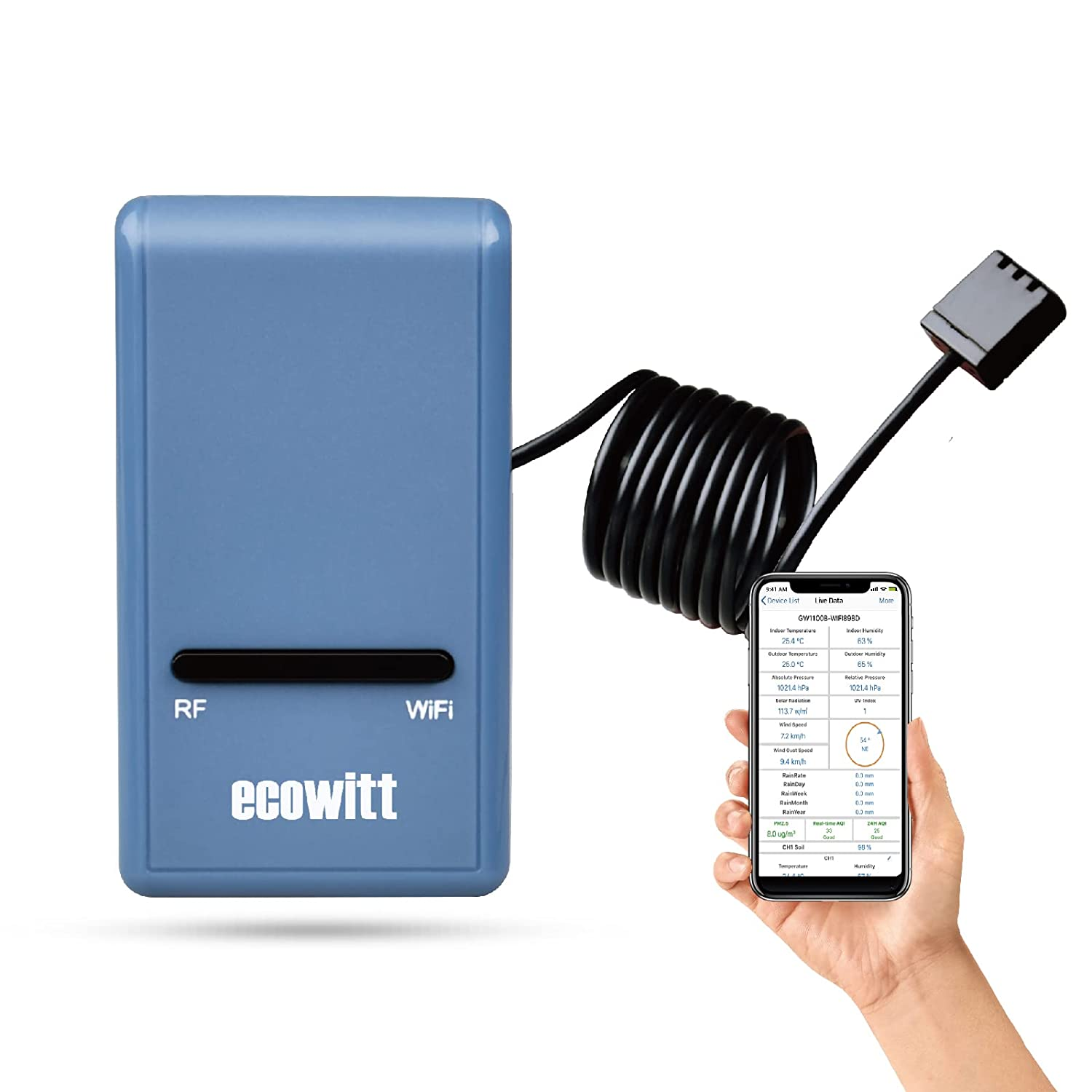
Ecowitt GW1100 Wi-Fi Weather Station Sensor Gateway with Temperature, Humidity and Atmospheric Pressure 3-In-1 Probe Sensor
Brand: ECOWITT
A$38.65
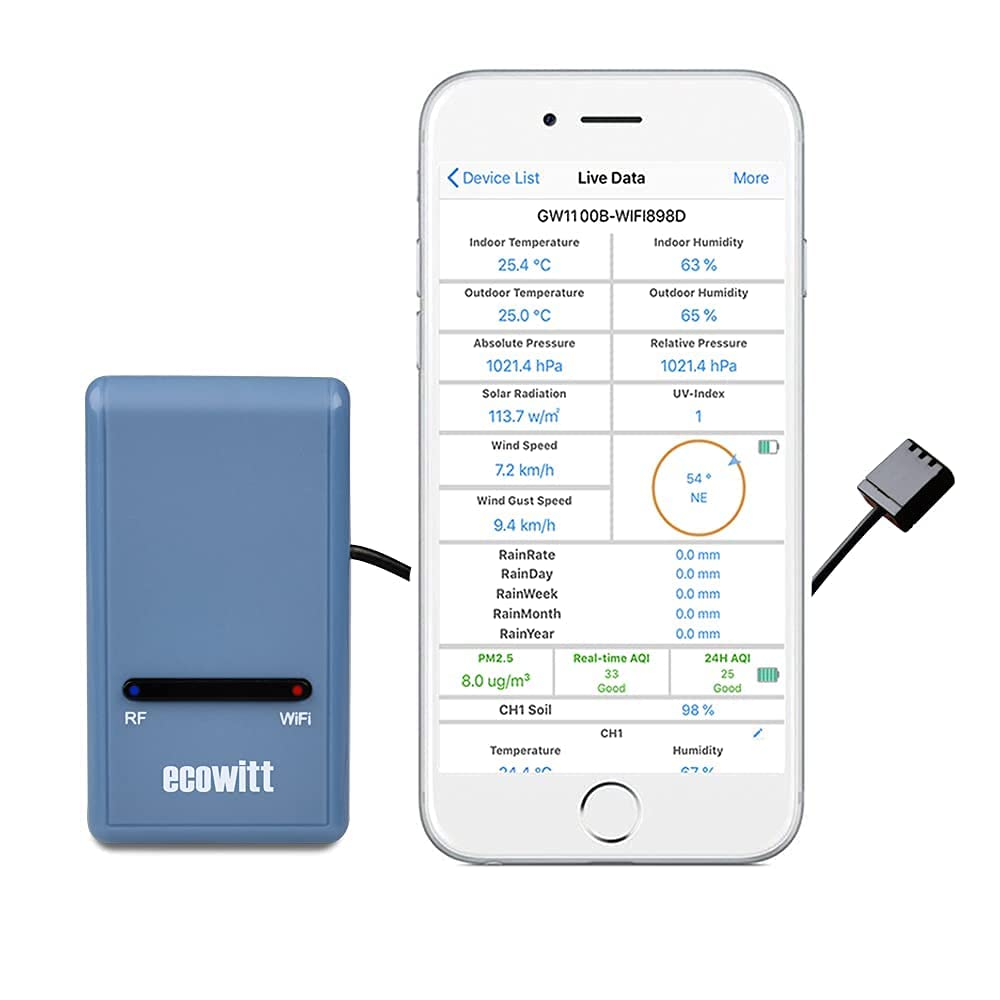
- 【Wi-Fi Weather Station Gateway】: Ecowitt GW1100 WiFi Weather Station Gateway comes with advanced temperature & humidity & atmospheric pressure 3-in-1 probe sensor and with additional 1.5m/3ft USB extension cable for powering the gateway, allowing you to measure more accurate values at any location.
- 【Upgraded Gateway & Easy Wi-Fi Configuration】 : Comparing with the old version gateway GW1000, Ecowitt simplifies the GW1100 Wi-Fi configuration procedure, allowing you easily to finish Wi-Fi configuration and get more accurate data. The GW1100 quick start manual will guide you to complete the Wi-Fi configuration in detail. Say goodbye to the complicated wifi configuration procedure.
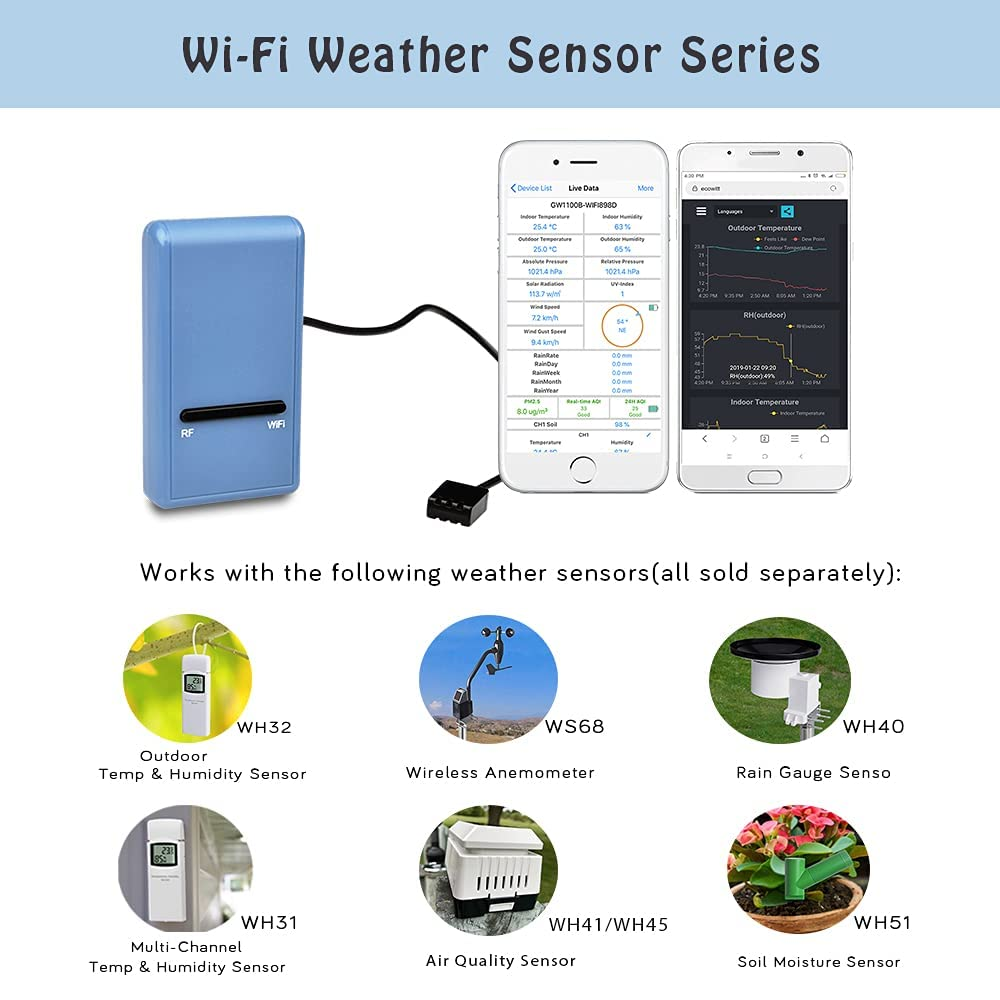
- 【Various Sensors Supported】: GW1100 WiFi weather station gateway can collect sensor data from various Ecowitt wireless sensors(sold separately), such as WN32(WH32) outdoor temperature and humidity sensor, WH40 rain gauge sensor, WS68 wireless anemometer, up to 8 WN31(WH31) multi-channel temperature and humidity sensors, up to 8 WH51 soil moisture sensors, up to 4 WH41/WH43 PM2.5 air quality sensors, WH45 air quality sensor, WH55 Water leak sensors and WH57 Lightning sensor.
- 【Upgrade Firmware】: According to your needs to decide whether to set automatically update the firmware. With the firmware update, so that you can use the latest function of GW1100. Besides, the original data can be retained. This option is unchecked as a default setting, which means the device will not upgrade firmware by itself. If this option is enabled, it will upgrade firmware automatically (precondition: gateway GW1100 connected to your router with internet access from the network).
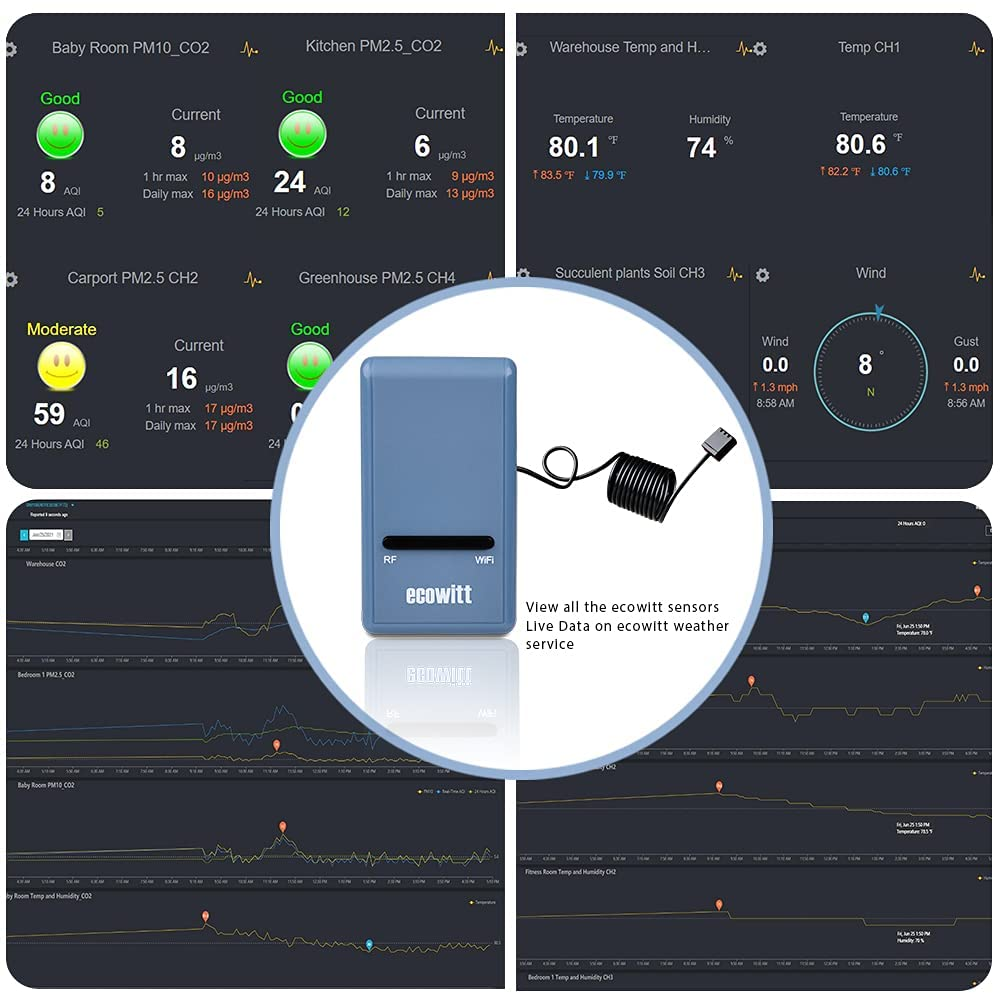
- 【View Live Data & Publish to Internet Weather Services】: You can use mobile application (WS View Plus/Ecowitt APP) view collected live data, manage sensor calibration setup, manage sensor selection. Besides, the GW1100 Wi-Fi gateway support uploading all the sensors data to Weather Underground, WOW, Weather Cloud, Ecowitt Weather and other custom sites(using either Wunderground or Ecowitt protocol)
- 【About the RF Frequency of Ecowitt's products】: 915/868/433MHz depending on location ( North American:915MHz; Europe:868MHz; Other areas:433MHz ) The frequency of products sold in US/CA is 915 MHz ; The European is 868 MHz;The Australia is 433 MHz.
Product Description
Support Receiving These Ecowitt Sensors
- One WH32 outdoor temperature and humidity sensor
- One WH40 self-emptying rain gauge sensor
- One WS68 wireless anemometer
- Up to 8 WH31 multi-channel temperature and humidity sensors
- Up to 8 WH51 soil moisture sensors
- Up to 4 WH41/WH43 PM2.5 air quality sensors
- One WH45 PM2.5/PM10/CO2/temperature and humidity all-in-1 sensor
- Up to 4 WH55 Water leak sensors
Ecowitt GW1100 WiFi Weather Station Gateway
with Temperature, Humidity and Barometric Sensor
- Attached temperature, humidity and atmospheric pressure 3-in-1 probe sensor.
- Collects sensor data from various supported wireless sensors.
- View collected live data, manage sensor calibration setup and manage sensor selection on WS View Plus or Ecowitt APP.
- Supports pushing sensor data to cloud weather services: ecowitt.net, wunderground, weathercloud, WOW and Custom sites.
- ✔ 1 * USB Wi-Fi Gateway
- ✔ 1 * USB extension cable for powering the gateway
- ✔ 1 * Cable clip
- ✔ 1 * GW1100 Quick Start
- ✔ 1 * Manual
Wi-Fi Gateway Introduction
- Factory Default Reset Button
- RF Status Indicator Light (Blue)
- Wi-Fi Status Indicator Light (Red)
- Wi-Fi Status Indicator Light (Red)
- Temperature, humidity and barometric 3-in-1 sensor
Publish to Internet Weather Services
- ✔ Weather Underground
- Provides local & long-range weather forecasts, weather reports, maps & tropical weather conditions for locations worldwide.
- ✔ WOW
- A UK based weather observation website.
- ✔ Weather Cloud
- A large network of weather stations reporting data in real time from all over the world.
- ✔ Ecowitt Weather
- Ecowitt’s new weather server that can host a bunch of sensors that other services don’t support at this time.
- ✔ Custom sites (using either Wunderground or Ecowitt protocol.)
Specifications
| Size | 62 x 35 x 12 mm / 2.44 x 1.38 x 0.47 inch |
| USB Gateway | DC 5V 1A |
| Cable Length | 1M / 3FT |
| RF Frequency | 433 Mhz ( The items sold in Australia require 433 MHz ) |
| Wireless Range | 300FT/100M in open areas when linked to external sensors |
| Temperature Range | -10°C – 60°C (14°F - 140°F) |
| Temperature Resolution | 0.1°C or 0.1°F |
| Humidity Range | 1% ~ 99% |
| Humidity Resolution | 1% |
| Barometric Pressure Range | 300 – 1100 hPa (8.85 – 32.5 inHg) |
| Barometric Pressure Accuracy | ±3 hPa in 700 – 1100 hPa range |
| Barometric Pressure Resolution | 0.1 hPa (0.01 inHg) |
1. What Frequency of this device?
- The products sold on Amazon.com( aims at American customers) and on Amazon.ca are 915 MHz;
- The products sold on Amazon.co.uk and Amazon.de are 868 MHz;
- The products sold on Amazon.com.au are 433 MHz.
- Purchase before note that now you are in ecowitt store on amazon.com.au, so all the products are 433 MHz.
2. What if purchase the wrong Frequency products?
- Please note that the all the products sold on amazon.com.au are 433 MHz.
- If one product you want to purchase is out of stock on amazon.com.au, please DO NOT purchase it on other countries' amazon sites because different countries sell different frequency products. If the sensors and the gateway/receivers are different in frequency, they could not work together.
3. How to connect GW1100 and finish Wi-Fi configuration?
- 1. Enable the GW1100 Wi-Fi gateway and your smartphone Wi-Fi function and connect to the GW1100 ( GW1100X-XXXXXXXX );
- 2. Open your smartphone browser and type 192.168.4.1 in browser to enter into the area network web;
- 3. No password is required for the first login (If you want to set the password, you can set it on the Device Setting page after login);
- 4. Choose 'Local Network', then respectively type your home router account and password into the 'Router SSID' and 'Wi-Fi Password'.
4. How to view the data? What sensors do the GW1100 support pairing?
- You can view the live data on our free APP 'WSView Plus' or 'Ecowitt' after Wi-Fi configuration. Or you can view the history data on ecowitt weather server.
- GW1100 WiFi weather station gateway support pairing with sensor data from various Ecowitt wireless sensors(sold separately), such as WH32 outdoor temperature and humidity sensor, WH40 rain gauge sensor, WS68 wireless anemometer, up to 8 WH31 multi-channel temperature and humidity sensors, up to 8 WH51 soil moisture sensors, up to 4 WH41/WH43 PM2.5 air quality sensors, WH45 air quality sensor, WH55 Water leak sensors and WH57 Lightning sensor etc.
- Item Weight: 100 g
- Item Model Number: FG-GW1000BU-ECO1
- Product dimensions: 3.51 x 1.09 x 6.2 cm; 100 Grams
- Style Name: GW1100
- Manufacturer: ecowitt
A$38.65
Shipping to Australia
Delivery time varies by location
Return & Refund Policy
Check our return & refund policy
Security & Privacy
Safe payments: We do not share your personal details
Availability:
-
In Stock
Sign in
or create an eMega account
Shop smarter — get exclusive deals & order tracking