Free Shipping – Store Wide
Car HUD P8, OBDII & GPS Dual System, 2" LED Display, Black
Car HUD P8, OBDII & GPS Dual System, 2" LED Display, Black
Brand: wiiyii
A$68.25
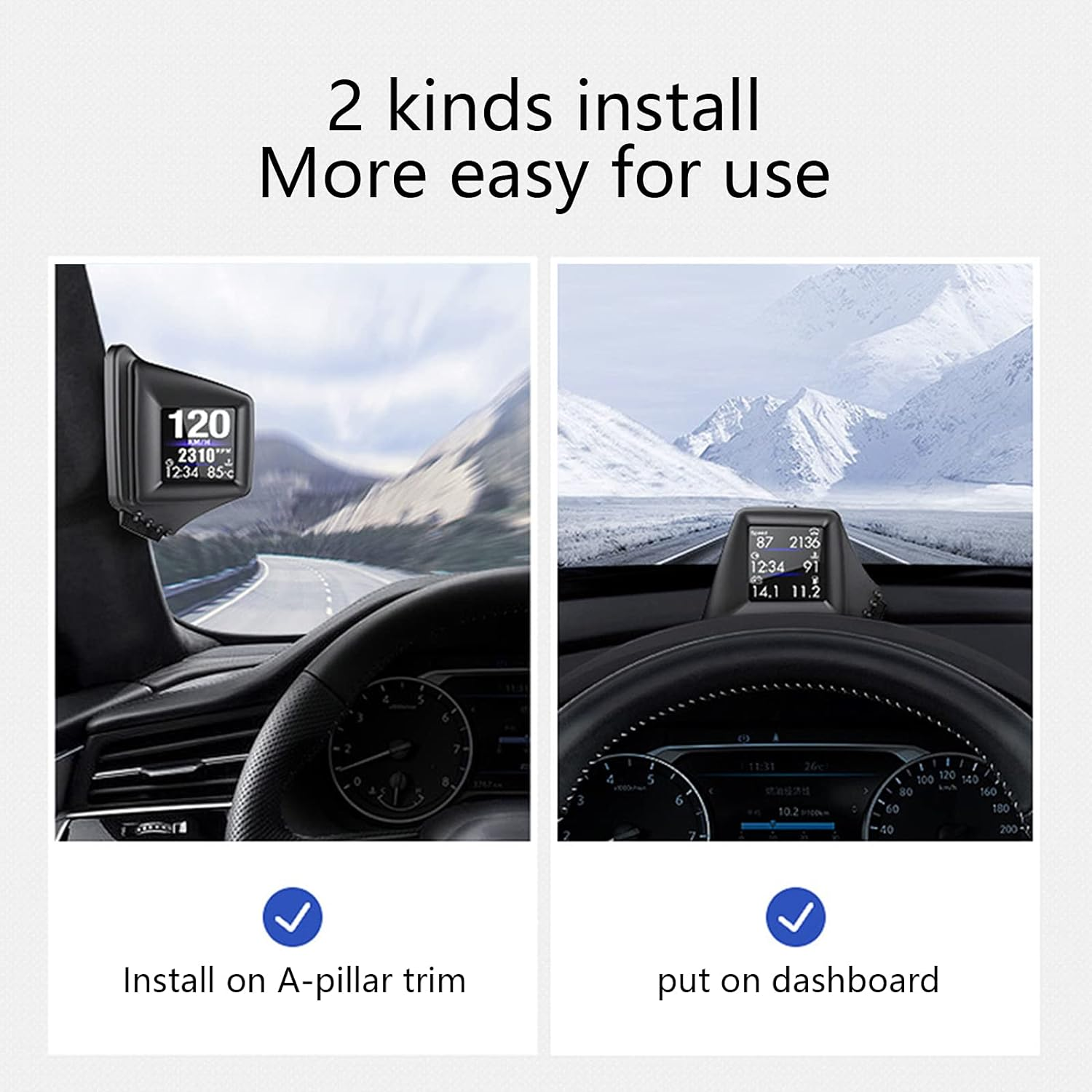
- 2 KINDS INSTALL---Install on A-Pillar trim or put on dashboard, more easy for use. Simply displays directly to you at whatever angle you set it up is possible, no need to make effort or look down that would create distractions, best assistant to help ensure your driving safety.
- MORE EASY---Easy to install, set up is no more complex than connecting to USB power. It takes perhaps half a mile to lock onto a satellite and do its housekeeping before speed is displayed.
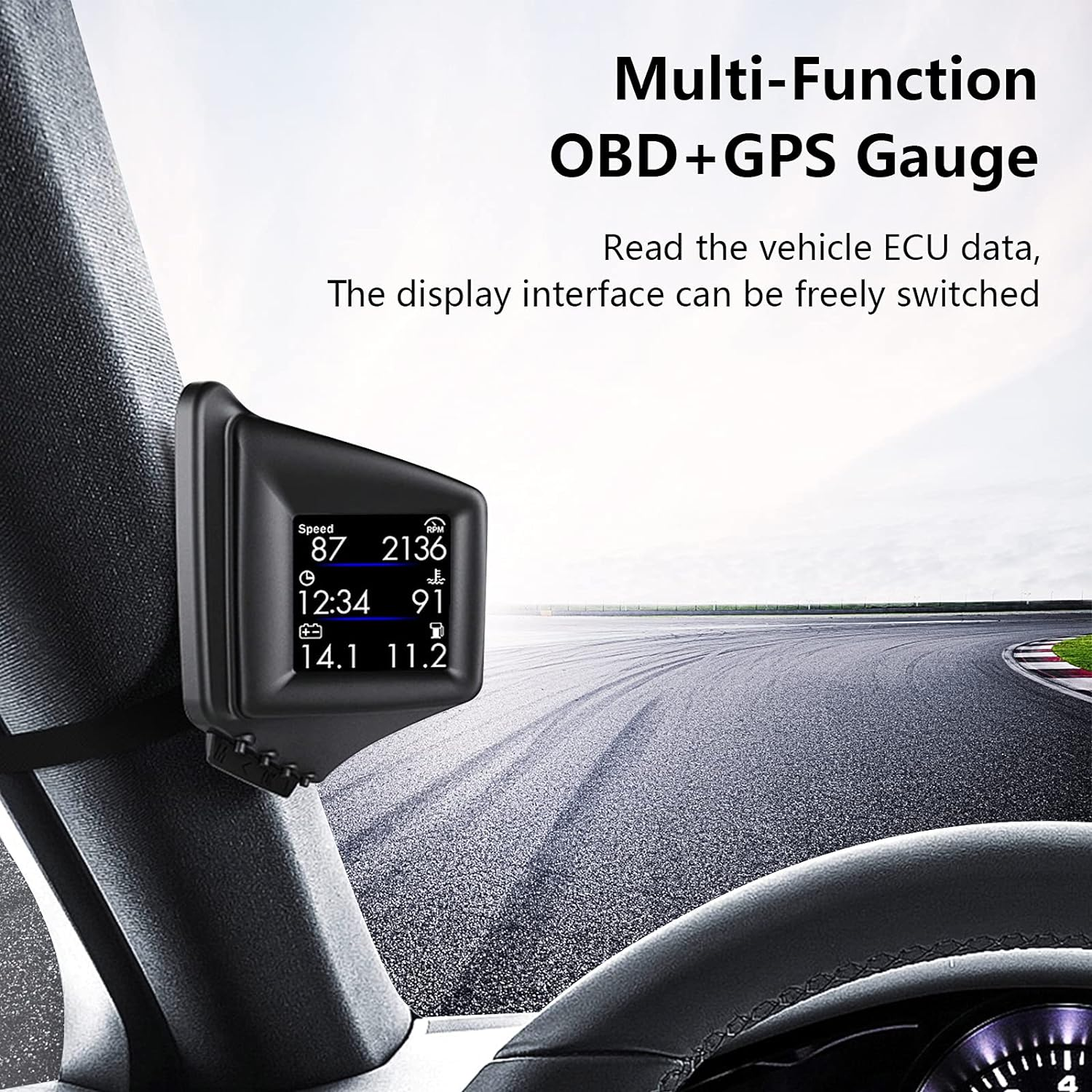
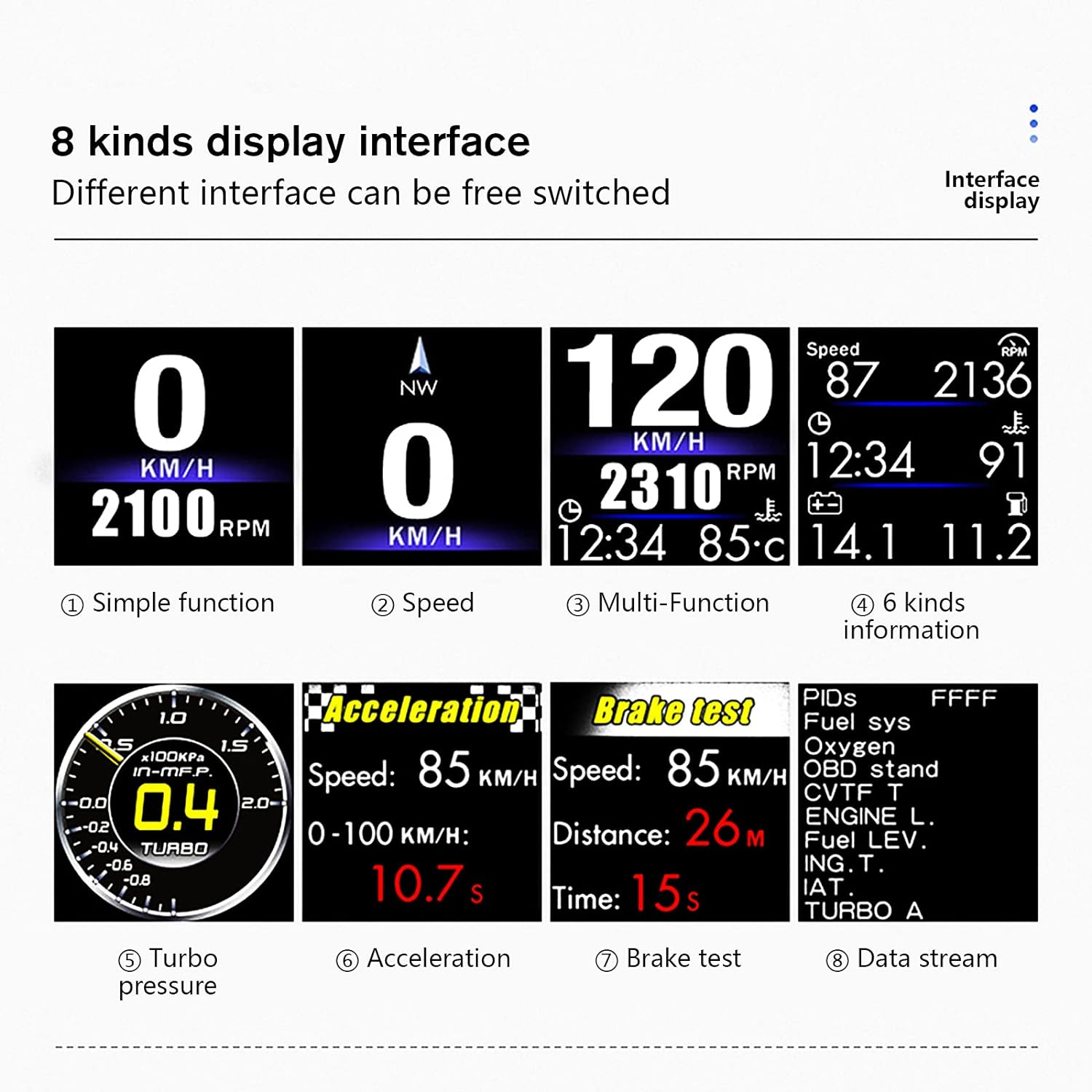
- 8 DISPLAY INTERFACES---Different interface can be freely switched. Read full car data stream, display vehicle ECU data.
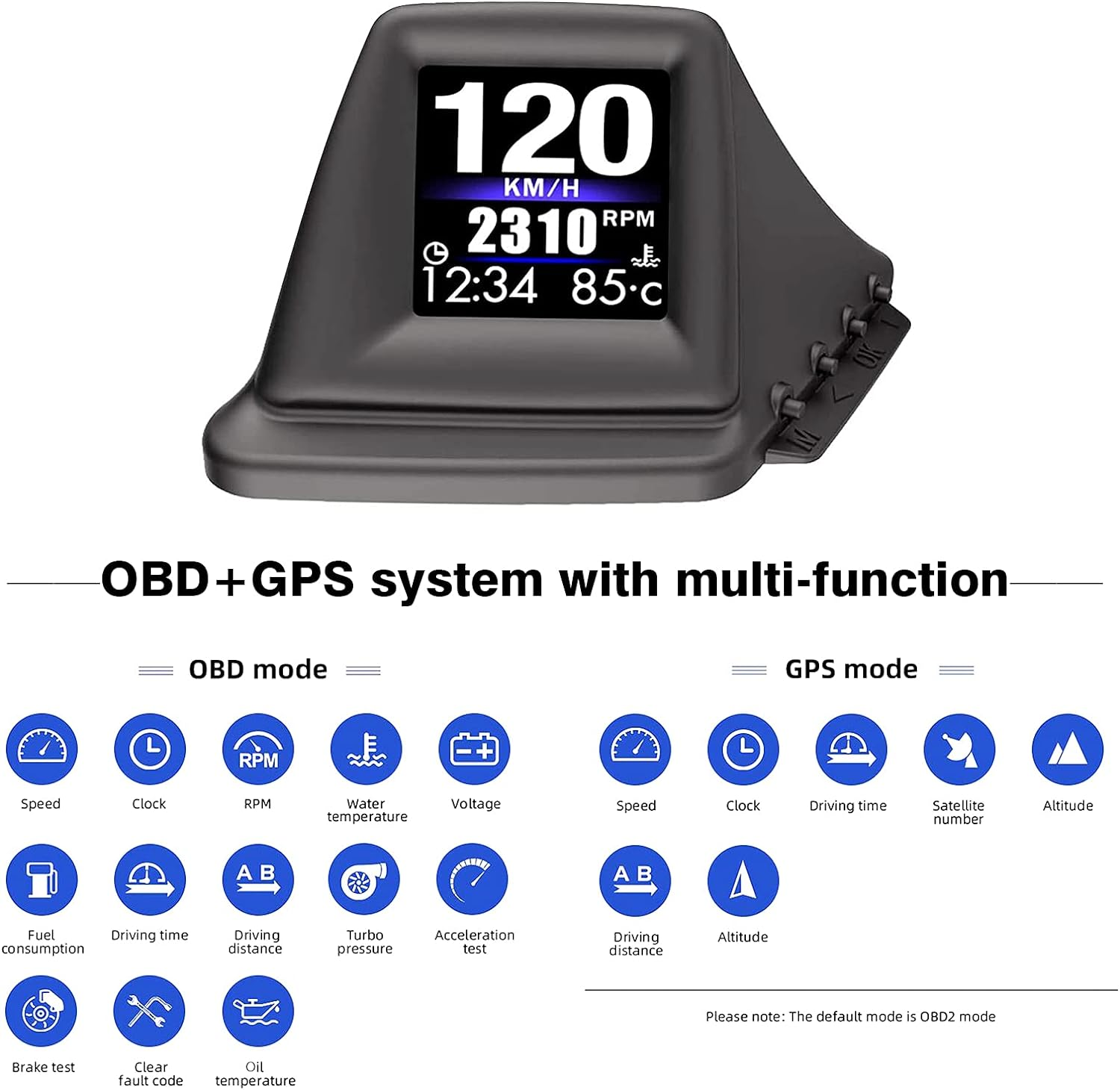
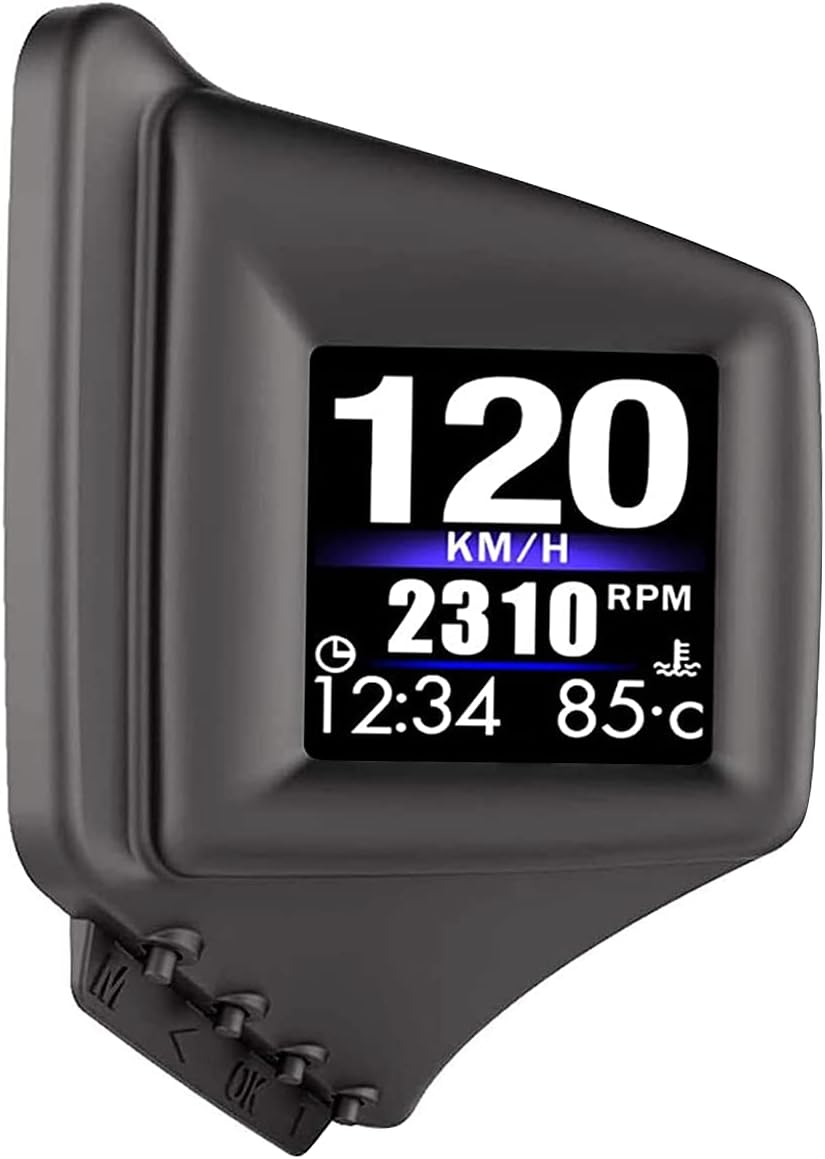
- MULTI-FUNCTION---OBD+GPS dual system with function display, such as speed, clock, RPM, voltage, water temperature, etc. please note: the default mode is OBD2 mode.
- QUALITY & SERVICE---CE FCC RoHS listed. Any querry, feel free to contact us, we will reply and help you solve problem ASAP.
Product Description
The HUD is a great tool for viewing speed, RPM and other data without taking your eyes off the road.
What is a HUD (Heads Up Display)? HUDs are one of the increasingly popular technology options. Important driving information can be displayed on the machine. Drivers can personalize their displays however they want, keeping only what they need. In particular, the display keeps your eyes off the road when the driver wants to see information about driving. It makes your driving safer and more comfortable.
Right A-pillar installation method
1.After the product is powered on, press and hold the "OK" button for three seconds to enter the setting screen.
2.Short press ">" and select "Settings". Press ">" again to select "Screen Angle". Short press "> to adjust the angle, there are 90°, 180°, 270°, etc.
3. in the angle, you can adjust it to a suitable angle for you to view the data conveniently.
4.After the adjustment is completed,long press the "OK" button for three seconds, save and exit.
Eight major display interfaces
You can choose the screen you want, almost all the screens you want are on this HUD.
OBD mode includes functions display:
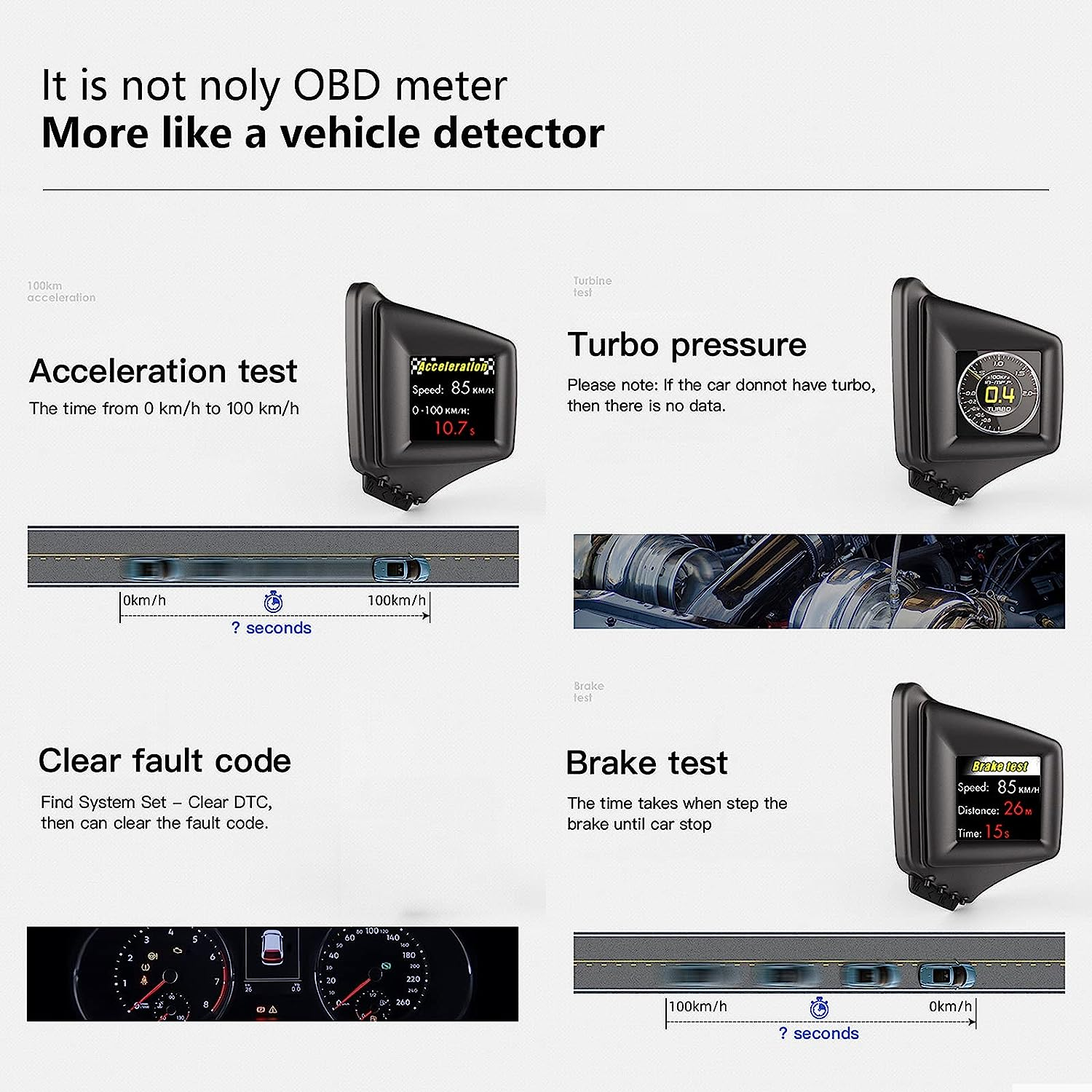
Speed, Clock, RPM, Water Temperature, Voltage, Fuel Consumption, Driving Time, Driving Distance, Turbo Pressure, Acceleration Test, Brake Test, Clear Fault Code, Oil Temperature.
GPS mode includes functions display:
Speed, Clock, Driving Time, Satellite Number, Altitude, Driving Distance, Altitude.
Generally Speaking: OBD2 model application scope: OBD2 agreement gasoline vehicles produced in the United States after 2004, and OBD2 agreement gasoline vehicles produced in other regions after 2008. GPS model: all cars can be used, just connect to the electricity, regardless of model, regardless of year, voltage range 8~18V.
How To Install:
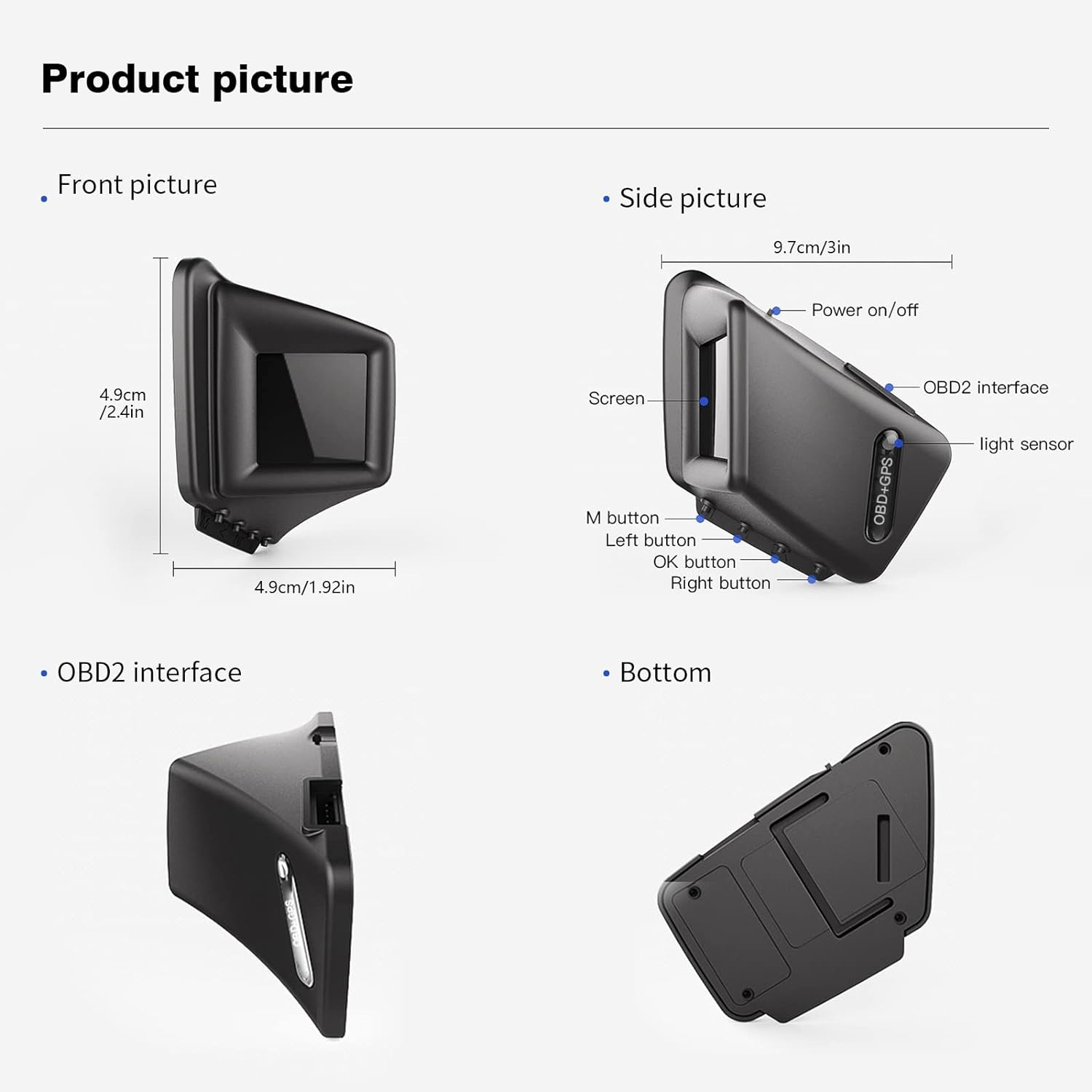
Insert the OBD socket connector.
Plug the wire into the A-Pillar seal.
Connect one end of the OBD interface into the HUD and place the HUD in a suitable position.
Kindly Attention: If you didn’t drive for more than a week, please disconnect it. Because the OBD device is a regular battery of a car battery, it is recommended to unplug the OBD device when the car is not used for a long time due to different vehicle conditions.
Clear Fault Code
Find system set, clear DTC, then can clear the fault code.
Brake Test
The time takes, when step the brake until car stop.
Turbo Pressure
Please note: if the car doesn't have turbo, then there is no data.
- Item Model Number: obd2 Gauge P8
- Number Of Items: 1
- Product dimensions: 3 x 3 x 3 cm; 72.57 Grams
- Country of origin: China
- Item Weight: 72.6 g
- Manufacturer: wiiyii
A$68.25
Shipping to Australia
Delivery time varies by location
Return & Refund Policy
Check our return & refund policy
Security & Privacy
Safe payments: We do not share your personal details
Availability:
-
In Stock
Sign in
or create an eMega account
Shop smarter — get exclusive deals & order tracking