Free Shipping – Store Wide
HDMI ARC Audio Extractor 192Khz DAC Converter ARC Audio Extractor Support Digital HDMI Audio to Analog Stereo Audio RCA L/R Coaxial SPDIF and 3.5Mm Jack ARC Audio Adapter for TV


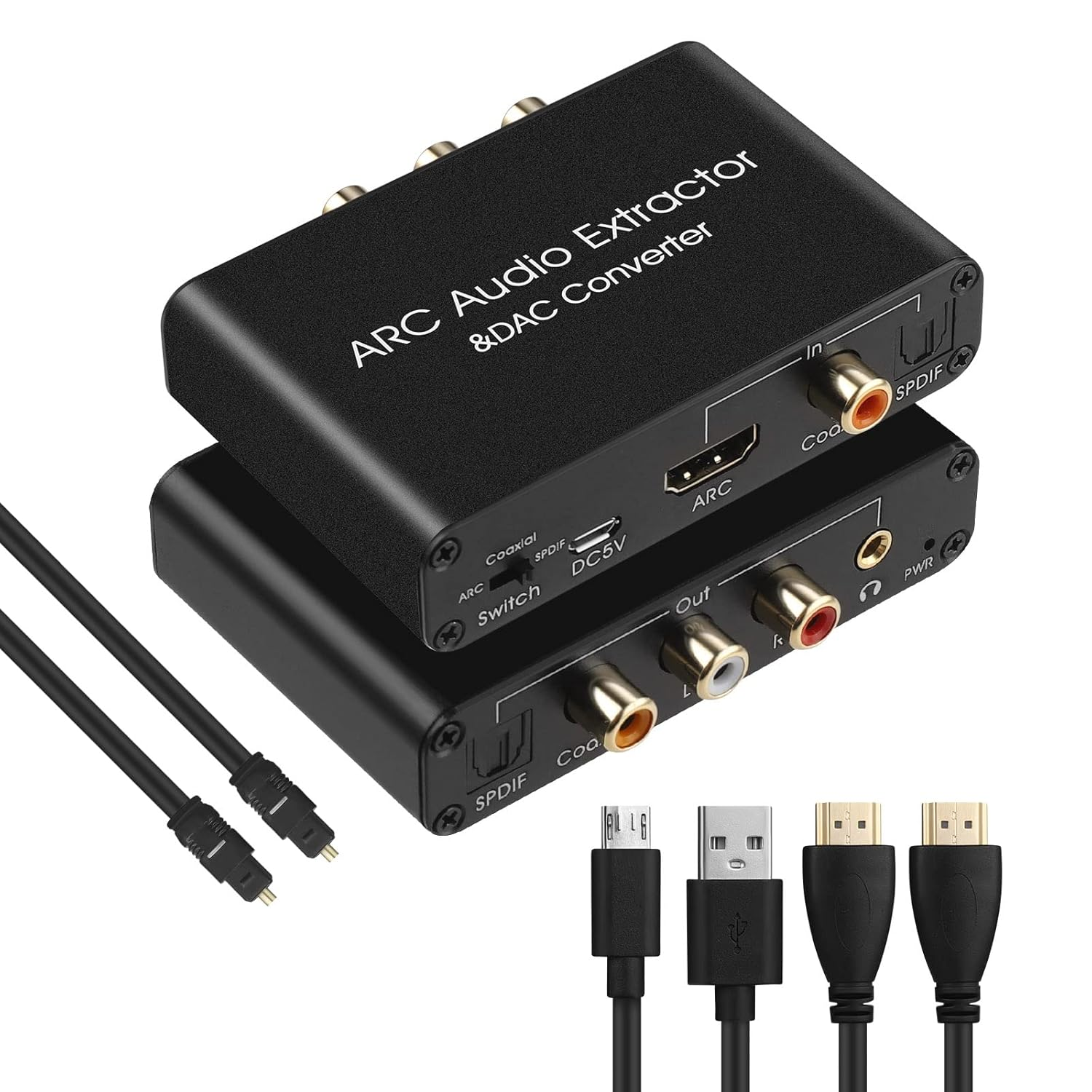
HDMI ARC Audio Extractor 192Khz DAC Converter ARC Audio Extractor Support Digital HDMI Audio to Analog Stereo Audio RCA L/R Coaxial SPDIF and 3.5Mm Jack ARC Audio Adapter for TV
Brand: RGBTEK
A$38.85
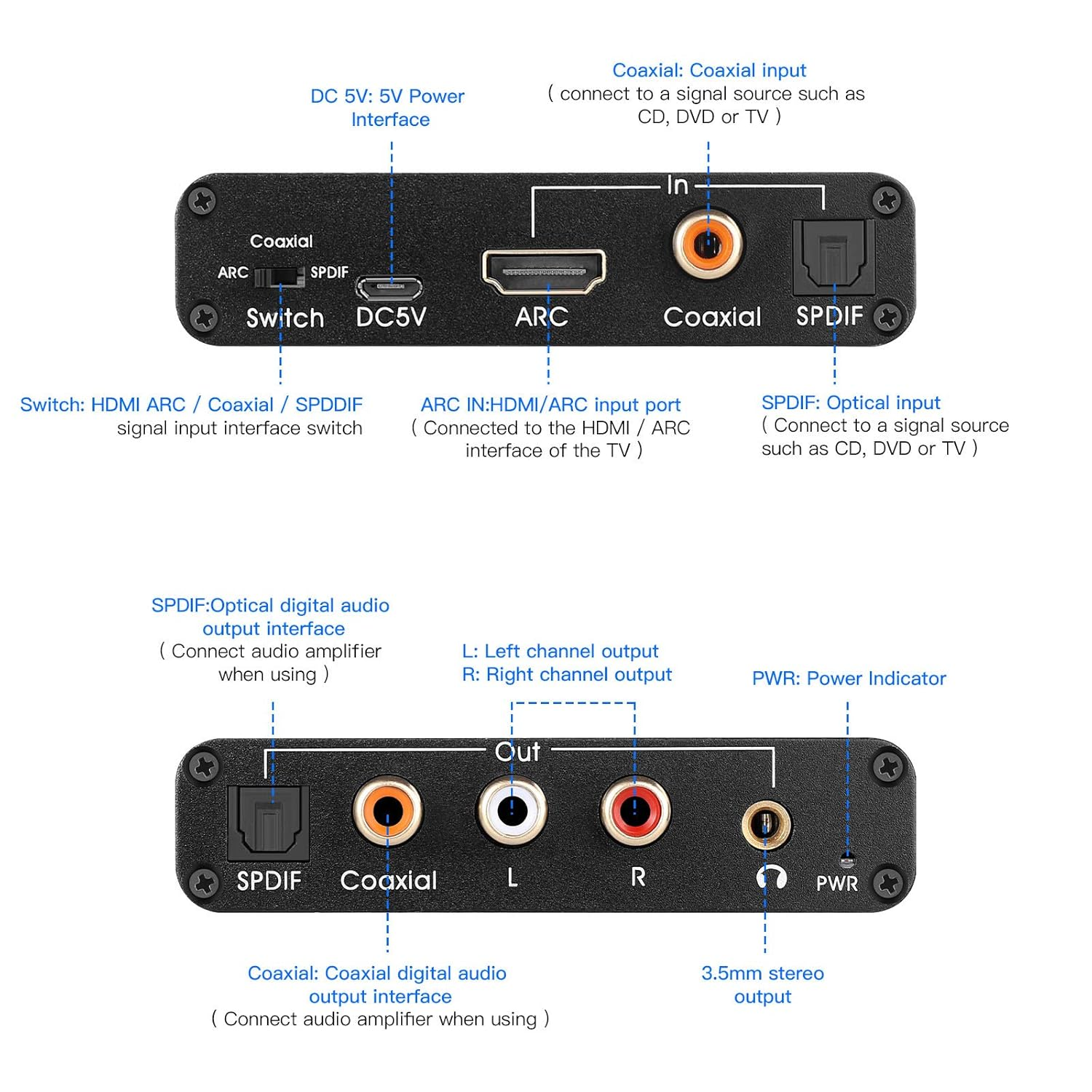
- 【HDMI ARC Audio Extractor】Audio Return Channel function and audio extract to digital and analog signal.That means, when connected to HDMI ARC device,such as your TV with HDMI ARC port,audio will be return from TV and output to SPDIF,Coaxial,L+R RCA,3.5mm;
- 【192KHz DAC Digital to Analog Converter】Input SPDIF or Coaxial Digital signal,Output to L+R Analog Audio,3.5mm Jack stereo sound;
- 【HDMI ARC CEC Volume Adjustable】When switch to HDMI ARC mode, volume can be countrolled by TV's remote controller (Attention: CEC is only for HDMI 1.4 version or ab ove,both of your device and HDMI cable must be required,Don't forget to set the CEC control configurations of your TV,or else not available for volume control)
- 【SPDIF to Coaxial Bidirection Converter】SPDIF (Toslink/Optical) convert to Coaxial, Coaxial convert to SPDIF(Toslink/Optical);
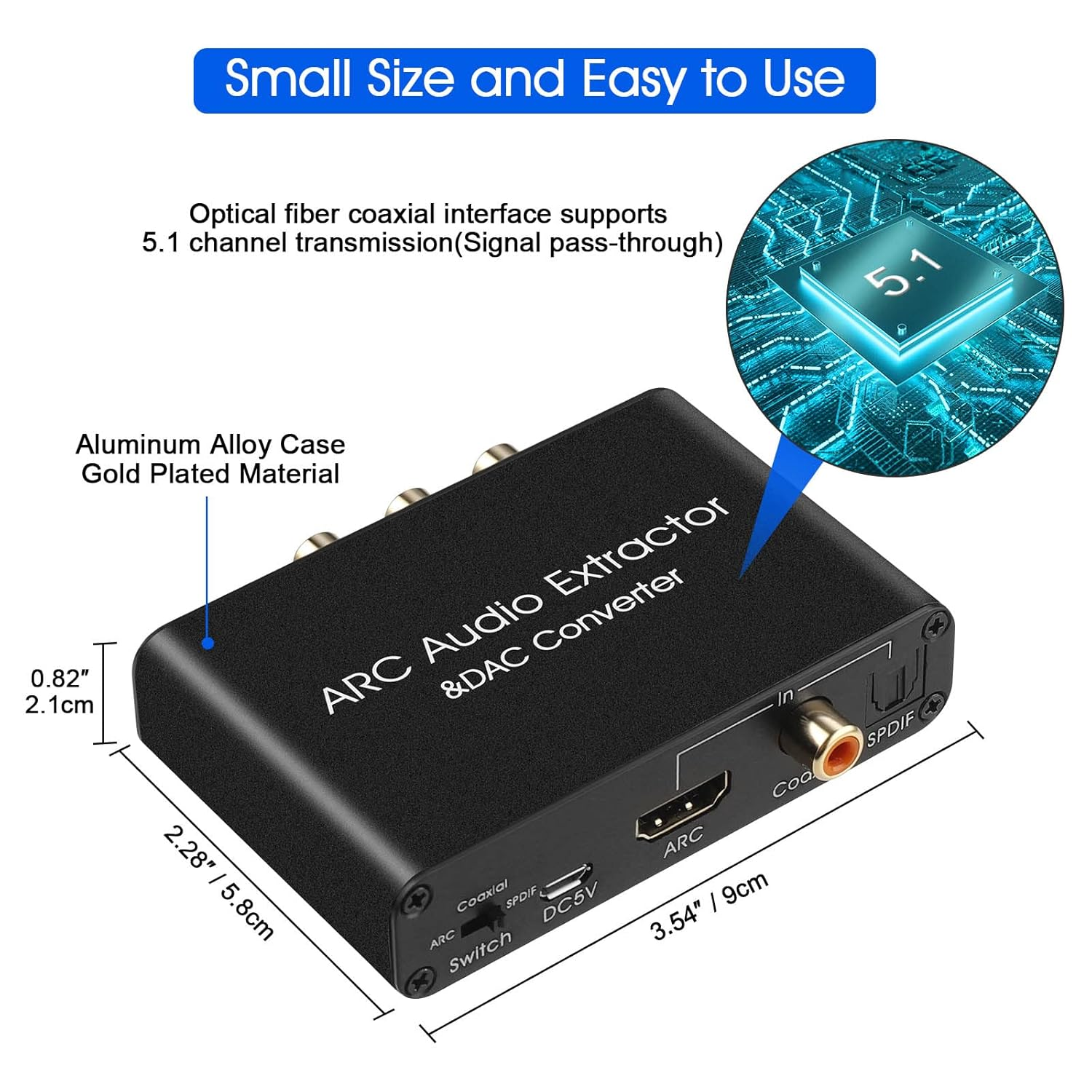
- 【Mini Size and Easy to Use】Aluminum metal shell,Small size,portable,metal case,compatible with Blu-ray DVD,HDTV,TV,TV Box,Game playstation PS2,PS3,PS4,Xbox
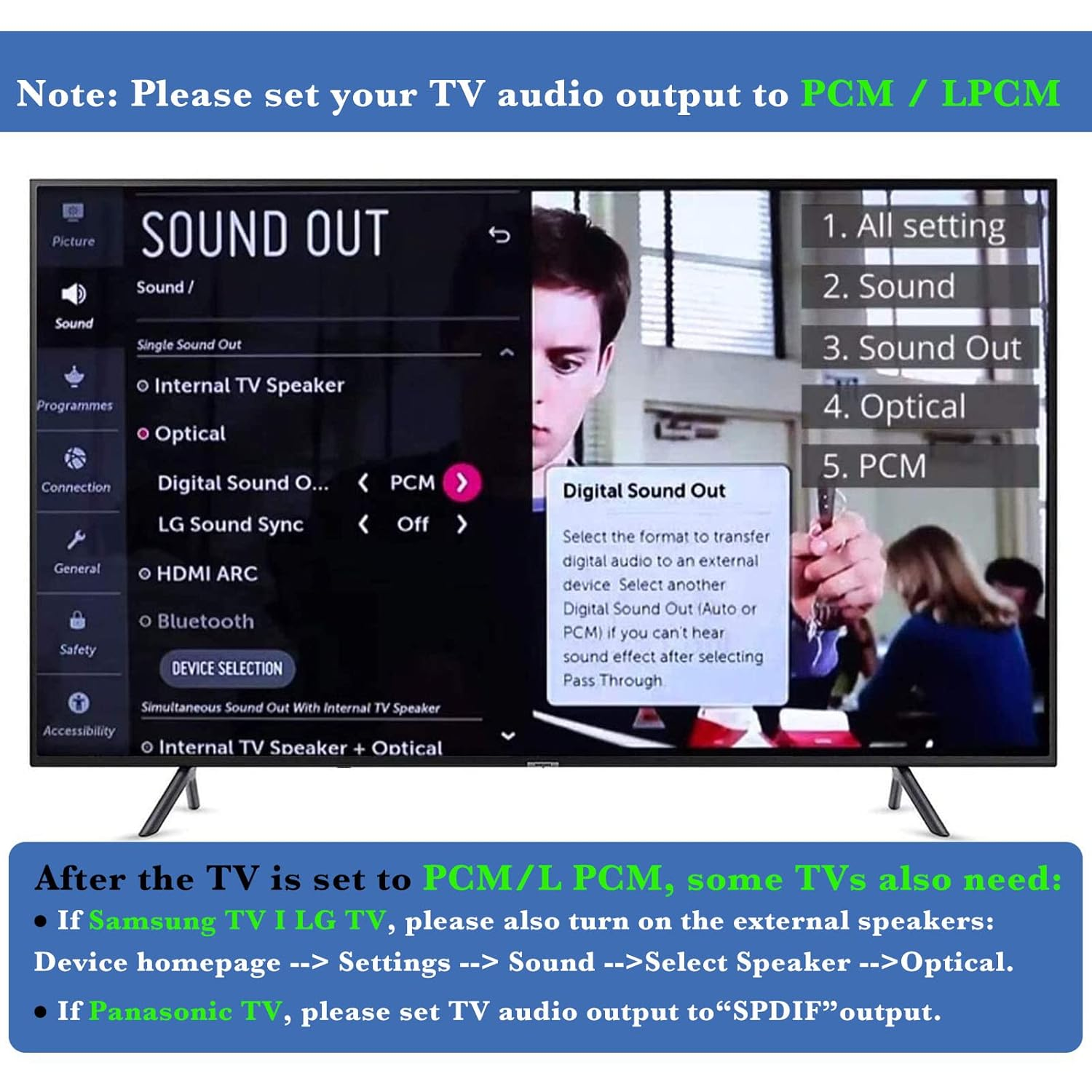
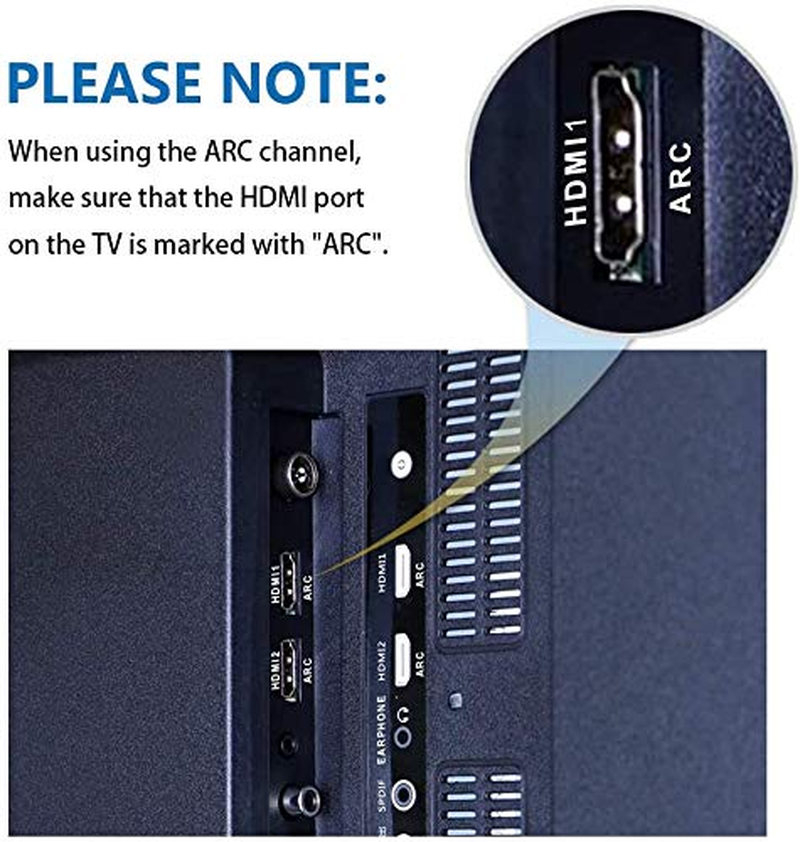
HDMI ARC Audio Adapter & DAC Converter can transmit audio from TV to optical coaxial 3.5mm audio via HDMI (ARC) interface , and output simultaneously, which perfectly solves problems of having no audio output interface that TV cannot be connected to the sound system. With the DAC converter function will help to use in more cases. Please Note When using the ARC channel, make sure that the HDMI port on the TV is marked with "ARC". Connection and Operation: 1. Connect the HDMI port of the adapter to the HDMI (ARC) port of the TV through the HDMI cable 2. Connect the converter's optical fiber and coaxial input port with the corresponding audio interface of DVD or PS3 through optical fiber cable or coaxial cable 3. Connect to the amplifier system through optical fiber cable, coaxial cable or RCA cable and 3.5mm audio cable 4. Connect the USB power cord to the Micro USB interface of the converter 5. Switch to the corresponding audio by flipping the switch Package Content: 1 x HDMI ARC Converter 1 x USB Cable 1 x Instruction
- Item Weight: 100 g
- Product dimensions: 8.97 x 5.99 x 2.01 cm; 100 Grams
- Is discontinued by manufacturer: No
- Manufacturer reference: 100
- Manufacturer: RGBTEK
A$38.85
Shipping to Australia
Delivery time varies by location
Return & Refund Policy
Check our return & refund policy
Security & Privacy
Safe payments: We do not share your personal details
Availability:
-
In Stock
Sign in
or create an eMega account
Shop smarter — get exclusive deals & order tracking