Free Shipping – Store Wide
Rapoo Mt760Mini Bluetooth Wireless Mouse - Bluetooth 5.0 and 2.4Ghz Multi-Mode Connection, Support 4 Devices, M+ Cross Computer Technology, 11 Programmable Buttons, 90 Days Battery Life
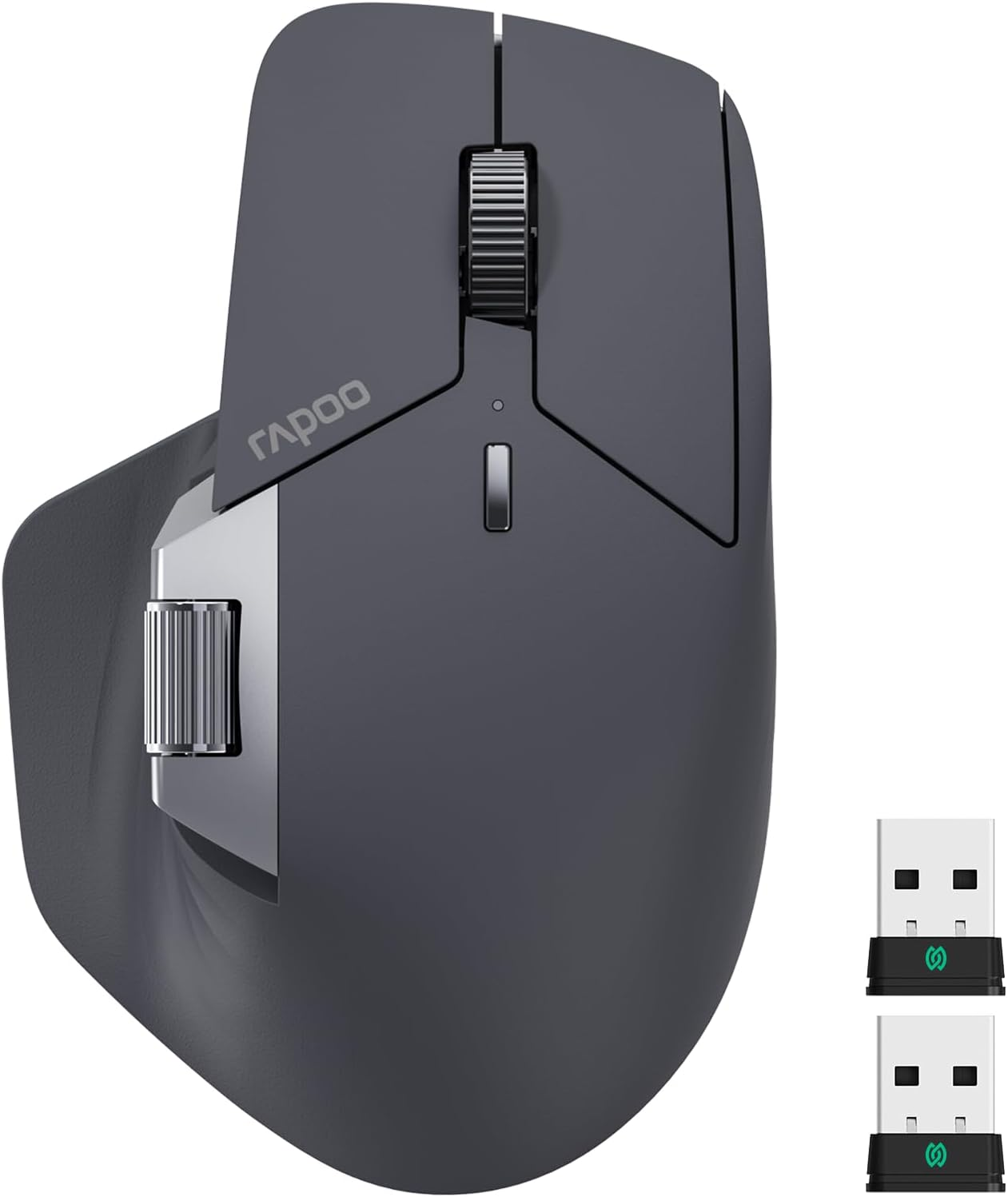
Rapoo Mt760Mini Bluetooth Wireless Mouse - Bluetooth 5.0 and 2.4Ghz Multi-Mode Connection, Support 4 Devices, M+ Cross Computer Technology, 11 Programmable Buttons, 90 Days Battery Life
Brand: RAPOO
A$62.50
-
A$71.40
Colour Name
Availability:
-
Select Styles for Availability
Shop with confidence
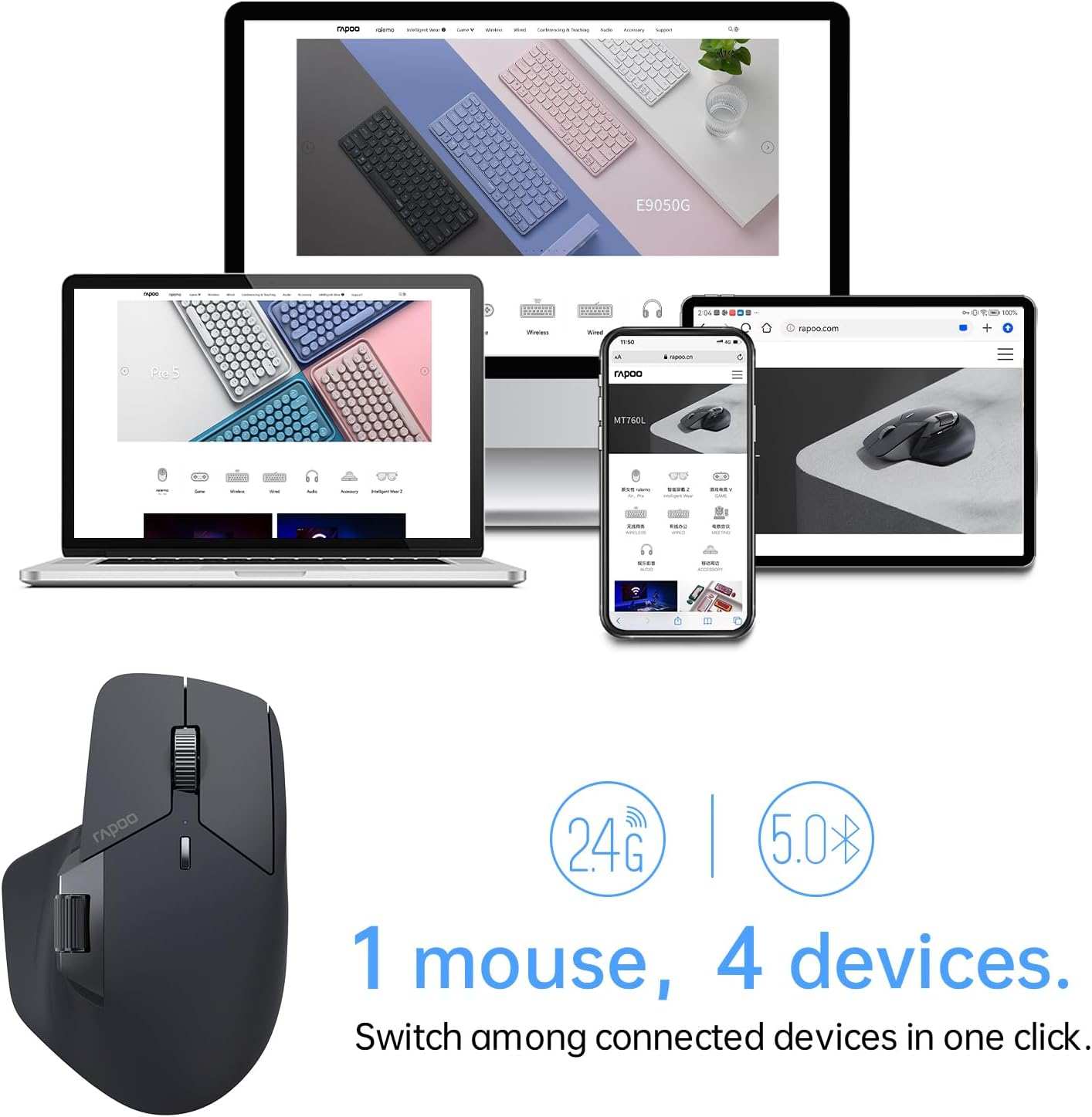
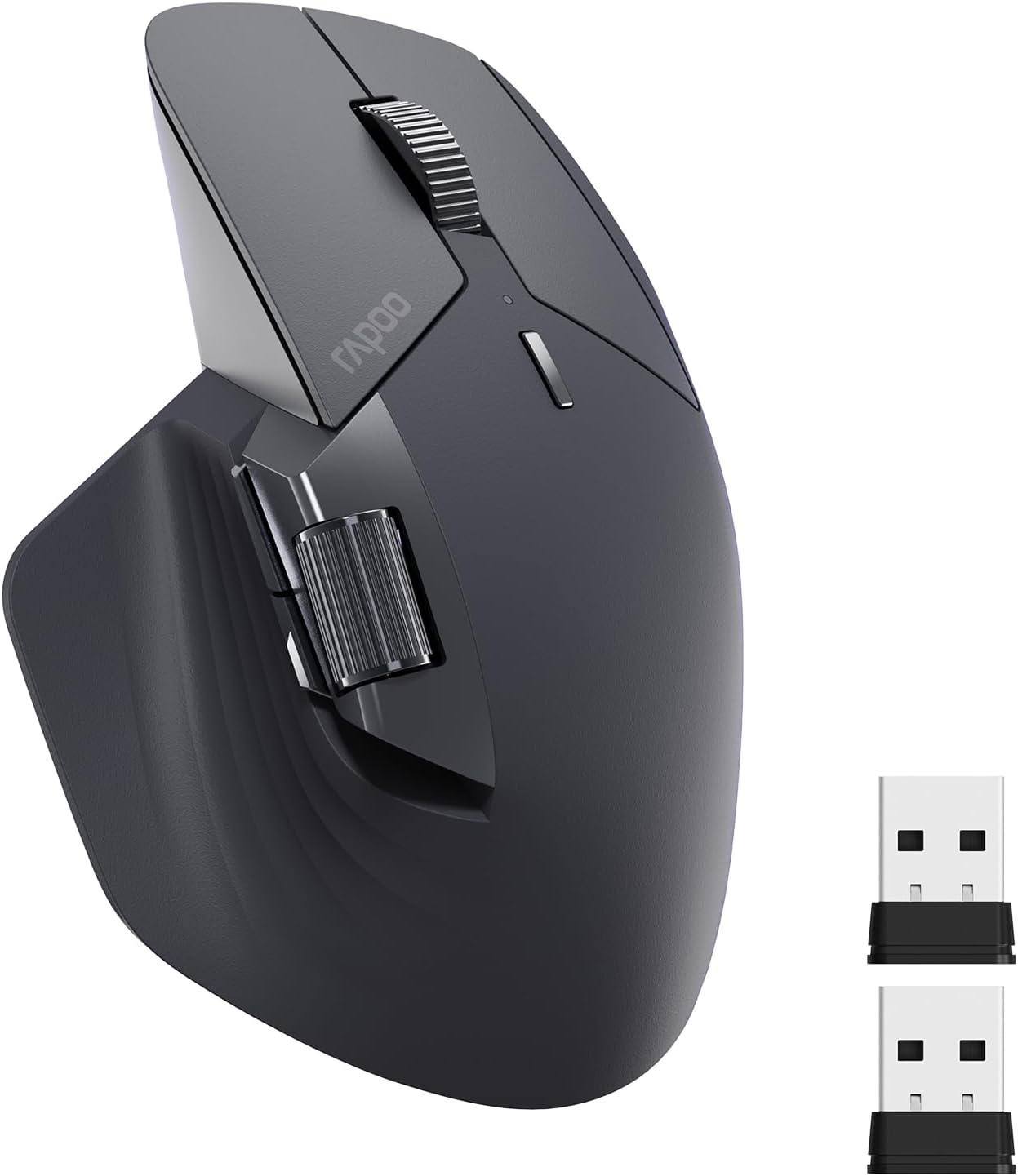
- 【Multi-Device Wireless Bluetooth Mouse】Rapoo MT760Mini supports bluetooth 5.0 and 2.4GHz multi-mode connection, which can be used to switch back and forth between office computer/laptop/cell phone/ipad via bluetooth or the included USB dongle, and the low-power, low-latency, and high-efficiency bluetooth wireless mouse allows you to face all kinds of complicated matters with ease.
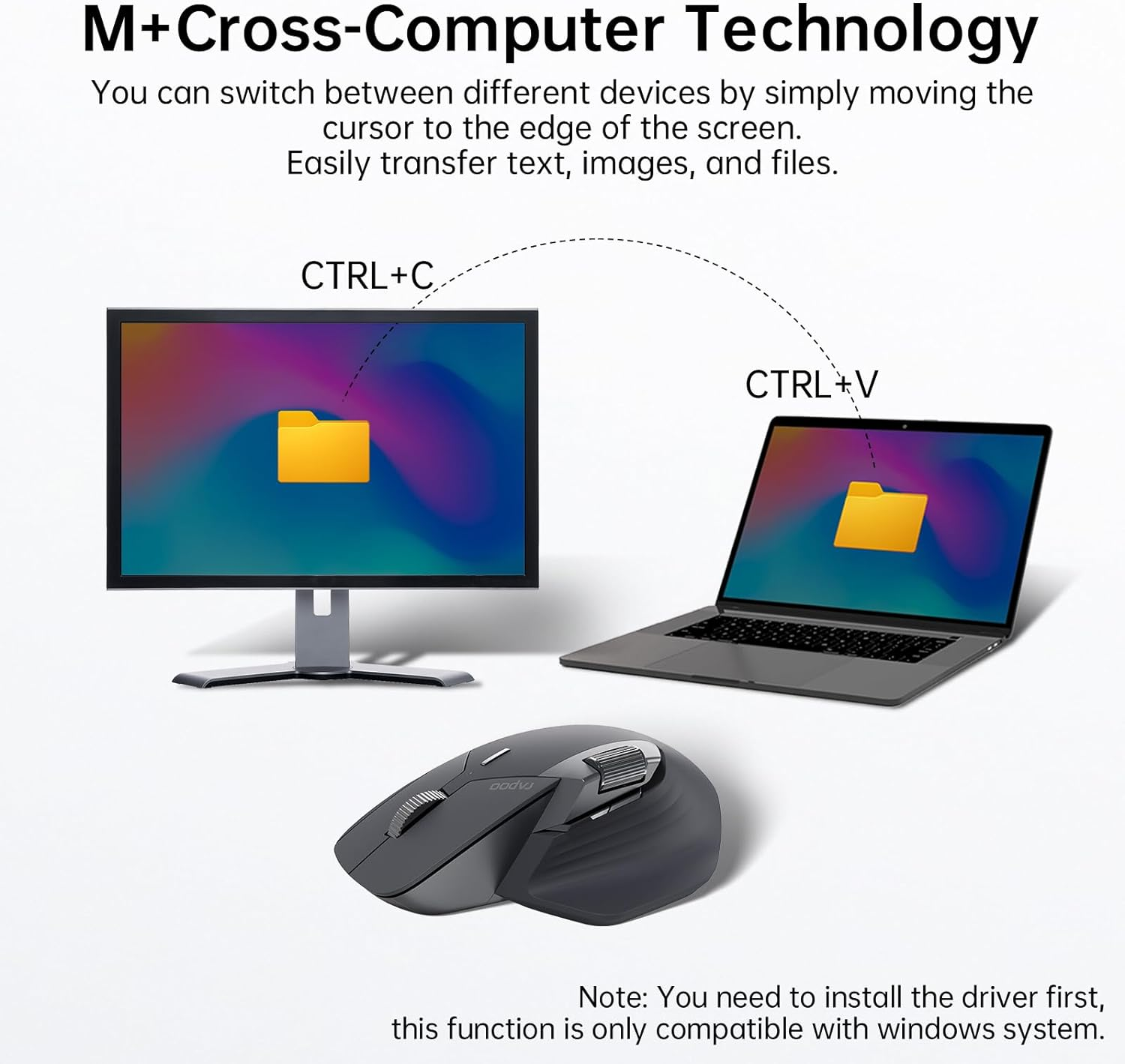
- 【4 Adjustable DPI & M+ Cross-Computer Technology】Rapoo wireless mouse preset 600/1200/1600/3200 four DPI value, through the DPI button a key to adjust to meet different personal use needs. M + cross-screen technology can be seamlessly used and control multiple computers, automatic switching of the screen, to realize the transfer of documents, images, text, etc., smooth office. [Need to install wireless computer mouse driver and connect your computer to the same Wi-Fi or Ethernet].
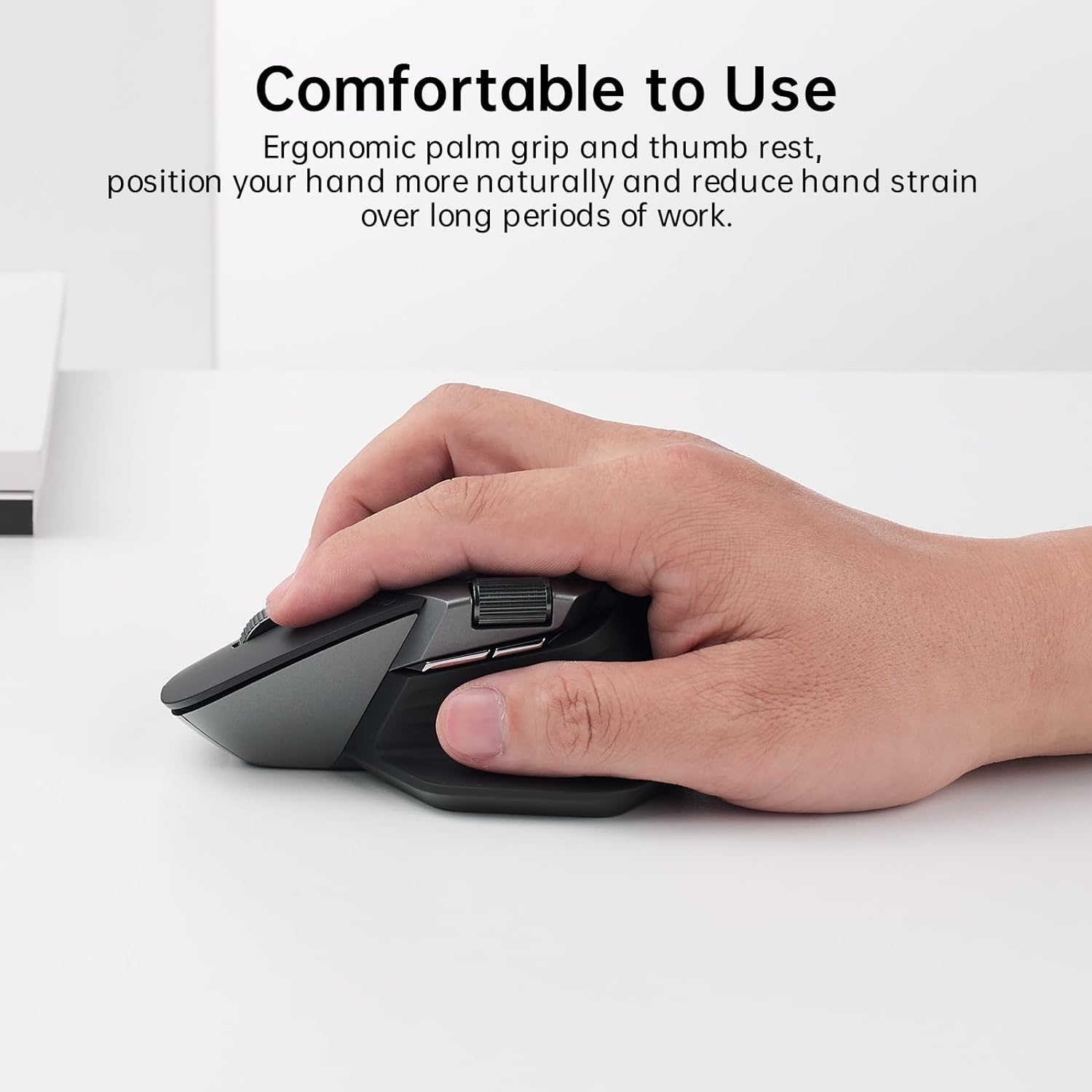
- 【Bluetooth Mouse with Side Scroll & Ergonomic Design】The cordless bluetooth mouse has a Hall magnetic induction side scroll wheel and a 500,000 times scale feel center button scroll wheel for smooth and convenient office work. Ergonomic bow-back design, thumb support, anti-slip and anti-sweat, full support, comfort and ease of use. Fits all grips and hand sizes, especially for people with bigger hands. Magnetic absorption compartment at the bottom solves the trouble of losing USB.
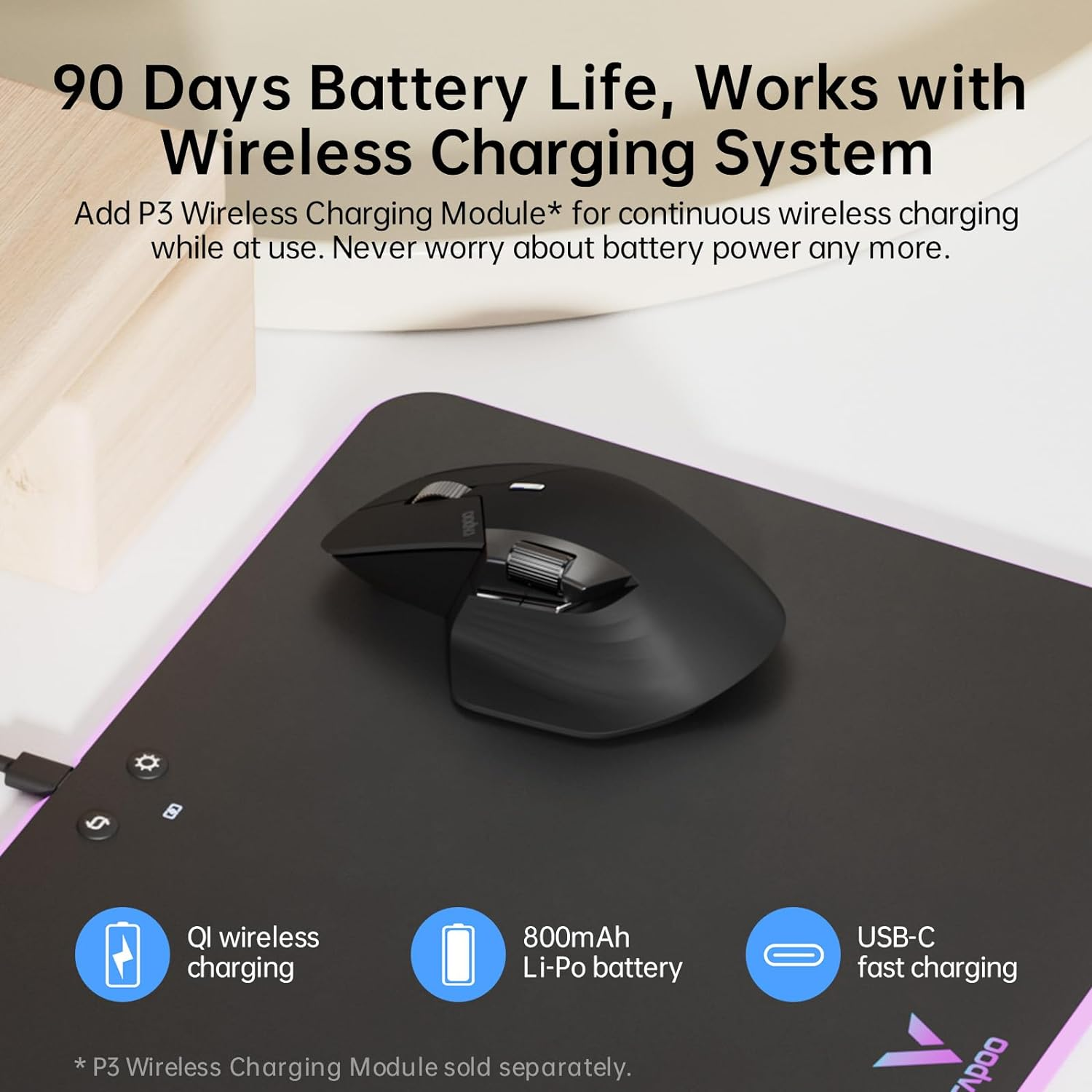
- 【Easy to charge & Ultra-Long Battery Life】800mAh li-po battery, USB-C quick charge, lasts up to 90 days. [Battery life may vary on use frequency and device conditions].
- 【Works On Most Surfaces】Adapts hi-performance laser sensor, provides more precise tracking on most surfaces like wood, metal, cloth, plastic, paper, etc. [Not suitable for glass or mirror]. The more advanced laser mouse has an invisible illumination source, hence it doesn’t shine a red or green light beneath the bottom like most optical mice, which eliminates the potential harm to eyes when picking up and turning on/off the mouse, and reduces light pollution to your workstation.
Product Description
The video showcases the product in use.The video guides you through product setup.The video compares multiple products.The video shows the product being unpacked.
-
Rapoo M+ Cross-Computer Technology
Flow the cursor by simply moving to screen edge, transfer text, images, and files between computers.
-
Multi-Device Wireless Connectivity
2.4GHz + Bluetooth 5.0 tri-mode connectivity, the only mouse that supports 4 devices out there.
-
Ergonomic Design, Comfortable to Use
Silhouette crafted shape for natural wrist posture, reduce hand strain over long periods of work.
-
Support QI Wireless Charging
Add P3 Wireless Charging Module* for continuous wireless charging while at use.
-
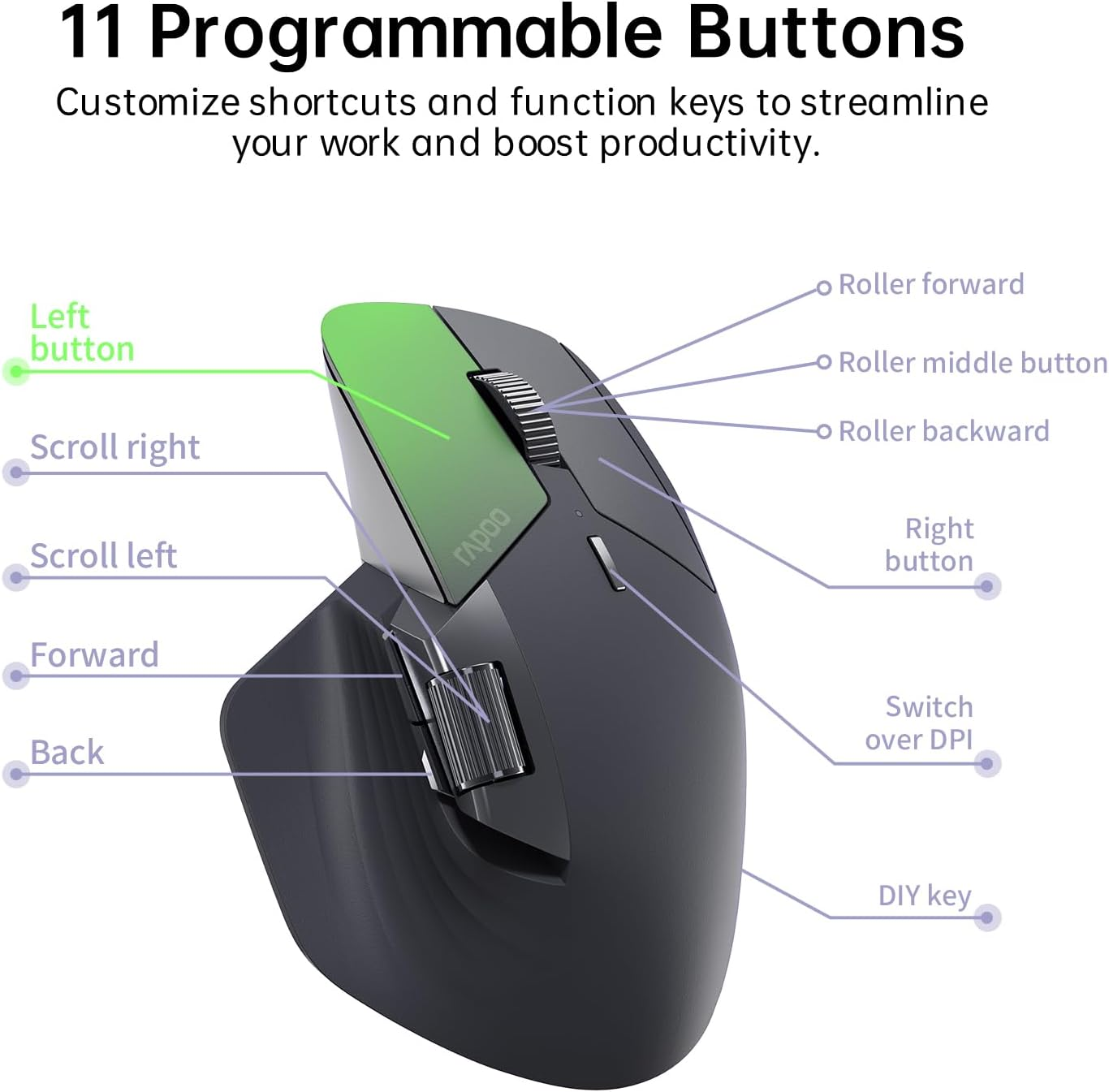
11 Programmable Buttons
Customize shortcuts and function keys to streamline your work and boost productivity.
Tactile Clicks
Crisp audible clicks deliver the satisfying feel you love, with tactile response like a mechanical keyboard.
7 Adjustable DPI Levels
7 preset DPI values (800, 1000, 1200, 1600, 2400, 3200, 4000), adjustable in 50 intervals via the mouse driver to balance precision and quickness.
Works on Most Surfaces
High-performance laser sensor provides more accurate and precise tracking on most surfaces like wood, cloth, leather, resin, paper, etc.
90 Days Battery Life
800mAh Li-Po battery, full charge lasts up to 90 days. USB-C quick charge in 5 minutes for a whole day of use.
-
Step 1
Download MT760M driver from Rapoo download center, then install the driver.
-
Step 2
Select [2.4G Mode], follow the instructions to pair the USB receiver with the mouse.
-
Step 3
Select a button, then assign shortcut or function key. To cancel, click [Restore default].
-
Step 4
Pair the mouse to computers (same network) via USB receivers, turn to LAN mode, open Cross-Screen.
-
Step 5 (Optional)
Select [Restore factory settings] to clear all your settings and reset the mouse to default.
How to Set Rapoo MT760 Wireless Mouse?
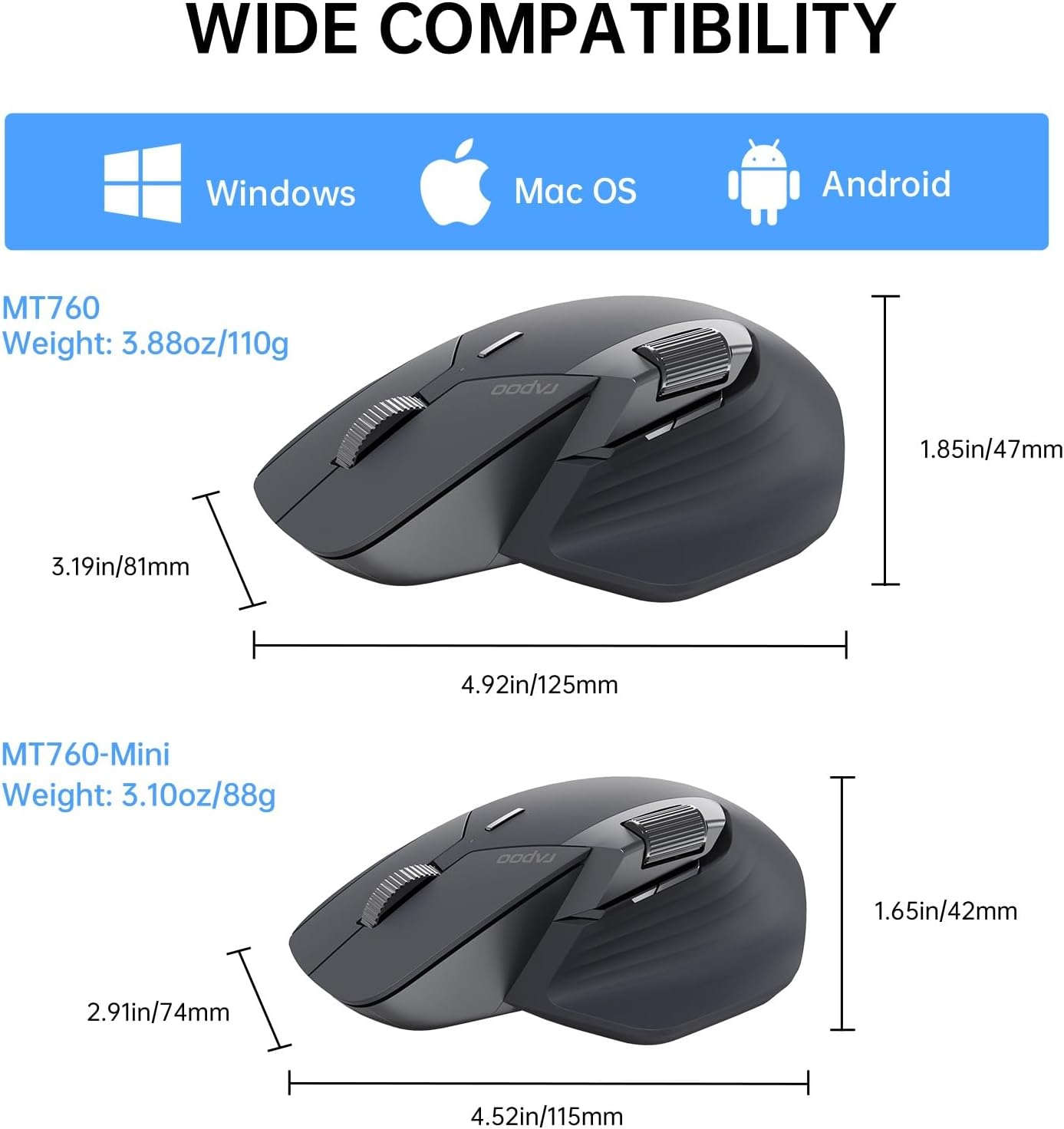
MT760Mini
Details Comparison
4.52*2.91*1.65 in | Size | 4.92*3.19*1.85 in |
Multiple Devices | ||
Programmable | ||
Side Roller | ||
Cross Computer | ||
Files Transfer | ||
Qi Charge |
4.52*2.91*1.65 in | Size | 4.8*3.34*1.93 in |
Multiple Devices | ||
Programmable | ||
Side Roller | ||
Cross Computer | ||
Files Transfer | ||
Qi Charge |
4.52*2.91*1.65 in | Size | 4.05*2.73*1.68 in |
Multiple Devices | ||
Programmable | ||
Side Roller | ||
Cross Computer | ||
Files Transfer | ||
Qi Charge |
- MT760
- MT750
- MT550
- Hardware Platform: PC
- Battery Average Life: 90 days
- Operating System: Android, Chrome OS, Linux, Windows, iOS
- Number of items: 1
- Mounting Hardware: 1 x Quick Start Guide, 1 x USB Charging Cable, 1 x Wireless Mouse, 2 x Receiver
- Batteries Included: No
- Batteries Required: No
- Brand: RAPOO
- Battery cell composition: Lithium Polymer
- Material Type: Plastic
- Compatible Devices: Personal Computer, Smartphone, Tablet
- Connector Type: Bluetooth
- Item Weight: 106 g
- Batteries: 1 Lithium Polymer batteries required.
- Hand Orientation: Right
- Movement Detection Technology: Laser
- Model Name: MT760Mini
- Special Features: Wireless
- Product dimensions: 12.3 x 8 x 4.5 cm; 106.03 Grams
- Power Source: Battery Powered
- Manufacturer: Shenzhen Rapoo Technology Co., Ltd.
A$62.50
-
A$71.40
Shipping to Australia
Delivery time varies by location
Return & Refund Policy
Check our return & refund policy
Security & Privacy
Safe payments: We do not share your personal details
Availability:
-
Select Styles for Availability
Sign in
or create an eMega account
Shop smarter — get exclusive deals & order tracking