Free Shipping – Store Wide
Dogfish 256GB SSD Nvme Pcie Gen3X4 M.2 Upgrade for Macbook, Internal Solid State Drive for Macbook Pro A1708 (2016-2017)

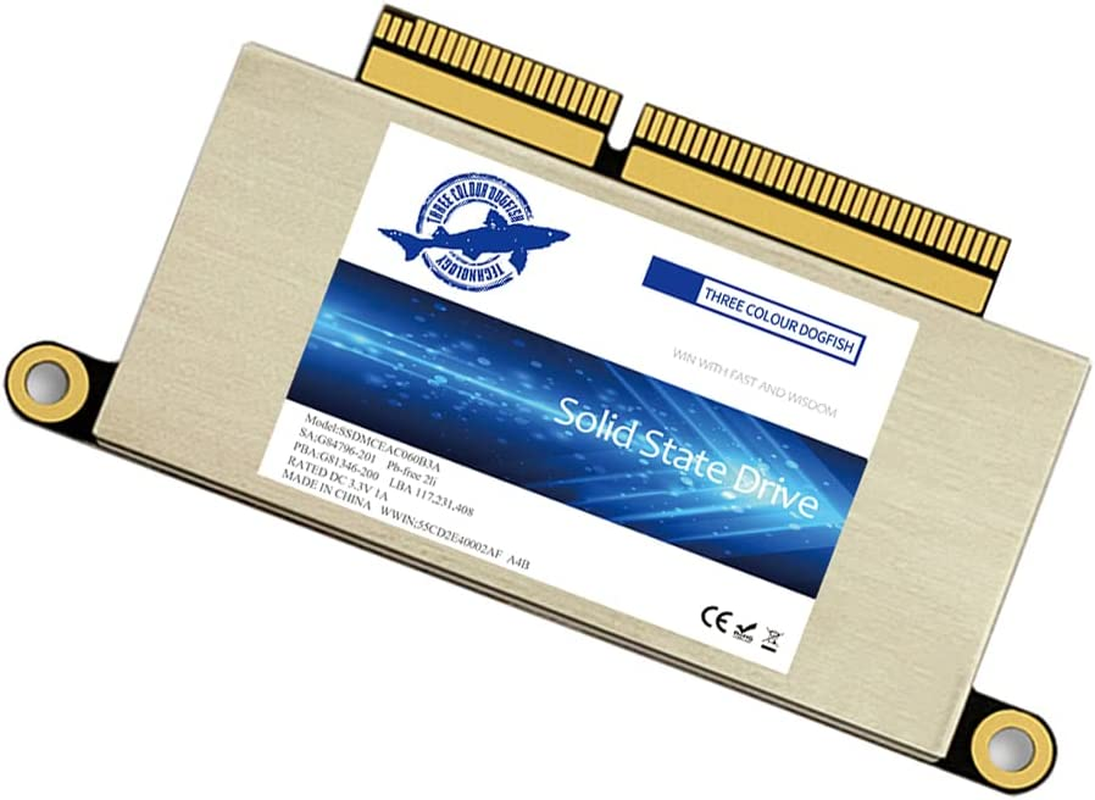
Dogfish 256GB SSD Nvme Pcie Gen3X4 M.2 Upgrade for Macbook, Internal Solid State Drive for Macbook Pro A1708 (2016-2017)
Brand: THREE COLOUR DOGFISH
A$131.25
-
A$261.45
Availability:
-
Select Styles for Availability
Shop with confidence
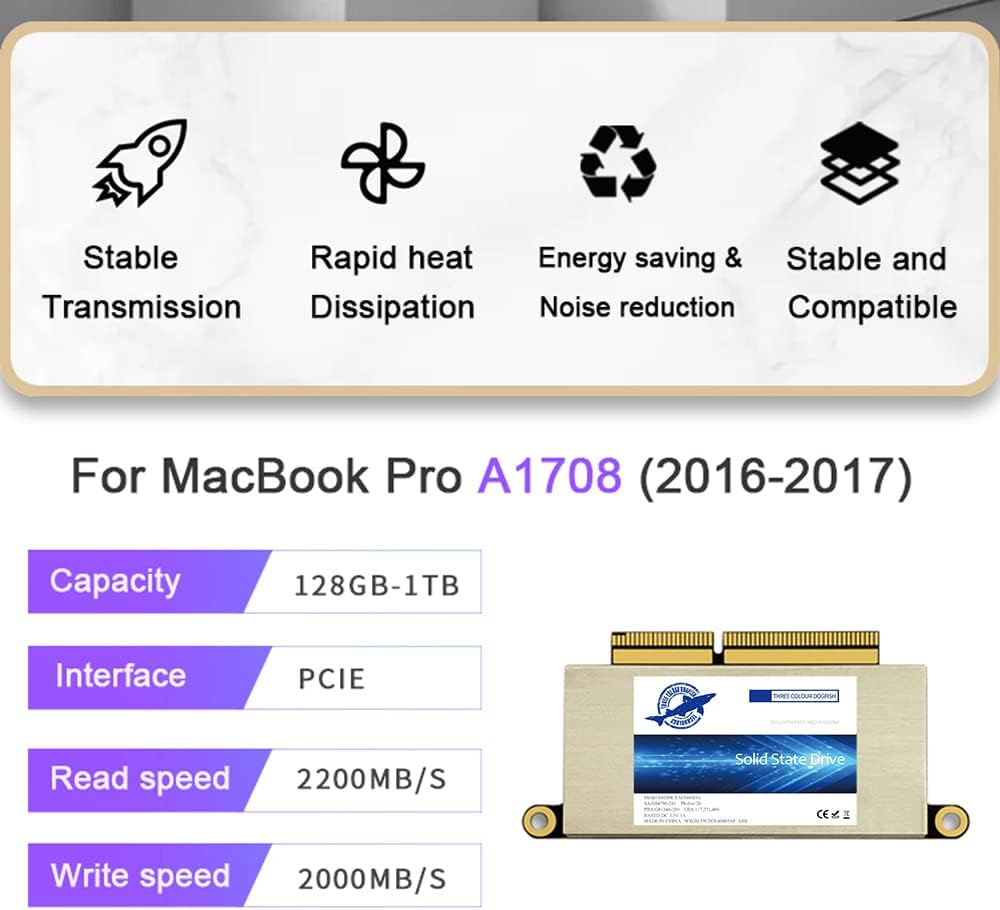
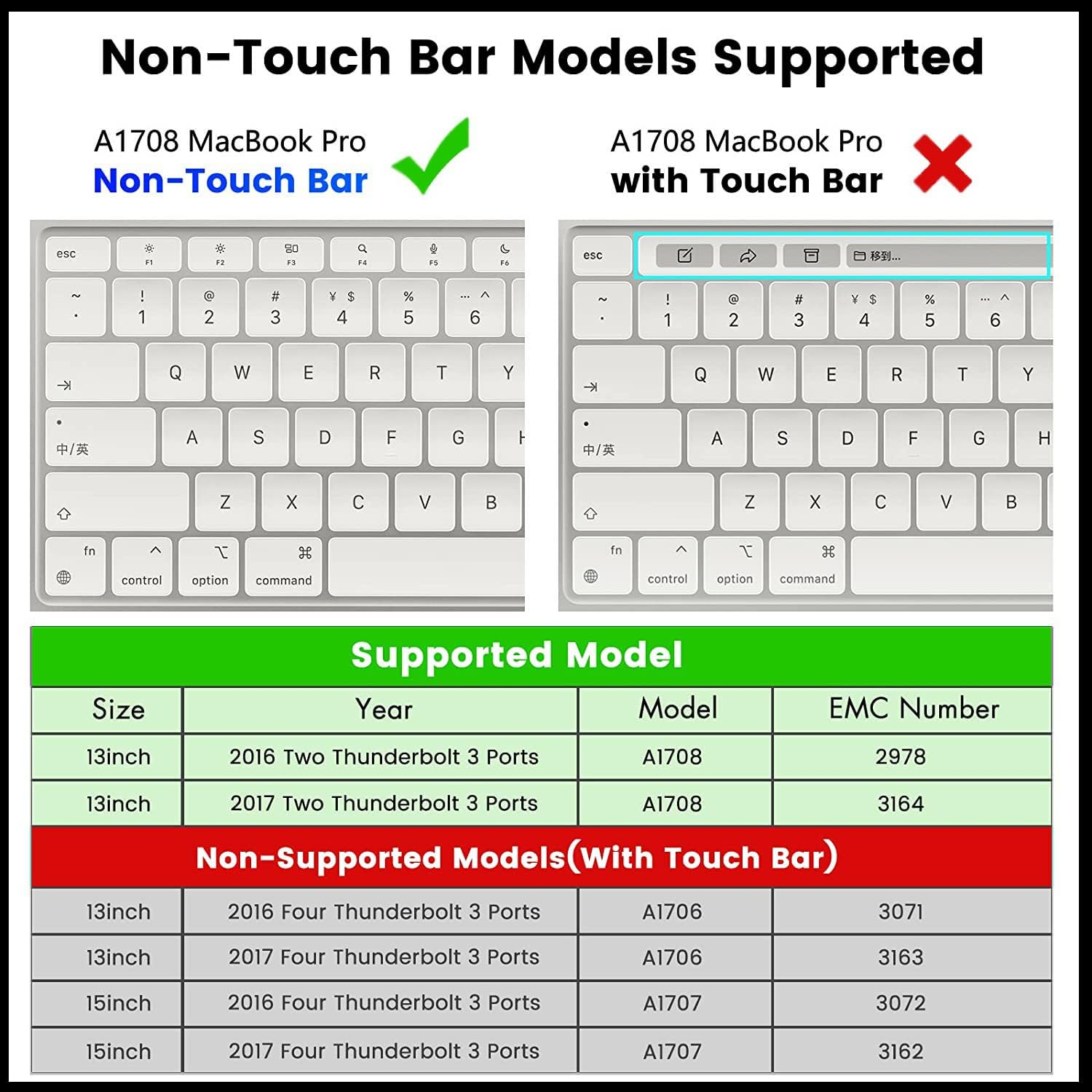
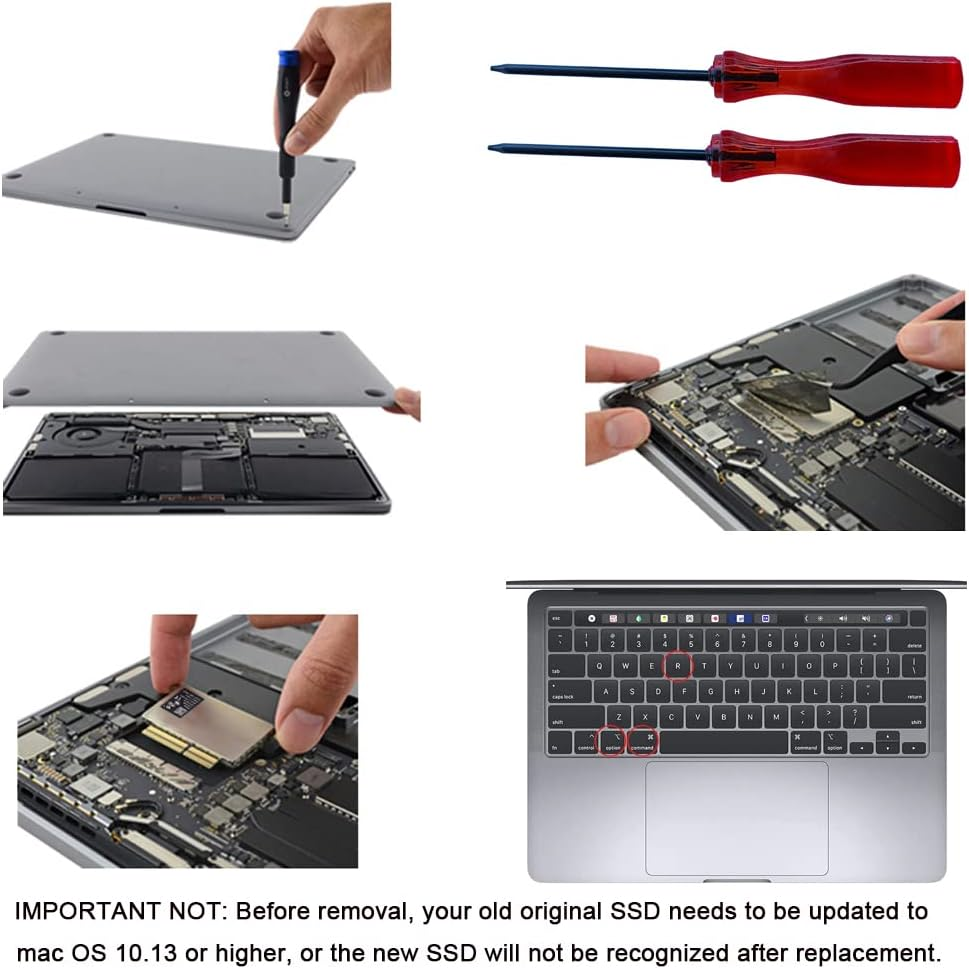
- [Update for your MacBook]: You can replace the SSD to increase the capacity and processing speed to extend the life of your MacBook Pro A1708 (2016-2017).Note,Just Non-Touch Bar Models Supported. IMPORTANT NOT: Before removal, your old original SSD needs to be updated to mac OS 10.13 or higher, or the new SSD will not be recognized after replacement.
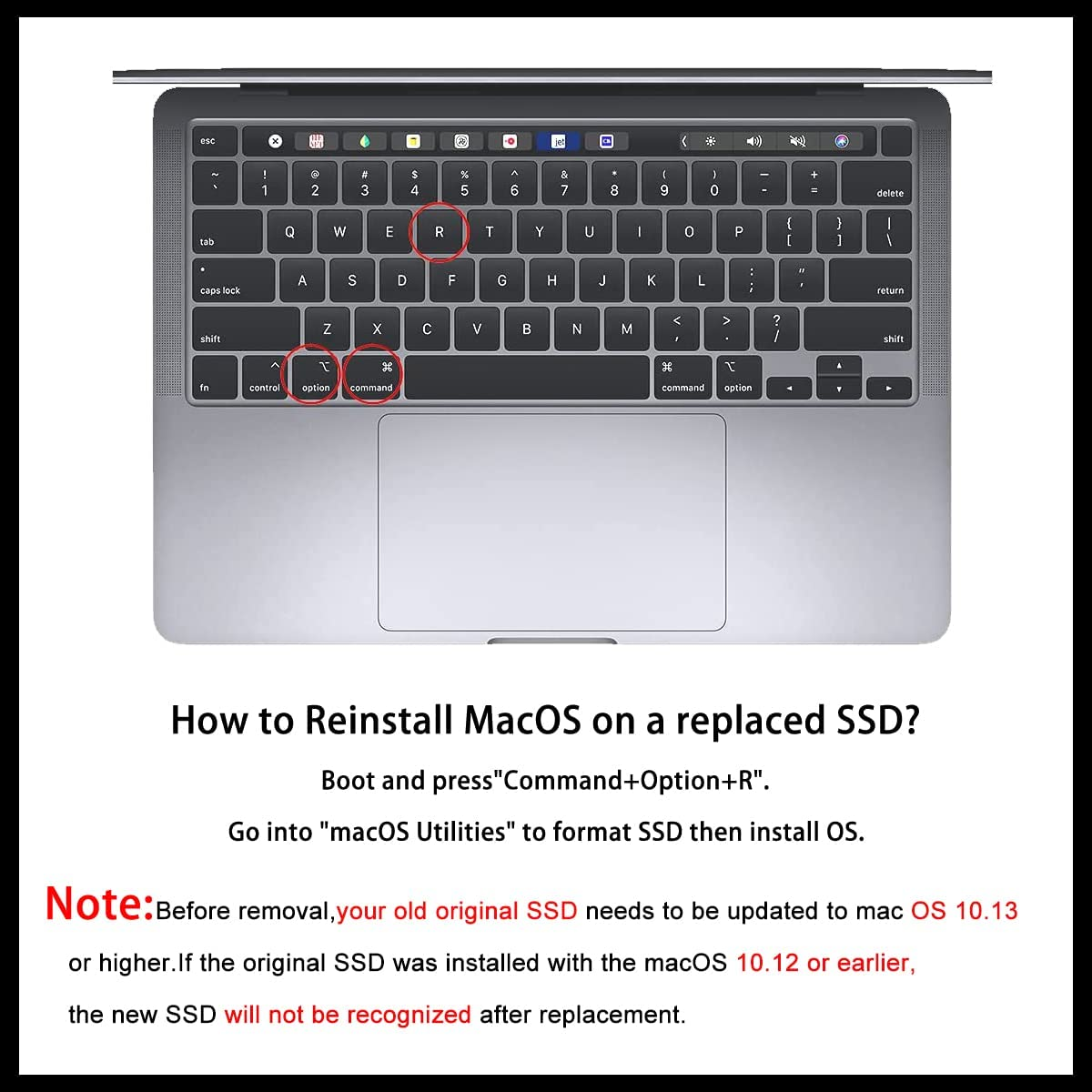
- [Data Safety]: The nvme m.2 ssd run stablely and protect your datas well as the Encryption program, ensuring your data is always safe and secure. So, you can save your precious photos, videos, and other important data. Note: To reinstall macOS on the replaced SSD, Boot and press "Command+Option+R". Go into "macOS Utilities" to format SSD then install OS.
- [High Speed]: With This SSD PCIe NVMe Internal Solid State Drive, greatly upgrade your Macbook, read speed is up to 2200 MB/s, write speed 2000 MB/s (1TB). Faster boot times, faster application loading times and better system responsiveness, provide you a smoother experience in games or daily office.
- [High Storage Capacity]: With storage options of 256GB, 512GB, 1TB and 2TB, you can easily upgrade your MacBook Pro A1708 and store more of your favorite content, including movies, music, documents, and more.And it can be installed in just a few simple steps, without the need for any professional assistance.
- [Customer Satisfaction]: We are committed to providing high-quality products and excellent customer service. If you encounter any issues with our SSD, feel free to contact us, and we will offer you a quick and satisfactory solution. PS: Back up your original data, to avoid any failed installation.
Product Description
Update your Macbook with Dogfish NVMe PCIe SSD, No More Storage Limit.
If you have an older Mac and annoying with the slow original drive. You can enjoy the advantages of Dogfish PCIE SSD by upgrading your Mac.
Upgrading with our MAC SSD would be more cheaper than replacing the system or your laptop. And it's simple to install, no need any professional skill.
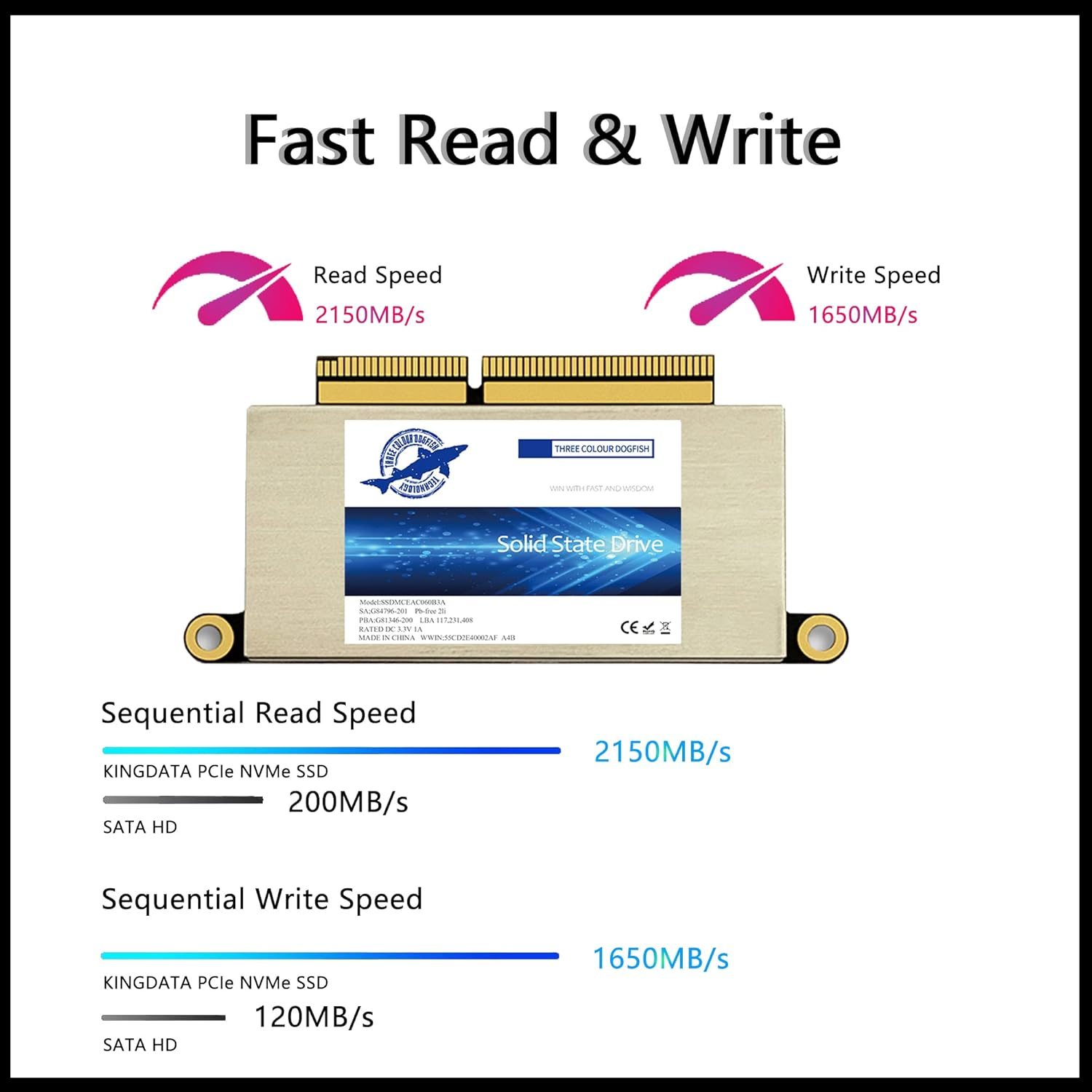
256GB 512GB 1TB for your choice! Read speed is up to 2150MB/s and the sequential write speed is up to 1650MB/s. Faster and more reliable!
IMPORTANT NOTICE:
Before moving out original SSD, must upgrade the host MAC to macOS 10.13 High Sierra (or 10.14 Mojave or 10.15 Catalina).
IMPORTANT NOTICE
Before moving out original SSD, must upgrade the host MAC to macOS 10.13 High Sierra (or 10.14 Mojave or 10.15 Catalina).
Why should update OS version on my original SSD before removing?
1.The macOS 10.13 High Sierra, 10.14 Mojave, 10.15 Catalina versions include an EFI firmware update on the motherboard to recognize PCIe 3.0 NVMe SSD.
2.The macOS 10.12 Sierra, Mac OS X or older versions' EFI firmware just only can get original PCIe 2.0 AHCI SSD to work.
3.Firmware version will change as system updates, will stay on motherboard even if SSD is taken off.
Faster Transfer Speed of NVMe SSD for Macbook
Our Macbook SSD is faster and more reliable. Based on PCIe Gen3*4, The sequential read speed is up to 2200MB/s and the sequential write speed is up to 1600MB/s. This means the programs launch and run more quickly, files are transferred faster, and you can do data-intensive work without worrying that your computer will stall or freeze.
Now, 3 ways to format (erase) new SSD and install macOS
Install from Time Machine Backup
1, Make a backup from your Mac to USB drive ( A portable SSD/HDD is better) before installing. Go-Utility-Disk Utility-Erase the USB drive; Open Time Machine, choose the USB drive, automatically backup, start backup (right-up time symbol).
2, Replace the new SSD to Mac, connect backup USB drive.
3, Boot and press Option during starting, select "backup disk".
4, Select "Disk Utility" from "macOS Utilities", Erase new SSD. Format choose “Mac OS Extended (Journaled)”, Scheme choose “GUIDE Partition Map”.
5, Select "Restore from Time Machine Backup" from "macOS Utilities", follow the steps and waiting for installation.
Compatibility With Macbook Pro A1708, Just support Non-touch bar A1708.
Create USB Bootable Installer
1, Download macOS 10.13 or later to create a bootable installer into USB drive (Terminal command, check the method in video or manual).
2, Replace the new SSD to MAC computer.
3, Connect USB Bootable Installer to Mac, start Mac and hold the "Option" key during startup. Select and click "Install macOS xxx".
4, Select "Disk Utility" to format (Erase) SSD from "macOS Utilities".
5, Select "Reinstall macOS" from "macOS Utilities", then follow the prompts to install macOS into new SSD.
Internet Recovery (some mac is too old and not support this method.)
1, Replace the new SSD to Mac directly .
2, Boot and press Option+Command+R, then connect to wifi network. This will ensure the latest OS Utilities version will be loaded.
3, Select "Disk Utility" from "macOS Utilities", Erase new SSD.
4, Select "Reinstall macOS" from "macOS Utilities", follow the steps and waiting for installation.
Why not recommend online installation?
A: As the installed files are relatively large. The progress of the installation will be very slow. Sometime Internet Recovery always go into "Mac OS X Utilities", not "macOS Utilities". Disk Utility" on "Mac OS X Utilities" can not find an unformatted SSD, can't recognize it.
Reliable Performance of NVMe PCIe SSD for Macbook
Support TRIM / S.M.A.R.T / Garbage Collection / LDPC ECC etc, let the nvme ssd has more stable and reliable performance.
Run cooler and less power consumed, extend your Mac life.
Less prone to damage due to shock and vibration without moving parts.
Adopt non volatile storage technology that doesn’t require power to retain data.
Don’t make any noise at all.
PCIe SSD Specifications:
Form Factor: M.2
Interface: PCIe NVMe Gen3*4
Control chip: Silicon Motion
Flash Type: 3D TLC NAND Flash
Sequential Read Speed: 2200MB/s (1TB), 1800MB/s (512GB), 1700MB/s (256GB).
Sequential Write Speed: 1600MB/s (1TB), 1400MB/s (512GB), 1200MB/s (256GB).
(The read/write speed is related to the performance of the device and may be lower than the above values.)
Data retention: >20years @ 25°C
Storage temperature: -45~85 °C
Operation temperature: -0~70°C
Power Supply: 3.3V±5%
Support OS version: macOS 10.13+ or later
Item packaging includes: 1*SSD, 2*screwdrivers for MacBook & SSD.
- Item Model Number: 16966579031
- Capacity: 256GB
- Series: 16966579031
- Brand: THREE COLOUR DOGFISH
- Country of origin: China
- Item Weight: 40 g
- Hard Drive: 256 GB Solid State Drive
- Hard Drive Interface: NVMe
- Package Dimensions: 11.5 x 10.6 x 1.4 cm; 40 Grams
- Colour: A1708
- Manufacturer: THREE COLOUR DOGFISH
A$131.25
-
A$261.45
Shipping to Australia
Delivery time varies by location
Return & Refund Policy
Check our return & refund policy
Security & Privacy
Safe payments: We do not share your personal details
Availability:
-
Select Styles for Availability
Sign in
or create an eMega account
Shop smarter — get exclusive deals & order tracking