Free Shipping – Store Wide
3 Monitors 3 Computers KVM Switch Triple Monitor 3 Port Displayport 1.4 + HDMI 2.1 5Gbps USB 3.0 Keyboard Video Mouse KVM Switches DP1.4 Support 8K@30Hz/4K@144Hz HDMI 2.1 Support 8K@60Hz/4K@120Hz
3 Monitors 3 Computers KVM Switch Triple Monitor 3 Port Displayport 1.4 + HDMI 2.1 5Gbps USB 3.0 Keyboard Video Mouse KVM Switches DP1.4 Support 8K@30Hz/4K@144Hz HDMI 2.1 Support 8K@60Hz/4K@120Hz
Brand: AOOCOO
A$90.30
-
A$178.50
Availability:
-
Select Styles for Availability
Shop with confidence
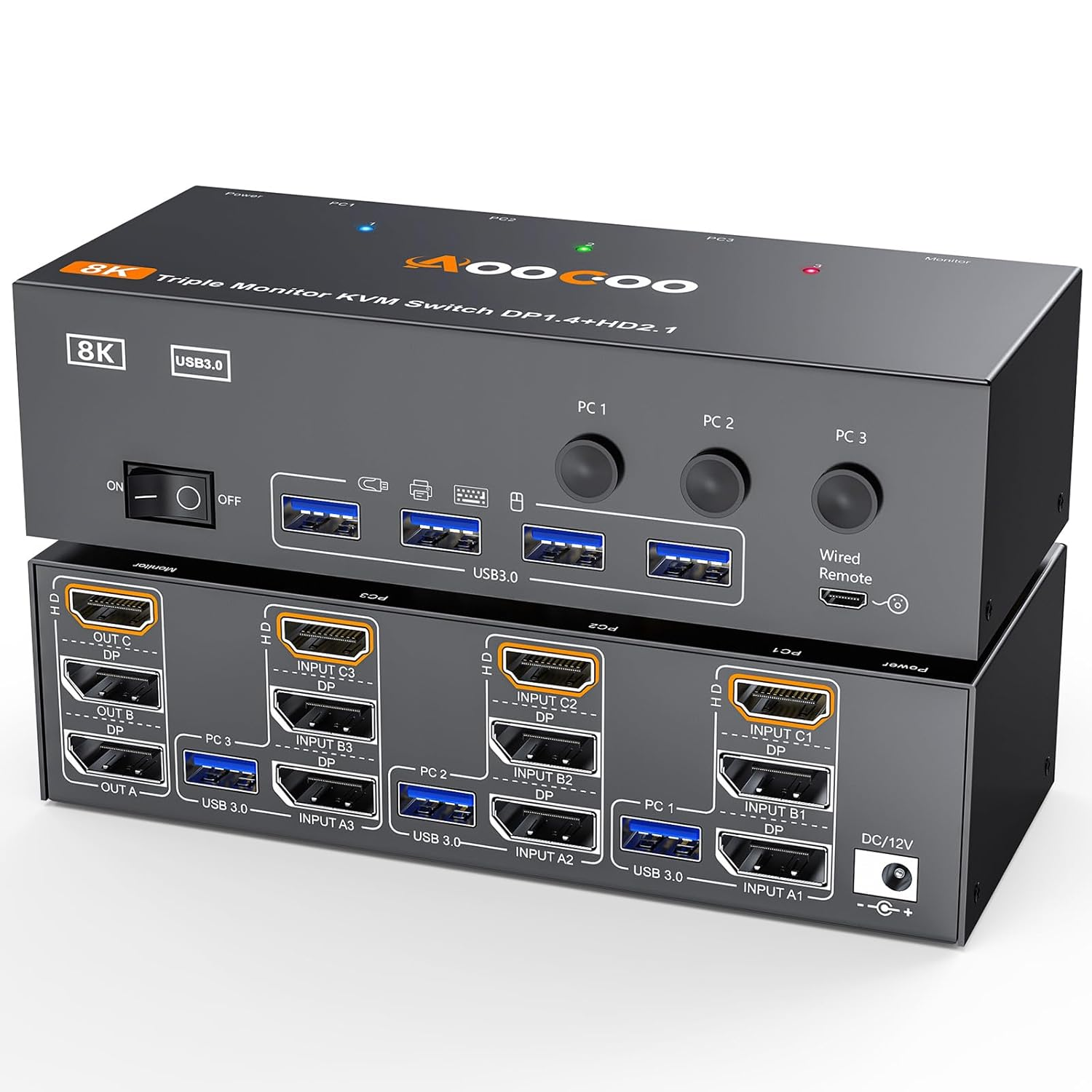
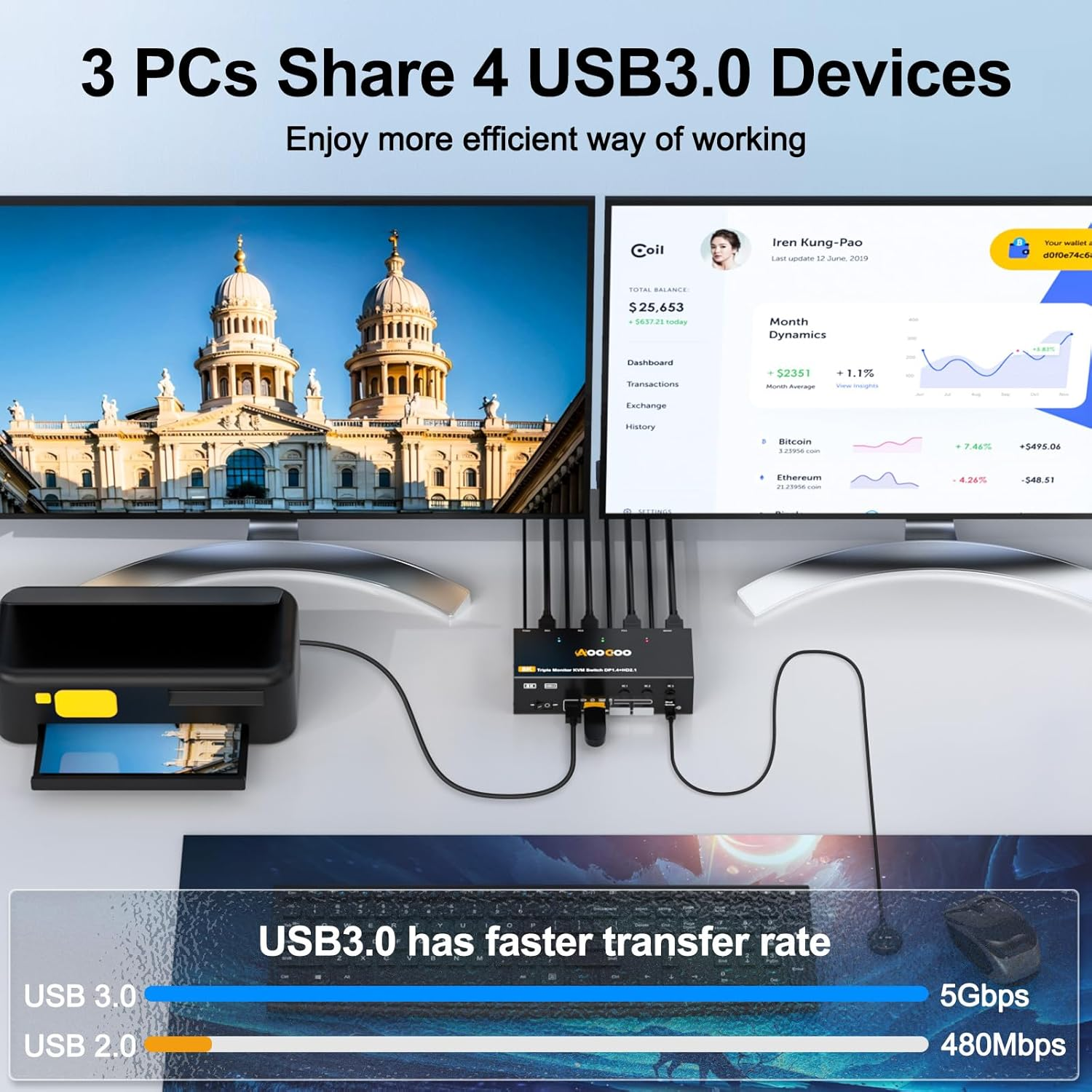
- 【 】 8K triple monitor kvm switch allows 3 computers to share 3 monitors(2 DP+1 HDMI) and 4 external USB3.0 devices, plug and play, no driver needed, making the workspace neater and more efficient. It is widely applied for Home Office,Game,Meeting,Media Teaching etc
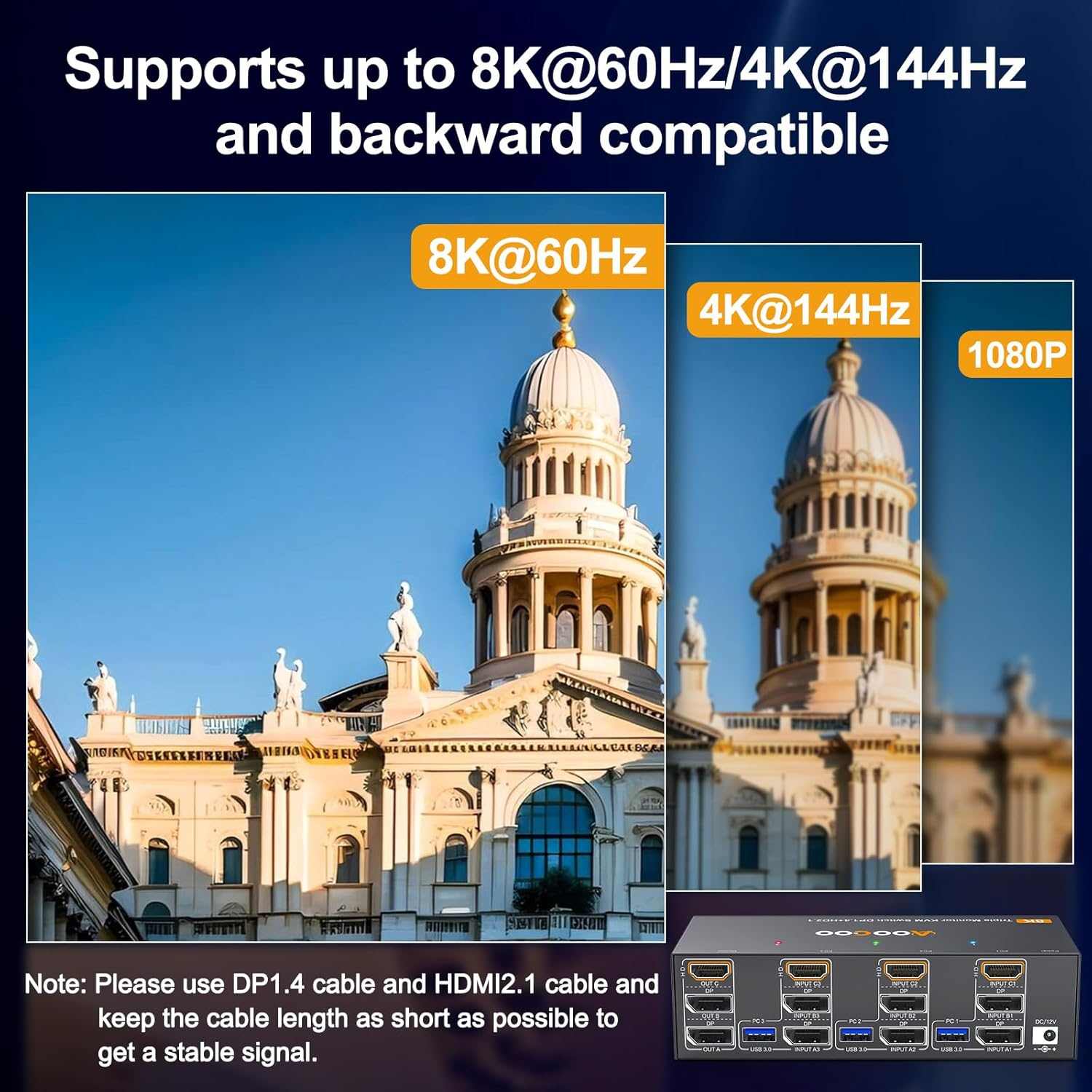
- 【 . & . 】3 computers 3 monitors KVM switches [ ]: Support resolution up to 8K@30Hz/4K@144Hz; [ ]: Support resolution up to 8K@60Hz/4K@120Hz; Which allows you to enjoy stunning visual experience and smooth gaming experience at the same time
- 【 . 】DP 1.4 HDMI 2.1 triple monitor kvm swicthes has 4 USB 3.0 ports to share keyboard, mouse, printer, scanner, webcam, U Disk ect, transfer rate up to 5Gbps, which enables rapid file transfer in seconds, greatly improve work efficiency
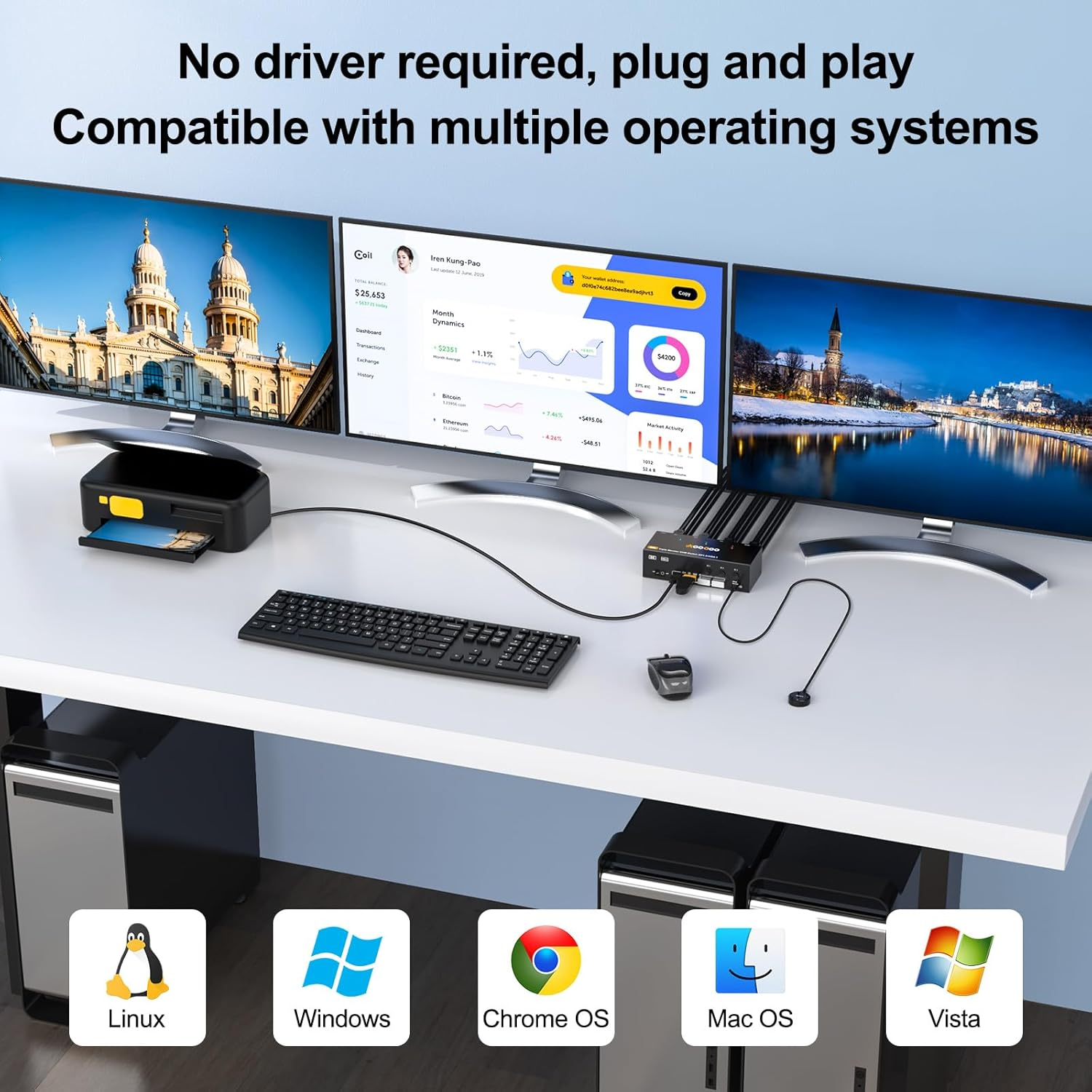
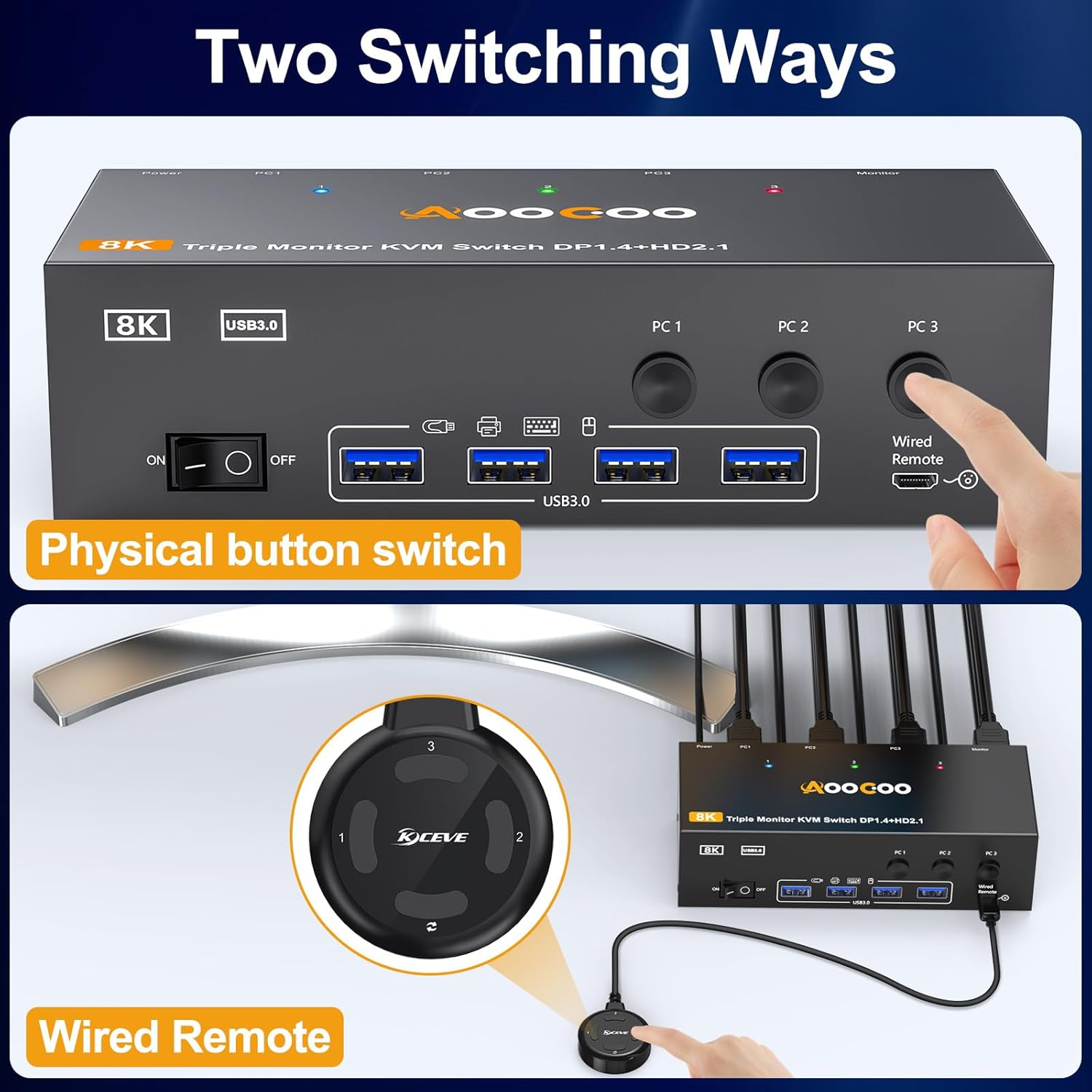
- 【 & 】3 port 3 monitor KVM switcher is compatible with many kinds of input devices such as PC, Laptop, PS4, Raspberry Pi, DVR, NVR and most operating systems such as Windows, Mac OS, Chrome OS, etc. Simply one-click switching between 3 computers via physical button or included wired remote, three-color LEDs (Blue/Green/Red) show active PC
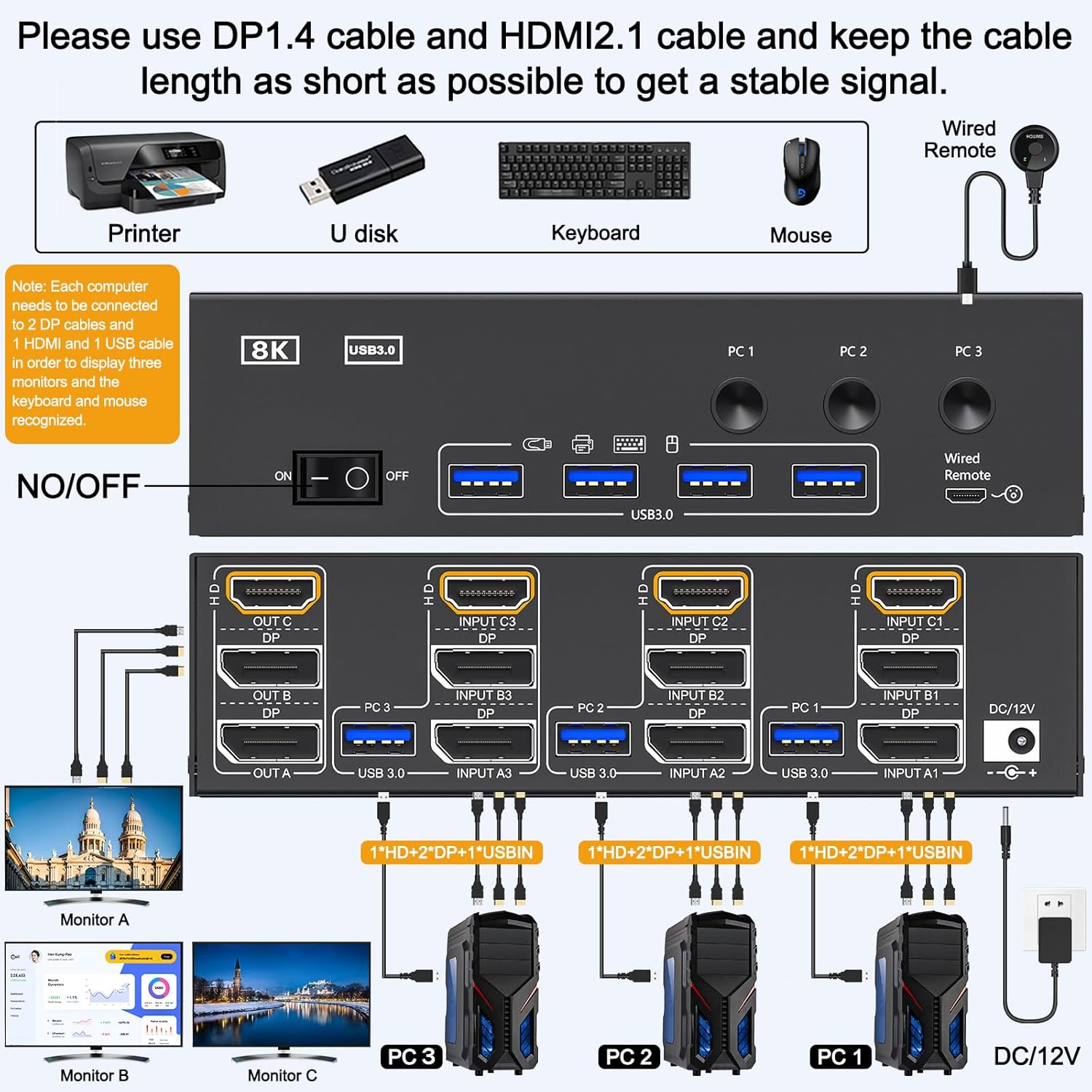
- 【 】()To get 3 screens output, please ensure each computer supports multiple-screen output and has 2 DP +1 HDMI + 1 USB cable connect to the relevant port on the 3 port kvm switcher; ()For the best experience, please use standard DP 1.4 cables and HDMI 2.1 cables shorter than 1.5M; ()The included USB cables should be connected from each computer to the relevant USB port on the 3 monitor kvm for the USB peripherals to be recognized; ()To make the USB 3.0 triple monitor kvm switcher work more stable, please plug the 12V/1A power cable into the 12V power port
- 【 】() MAC M1/M2 doesn’t extend mode. ()Triple monitor KVM Switch , , , suitable for three computers to share 3 monitors, 2 monitors or 1 monitor, however, please note that only display signal from INPUT //; only display signal from INPUT //; only display signal from INPUT //, cross output is not supported; () /
Product Description
8K Triple Monitor KVM Switch 3 Computers Share 3 Monitors & 4 USB 3.0 Device
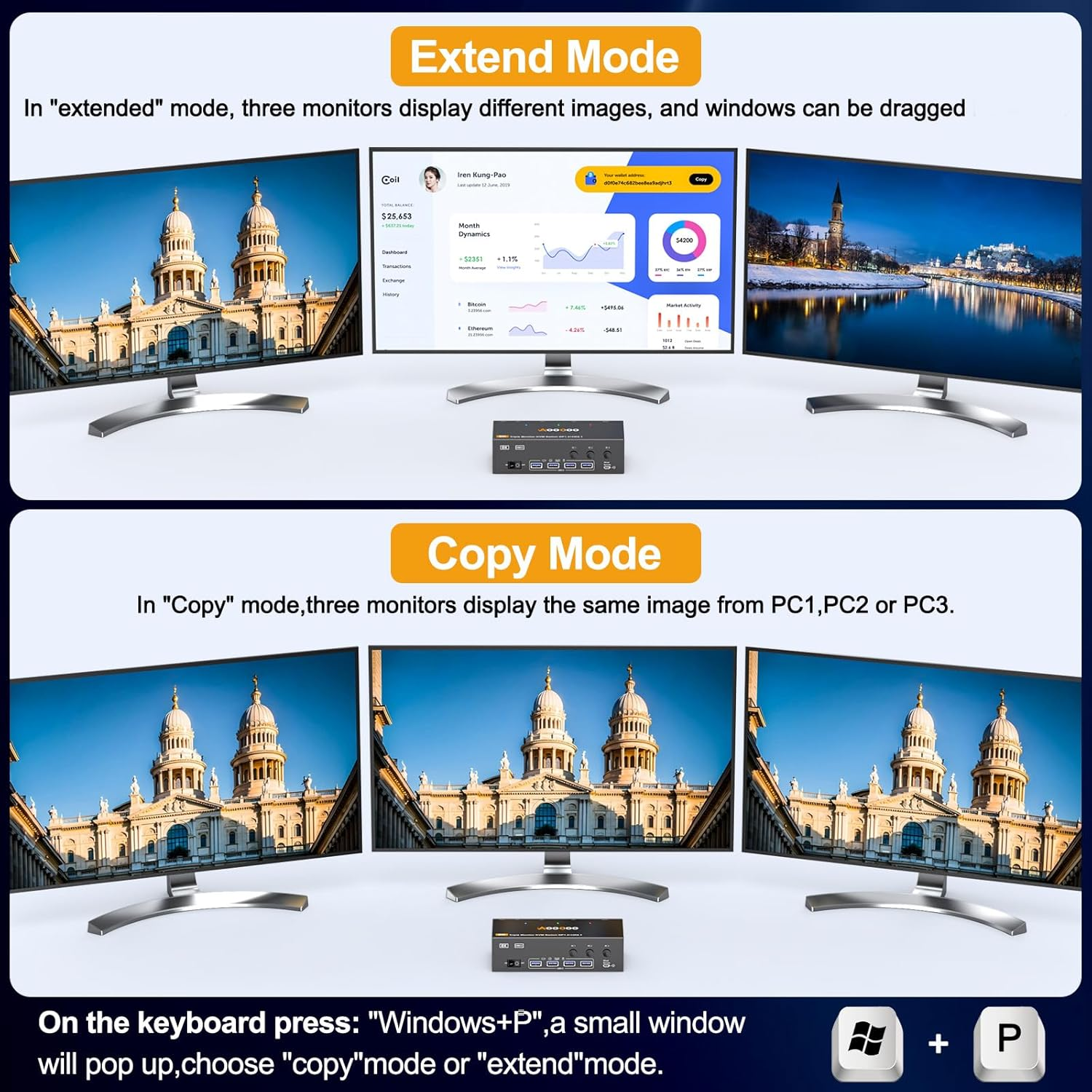
3 Monitors 3 Computers KVM Switch Support Mirror & Extend Mode
Connection Diagram of 3 Monitors KVM Switch
Connect Steps:
1. Connect 2 DP+1 HDMI +1 USB cable from PC1 to INPUT A1, INPUT B1, INPUT C1, USB 3.0; From PC2 to INPUT A2, INPUT B2, INPUT C2, USB 3.0; From PC3 to INPUT A3, INPUT B3, INPUT C3, USB 3.0
2. Connect 3 monitors to OUT A , OUT B, OUT C separately, then plug keyboard, mouse and other USB devices into USB ports on the front of the 3 monitor displayport HDMI KVM switch
3. Plug the included 1.5M wired remote and Power cable into " SELECT" port and "DC 12V" port separately
Ultra HD 8K Stunning Visual Experience
HDMI Layer: SupportMax resolution up to 8K@60Hz/4K@120Hz
Displayport Layer: Support Max resolution up to 8K@30Hz/4K@144Hz
Note: To obtain Ultra HD 8K visual experience and stable signal transmission, please use standard HDMI 2.1 and DP 1.4 cables within 1.5 meters
Suitable for a Variety of Application Scenarios
- Item Weight: 650 g
- Item Model Number: AO303DH001
- Country of origin: China
- Package Dimensions: 10 x 8 x 5 cm; 650 Grams
- Manufacturer: AOOCOO
A$90.30
-
A$178.50
Shipping to Australia
Delivery time varies by location
Return & Refund Policy
Check our return & refund policy
Security & Privacy
Safe payments: We do not share your personal details
Availability:
-
Select Styles for Availability
Sign in
or create an eMega account
Shop smarter — get exclusive deals & order tracking