Free Shipping – Store Wide
USB Type-C KVM Switch, 2 Port USB C KVM Switcher Box Support 4K@60Hz for 2 Computers Share Keyboard Mouse and 1 Monitor, Support 100W PD Fast Power Delivery
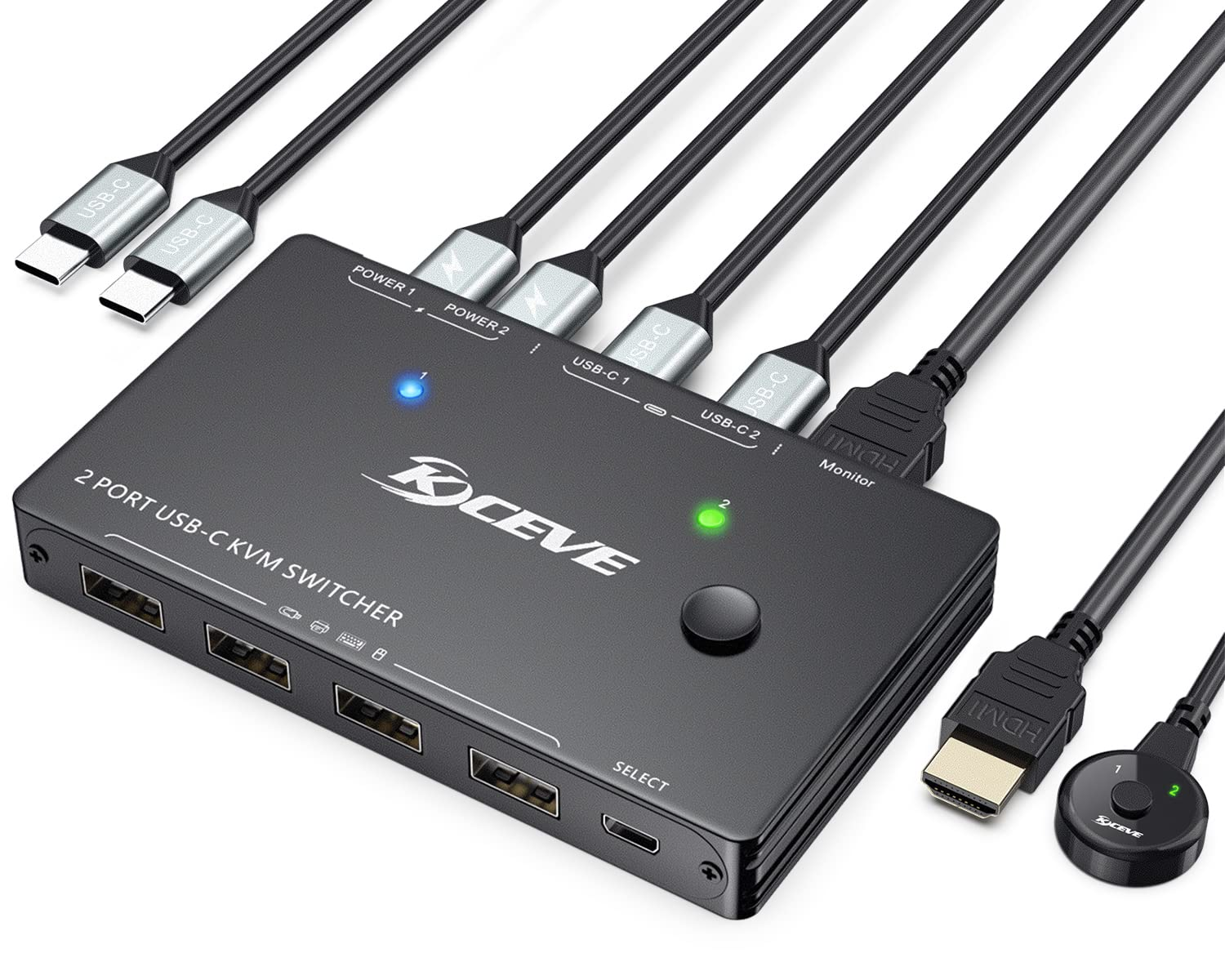
USB Type-C KVM Switch, 2 Port USB C KVM Switcher Box Support 4K@60Hz for 2 Computers Share Keyboard Mouse and 1 Monitor, Support 100W PD Fast Power Delivery
Brand: AOOCOO
A$94.50
-
A$189.00
Availability:
-
Select Styles for Availability
Shop with confidence
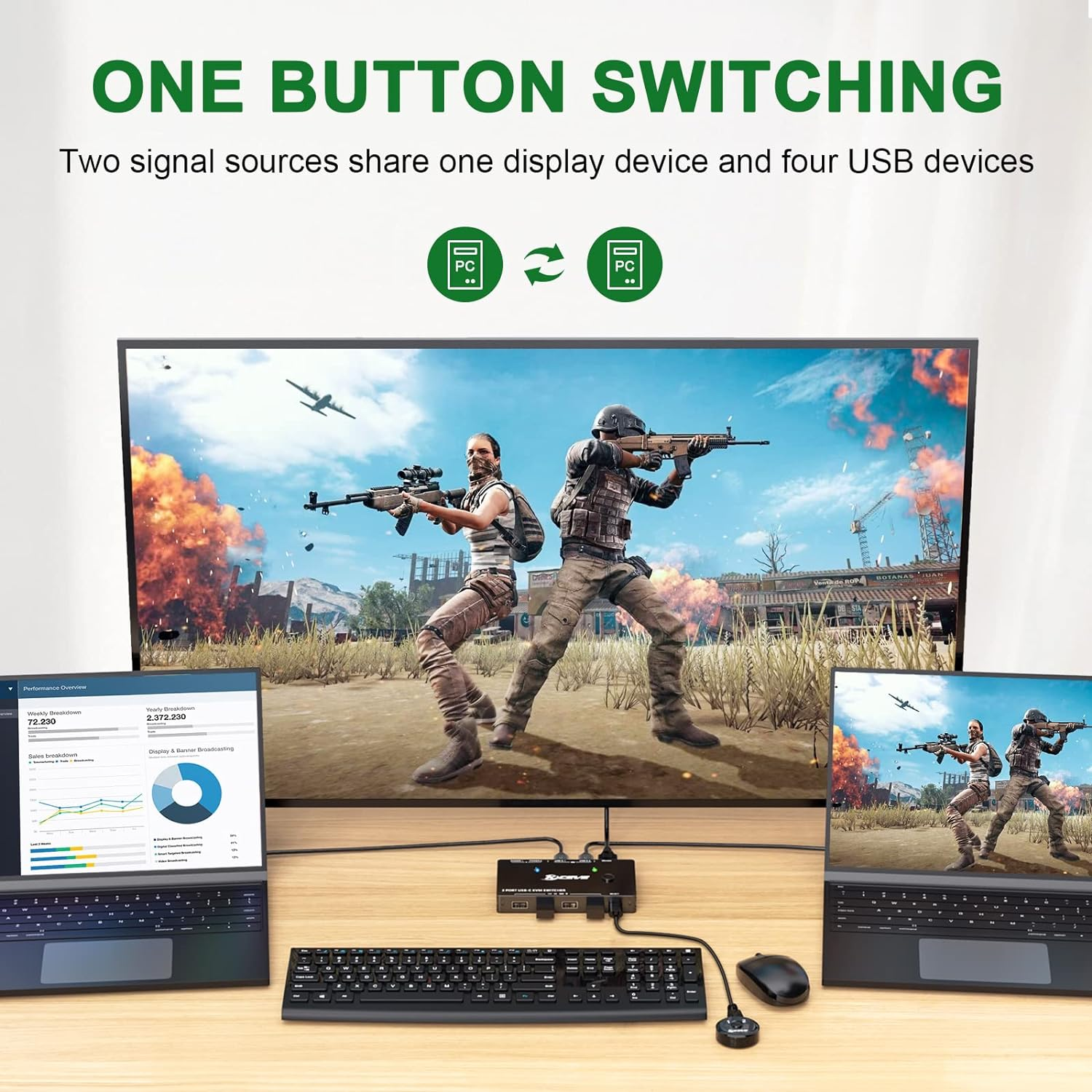
- 【USB C to HDMI Switcher】This USB-C KVM switch selector allows you to connect 2 USB-C ports computers to share mouse, keyboard and monitor. Designed for those user who has 2 TYPE-C ports computers and 1 HDMI port monitor
- 【Support 100W PD Fast Charging & Ultra 4K 60HZ Visual Enjoyment】The USB Type-C switch is designed with PD charging port to give enough power for your laptop during using. This USB C KVM switches support USB Type-C Alternate Mode to HDMI 2.0 output with resolution up to 4K@60Hz,2K@120Hz, 1440P@100Hz,make image display more exquisite and realistic,color is more bright and moving.If you need a 4K resolution,pls make sure computers/monitor support 4K resolution and HDMI 2.0 cable insert
- 【Physical Button And Wired Control】Select input source between 2 devices through a physical button or wired control. Use the 1.5m wired control, you can hide the KVM USB switch under the table and keep the table tidy. LED indicator will indicate the running computer
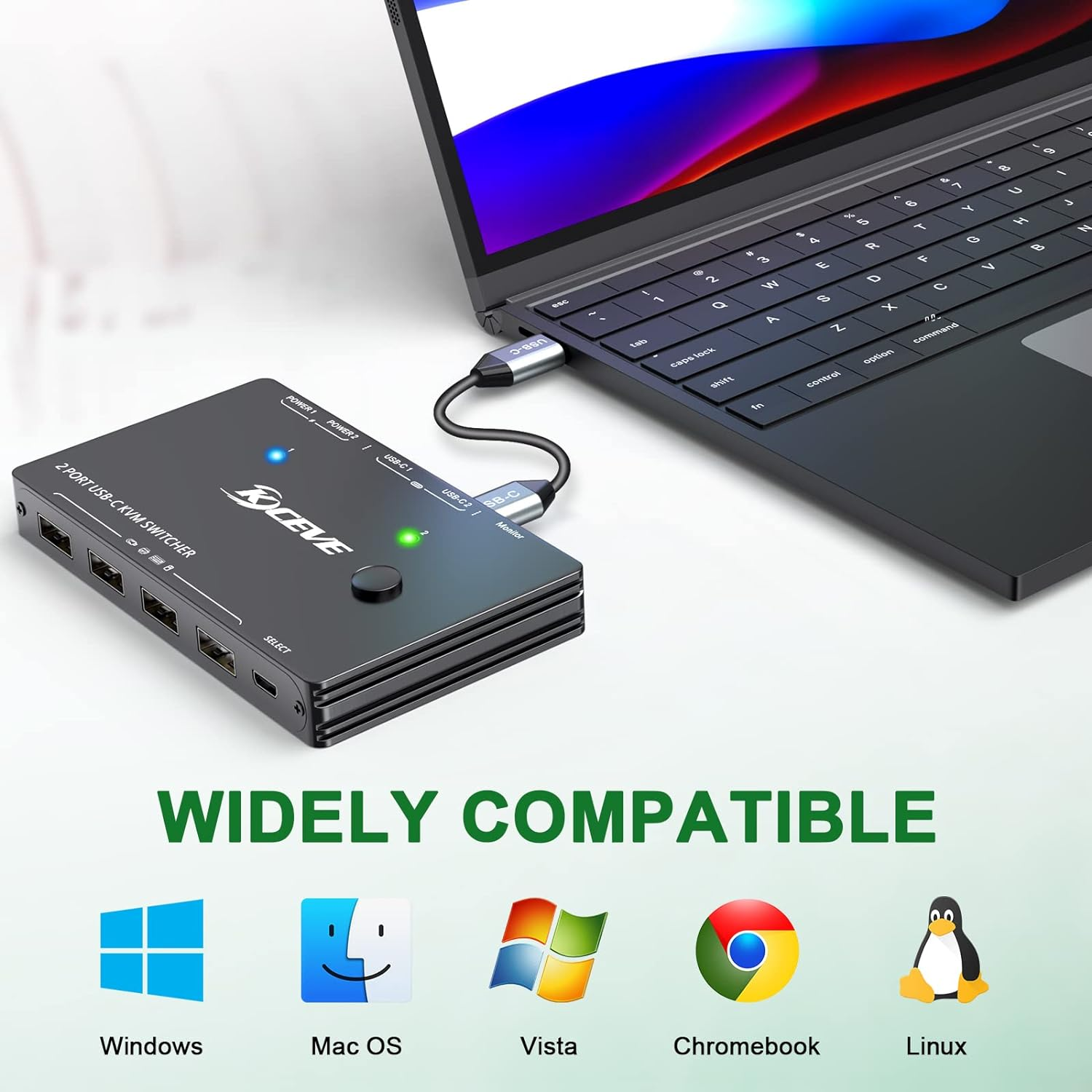
- 【Great Compatibility & 4 USB 2.0 Ports】 The USB-C KVM switch with 4 USB 2.0 ports which can recognize wireless keyboard,mouse,printer,scaner and other USB devices.It is powered by USB-C cable connected to the computer. Pllug and play, drive free for Windows 10/8/8.1/7/XP and Mac OS,Linux,fully compatible with Thunderbolt 3
- 【Warm Tips】This USB C switch is only suitable for computers or tablets/phones capable of outputting video over USB Type-C (alternate mode),and when using a tablet/mobile phone, an external power supply is required to power the KVM. We provide 12 Months warranty and lifetime technical support,if any question during use, please feel free to contact us through " ASK a Question" on the product detail page. our excellent engineers and sales team will be happy to help you
- 【Important Note】Please use the our included USB C 3.1 Gen 2 cable to connect your USB C input sources and the "USB C" port of the USB C KVM to transfer data, pictures and videos. The USB C cable that comes with your laptop can only be used for power supply, not for data transfer. Note: If flinkering screen exists or resolution is degraded, please try replacing the USB-C 3.1 Gen 2 cable within 1 Meter
Product Description
2 Ports USB Type-C KVM Switch 4K@60Hz, 2 x USB C Inputs + 2 x POWER Ports + 1 x HDMI Output
No drives are required, no software installation is needed, each computer can be easily connected with just one USB C cable, don't need too many cables.
The USB Type C switch is also suitable for Macbook Pro, tablet PC, and cell phone screen casting (there are requirements for cell phone models, for example, OnePlus phones can be cast to the monitor through this KVM, Huawei models cannot).
The USB Type C switch is able to output video via USB Type C (alternate mode) to view a larger monitor.
Features
1, Designed for those user who has 2 TYPE-C ports laptops or desktops.
2, This ia a TYPE-C to HDMI KVM switch, please make sure your monitor have HDMI port. Support most HDMI monitors on the market.
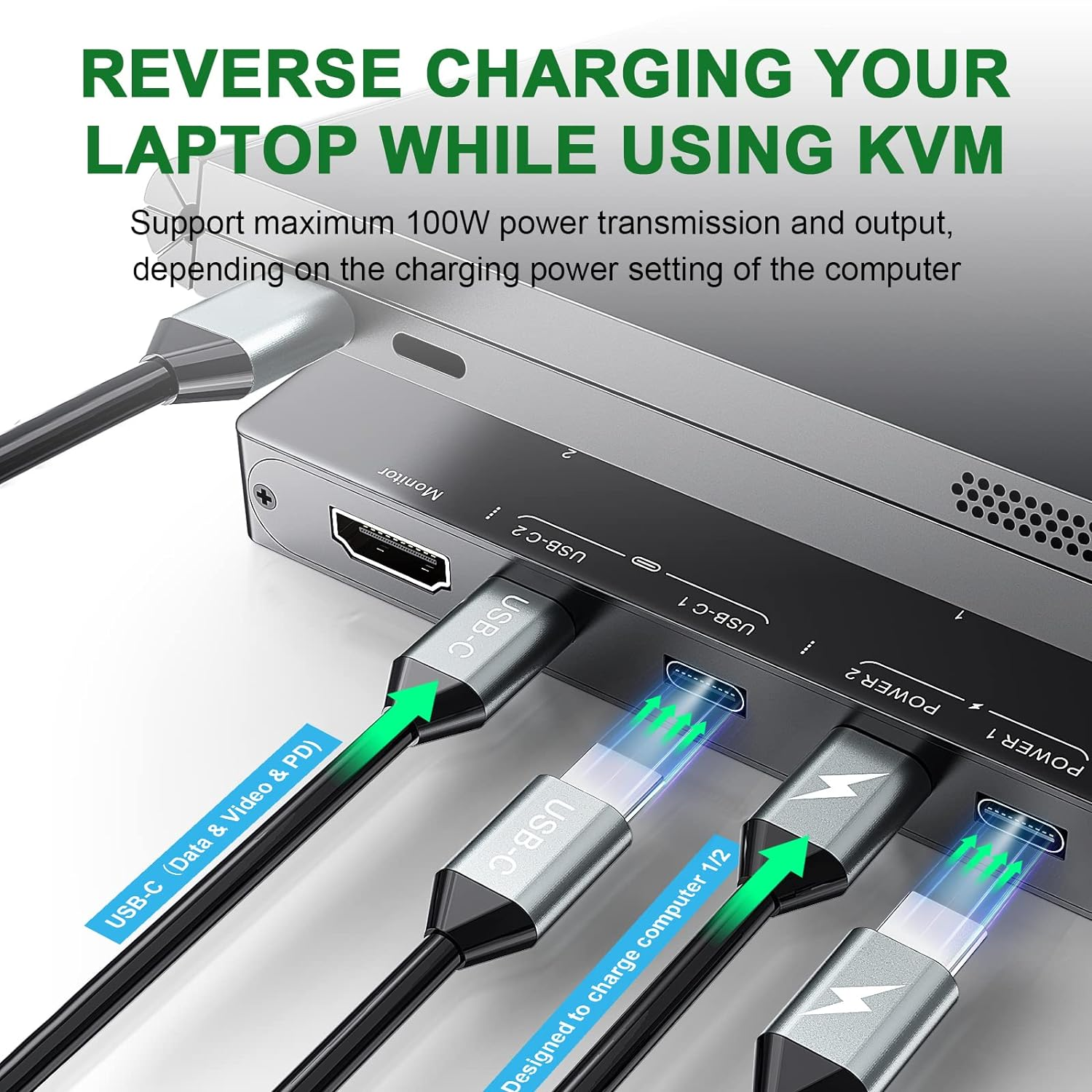
3, Support PD 100W fast charging for your laptops, this is a stable and high-quality KVM switch.
4, With 4 USB 2.0 ports for 2 computers share USB devices USB ports for USB devices connected, such as mouse, keyboard, USB printers, scanners, etc. If multiple connections are needed, the USB hub can be extended with USB 2.0 ports.
5, Support follow resolution: 4K x 2K (3840x 2160@ 60Hz); 2560x1440 @ 144hz / 120hz / 60hz; 1920x1440 @ 144hz / 120hz / 60hz; 1920x1200 @ 144hz / 120hz / 60hz
6, Support 2 switching mode: Physical Button switch and wired remote controller.
Wired remote controller(1.5 m) with digital LED indicator
Easy to install, plug and play, connect all the cables needed to the computer, KVM switcher, and the monitor can start working more easily, giving a neat desk.
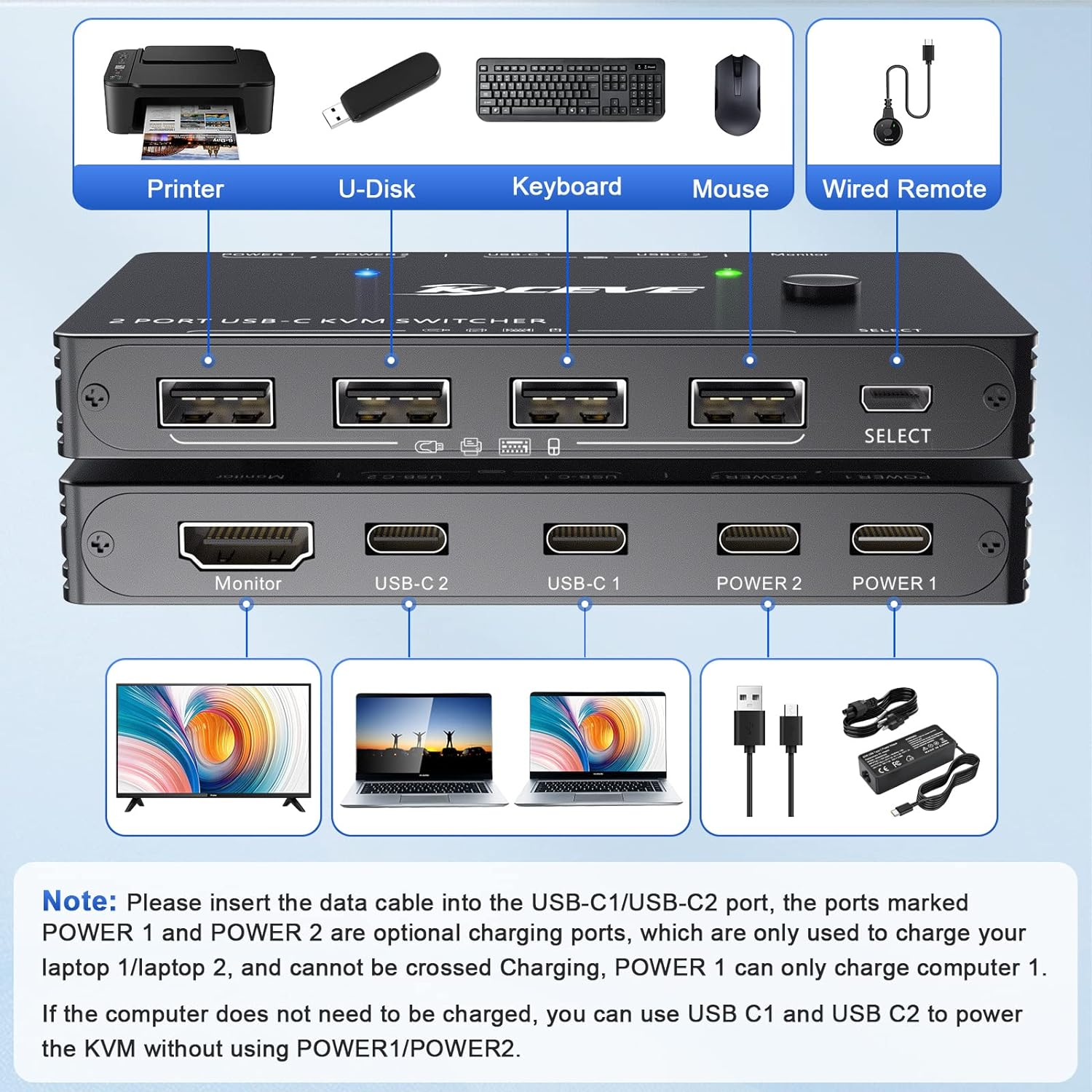
1. Connect PC 1 to the USB-C1 port.(Use the USB C cable included in the box)
2. Connect PC2 to the USB-C2 port. (Use the USB C cable included in the box)
3. Connect the Monitor to the HDMI port that marked "Monitor".
4. Connect the keyboard, mouse and others USB devices to the USB-A port.
5. Connect the Power cable to Power 1 and Power 2 of the KVM switch to charge the PC or tablet.
6. Connect the wired remote controller to switch between two laptops.
Friendly Tips:
Video adapters that convert HDMI, DisplayPort, VGA, DVI to USB C are not yet available, so make sure the input device has at least one USB Type C port (supporting data & Video & PD) before purchasing this USB C KVM switch selector.
USB-C KVM Switch Charges the input device (laptop, tablet, etc.)
Charge two computers separately via Power Delivery (up to 100 watts each).
Connect the power cable of PC1 to the port marked"Power 1" and the power cable of PC2 to the port marked"Power 2" to charge PC1 and PC2, and also power the USB-C KVM Switch (no PD charger needs to be connected when don't need to charge the computer).
The "POWER 1" port only powers the USB-C1 input device and the KVM switch, and the "POWER 2" port only powers the USB-C2 input device and the KVM switch, no cross-powering!
Without a power connection, it will draw about 5V 0.2A from the selected "USB-C1" or "USB-C2" ports to power the KVM Switch.
If 2 power connections are made to the KVM and 2 devices connected then they are both charged with each power port only ever providing power through to the associated "PC" port. e.g. with one PC limited to 15V and the other 20V, 15V is provided through to the "PC" port associated with the 15V input and 20V is provided through to the "PC" port associated with the 20V input.
Note:Because the KVM switcher requires power, the output power of the device will not be as high as the input power.
4K HD Resolution
Support 4K@60Hz, 2K@120Hz,3440x
1440@100Hz and backward compatible with lower resolutions.
Charge the computers/laptops
Each power port can only provide power to the associated "PC" port.
Up to 100w, the actual power will be limited by the connected computer or tablet.
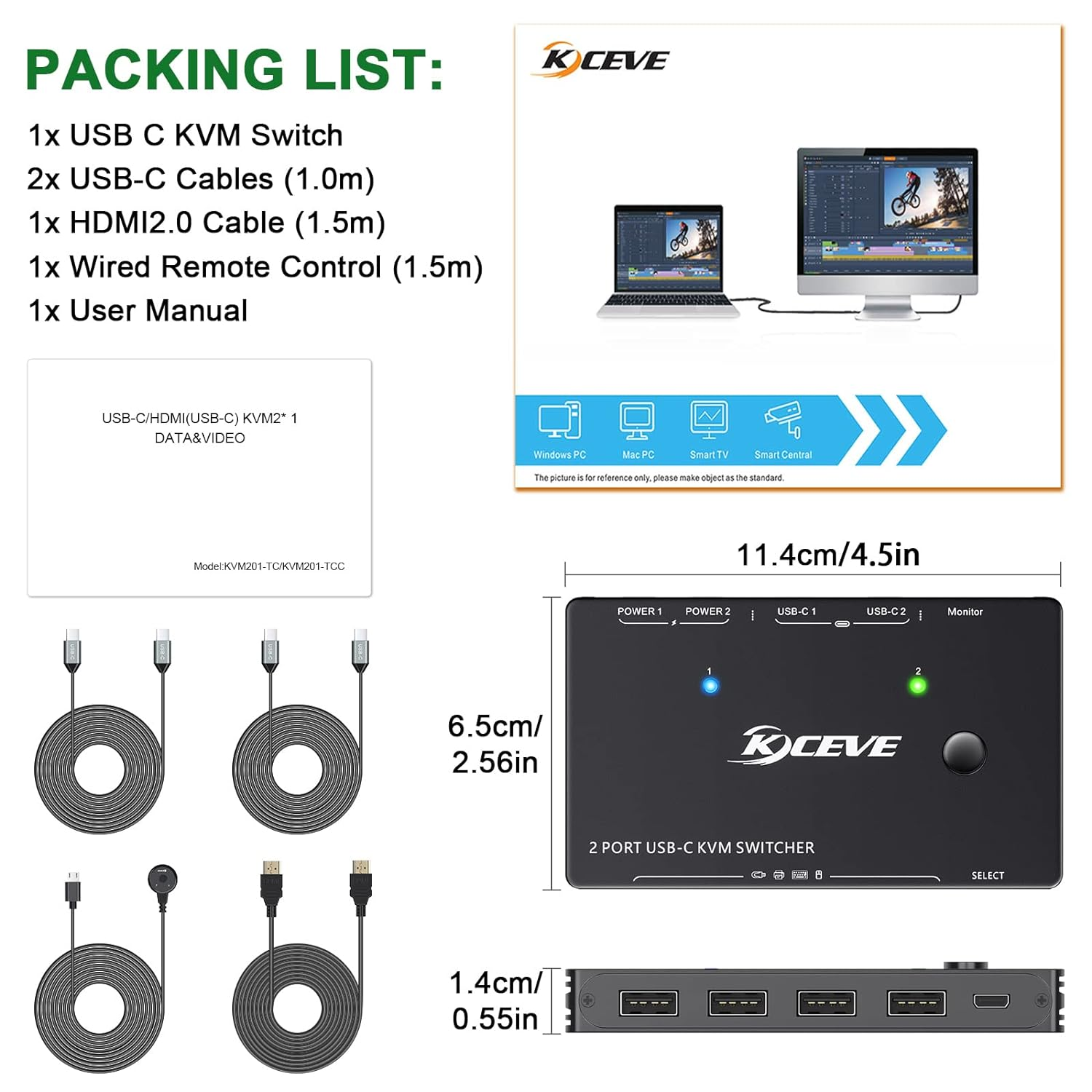
What you will get
1*USB Type-C KVM Swtich,
1* HDMI2.0 cable(1.5m),
2*USB C cables(1.0m),
1* wired remote(1.5m),
1*User manual.
Important Note: Power adapter is not included
- Country of origin: China
- Package Dimensions: 15.3 x 15.2 x 5.4 cm; 380 Grams
- Manufacturer reference: ACOKC201TCC01
- Manufacturer: AOOCOO
A$94.50
-
A$189.00
Shipping to Australia
Delivery time varies by location
Return & Refund Policy
Check our return & refund policy
Security & Privacy
Safe payments: We do not share your personal details
Availability:
-
Select Styles for Availability
Sign in
or create an eMega account
Shop smarter — get exclusive deals & order tracking