Free Shipping – Store Wide
Network Ethernet to USB Print Server (NOT Plug&Play), Non-Wifi Version, 2 Port Print Server for USB Printer, Convert USB Printer to Ethernet Networking - Windows Mac Linux Compliant - CR102
Network Ethernet to USB Print Server (NOT Plug&Play), Non-Wifi Version, 2 Port Print Server for USB Printer, Convert USB Printer to Ethernet Networking - Windows Mac Linux Compliant - CR102
Brand: CHEECENT
A$90.20
-
A$104.90
Availability:
-
Select Styles for Availability
Shop with confidence
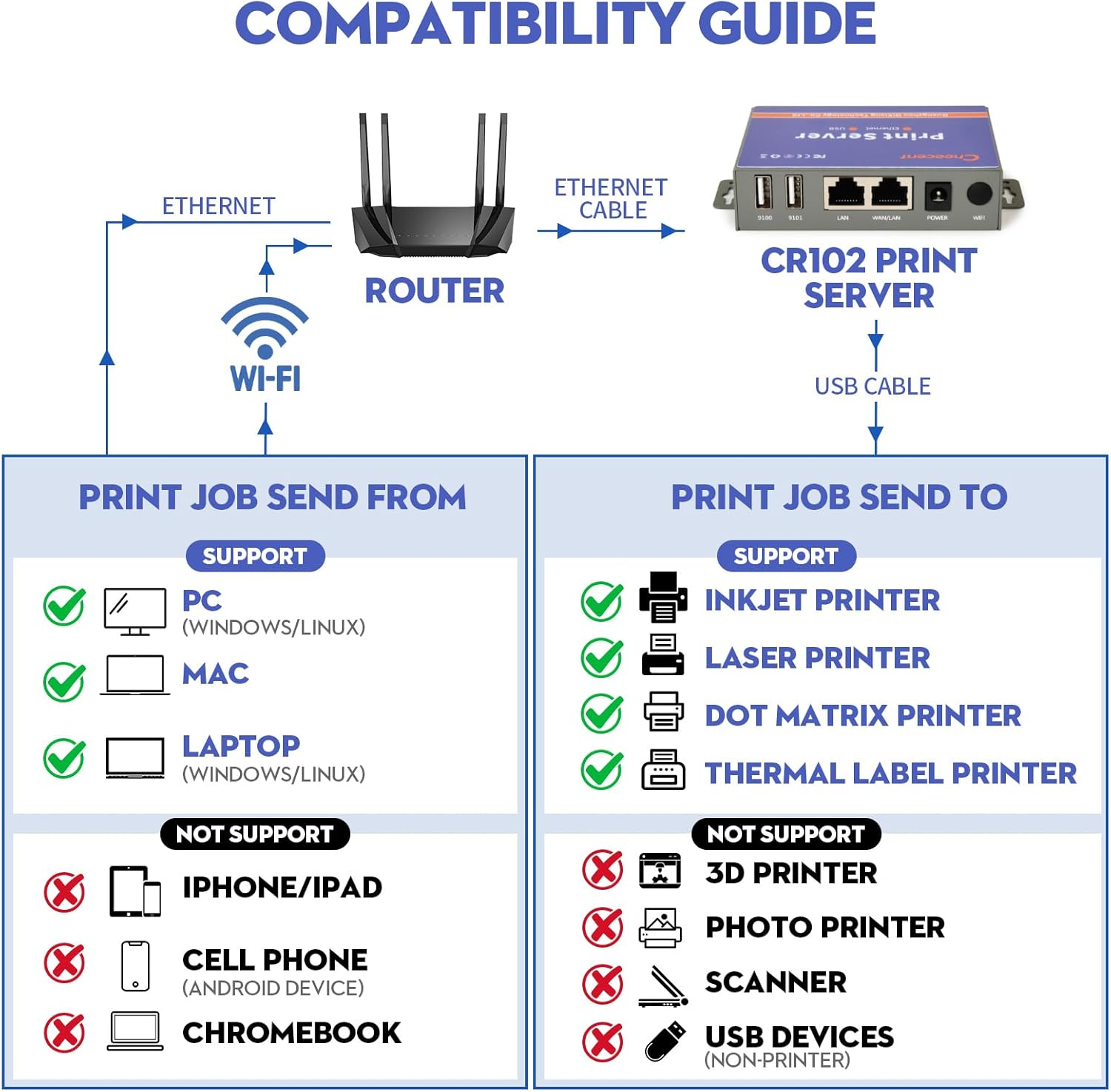
- 【COMPATIBILITY GUIDE - MUST READ】: CHEECENT CR102 print server supports Ethernet networking with Windows/Linux COMPUTERS and Mac, NOT PLUG and PLAY, Non-WiFi. *NOT SUPPORT iPhone/iPad/Cell Phone/Chromebook/Android (System) Devices*. This printer server can print with Inkjet Printer, Laser Printer, Dot Matrix Printer and Thermal Label Printer. *NOT SUPPORT 3D Printer, Photo Printer, Scanner and other USB devices*. Please refer user manual and video to set up.
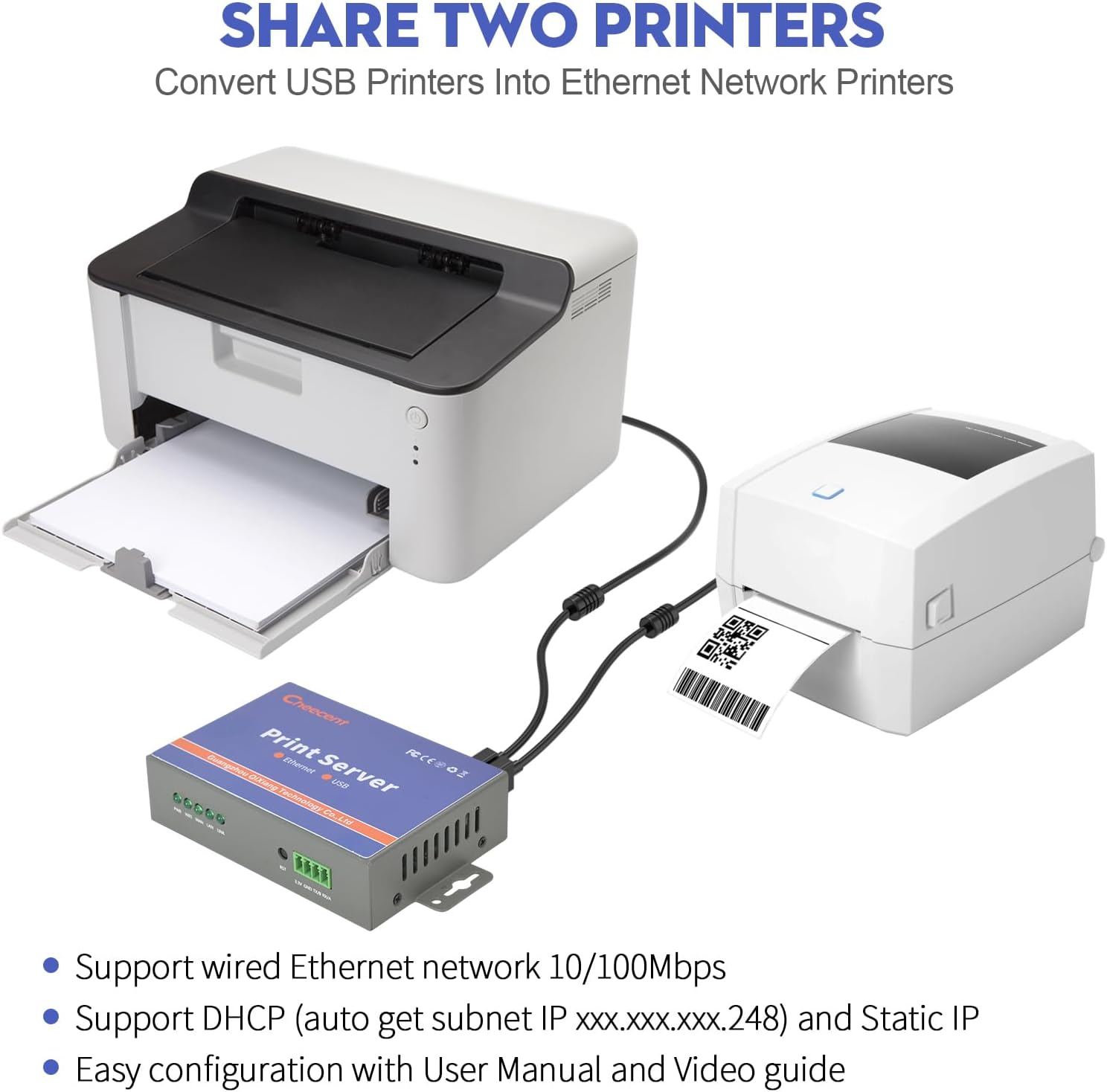
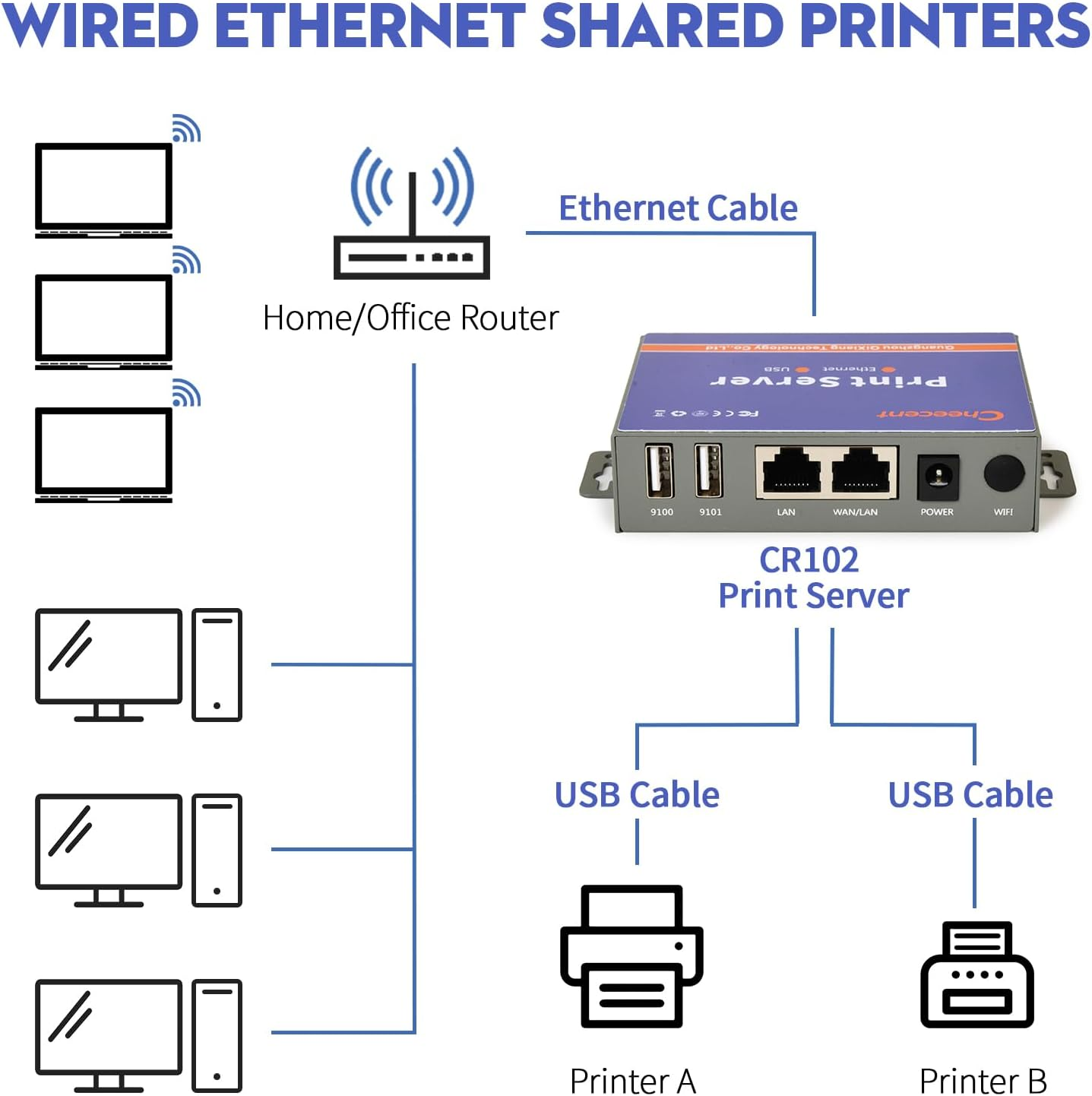
- 【SHARE TWO PRINTERS】: This Ethernet USB Printer Server has 2 USB ports, it allows multiple computers to share TWO USB printers over an Ethernet local network. When you are tired of maintaining a printer's host PC, this will convert an old USB printer to a network printer: Print server uses USB cables to connect with printers, ethernet cable connects with the network router's LAN, then configure" Add Printer" in any computers connected with the same network, then they can use network printers.
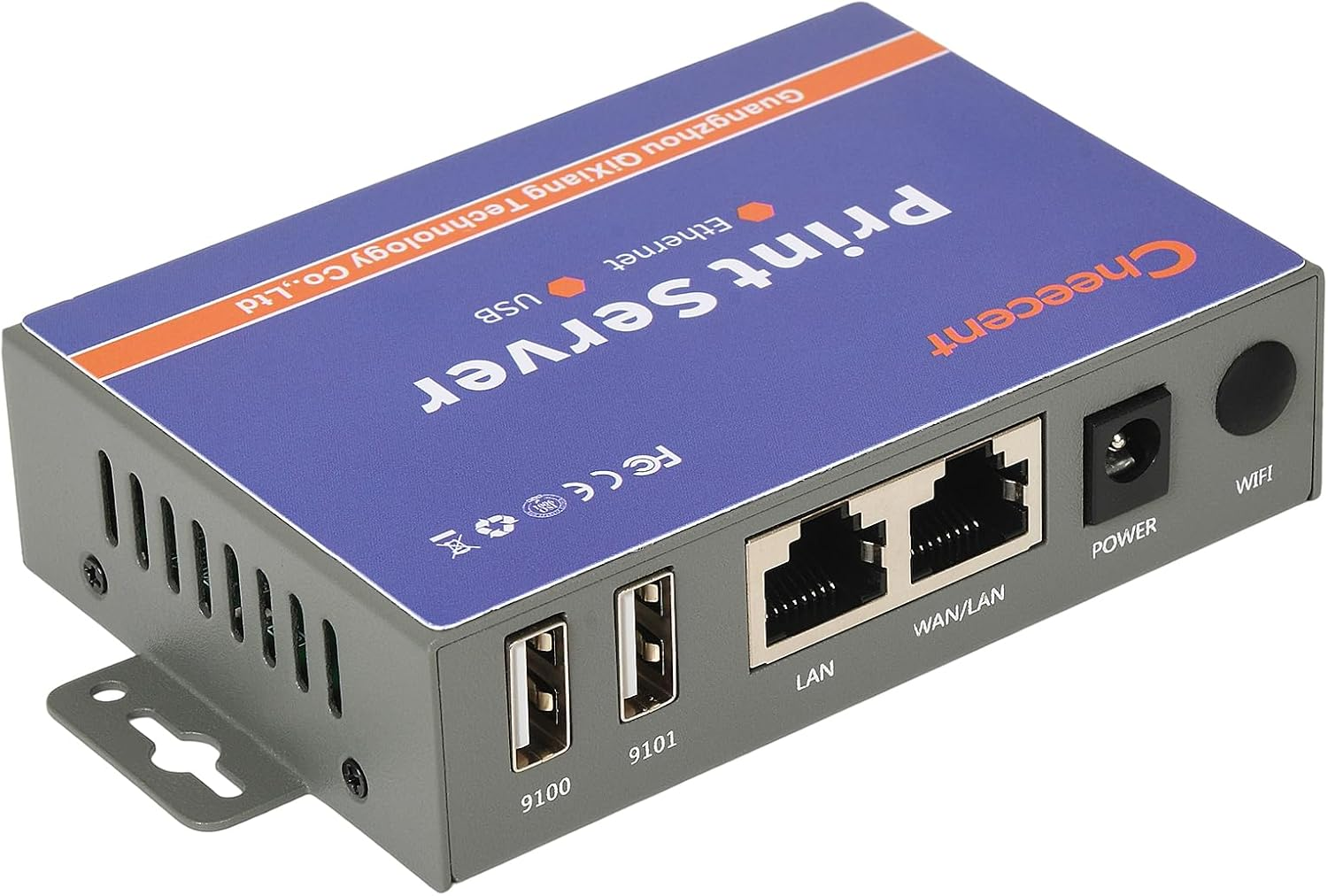
- 【SUPER CONVENIENT】: This print server usb to ethernet device is a compact design with metal shell and mounting hole, convenient to install on a desktop/wall. The print servers don't require a cable connection to a computer after set up, there's no need to put your printer next to PC, just make a wired Ethernet connection between the print server and your router. It's ideal for home or business applications, and government or educational institutions that require shared printing capabilities.
- 【HIGH COMPATIBILITY】: This network print server converts USB printer to networked printer. It is USB 2.0 and works with Mac & Windows, including Windows 10. BE SURE the printer's driver is installed on each networked computer to use the usb printer hub. Compatible with most printers in the market, but not 100% guaranteed. Please refer User Manual and video. Contact support email for any assistant request.
- 【PERFECT SOLUTION & SERVICE】: This computer networking print servers saved you from the temptation to buy a newer, cheap printer just for the network feature. It saved you from a dedicated computer powered on to support the printer. With user manual, video, and complete accessories, it helps most customers easily configure by themselves. Please must contact us for any support request.
Product Description
Compatibility Guide- Must Read
CR102 Ethernet print server (Non-WiFi Version) only support for printers installed in Windows/Mac/Linux Computer environment.
(Printer driver need to installed in computer system)
- Support Ethernet networking with Windows/Linux computers and Mac. # NOT SUPPORT iPhone/iPad/Cell Phone/Chromebook/Android (System) Devices #
- CR102 can print with Inkjet Printer, Laser Printer, Dot Matrix Printer and Thermal Label Printer. # NOT SUPPORT 3D Printer, Photo Printer, Scanner and other USB devices #
Tips:
1. This Print Server is NOT PLUG and PLAY, the setup video is more helpful.
Please follow Videos and User Manual to set up.
2. This device supports connecting to Wired Ethernt network, NO-WiFi.
3. If your printer has Sleep Mode, please make sure it can be disabled. Otherwise, the print server do not support it
Convert Two USB Printers into Ethernet Network Printers
Cheecent CR102 Print Server helps you share USB printers with multiple users on the local network over wired ethernet network, instead of having to buy separate printers for each individual workstation or computer. If you want to convert a trusty non-networked printer into a networked printer, this is all you need.
This print server adopts USB 2.0 standards makes it compatible with a wide variety of USB printers such as inkjet printers, laser printers, dot matrix Printer, barcode printers, thermal printers, label printers. # NOT SUPPORT 3D Printer, Photo Printer, Scanner and other USB devices #. It has TWO USB ports that share two printers simultaneously, suitable for home, warehouse, shop, office, E-commerce, Soho, and small business applications, government or educational institutions, and any places that require shared printing capabilities.
Share TWO Printers with Multiple Computers over Local Ethernet Network
This small print server offers an RJ45 WAN port for 10/100 Mbps auto-sensing Ethernet wired connections. It enables you to place your printer in any convenient location with the same local network wired ethernet access, instead of putting your printer next to your computer.
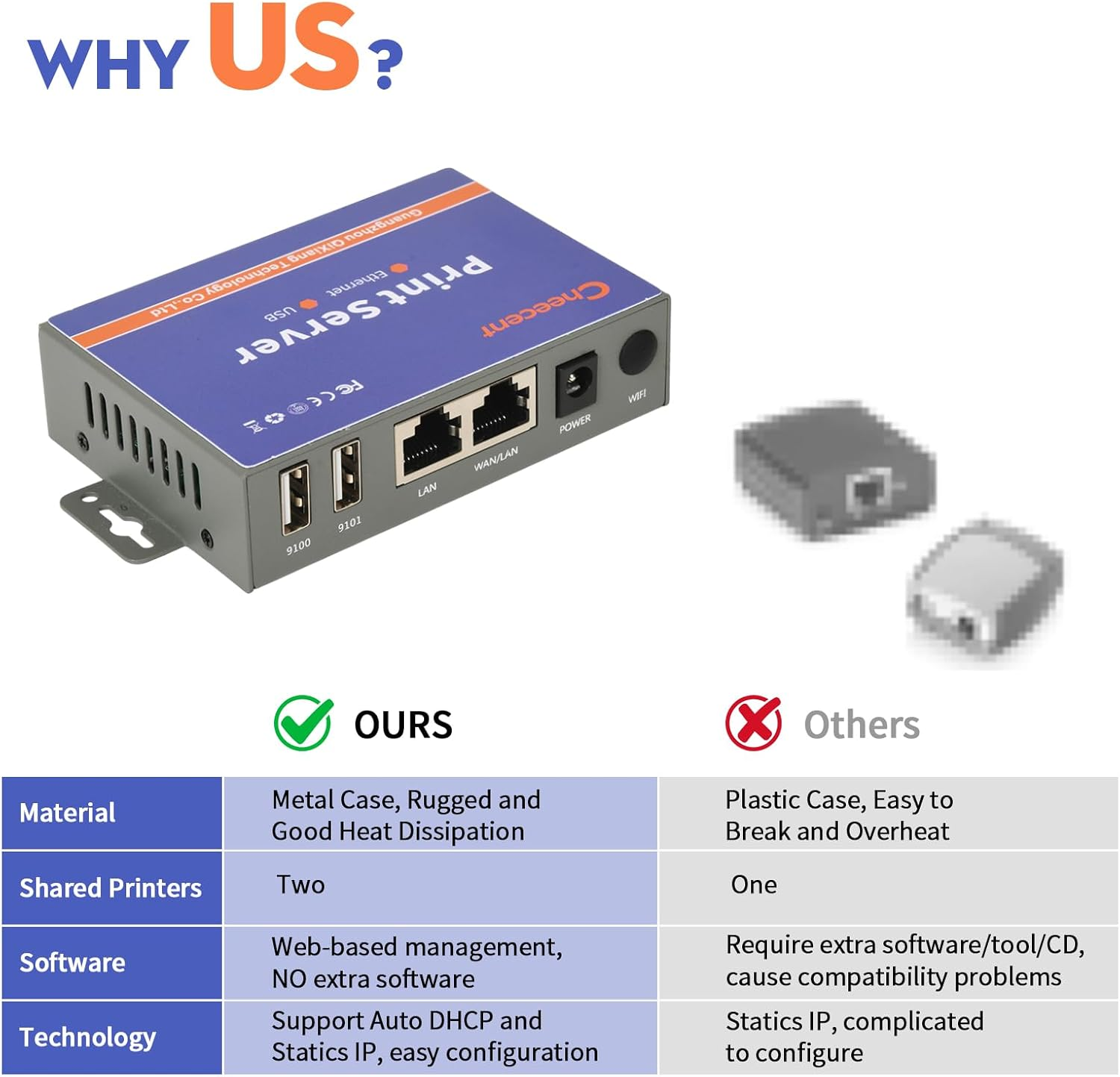
Industrial grade design and material, both hardware and software watchdog function, and rugged metal case enable it works in a harsh environment to provide reliable, cost-efficient network printing.
Cheecent Print Server Solutions
In the beginning, Cheecent faced the same share printing service issue as many other people who works in office/home. We have an inkjet printer and a label printer that works well, but unfortunately, they are non-networked printers, we have to maintain a dedicated PC connected with printers as a host to share the printing service. We still have much trouble because Windows "shared printer" functions are prone to fail unexpectedly, with no clear solutions. The printer host needs to take a large place and make huge power consumption. Glance the comments from the current print server in the market, there are lots of complaints too.
As an industrial-grade networking products manufacturer, why we don't develop a better print server to meet the request of both ourselves and our consumers? Then CHEECENT ethernet print server comes to true:
# Industrial grade design with metal case, provide reliable print service in harsh environment.
# Support Wired Ethernet network connection (CR102 version), allow printer placed in any convenient location in the local Ethernet network.
# Share two printers simultaneously, cost-saving, space-saving.
# Web-based management, no extra software request, high compatibility for Linux, Mac OS and Windows includes Win 11/10/7. Make sure there is a printer driver for these systems.
# Easy configuration by Auto DHCP or Statics IP, follows user manual and configuration video.
Configuration In Three Steps
Hardware Connection
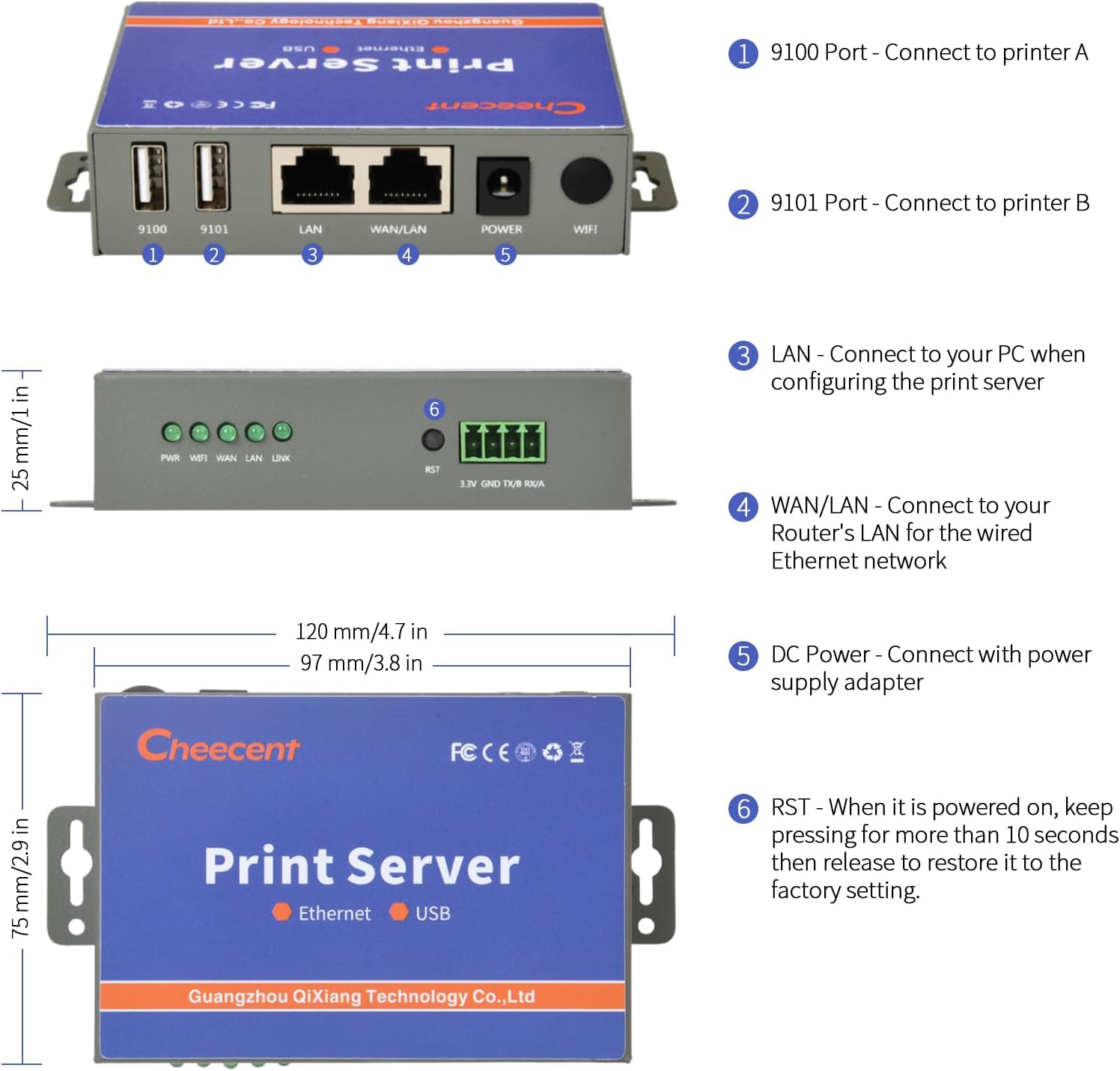
1. Connect the print server's WAN port to your home/office router's LAN port via Ethernet cable.
2. Connect printer and print server with USB cable then power on.
Get IP Address and Printer Link from Print Server
1. Computer connects print server via Ethernet Cable (print server LAN port connects with PC) to access print server system.
2. The print server will auto-get WAN IP as of XXX.XXX.XXX.248 in the network.
Set "Add Printer" in Computer System
1. Collect the print server's IP (xxx.xxx.xxx.248 or static IP), USB port 9100 or 9101, and printer URL.
2. Set "Add a printer" in your computer system.
3. Local networked computers send printing jobs to printers successfully.
4. IMPORTANT: Some printer models (ex.PH1005/1020) may have non-stop printing issues. Please Turn off “Bidirectional Mode” when you have a similar problem.
Packing Lists
- CR102 Ethernet Print Server
- Ethernet (RJ45) Cable
- Power Supply Adapter
- Print Server User Manual
CR102 Ethernet Print Server Datasheet
| Compatible Printers | inkjet printer, laser printer, dot matrix Printer, barcode printers, thermal printer, label printer |
| NOT Compatible Printers | 3D Printer, Photo Printer, Scanner and other USB devices |
| Compatible Devices | Linux, Mac OS and Windows Computer (printer driver installed) |
| NOT Compatible Devices | iPhone/iPad/Cell Phone/Chromebook/Android (System) Devices |
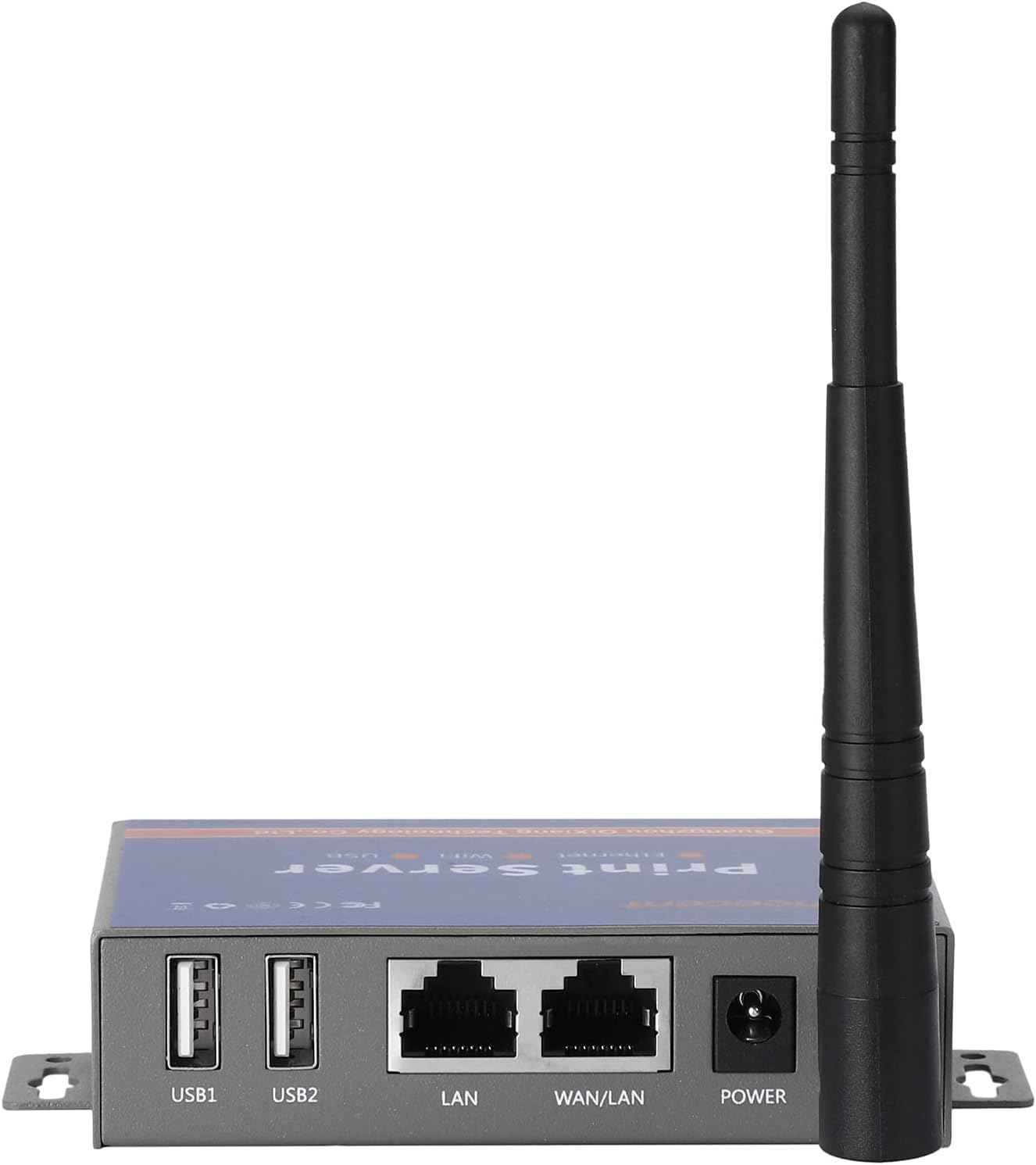
| LAN | Ethernet interface(RJ45, 10/100Mbps) |
| WAN | Ethernet interface(RJ45, 10/100Mbps) |
| USB | Two USB2.0 ports |
| Power Supply | 7.5V-32V (standard DC12V/1A) |
| CPU | 560MHz |
| Flash/RAM | 16MB/128MB |
| Shell | Metal |
| Dimension | 97-65-25CM |
| Weigh | About 185g |
- Capacity: USB Print Server
- Number of items: 10
- Mounting Hardware: Ethernet Cable, Print Server, User Manual
- Batteries Required: No
- Brand: CHEECENT
- Connector Type: Ethernet, USB
- Item Weight: 450 g
- Product dimensions: 9.7 x 6.7 x 2.5 cm; 450 Grams
- Country/Region of origin: China
- Manufacturer: CHEECENT
A$90.20
-
A$104.90
Shipping to Australia
Delivery time varies by location
Return & Refund Policy
Check our return & refund policy
Security & Privacy
Safe payments: We do not share your personal details
Availability:
-
Select Styles for Availability
Sign in
or create an eMega account
Shop smarter — get exclusive deals & order tracking