Free Shipping – Store Wide
Tesmart KVM Switch 2 Computers 1 Monitor 4K@60Hz, Dual Monitor KVM Switch Support EDID Emulators | USB 2.0 | L/R Audio | 4 Switching Methods with 2 Input Cables for Home Office/Gaming
Tesmart KVM Switch 2 Computers 1 Monitor 4K@60Hz, Dual Monitor KVM Switch Support EDID Emulators | USB 2.0 | L/R Audio | 4 Switching Methods with 2 Input Cables for Home Office/Gaming
Brand: TESmart
A$241.50
Availability:
-
Select Styles for Availability
Shop with confidence
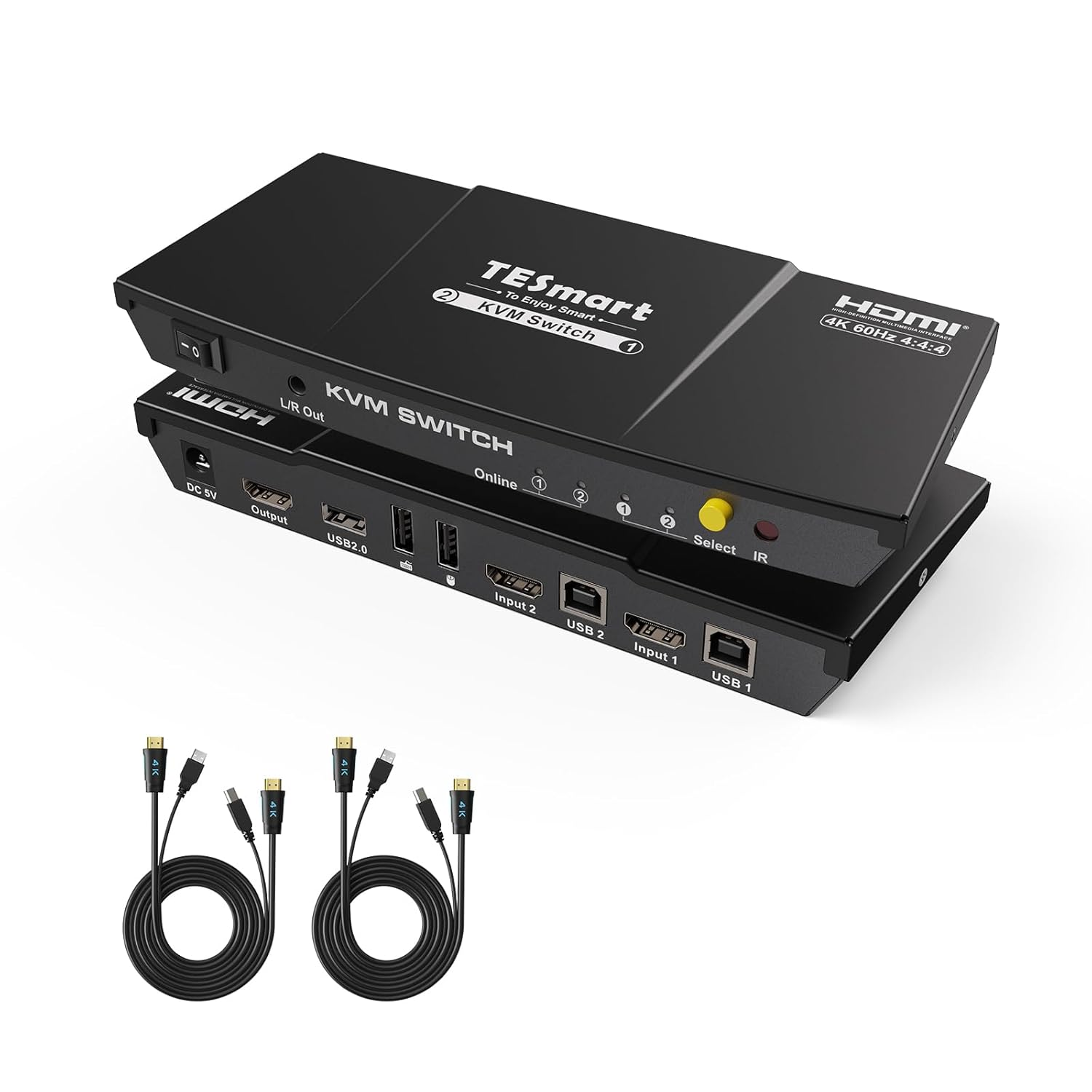
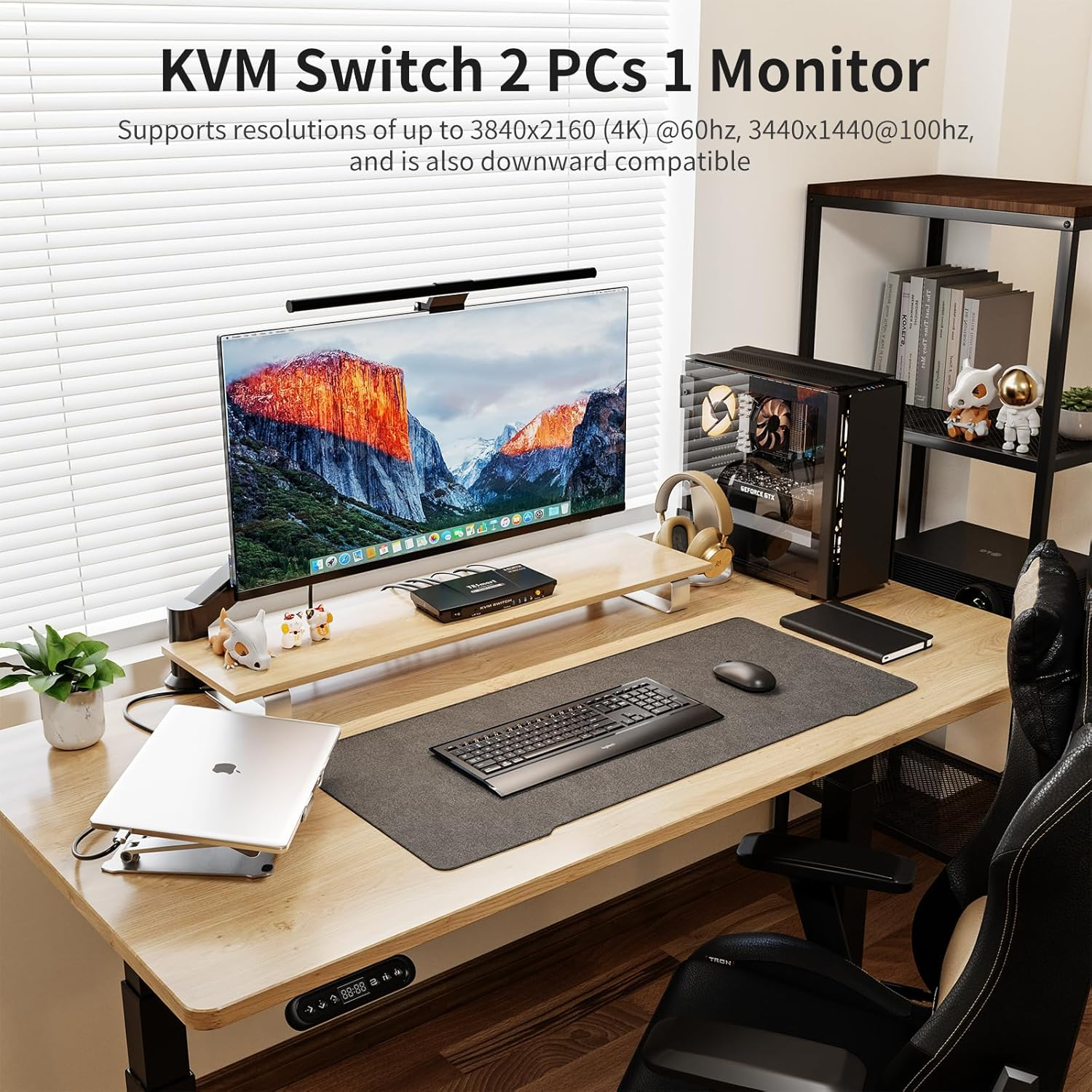
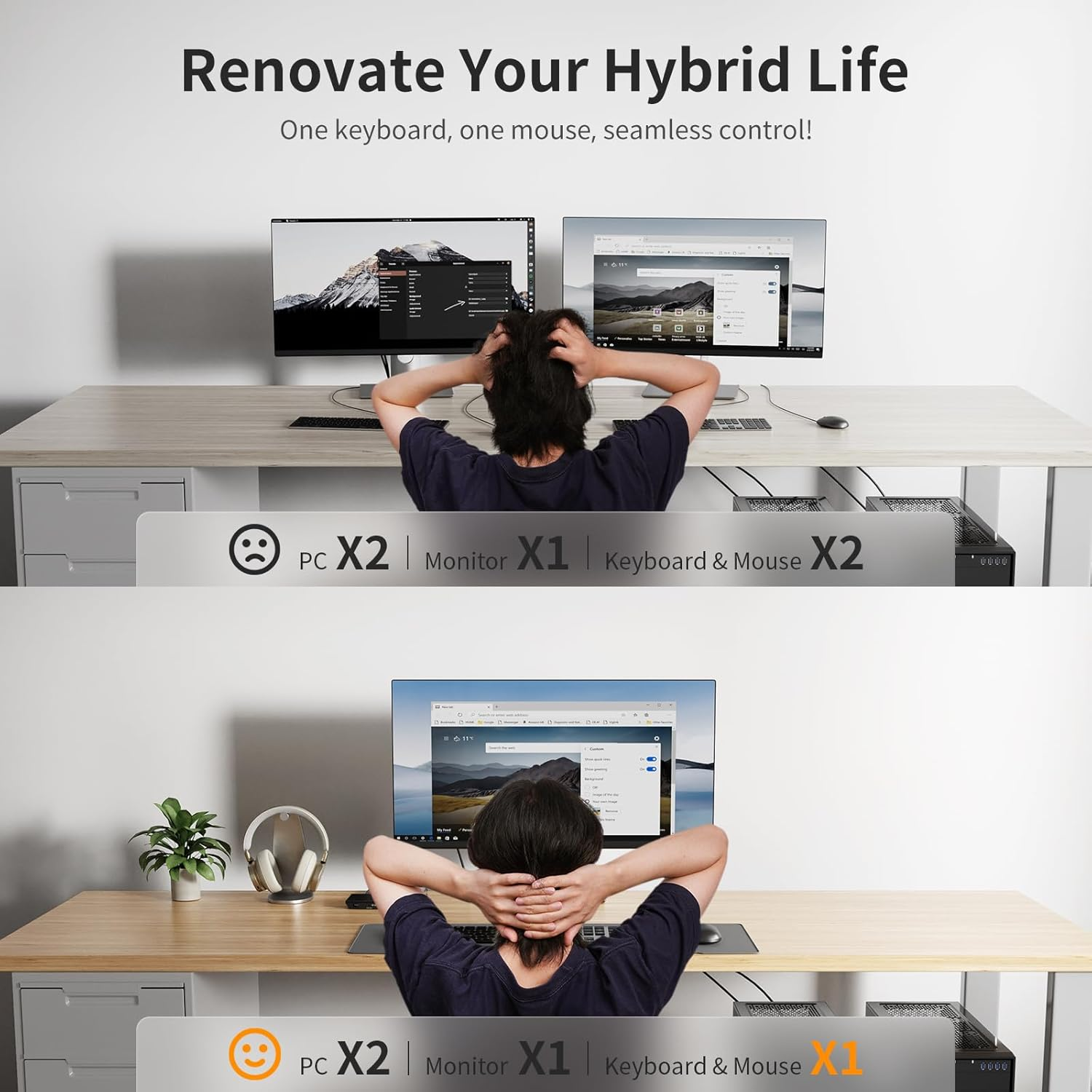
- HDMI KVM Switch 2 IN 1 OUT: The KVM switch is perfect for hooking up 2 desktops or laptops to share 1 set of keyboard, mouse and 1 monitor for home and office setup, gaming consoles and streaming devices. Experience the convenience and efficiency of multi-device management
- Ultra HD 4K@60Hz: The Resolution is up to 3840x2160 (4K) @60hz, 3440x1440@100hz, 2560x1440@144hz and downward compatible, Support 3D, HDR10, HDCP2.2, and Dolby Vision delivering more exquisite and authentic video on your screen
- EDID Emulators: Dual monitor kvm switch With EDID emulators in each input port, your computers always receive the correct display information and preventing displays setting change while switching inputs. Free you from the hassle of constantly adjusting display settings
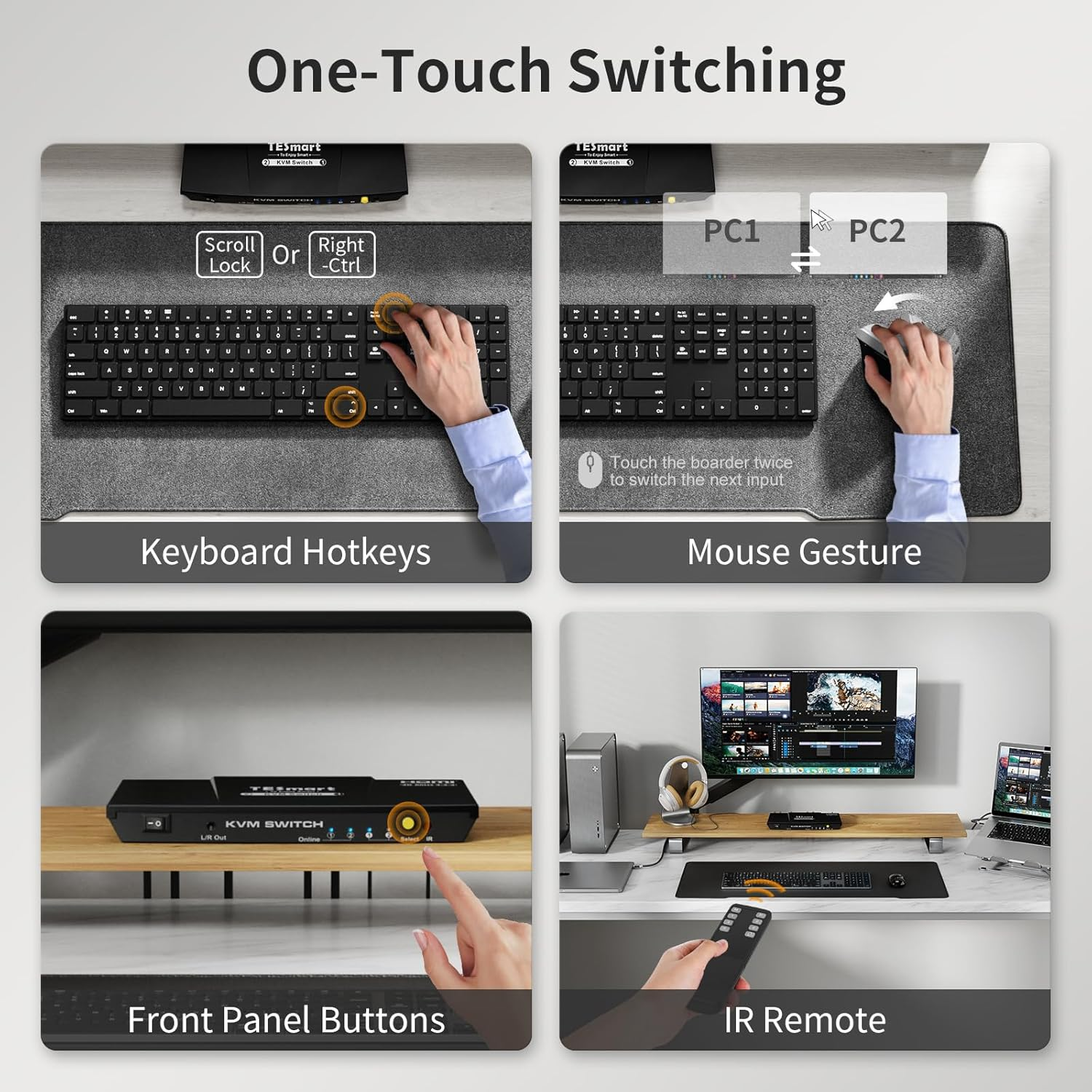
- Seamless K&M Switching: Our kvm switch provides 5 switching options to suit your needs. Whether you prefer using the IR remote(AAA batteries not included), button, hotkeys, mouse gesture or auto scan, you can easily switch between HDMI sources and manage your devices with ease
- Wide OS Compatibility: TESmart HDMI KVM Switch 2 Port supports various operating systems including Unix, Windows, Debian, Ubuntu, Fedora, Mac OS X, Raspbian, Ubuntu for Raspberry Pi and other Linux basic systems, making it a versatile selector for multiple devices to be used flexibly with different OS without the need for additional software or drivers
- Multi-Device USB 2.0 Hub Compatibility: Expand your workstation with an extra USB 2.0 port alongside dedicated keyboard/mouse connections. Seamlessly share printers, scanners, USB drives, and hubs across multiple computers - ideal for office clusters, multi-PC setups, and data-sharing environments. (Note: Hotkey switching unavailable for keyboards connected via USB 2.0 port)
Product Description
TESmart 2 Port HDMI KVM Switch
HDMI KVM Switch 2 Port can help you use only 1 set of keyboard, mouse and monitor to control 2 computer devices.
Features:
- Support auto switching to monitor computers in a specified time interval.
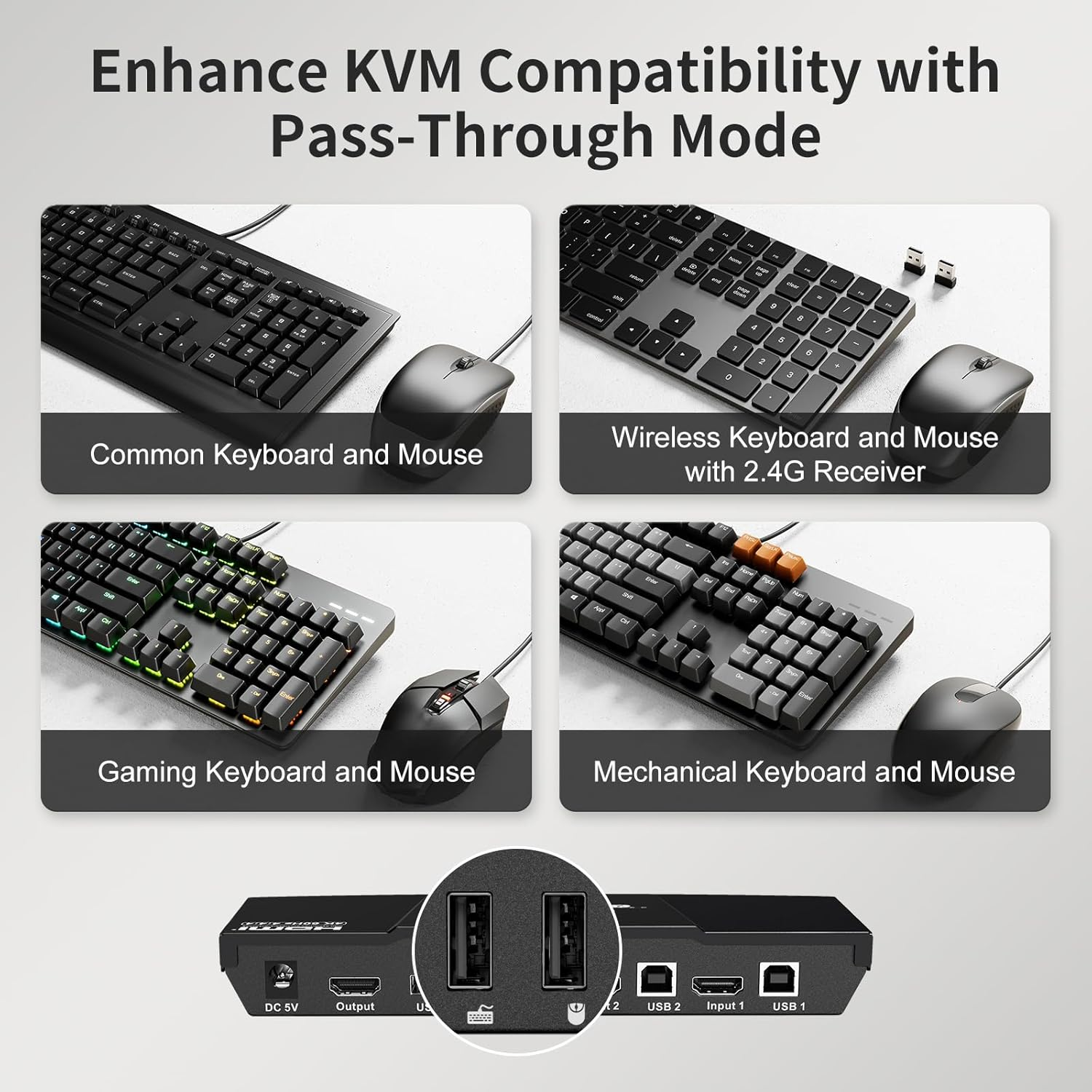
- Support keyboard and mouse pass through mode to improve mouse and keyboard compatibility.
- USB sharing works with usb hub, printers, jump drives, USB headsets and webcams for teleconferencing. Just like you connected these devices directly to your computer. Meet more demands at work, no need to worry about connecting office equipment. The USB 2.0 port can be used as a spare slot for the keyboard and mouse, but when connected to this port, the keyboard hotkeys will not work.
- Include all cables except cable for monitor.
Application:
1. Great for PC test/ burn-in control, saving the desk space required for two monitors.
2. Perfect for sharing computers and attached peripherals in the home or home office.
3. Dual system control for single user workstation increasing user productivity in the office.
Attention:
- For the safety request by some express company,the remote control is not equipped battery by default.
- Please reach out for support if needed.
Unique Selling Points
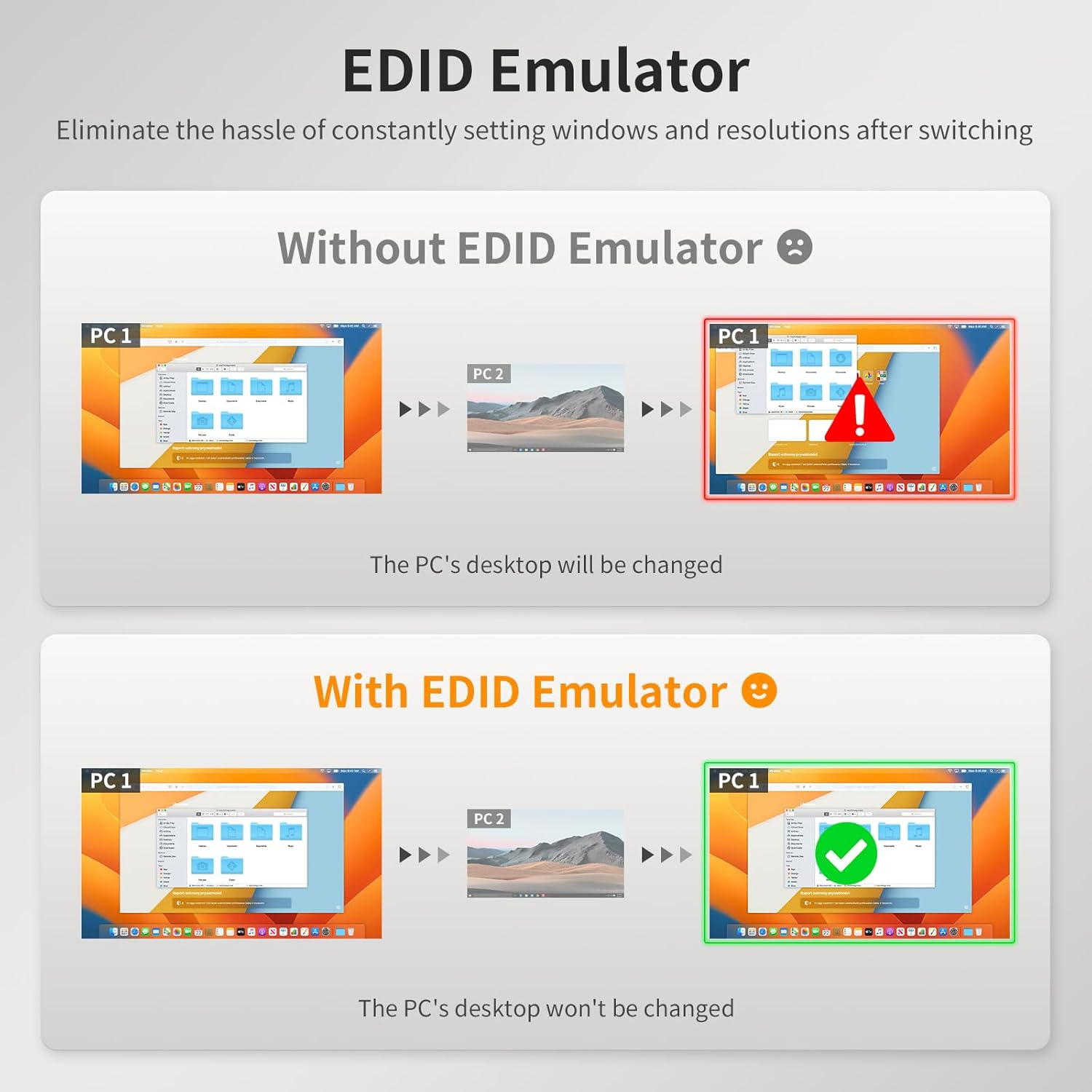
EDID emulator
HDMI KVM Switch with EDID emulators in each input port, keep PCS always having correct display information. When you switch back, the previous window settings remain unchanged.
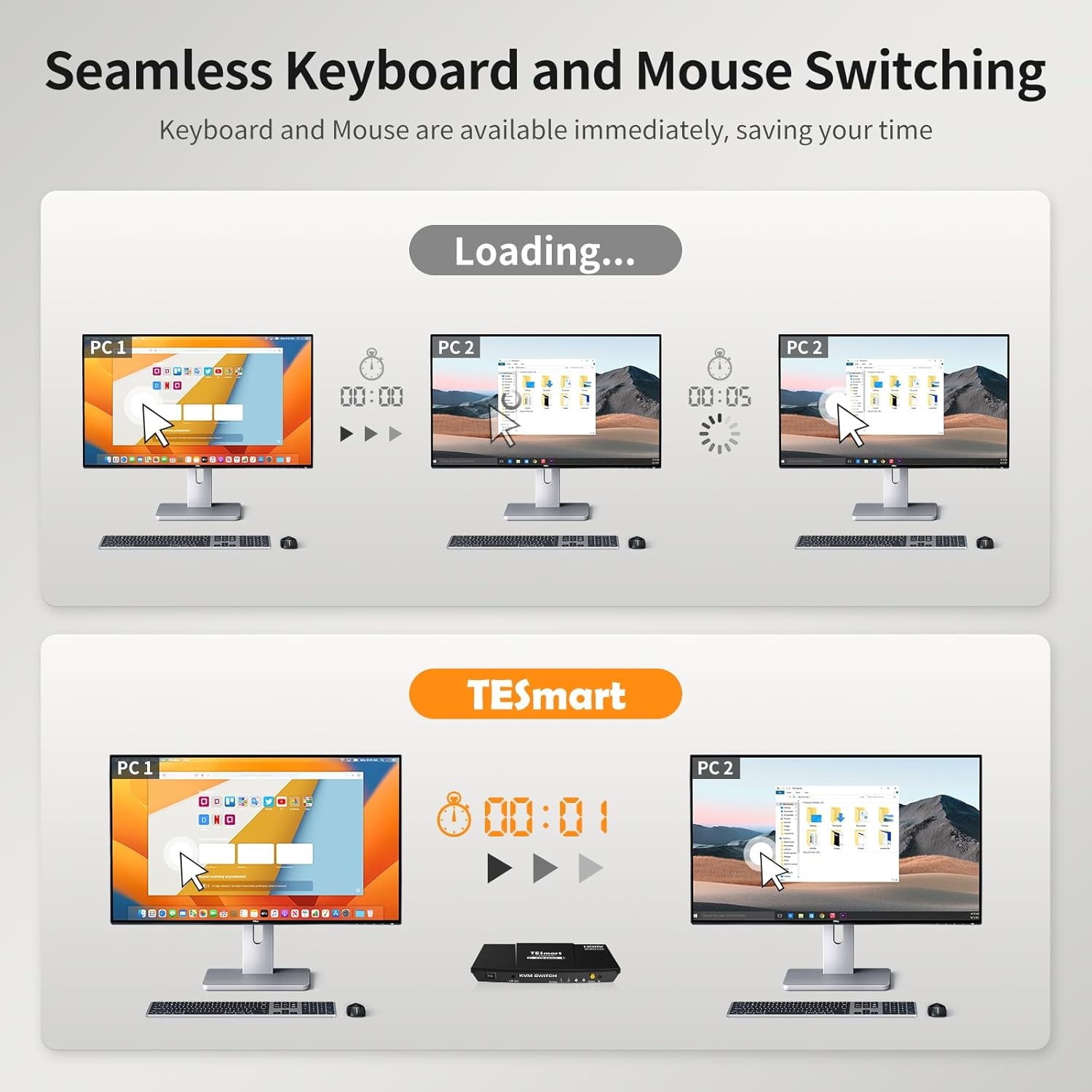
Keyboard and Mouse Seamless Switching
Available to use keyboard and mouse without any delay after switching input sources. No delay, zero delay, no need to reinstall the driver. Use it smoothly and improve your work efficiency or gaming experience.
True Ultra HD 4k Visual Enjoyment
This 4K HDMI KVM switch max supports 3840x2160 @60Hz RGB 4:4:4 and downward compatible, support 3D, HDR and Dolby Vision. You can enjoy luxurious video with this HDMI KVM Switch.
4 Convenient Switch Modes
1. Button Switching: Switch 2 signal sources in the extended mode by the panel button.
2. Hotkey Switching: Press scroll lock+ scroll lock+... or the right ctrl+ the right ctrl+...
3. IR Remote Control( without battery).
4.Mouse gesture fast switch.
Audio Output
KVM Switch comes with a 3.5mm Audio Jack port with a DAC chip inside, which can be inserted into a 3-segment 3.5mm earpiece device.
High compatibility
It is compatible with a variety of devices and a variety of different computer systems to meet your multi-system needs.
How could I upgrade my KVM switch to make sure it's always compatible with the latest keyboard, mouse, and monitor?
Peripherals are constantly being updated even the same model, which may cause compatibility issues. Fortunately, the TESmart KVM switch is compatible with most peripherals on the market.
If there are any exceptions, our technicians will serve you with an upgrade for free. Please feel free to reach out to us at any time if you have questions or concerns!
How do I reach out for support?
If you have any questions or encounter issues, there is downloadable user manual and troubleshooting at the bottom of the detail page.
Additionally, you can reach out for support if needed. In the past year, we have founded a professional team to deal with problems from different customers within 12 hours.
What is the best KVM Switch for me and what factors do I need to take into account when choosing?
It's important to carefully consider what is the best KVM switch for your configuration depending on your application requirements and the switch features. In order to find the best KVM switch for your configuration here are the major questions to consider:
1.Existing PC Setup - Purchase a KVM switch that supports the number of computers in your setup.
2.Required Video Formats - It is best practice to use the same video connections wherever possible.
3.Multiple monitor support? Ensure every computer can support the number of monitors you are looking to use in your setup. This KVM switch could not split & extend desktops for dual monitors.
4.Hotkey support- TESmart KVM switches support the use of hotkey combinations to complete tasks such as switching between computers.
How can I get the sound from L/R?
1. Please confirm what output interface is the computer equipped with? (DVI? HDMI?) If your computer is equipped with DVI output, normally that the DVI output does not carry audio signals, so the audio signal cannot be output to the speaker.
2. After you connect the headset, you need to switch to the computer ith the audio device turned on. Only the computer that controls the audio playback will output audio.
3. If you have controlled the computer to turn on the audio device, select the correct audio output channel. (Right-click the speaker, open the sound settings, select the correct HDMI output device, and set it as default.)
Upgrade
Support
Choice
Audio
- Item Model Number: HKS0201A2U-AUBK
- Product dimensions: 19.5 x 8.2 x 2.7 cm; 850 Grams
- Country of origin: China
- Style Name: 2x1 4K@60Hz USB 2.0
- Manufacturer: TESmart
A$241.50
Shipping to Australia
Delivery time varies by location
Return & Refund Policy
Check our return & refund policy
Security & Privacy
Safe payments: We do not share your personal details
Availability:
-
Select Styles for Availability
Sign in
or create an eMega account
Shop smarter — get exclusive deals & order tracking