Free Shipping – Store Wide
Electrocookie Raspberry Pi 5 Case, Aluminum Mini Tower Case with M.2 Nvme SSD Pcie HAT and Active RGB Lighting Cooler (Silver)
Electrocookie Raspberry Pi 5 Case, Aluminum Mini Tower Case with M.2 Nvme SSD Pcie HAT and Active RGB Lighting Cooler (Silver)
Brand: ElectroCookie
A$82.25
-
A$97.80
Colour Name
Availability:
-
Select Styles for Availability
Shop with confidence
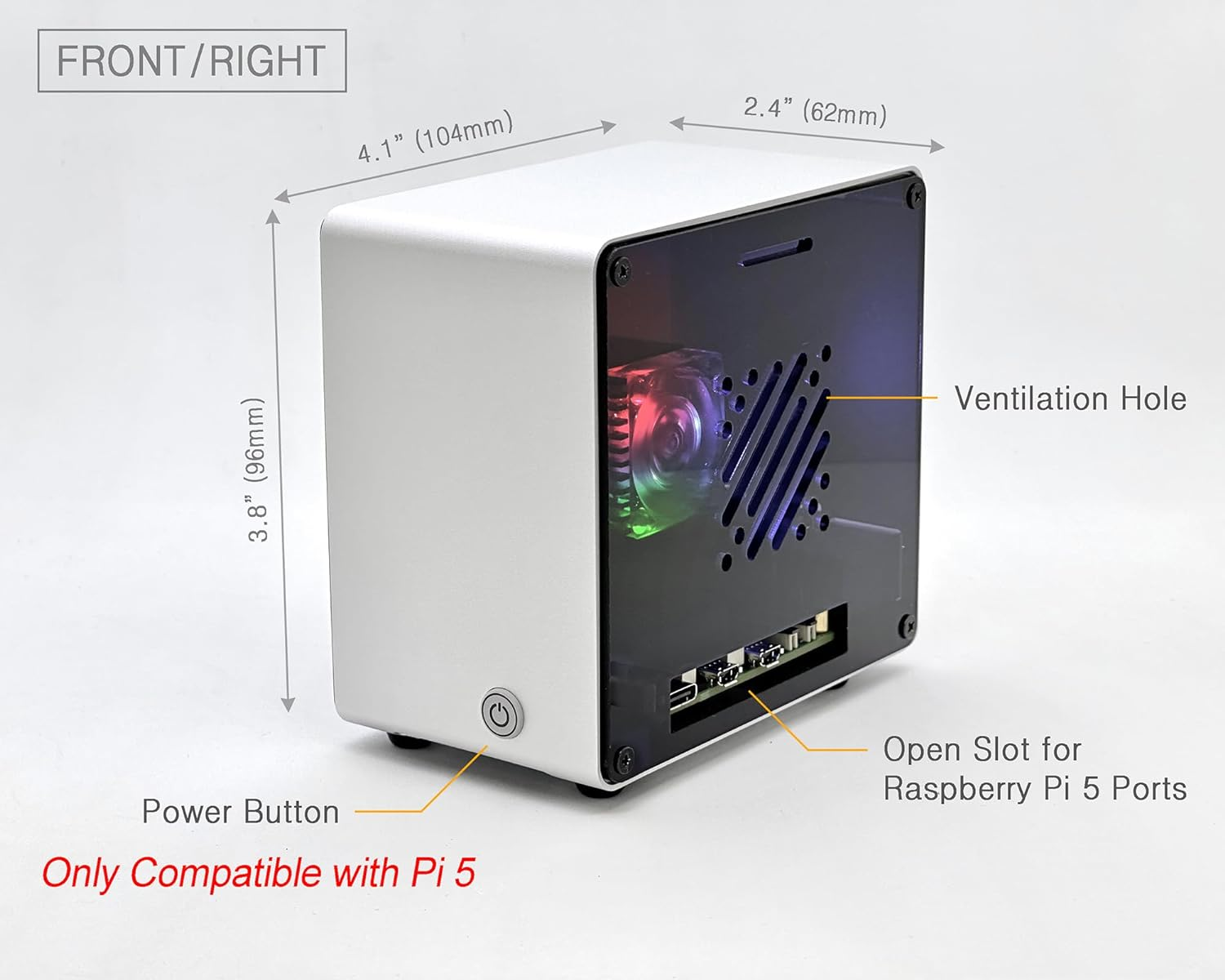
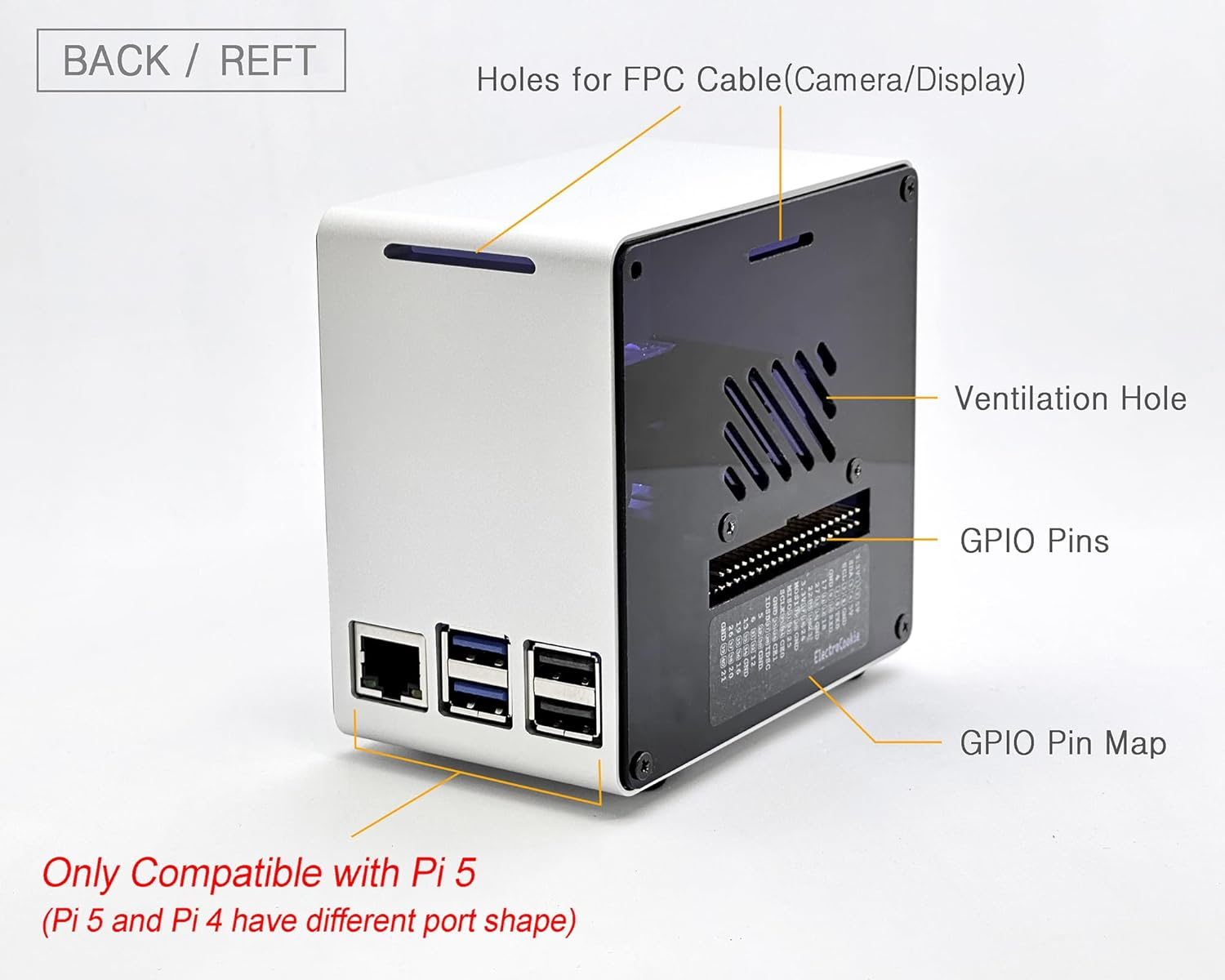
- Premium Aluminum Build: The high-quality aluminum case features a mini PC-style design that not only provides durability, but also adds a sleek, modern touch to your desk, wall, or workshop. (*Note: Not compatible with Raspberry Pi 4 due to different USB and Ethernet port placement.)
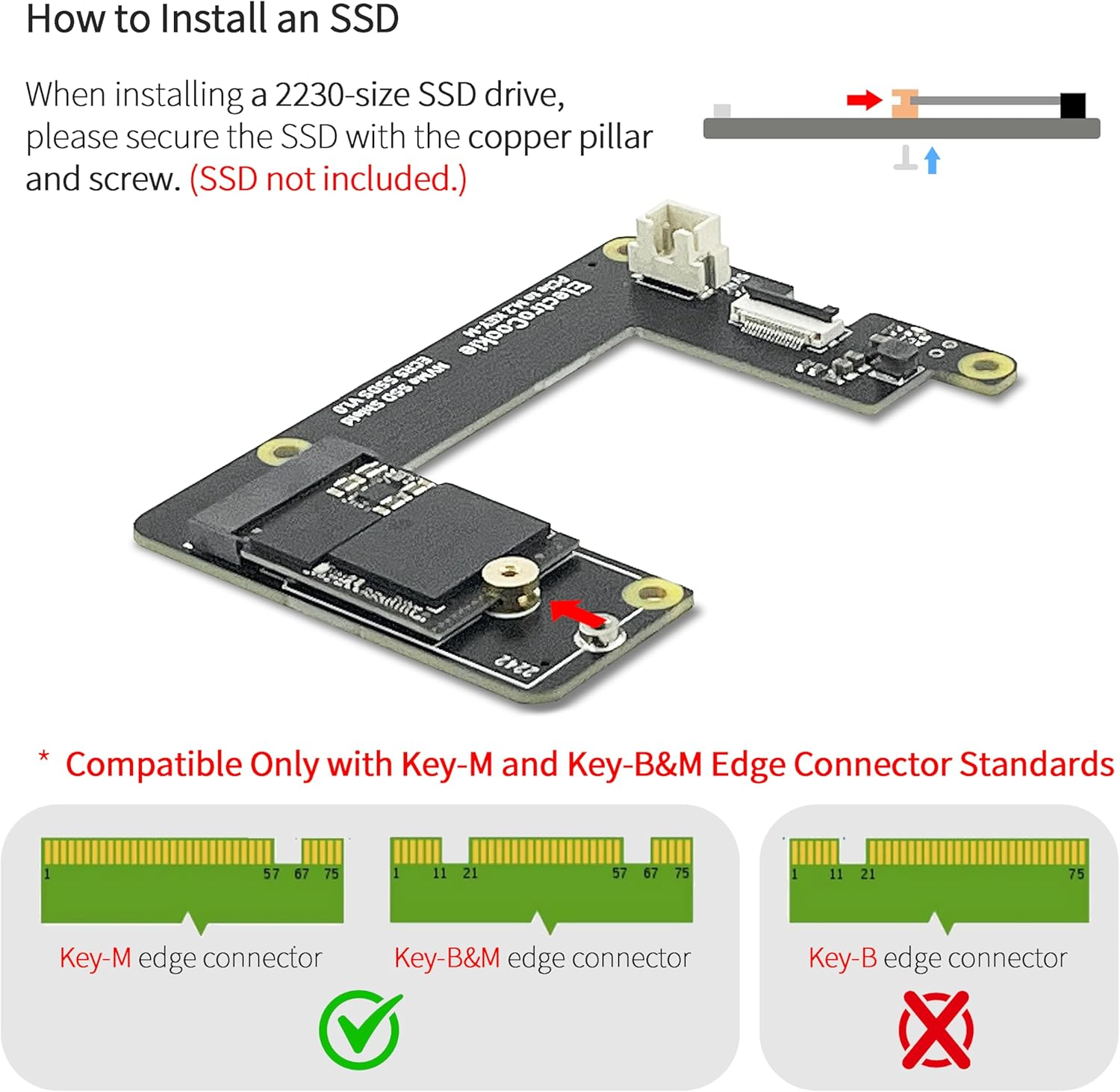
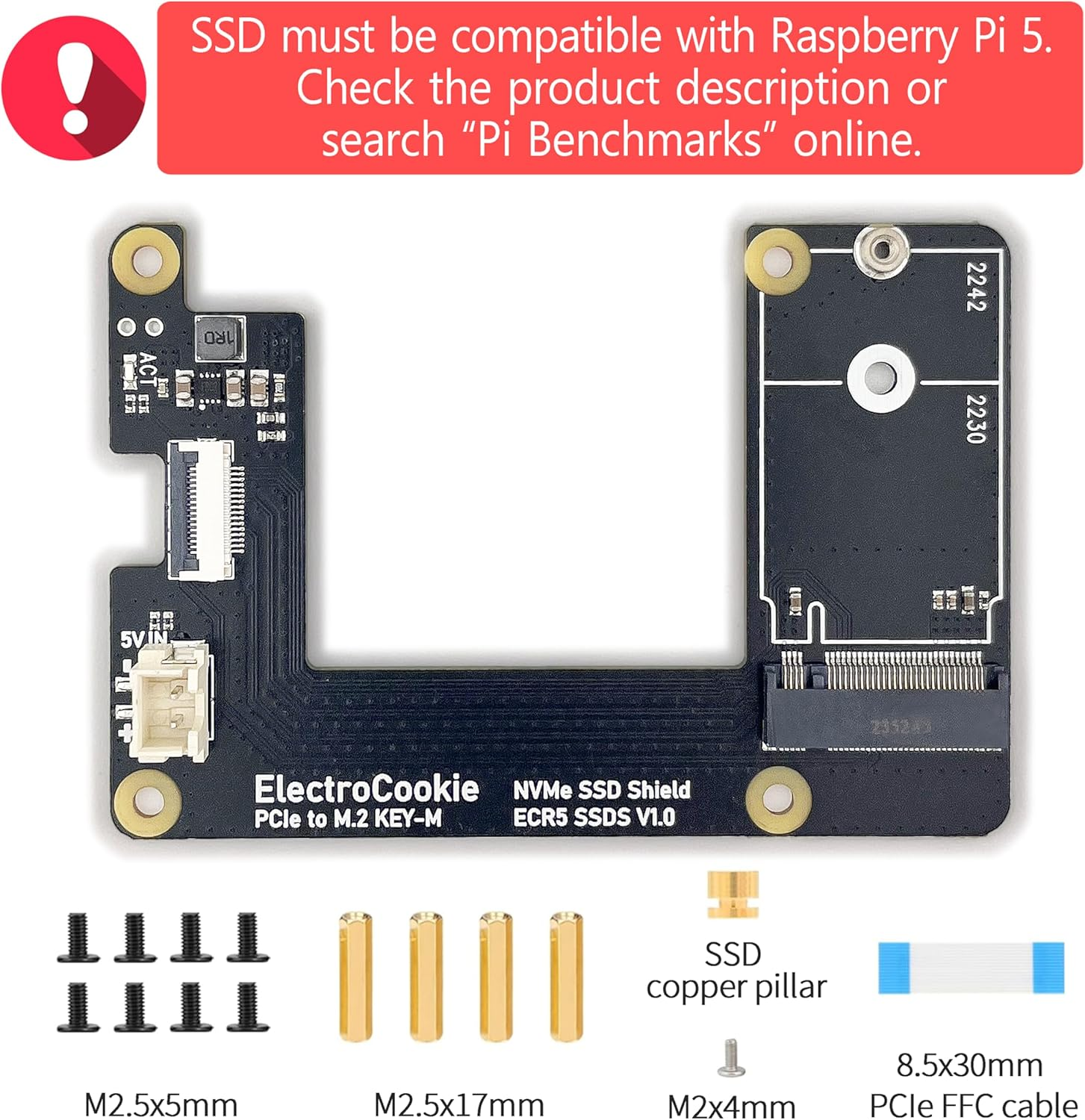
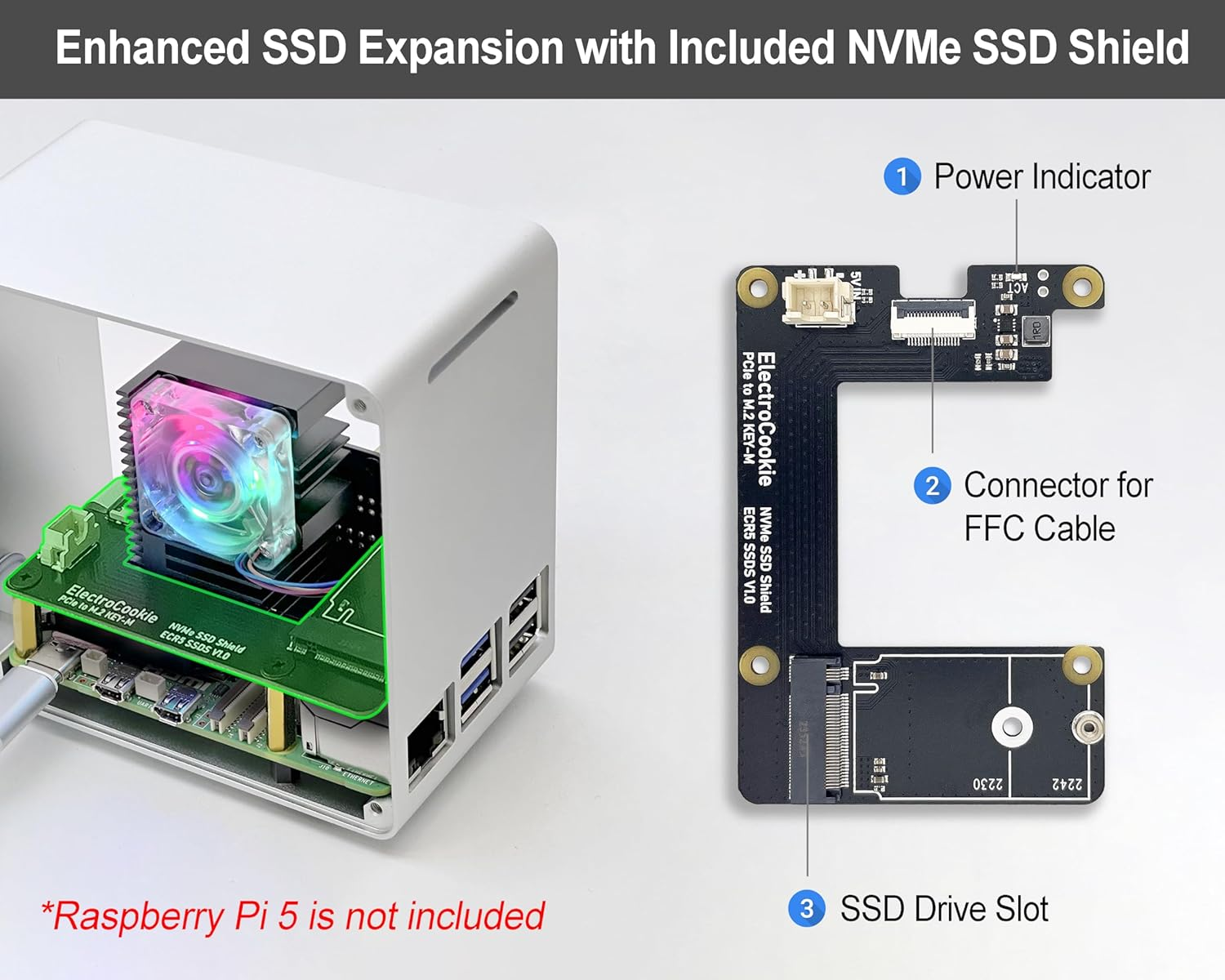
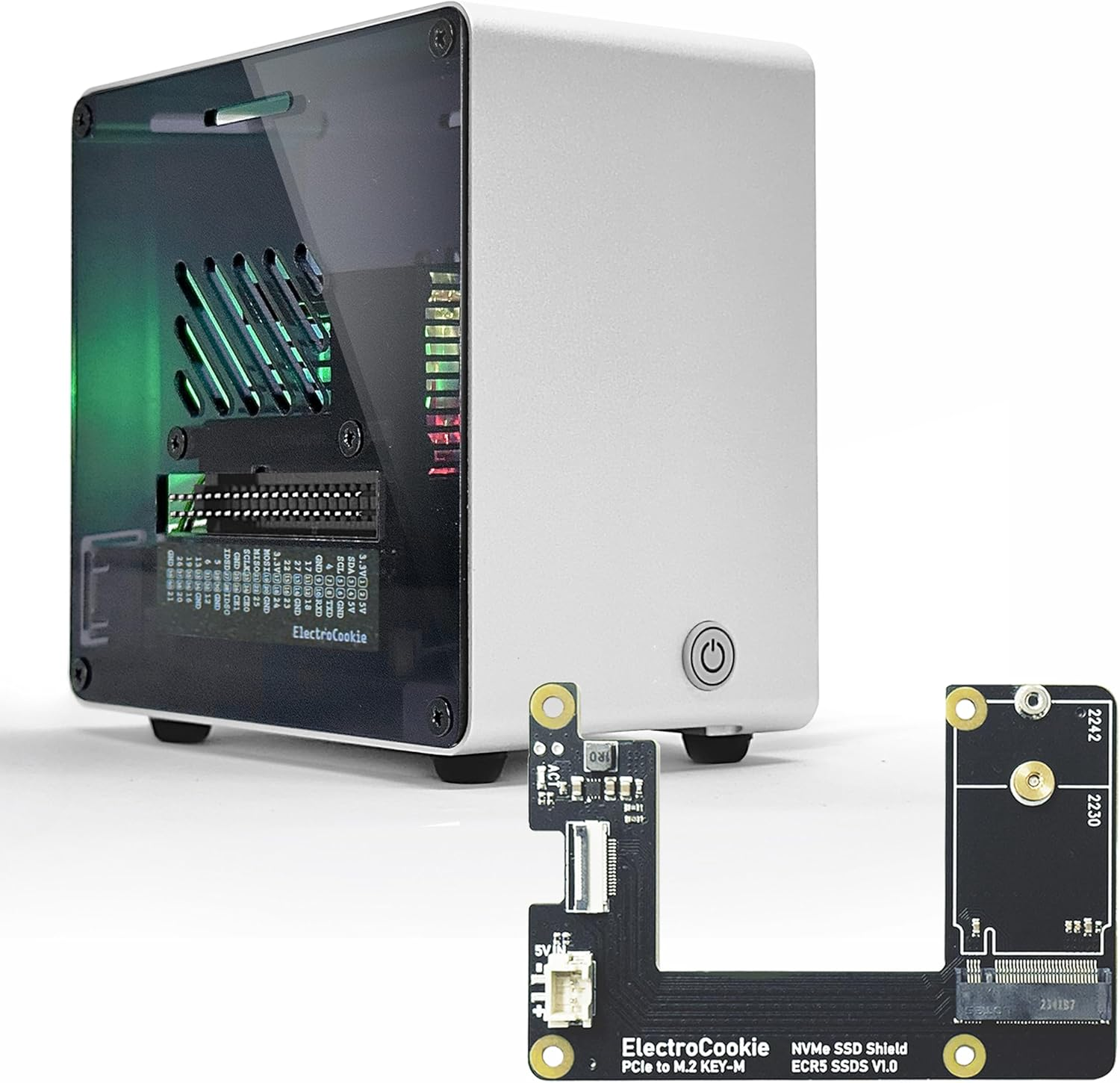
- High-Speed NVMe SSD Expansion : Features an NVMe M.2 SSD HAT shield compatible with 2230 and 2242 sizes, providing expanded storage and ultra-fast responsiveness.
- **SSD Compatibility & Setup Info : Please check SSD compatibility in the product description or by searching “Pi Benchmark” online. Boot drive setup instructions are also provided in the product description below, or you can follow official Raspberry Pi documentation and online tutorials.
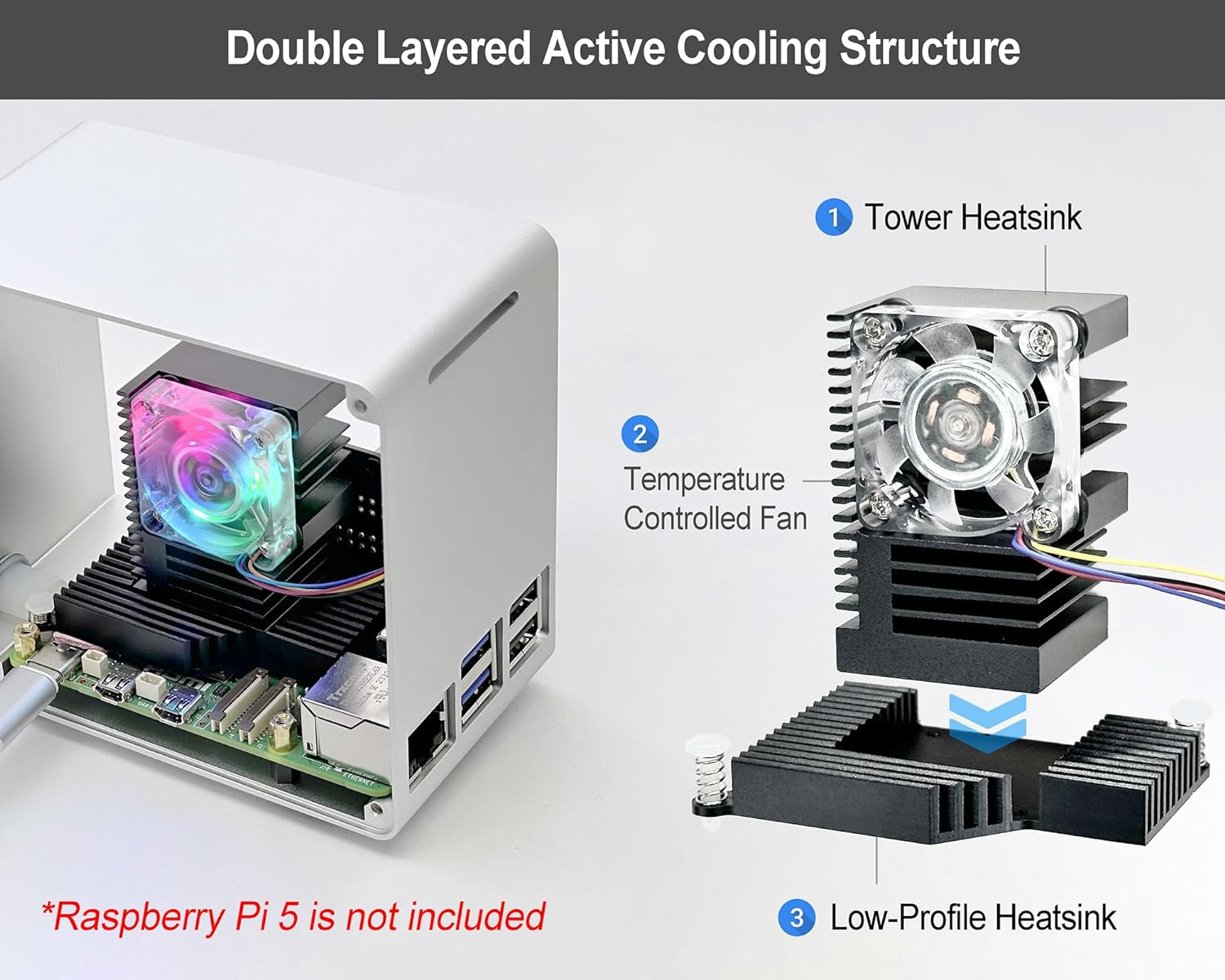
- Large Active Cooler with Style: Combines a large heat dissipation structure with an RGB-lit PWM fan that turns on with system power in style and automatically adjusts its speed based on CPU temperature. (*Note: The lighting is not programmable, and the fan may not spin when the CPU is cool, or may run continuously if no OS or bootable drive is available to control it.)
- Easy Access & Soft-Touch Power Button: GPIO pins, SD card slot, USB, Ethernet, Power, and Micro HDMI ports remain fully accessible, while the soft-click power button feels smooth and responsive.
Raspberry Pi 5 NVMe SSD HAT – Compatibility Notice
This NVMe SSD HAT for Raspberry Pi 5 shares the same circuit design as widely adopted M.2 HATs, featuring a PCB layout that’s been minimally customized to fit our case dimensions. As with the official Raspberry Pi Foundation M.2 HAT, it supports only 2230 and 2242 NVMe SSDs.If your SSD is not recognized or fails to boot with the Raspberry Pi 5, it is most likely due to incompatibility between the SSD and the Raspberry Pi 5. The HAT simply acts as a signal and power bridge and does not affect SSD compatibility.
SSD controllers known to cause issues include:
SMI2263XT, SMI2263EN, MAP1202, Phison series controllers
★ Known Incompatible SSDs ★
The following SSDs have been reported to show compatibility issues with Raspberry Pi 5:
- Inland TN446
- Corsair MP600
- Micron 2450
- Kingston OM8SEP4256Q-A0
- WD_Blue SN550 / SN580
- WD_Green SN350
- WD_Black SN850 / SN770
- Kingspec series
- Any other SSDs that use SMI2263XT, SMI2263EN, MAP1202, or Phison series controllers
★ Recommended SSDs (Confirmed Compatible) ★
The following SSDs are known for low power consumption and low heat generation, making them a great match for the Raspberry Pi 5’s hardware and power limits:
- Samsung PM9A1, PM981, PM991, PM991a, PM9B1
- SK hynix BC901, BC711
- Official Raspberry Pi NVMe SSD
★ Tips for Stable Operation ★
- Make sure your Raspberry Pi 5’s bootloader and OS are up to date.
- Before purchasing an SSD, we recommend searching online for “Pi Benchmarks” to check real-world performance and compatibility reports.
How to Set Up SSD Boot on Raspberry Pi 5 Using an M.2 HAT
Note: SSD boot setup is the same as with the official M.2 HAT or other standard models.
You can follow the official Raspberry Pi documentation, online tutorials,
or simply refer to the step-by-step guide below.
1. Assemble your Raspberry Pi 5 board with the M.2 HAT and SSD.
2. Insert an SD card with Raspberry Pi OS into your Raspberry Pi 5, and power it on.
3. Open the terminal and run the following commands one by one to update your Raspberry Pi.:
sudo apt update && sudo apt full-upgrade
sudo apt install rpi-eeprom
sudo rpi-eeprom-update
4. Install Raspberry Pi Imager:
sudo apt install rpi-imager
5. Launch Raspberry Pi Imager:
rpi-imager
6. In the Imager:
- Select Raspberry Pi 5 as your device
- Choose the OS version
- Select your SSD as the target drive, and start the installation.
7. After OS installation, run the following to configure boot order:
sudo raspi-config
8. Set boot order:
Advanced Options → Boot Order → NVMe/USB Boot
Then press Finish or the Escape key.
9. Reboot your Raspberry Pi. It will now boot from the NVMe SSD
- Item Model Number: Raspi DT Case
- Part Number: Raspi DT Case
- Number of items: 1
- Colour Name: Silver
- Batteries Included: No
- Batteries Required: No
- Brand: ElectroCookie
- Special Features: Fortschrittliches Kühlsystem mit RGB-Beleuchtung
- Material Type: Aluminium
- Compatible Devices: Raspberry Pi 5
- Item Weight: 280 g
- Model Name: ElectroCookie Raspberry Pi 5
- Model: Raspi DT Case
- Package Dimensions: 12.2 x 12.1 x 7.9 cm; 280 Grams
- Manufacturer: ElectroCookie
A$82.25
-
A$97.80
Shipping to Australia
Delivery time varies by location
Return & Refund Policy
Check our return & refund policy
Security & Privacy
Safe payments: We do not share your personal details
Availability:
-
Select Styles for Availability
Sign in
or create an eMega account
Shop smarter — get exclusive deals & order tracking